Paid subscription not showing in account

#891256
  • Resolved Humberto Garcia
    Rank Math pro
    Content AI Starter

    my dashboard isnt showing a paid subscription tho : Congratulations on Your Purchase! We have sent your login & invoice details to h*******@t****************************. Subscriptions and Billing Manage your active subscriptions, view your invoices & update your payment methods Subscriptions Invoices Payment Methods Rank Math SEO Subscriptions Content AI Subscription SEO Course Subscription You have no active subscriptions. Find your first subscription in the store.

    I need to connect photographytoprofits.com to the paid subscription

    Charges will appear on your bill as FS *rankmath
    Order Reference: RANKMATH241010-6641-81193
    View Invoice
    Tax: $0.00
    You saved: $12.00
    Total: $83.88

Viewing 2 replies - 1 through 2 (of 2 total)
  • Hello,

    We apologize for the issue you are facing with your Rank Math account not showing your paid subscription. It seems that your website may not be connected to the correct Rank Math account.

    To resolve this, please follow these steps:

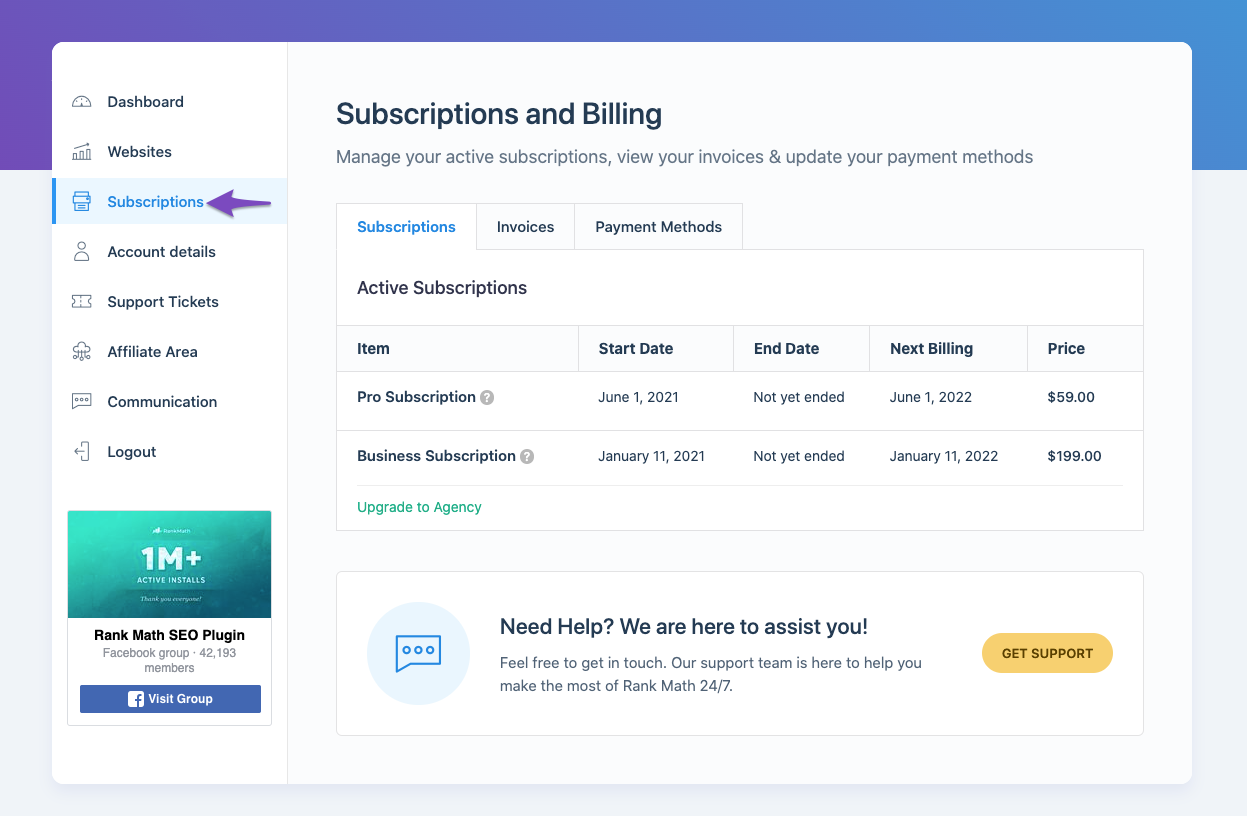
    1. Check Your Rank Math Subscription: Log in to your Rank Math account and navigate to the Subscriptions section from the left sidebar to verify the current status of your subscription.
      Rank Math Subscriptions

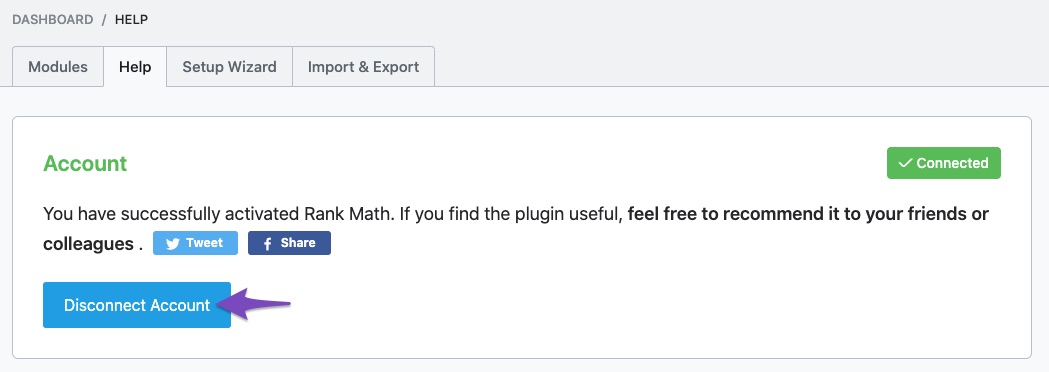
    2. Ensure Your Website is Connected: Go to your WordPress Dashboard and navigate to Rank Math SEO → Dashboard → Help. If it shows Connected, select Disconnect Account to reconnect your website with the correct Rank Math account.
      Choose Disconnect account

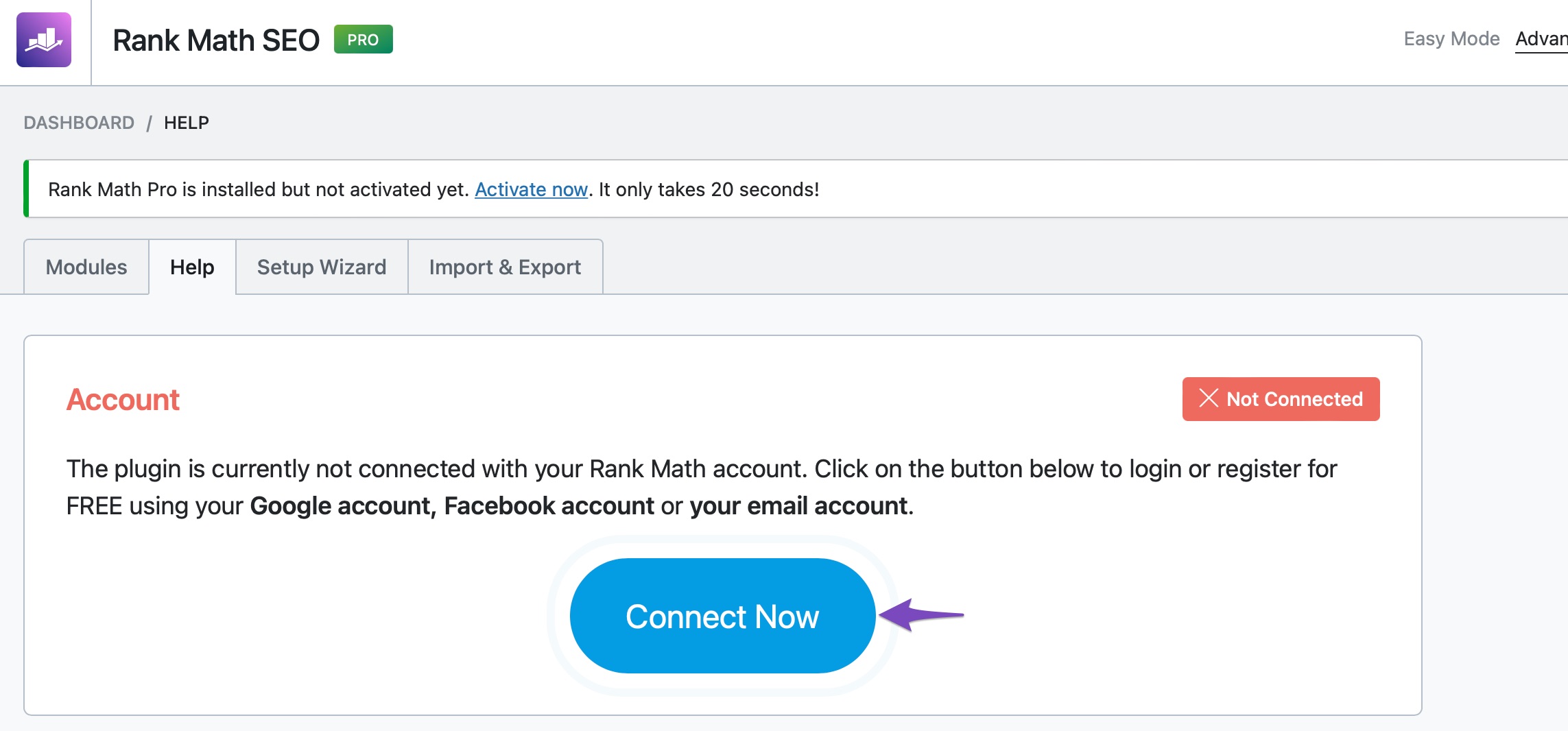
    3. Reconnect Your Website: After disconnecting, click the Connect Now button and choose the correct Rank Math account associated with your PRO license.
      Click Connect Now in Rank Math

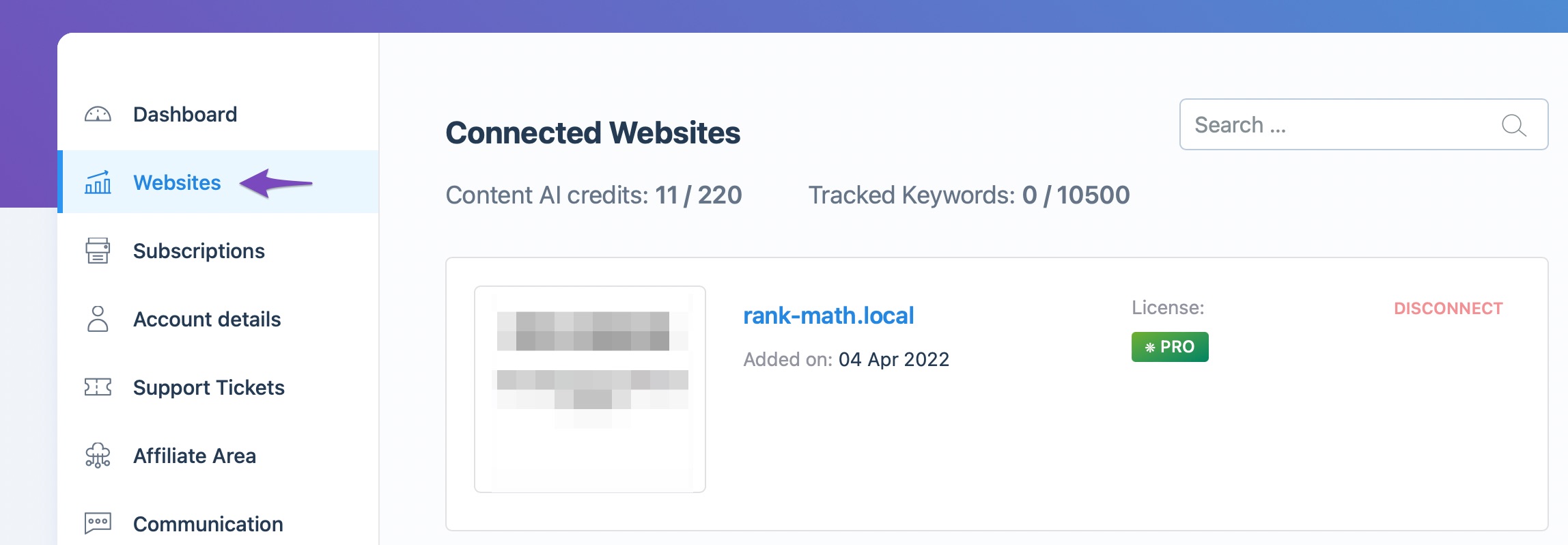
    4. Verify Connection: Once successfully connected, you should see the status on the Help page of your WordPress dashboard and in your Rank Math Websites section.
      Check connected websites

    If you still encounter issues after following these steps, please reply to this ticket, and a human agent from the Rank Math Support team will assist you further. Thank you for bringing this concern to our attention!

    Sources:
    How to Ensure Your Account Has an Active Subscription » Rank Math

    Hello,

    Thanks for contacting us and sorry for any inconvenience that might have been caused due to that.

    Please make sure that you have installed the PRO version on your website alongside the Free version of the plugin.

    You can follow this guideline to install the PRO version of the plugin on your website: https://rankmath.com/kb/rank-math-pro-license-key/

    ​​​​​​​Once done, please head over to your WordPress Dashboard > Rank Math > Dashboard > Help, and from there disconnect and reconnect your Rank Math account and see if that fixes the issue.

    https://i.rankmath.com/ZvEfVb
    https://i.rankmath.com/OZSwOw

    Let us know how it goes. Looking forward to helping you.

    Thank you.

    Hello,

    Since we did not hear back from you for 15 days, we are assuming that you found the solution. We are closing this support ticket.

    If you still need assistance or any other help, please feel free to open a new support ticket, and we will be more than happy to assist.

    Thank you.

Viewing 2 replies - 1 through 2 (of 2 total)

The ticket ‘Paid subscription not showing in account’ is closed to new replies.