Hello,
We apologize for the issue you are facing. To check if your plugin is updated and if you have a PRO subscription, you can follow these steps:
Check Your Rank Math Subscription
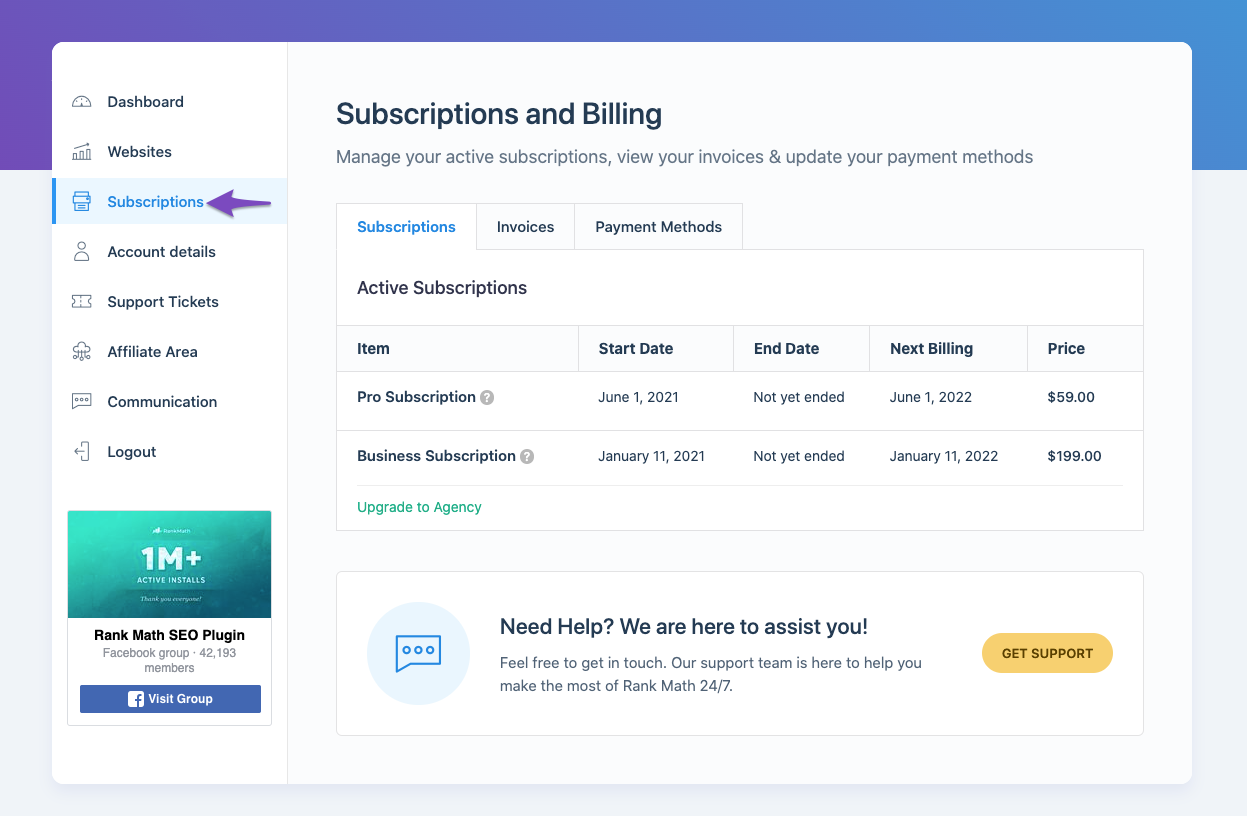
- Log in to your Rank Math account area.
- From the left sidebar, select Subscriptions to check the current status of your Rank Math subscription.
Check if You’re Using the Latest Version of Rank Math PRO
- Go to your WordPress Dashboard → Plugins.
- Look for the version of Rank Math PRO installed on your website.

- You can check with our official changelog here to ensure you’re using the latest version of Rank Math PRO.
Finding Your Invoice
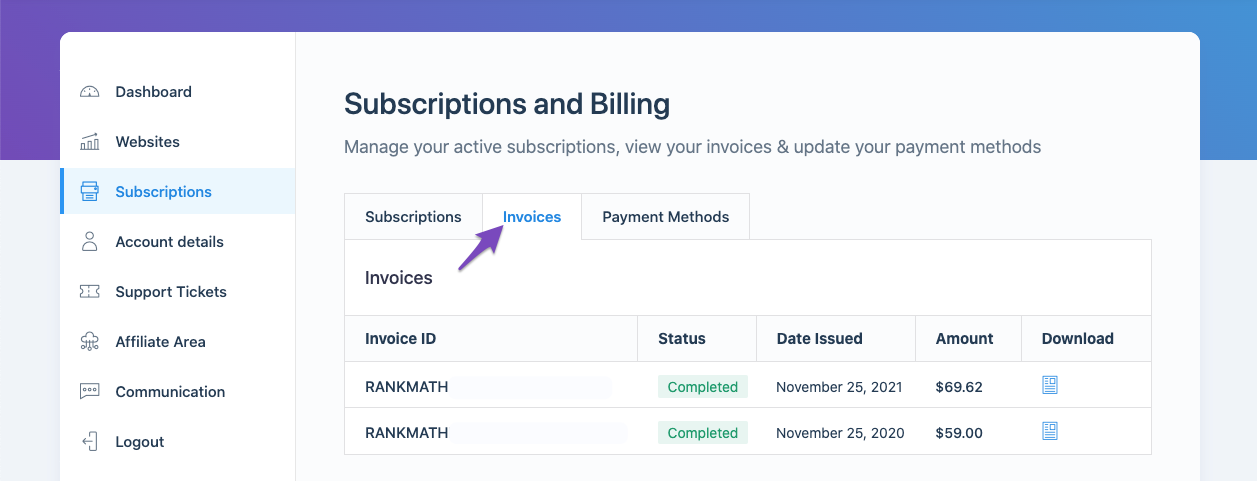
To find out what invoice needs to be paid for the next year, you can log in to your account area and navigate to the Subscriptions section. In the Invoices tab, you will find all the invoices for your Rank Math PRO subscriptions.
If you still have any questions or need further assistance, please reply to this ticket, and a human agent from the Rank Math Support team will overtake it and assist you further.
Sources:
How to Download or Update My Invoice » Rank Math
How to Ensure Your Account Has an Active Subscription » Rank Math
Hello,
Thank you for contacting us and sorry for any inconvenience that might have been caused due to that.
Unfortunately, we are unable to see any subscriptions on your account.
If you’ve purchased the subscription with some other email address, please share the email address that you used to purchase the plugin or you can search and forward the receipt from FastSpring.com so we can locate your account.
Looking forward to helping you.
Thank you.
Hello,
Since we did not hear back from you for 15 days, we are assuming that you found the solution. We are closing this support ticket.
If you still need assistance or any other help, please feel free to open a new support ticket, and we will be more than happy to assist.
Thank you.



