Hello,
We apologize for the issue you are facing with setting the noindex tag on paginated category pages. Thank you for providing detailed steps you’ve taken.
To ensure that the noindex tag is applied correctly to your category pagination, please check the following:
-
Check Titles & Meta Settings for Categories: Navigate to WordPress Dashboard → Rank Math SEO → Titles & Meta. Make sure that the Category Archives Robots Meta option is set to No Index. This setting specifically controls the indexing of category pages.
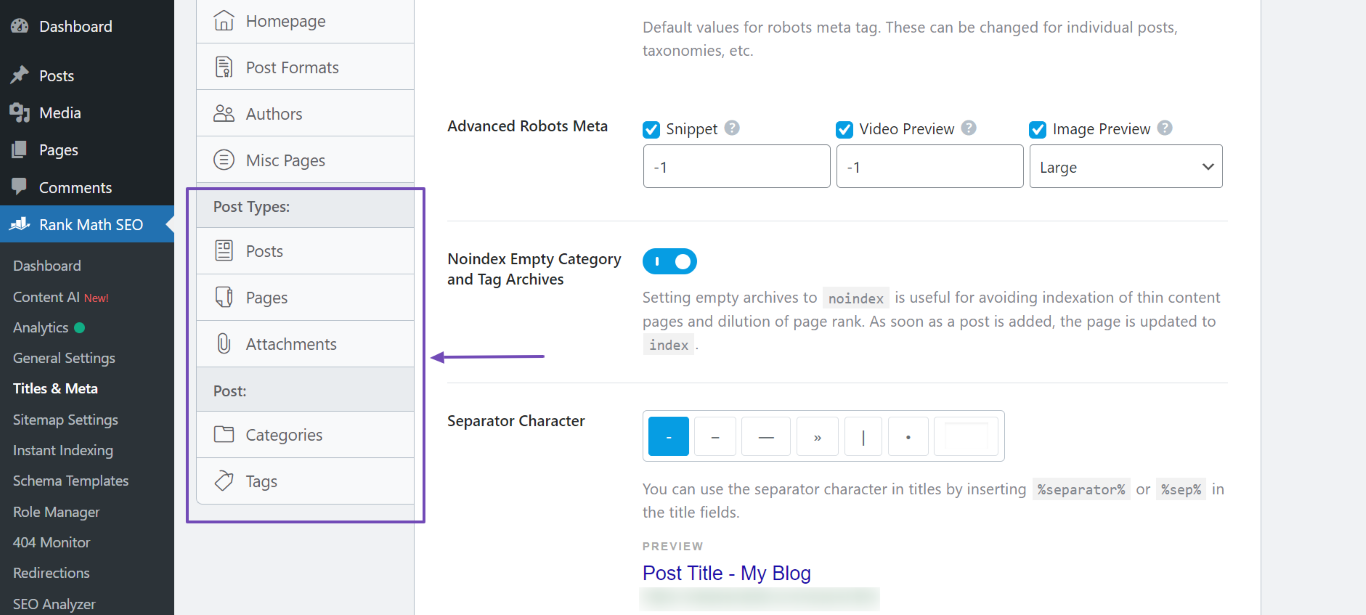
-
Verify Individual Category Settings: Sometimes, individual category settings can override global settings. Check the specific category settings for the one you are having issues with and ensure it is set to noindex.
-
Clear Cache: If you are using any caching plugins, clear your cache after making changes to ensure that the new settings are reflected on the front end.
-
Check for Conflicting Plugins: Ensure that there are no other SEO plugins or settings that might be conflicting with Rank Math’s settings.
-
Inspect Page Source: After making these changes, inspect the page source of your category pages (right-click and select "View Page Source") to see if the noindex tag is present in the “ section.
If you have checked all these points and it still does not work, please reply to this ticket, and a human agent from the Rank Math Support team will assist you further.
Thank you for your patience, and we hope to resolve this issue for you soon!
Please have a real support look at it instead of a bot.
Hello,
The product categories fall on Noindex Subpages in Titles & Meta > Misc Pages.
We have enabled it to set the product categories’ pagination to noindex.
Looking forward to helping you.
Hello,
Since we did not hear back from you for 15 days, we are assuming that you found the solution. We are closing this support ticket.
If you still need assistance or any other help, please feel free to open a new support ticket, and we will be more than happy to assist.
Thank you.



