Hello,
We apologize for the issue you are facing with outgoing internal links containing the nofollow attribute. This can happen if the settings in Rank Math are configured to apply the nofollow attribute to certain links.
To resolve this issue, please follow these steps:
-
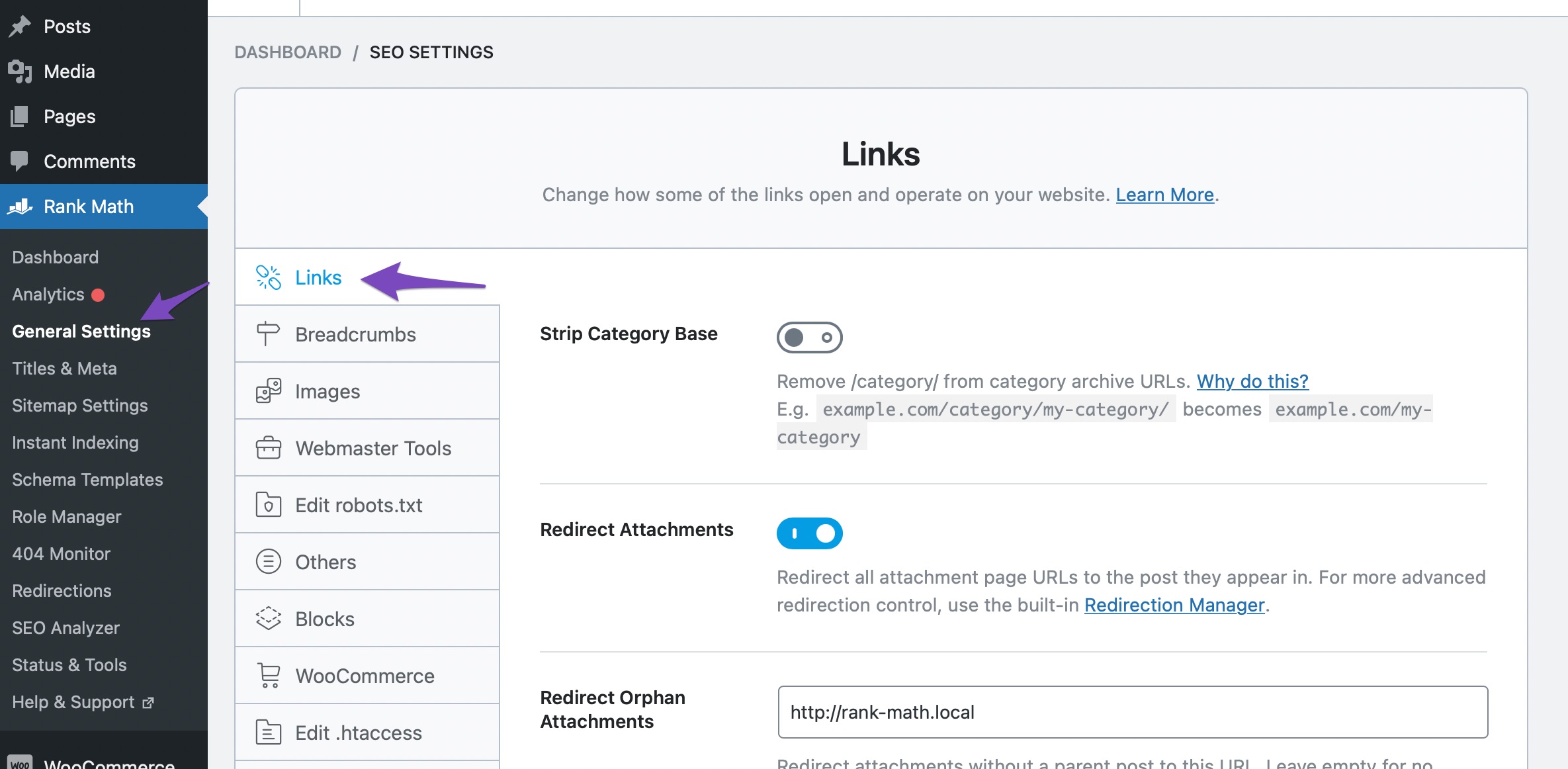
Navigate to Links Settings: Go to Rank Math SEO → General Settings → Links. Ensure you are in the Advanced mode of Rank Math to access all options.
-
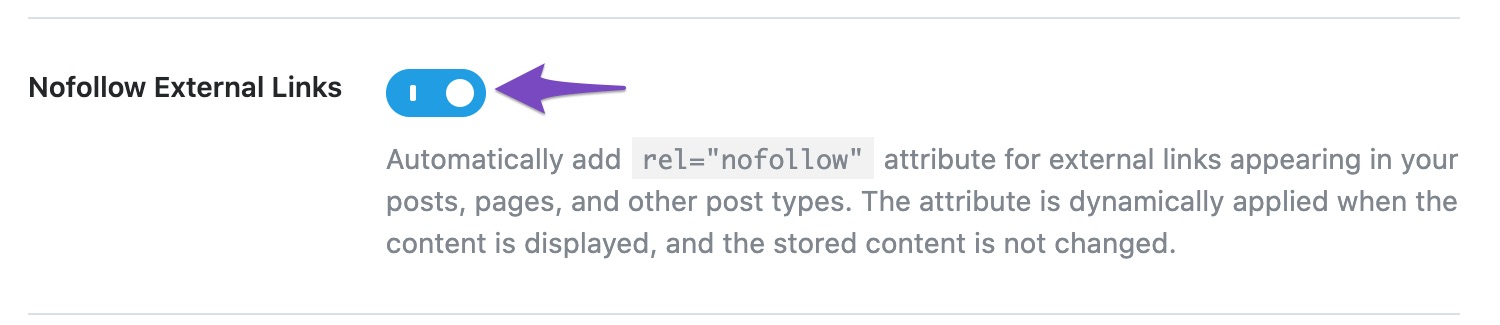
Check Nofollow External Links: Look for the Nofollow External Links option. If this is enabled, it may be affecting your internal links as well. You might want to disable this option if you do not want any external links to have the nofollow attribute.
-
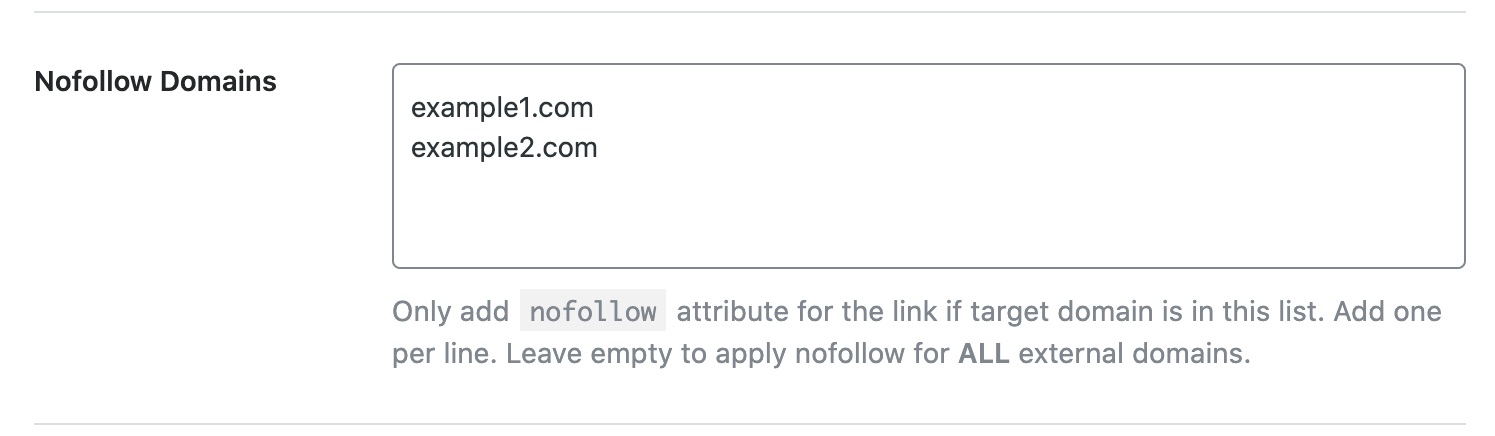
Review Nofollow Domains: Scroll down to the Nofollow Domains section. Ensure that you have not mistakenly added your own domain or any internal links here, as this would apply the nofollow attribute to those links.
-
Cross-Origin Links Issue: If you are encountering a cross-origin links issue, ensure that your internal links are correctly formatted and pointing to the same domain without any unnecessary parameters that could be causing confusion.
If after checking these settings the issue persists, please reply to this ticket, and a human agent from the Rank Math Support team will assist you further. Thank you for raising this concern!
Sources:
How to Nofollow Specific External Links in WordPress With Rank Math SEO » Rank Math
Hello,
Thank you for contacting us and sorry for any inconvenience that might have been caused due to that.
Please check if you have enabled the option to set nofollow to all external links under your WordPress Dashboard > Rank Math > General Settings > Links:
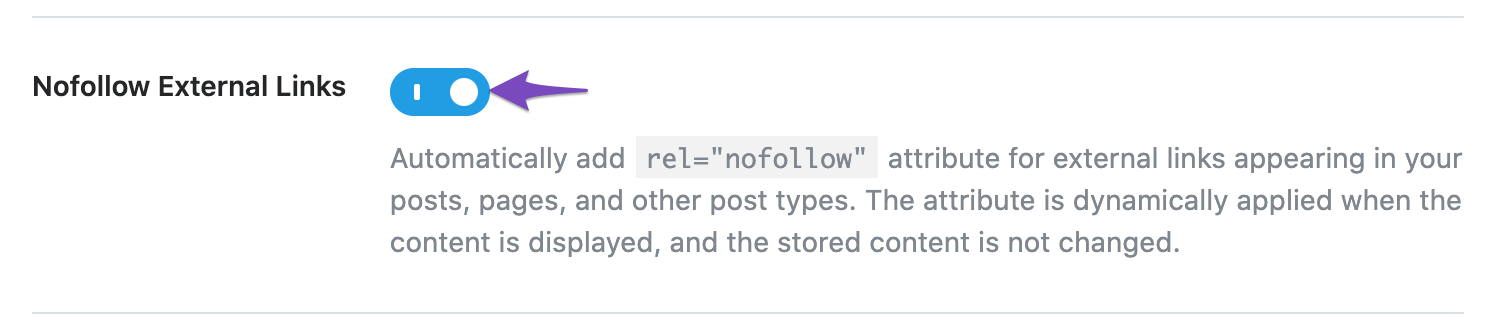
If that is enabled, then all outbound links will be set to nofollow unless their domains are added to the exclusion list on that same page.

Regarding the other issue, please share a screenshot with us by using a tool like https://imgur.com/upload so that we can check the issue further for you.
Let us know how it goes. Looking forward to helping you.
Thank you.
Hello,
The issue is reported for the internal links. Our plugin doesn’t set the internal links as nofollow. If you haven’t done that manually, then another plugin or your theme must be setting them to nofollow. You can follow this guide to figure that out: https://rankmath.com/kb/check-plugin-conflicts/
Please do not hesitate to let us know if you need our assistance with anything else.
Hello,
Since we did not hear back from you for 15 days, we are assuming that you found the solution. We are closing this support ticket.
If you still need assistance or any other help, please feel free to open a new support ticket, and we will be more than happy to assist.
Thank you.





