Hello,
Thank you for contacting Rank Math for help with adding your organization logo to the non-AMP pages.
For non-AMP pages, Google takes the logo from the website’s favicon. You can follow this guide for how to change the favicon: https://rankmath.com/kb/wordpress-favicon/
Hope that helps. Please let us know if you have questions.
The competing site is using yoast-schema
this is not true
Competitors do not have AMP yet a large logo appears inscribed in the schema
As in the following picture

https://prnt.sc/KXCCxneMNJjy
and It is completely different from favicon
Hello,
Please make sure you have set up the organization logo in the Rank Math Local SEO settings. To do this, go to Rank Math > Titles & Meta > Local SEO and under “Logo”, upload the correct logo. Be sure to also fill in the rest of the local SEO fields.
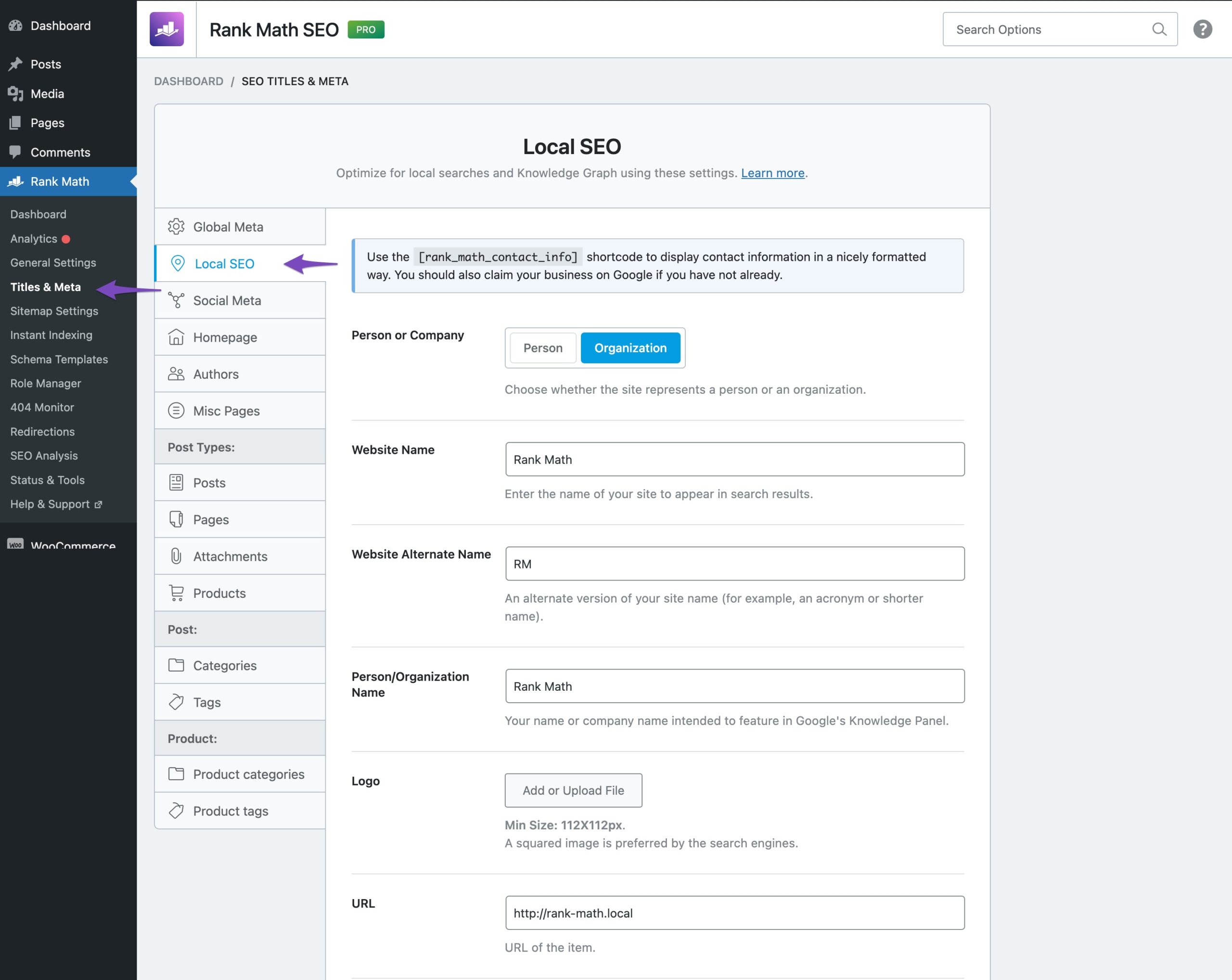
Once the logo is added to your local schema, Rank Math will be able to add it to your posts and pages.
Hope that helps. Please let us know if you have questions.
Sure, I did it and it appeared in the search engines in a new way, but in the presence of the AMP , but as soon as you stop AMP, the logo stops appearing already listed in Rank Math > Titles & Meta > Local SEO and under “Logo”
Once AMP is re-enabled, the logo appears fine in google listed in Rank Math > Titles & Meta > Local SEO and under “Logo”
I can’t understand why the logo appears with AMP!!
These are my rankmath settings

How does the logo appear in Google if AMP is enabled

Finally, this is how the logo of the site appears once AMP is turned off

Hello,
Please note that we don’t have any control over how images in the SERP results are displayed and search engines display them as per their will and it mostly depends on the keyword search term and the website authority.
When you conduct some changes (enabling/disabling the AMP), please try clearing your website cache including any server-level caching services, and allow Google to recrawl your website.
Let us know how that goes. Looking forward to helping you.



