Hello,
We apologize for the issue you are facing with the ‘og:image’ property not being displayed. It seems that the Open Graph tags, specifically the og:image tag, are not being generated on your page. Here are some steps you can take to resolve this issue:
-
Check Rank Math Settings: Ensure that Rank Math is properly configured to generate Open Graph tags. You can do this by going to the Rank Math settings in your WordPress dashboard and verifying that the Open Graph settings are enabled.
-
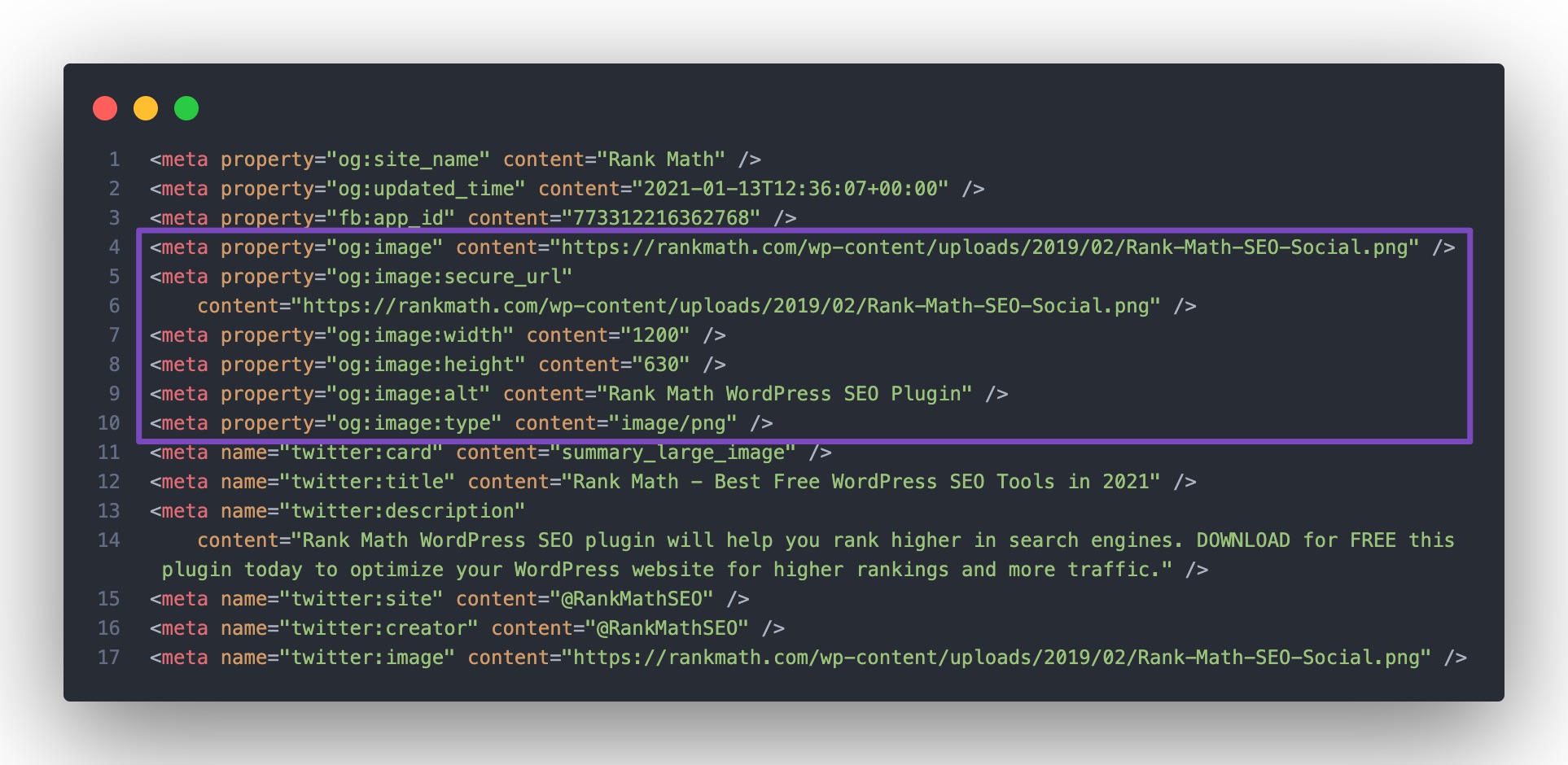
View Page Source: Right-click on your page and select View Page Source. Look for the og:image tag in the source code. If it’s not there, it indicates that Rank Math is either disabled or not able to print your social tags.
-
Check for Plugin Conflicts: Sometimes, other plugins or themes can conflict with Rank Math and prevent it from generating the necessary tags. You can follow our troubleshooting guide to identify any possible conflicts.
-
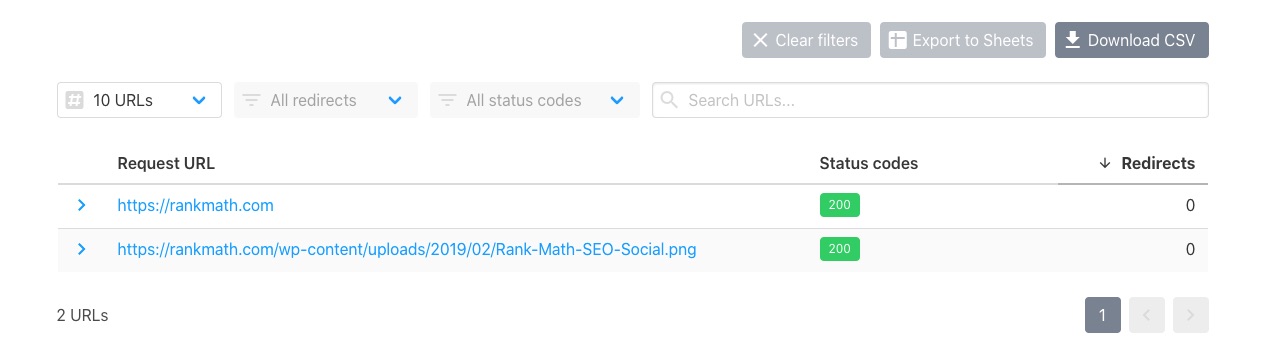
Ensure Image Accessibility: Make sure that the image you are trying to use as og:image is accessible and does not return a 403 Forbidden error. You can check this using the URL checker by entering the image URL.
-
Re-save Permalinks: Sometimes, simply re-saving your permalinks can help refresh the settings and resolve issues with tag generation.
If you have followed these steps and are still experiencing issues, please reply to this ticket, and a human agent from the Rank Math Support team will assist you further. Thank you for raising this concern!
Hello,
Thank you for contacting us and sorry for any inconvenience that might have been caused due to that.
Please make sure the opengraph image you’re using has the appropriate size and format according to the guidelines: https://rankmath.com/kb/open-graph-image-not-displaying/#num-4-2-image-dimensions-image-format
Once done, please try to clear your website cache including any server-level cache, and check again.
For more details, you can check this URL: https://rankmath.com/kb/open-graph-image-not-displaying/
Let us know how it goes. Looking forward to helping you.
Thank you.
Hello,
Since we did not hear back from you for 15 days, we are assuming that you found the solution. We are closing this support ticket.
If you still need assistance or any other help, please feel free to open a new support ticket, and we will be more than happy to assist.
Thank you.



