
-
Hello, my website was marked as noindex, according to the original code below. I have checked RankMath dashboard, 1. Global Meta, Robots Meta, I already selected ‘index’, and I go to the page setting, also ‘index’ was selected.
Could you please check why? Thanks a lot.

-
Hello, we apologize for the issue you are facing with the noindex setting on your website. It sounds like you’ve already taken some important steps to resolve this by checking both the global settings and the individual page settings in Rank Math.
Here are a few additional things you can check:
-
Rank Math Metabox: Ensure that the Rank Math Metabox is correctly configured for the specific post or page. Open the post/page in the WordPress Editor, and check if the Robots Meta is set to Index in the Advanced Tab of the Rank Math Metabox. If it’s set to No Index, change it to Index and update the post.

-
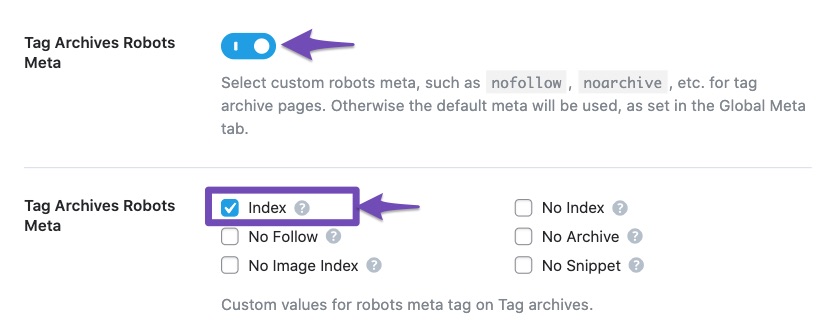
Titles & Meta Settings: Double-check your Titles & Meta settings in Rank Math to ensure that no default settings are overriding your individual page settings. Navigate to Rank Math SEO → Titles & Meta and review each section to confirm that they are set to your preference.
-
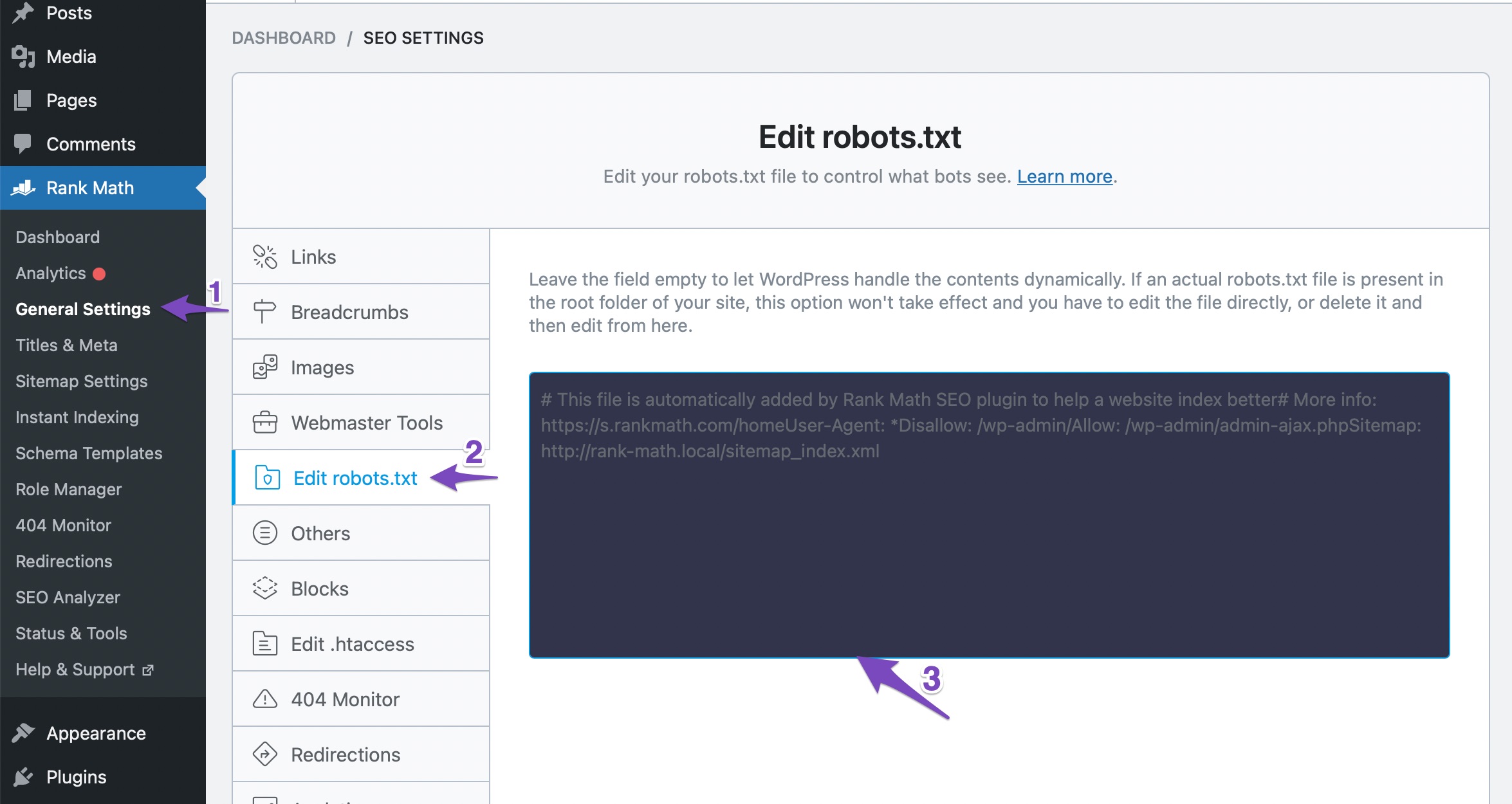
Robots.txt File: Make sure that your robots.txt file does not contain any disallow rules that might be preventing indexing. You can check this under Rank Math SEO → General Settings → Edit Robots.txt.
-
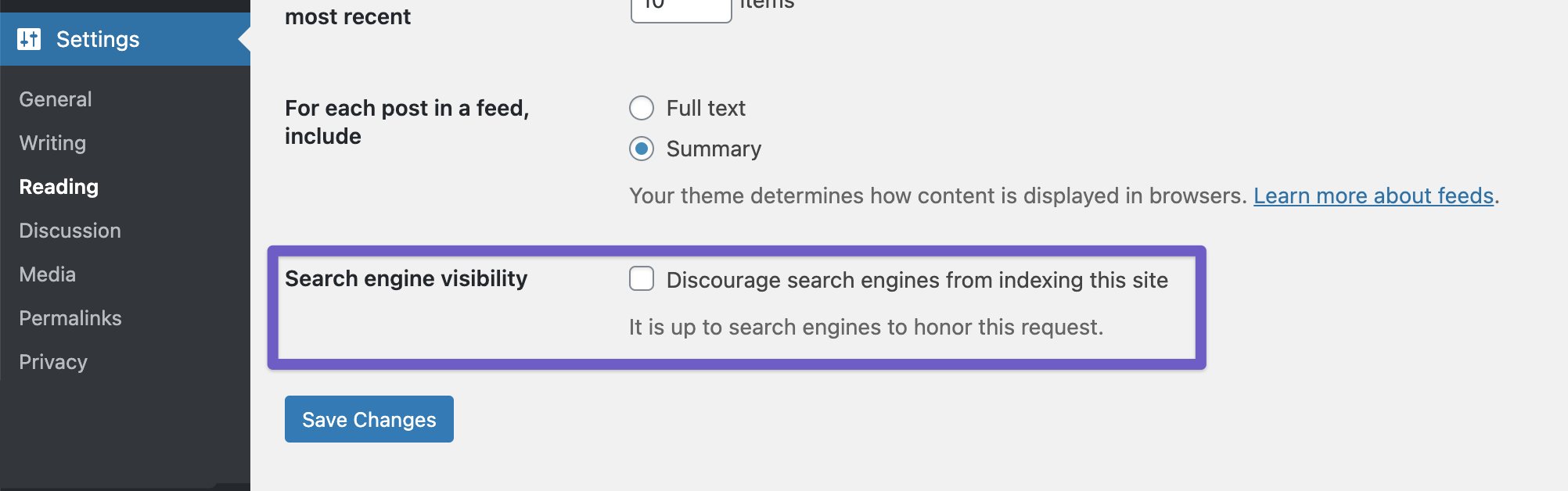
Global Settings: Lastly, ensure that the option to discourage search engines from indexing your site is not enabled in your WordPress settings. Check this under Settings → Reading and make sure the Discourage search engines from indexing this site option is unchecked.
If you have checked all these settings and the issue persists, please reply to this ticket, and a human agent from the Rank Math Support team will take over and assist you further. Thank you for raising this concern!
Sources:
Why Google Hasn’t Indexed Your Post, Page, and/or Website? » Rank Math
Fix Excluded by NoIndex Tag – Google Search Console Status » Rank MathYes, I have checked all these settings, but still have this problem, pls kindly help, thank you.
Hello,
Thank you for contacting us and bringing your concern to our attention.
It is a pretty common mistake to open the page source and search for a noindex tag to see if the page is marked as noindex or not.
Rank Math offers a No Index and No Follow option in the admin menu bar, which could show up in the page’s source code when logged in.
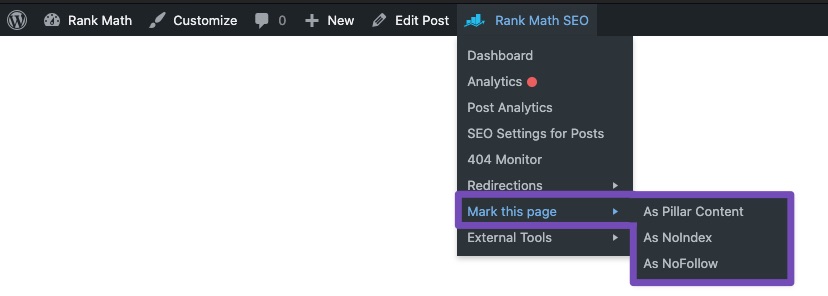
The actual noindex tag will be added like this:
<meta robots="noindex">Hope that helps and please don’t hesitate to let us know if you have any other questions.
Thank you.Thank you for your kindly explanation. but I am sorry I did not mention the original problem, which is in my google search console account, all pages are not indexed. only the home page shows that, excluded by ‘no index’ tag.
Pls kindly recheck, thanks.Hello,
We’ve checked your site, and your pages are already set to index in the page’s source code. Also, your sitemap and robots.txt are working fine.
Please clear your website’s cache and revalidate the issue in your Google Search Console account and give Google some time to recrawl your site.
Looking forward to helping you.
Hello,
I have updated the sensitive data as requested. Can you please check further?
Thank you.
Thank you I have tried but still no work.
I validated my website by Bing, it also says: Important pages using meta robots tag that need review.
I deactivated some plugins that could cause this problem, then checked the source code, and there is still a Noindex tag.
I created a login link, could you pls kindly help to check? thank you very much for your time.
Thanks for the suggestions! I’ll check the robots.txt, inspect the source code, and clear caches. I’ll let you know if the issue persists.
I have the same issues but Thanks for the suggestions! I’ll check the robots.txt, inspect the source code, and clear caches.
Hello,
Your pages are already set with the index tag, although none of the pages is indexed on Google search when we used the
siteoperator to search.To assist us in further investigation, could you please provide a screenshot of your Google Search Console account’s Page Indexing Report?

To share the screenshot, you can use a tool like https://imgur.com/. This will allow us to better understand the situation and provide the appropriate support.
Meanwhile, we have provided some guides you can follow to ensure your website keeps showing up on Google search results: https://rankmath.com/kb/google-index/
https://www.youtube.com/watch?v=_YYecHEIwMsPlease note that, according to Google, crawling and indexing can take anywhere from a few hours to a few days/weeks. Be patient and monitor progress using the URL Inspection tool.
Hope this helps and please don’t hesitate to let us know if you have any other questions.
Thank you.
I deleted the website in GSC, and re-verified it yesterday, now still in process, says in Google: Processing data, please check again in a day or so.
I will send you a screenshot once it is finished. thanks.
Hello,
Sure! Let us know how it goes.
Meanwhile, please don’t hesitate to let us know if you have any other questions.
Looking forward to helping you.
Thank you.
Hello,
I have updated the sensitive data as requested. Can you please check further?
Thank you.
Hello,
We can see that the homepage of your site is already indexed on Google (See image in the sensitive data section).
From the screen recording you shared we can see that the two pages listed as being blocked by noindex tag are the WWW versions of your site homepage with one being the HTTP version.
The correct URL structure of your site is without WWW and using the HTTPS protocol. We can also see those URLs correctly redirect to the current page. We tested them using this tool: https://httpstatus.io/. Please see image2 in the sensitive data section.
You can use the URL inspection tool to request reindexing of your site so that Google can update its index of your site.
Hope that helps, and please do not hesitate to let us know if you need our assistance with anything else.
Ok, thank you so much.
-



You must be logged in to reply to this ticket.