Hello,
We apologize for the issue you are facing with the noindex meta tag on your pages. It sounds like you’ve already done a thorough check of your settings, which is great. Here are a few steps you can take to troubleshoot this further:
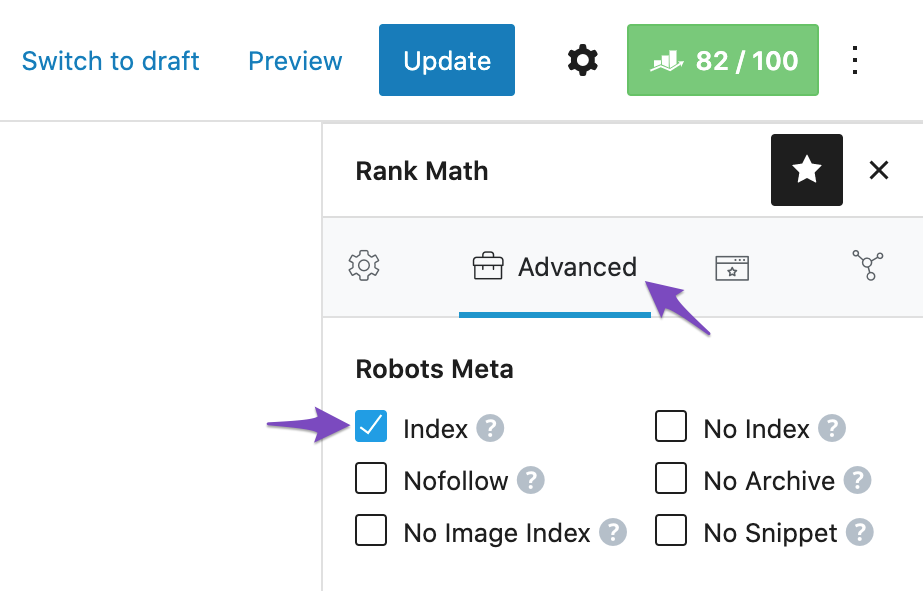
1. Check Rank Math Metabox
Make sure that the Rank Math Metabox is correctly configured for each post or page. Open the post/page in the WordPress Editor and ensure that the Index checkbox is selected in the Advanced Tab of the Rank Math Metabox.
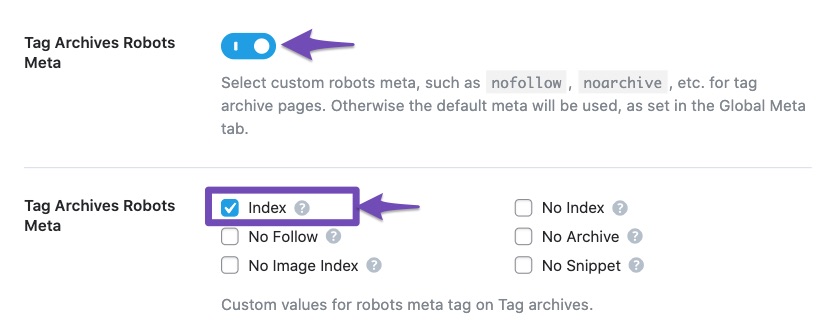
2. Review Titles & Meta Settings
Double-check your Titles & Meta settings in Rank Math. Go to Rank Math SEO → Titles & Meta and ensure that no default settings are set to noindex for your posts, pages, or products.
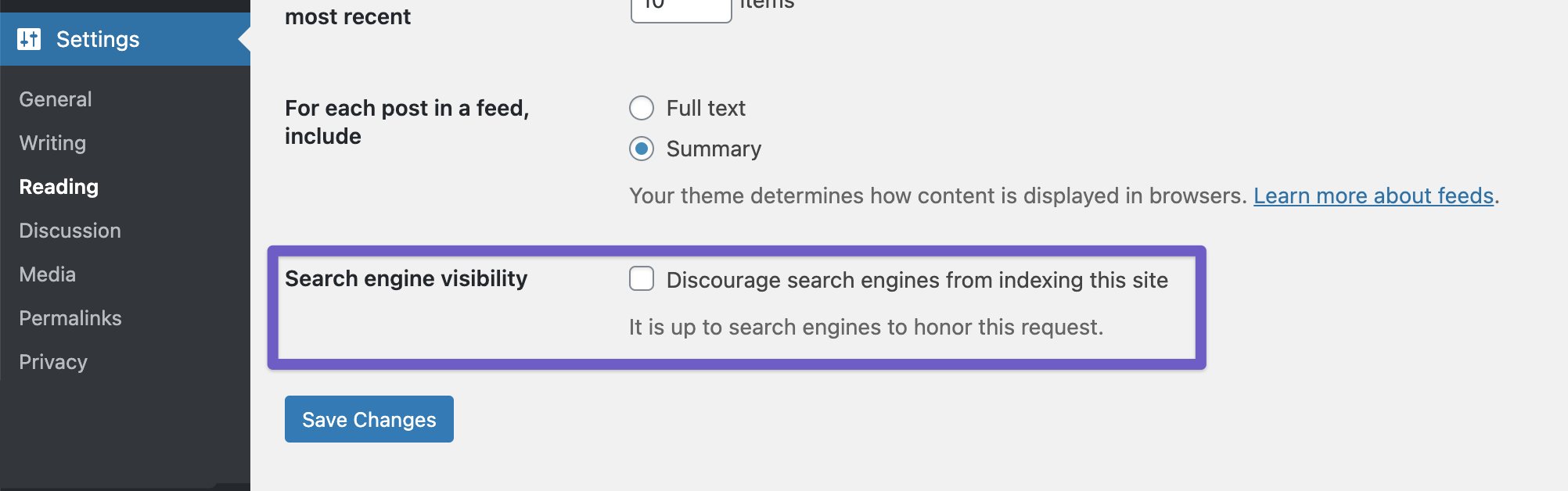
3. Global Settings Check
Ensure that the Discourage search engines from indexing this site option is not enabled in your WordPress settings. You can find this under Settings → Reading.
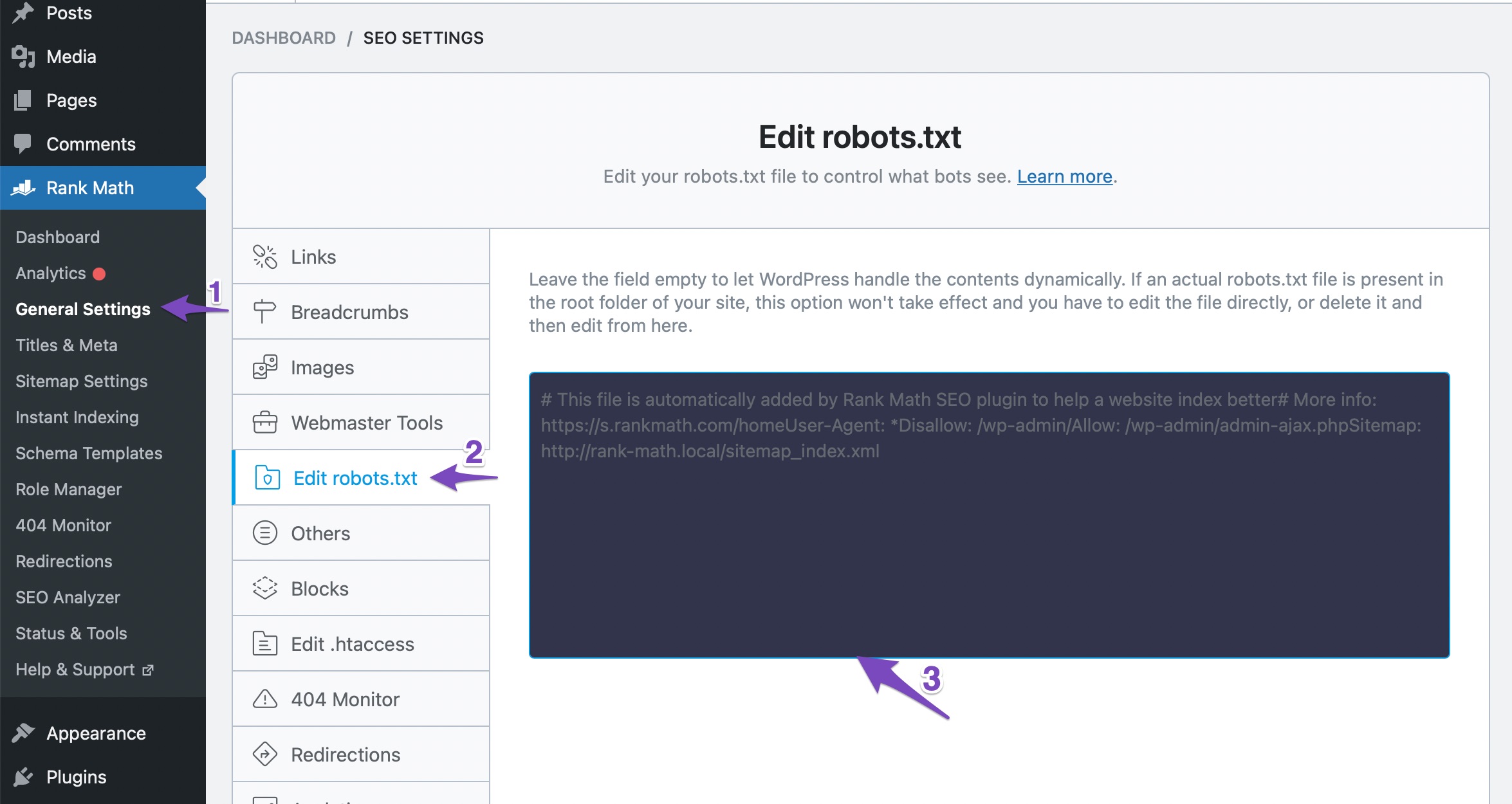
4. Robots.txt File
Check your robots.txt file to ensure there are no disallow rules that might be preventing Google from indexing your site. You can edit your robots.txt file through Rank Math at WordPress Dashboard → Rank Math SEO → General Settings → Edit Robots.txt.
5. Google Search Console
After making any changes, it may take some time for Google to re-crawl your site. You can request indexing through Google Search Console by using the URL Inspection tool for specific pages.
If you’ve checked all these settings and the issue persists, please reply to this ticket, and a human agent from the Rank Math Support team will assist you further. Thank you for raising this concern, and we hope to resolve it soon!
Still not working, all the sugestions mentioned in the automatic reply are the thing I have mentioned and did
Please Advice
Hello,
Thank you for contacting Rank Math support, and sorry for the inconvenience this may have caused.
We might need to investigate this on your website. Please edit the first post on this ticket and include your WordPress & FTP logins in the designated Sensitive Data section.
Please do take a complete backup of your website before sharing the information with us.

It is completely secure and only our support staff has access to that section. If you want, you can use the below plugin to generate a temporary login URL to your website and share that with us instead:
https://wordpress.org/plugins/temporary-login-without-password/
You can use the above plugin in conjunction with the WP Security Audit Log to monitor what changes our staff might make on your website (if any):
https://wordpress.org/plugins/wp-security-audit-log/
Looking forward to helping you.
Thank you.
Hello,
Since we did not hear back from you for 15 days, we are assuming that you found the solution. We are closing this support ticket.
If you still need assistance or any other help, please feel free to open a new support ticket, and we will be more than happy to assist.
Thank you.



