Hello,
We apologize for the issue you are facing with your website not appearing in Google Search Console. Thank you for raising this concern.
Here are a few steps you can take to troubleshoot the issue:
-
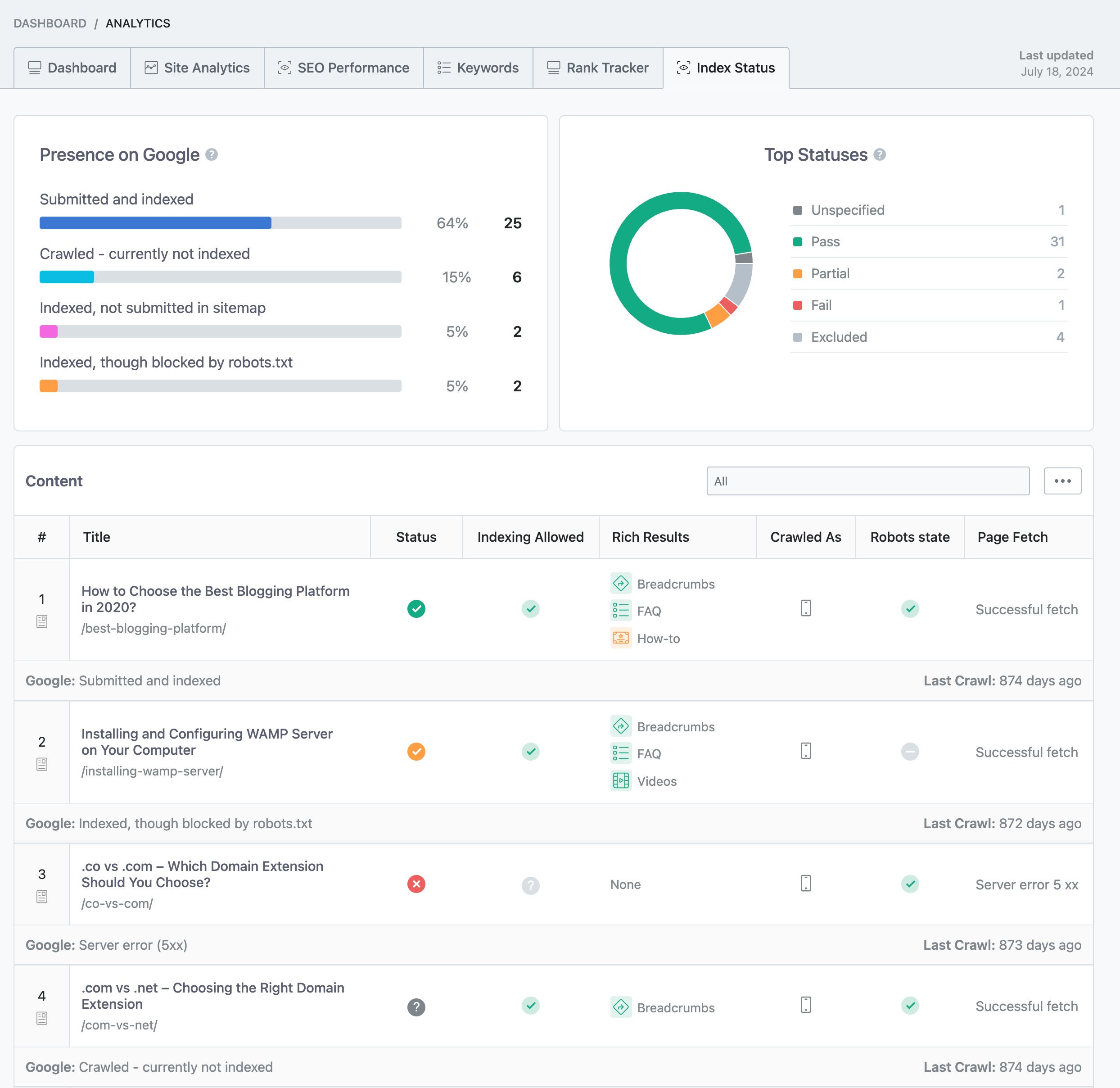
Check Your Site’s Indexation Status: Use the Google Search Console to monitor your website’s indexation status. This tool will show you any errors that Google has encountered while trying to crawl and index your site. You can also check the Index Status report in Rank Math’s Analytics by navigating to Rank Math SEO → Analytics and clicking on the Index Status tab. This will provide you with real-time data about your pages and their presence on Google.
-
Verify Your Site URL: Ensure that the correct site URL is added to Google Search Console. If you have multiple variations of your site (like www and non-www), make sure all variations are added and verified.
-
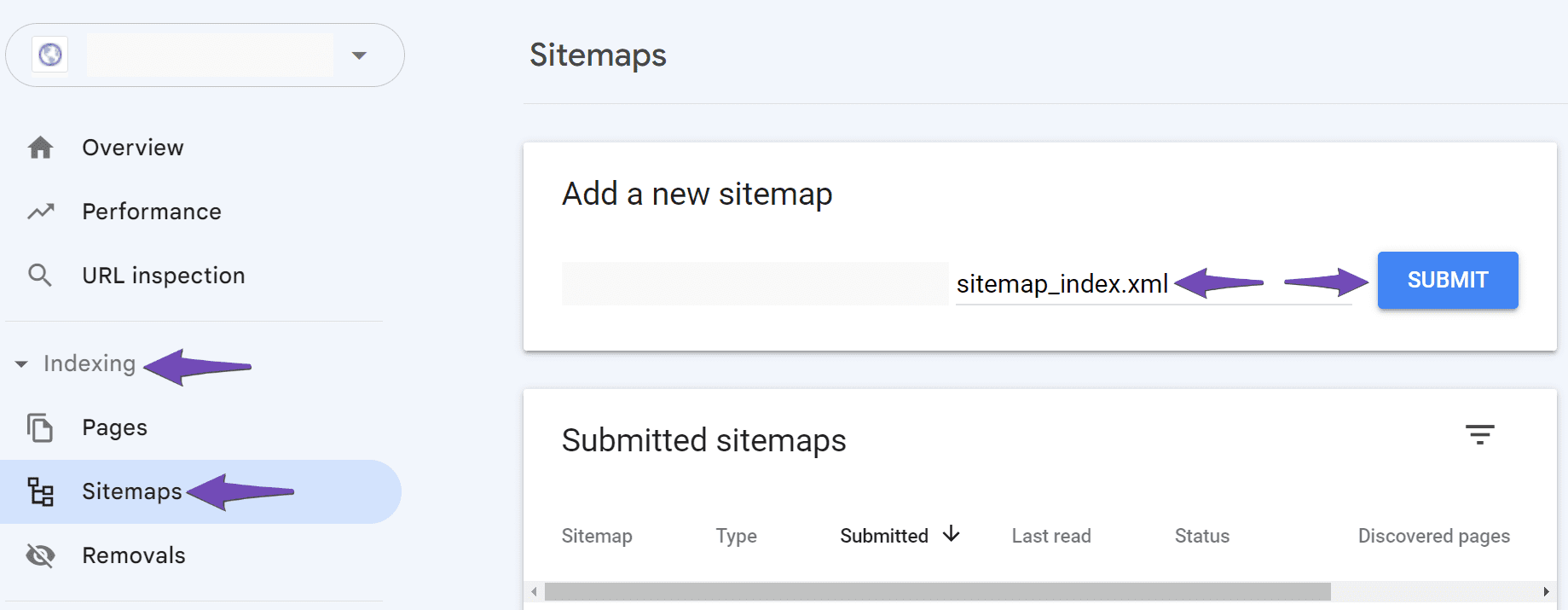
Add Your Sitemap: Make sure your sitemap is submitted in Google Search Console. Navigate to Indexing → Sitemaps in the Search Console and paste your sitemap URL there. If you encounter any issues, ensure there are no spaces in the URL and consider adding a forward slash before the sitemap URL if necessary.
-
Check for Errors: Look for any errors in the Google Search Console that might indicate why your site is not being indexed. Fix any issues that are reported.
If you’ve followed these steps and are still having trouble, please reply to this ticket, and a human agent from the Rank Math Support team will assist you further. We’re here to help you!
Sources:
Why Did My Website Disappear From Google Search? » Rank Math
still having issues/not able to follow through above troubleshooting steps
Hello,
Please verify using the URL prefix and ensure that you have verified the correct version of your website on the Google Search Console (HTTP or HTTPS, www or non-www).
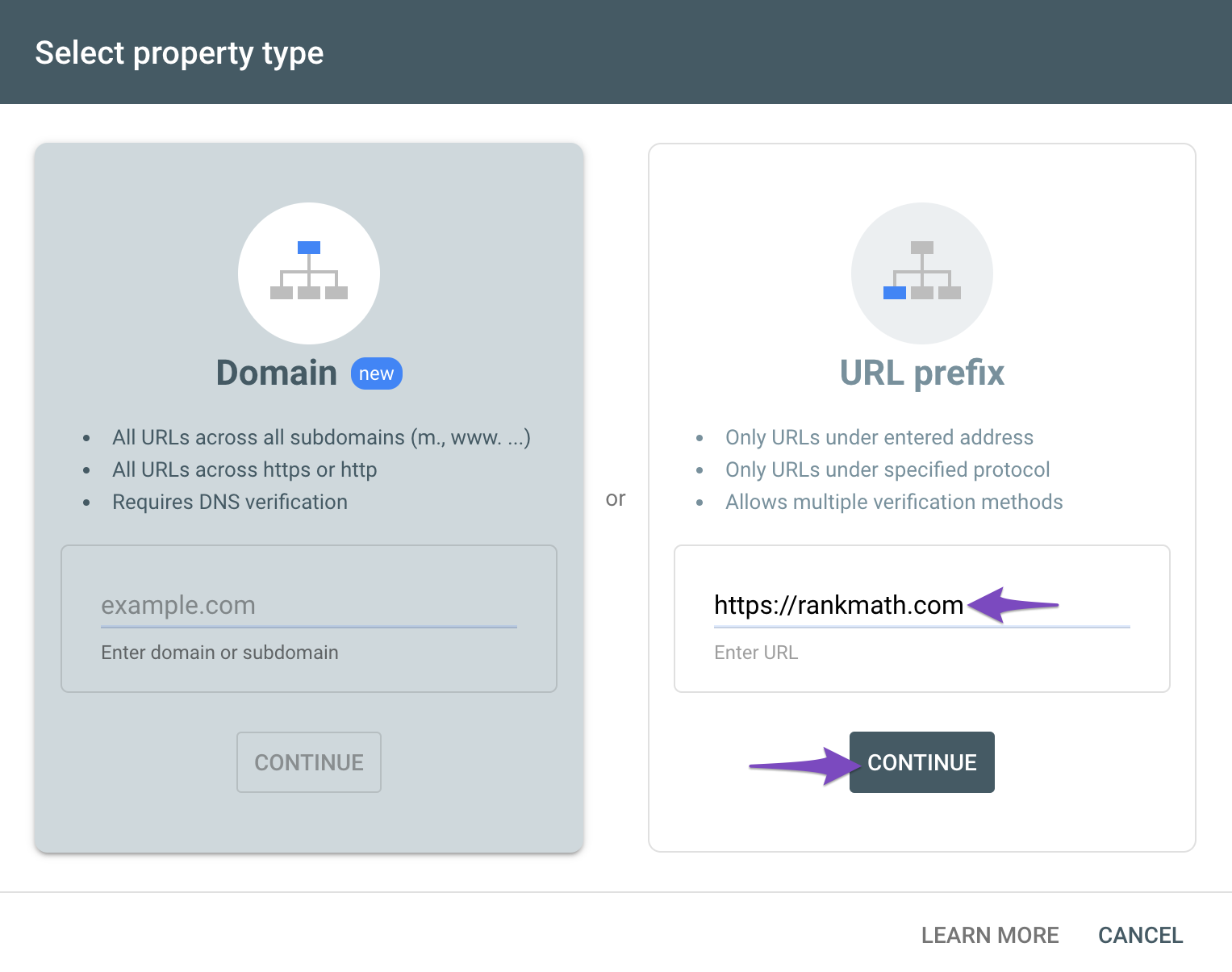
You can follow our guide here to create the URL Prefix property:
https://rankmath.com/kb/google-site-verification/
The URL-prefix property also helps keep your sitemap in sync with Google Search Console as we submit it automatically for you. In addition, the domain property won’t work correctly on some sections of the Analytics module such as the IndexStatus.
Looking forward to helping you.
Hi Reinelle,
it works now for the search console. my site has appeared. thank you! but now, under the ‘Analytics” just below the search console –> there’s “no results found” for my Account. I can’t fill in the Account, Property, Data Stream fields. can you help with this too?
Thanks!
Hello,
In the same Google accounts you connected to our plugin, please make sure you’ve created a Google account there. Here’s a guide you can follow: https://support.google.com/analytics/answer/1009692?hl=en
You can also create the GA4 property there once you checked the account.
After all that, try reconnecting your Google account. Remove RankMath’s app from your Google apps permissions: https://myaccount.google.com/permissions
Then, head over to your WordPress Dashboard > Rank Math > General Settings > Analytics and reconnect the Google service and this time, ensure that all permissions are checked:


Let us know how that goes. Looking forward to helping you.
Hello,
Since we did not hear back from you for 15 days, we are assuming that you found the solution. We are closing this support ticket.
If you still need assistance or any other help, please feel free to open a new support ticket, and we will be more than happy to assist.
Thank you.





