no information is available for this page

#904351
  • Resolved Muhammad Muneeb
    Rank Math free

    My website says that no information is available for this page. I followed all the methods described above and came at the point that my website page has been moved Permanently and robots.txt are allowed .Now what can I do for it in order to show my website meta description? I tried to follow these steps

    Check Meta Tags: Ensure that the page’s meta description is set correctly. You can do this by using Rank Math’s Metabox in your page editor. Go to the Advanced tab and check the Meta Description field.

    [Set to Index: Make sure that the page is not set to “no index”. In the same Advanced tab of the Rank Math Metabox, ensure that the Robots meta tag is set to allow indexing.

    Submit URL for Indexing: Use the Google Search Console to submit your URL for indexing. This can help Google recognize the changes you’ve made.

    Wait for Re-indexing: After making these changes, it may take some time for Google to re-crawl and update the information in its index. Monitor your site’s performance in Google Search Console.

    Check for Other Issues: If the problem persists, check for any other potential issues such as server errors or additional redirects that might be affecting how Google sees your page.]
    but i can’t submit the URL in search console. what should i do in order to fix the issue

Viewing 5 replies - 1 through 5 (of 5 total)
  • Hello,

    We apologize for the issue you are facing with your website showing "No Information is Available for This Page." It sounds like you’ve already taken several important steps to resolve this issue. Since you mentioned that you cannot submit the URL in Google Search Console, here are a few additional suggestions:

    1. Check for Errors in Google Search Console: Make sure there are no errors reported in the Google Search Console that might be preventing you from submitting the URL. Look for any notifications or alerts that could indicate issues with your site.

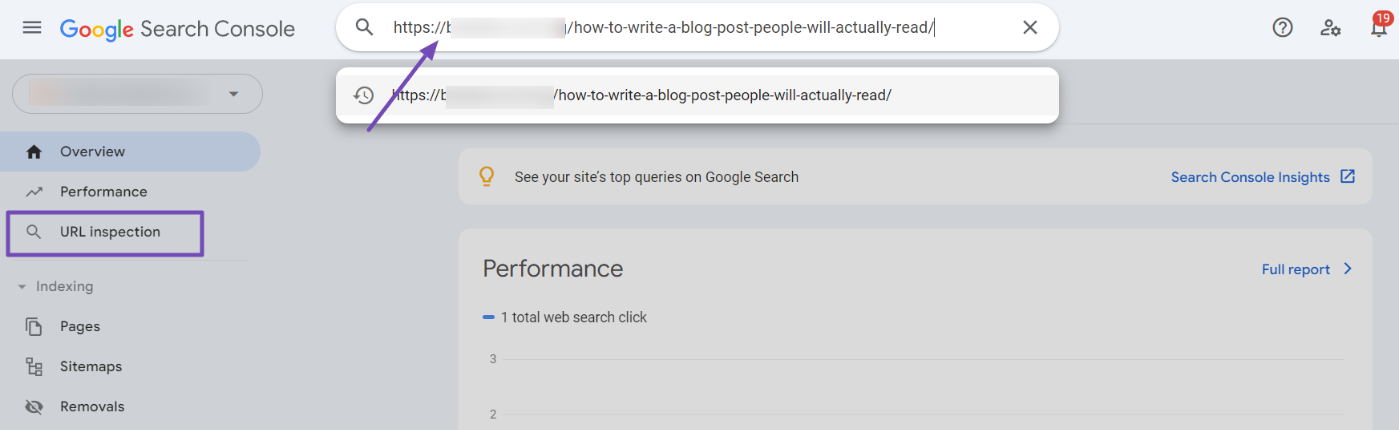
    2. Use the URL Inspection Tool: If you haven’t already, try using the URL Inspection Tool in Google Search Console. Enter your page’s URL and check if there are any specific issues reported. This tool can provide insights into how Google views your page and whether it has been indexed.
      Inspect URL on GSC

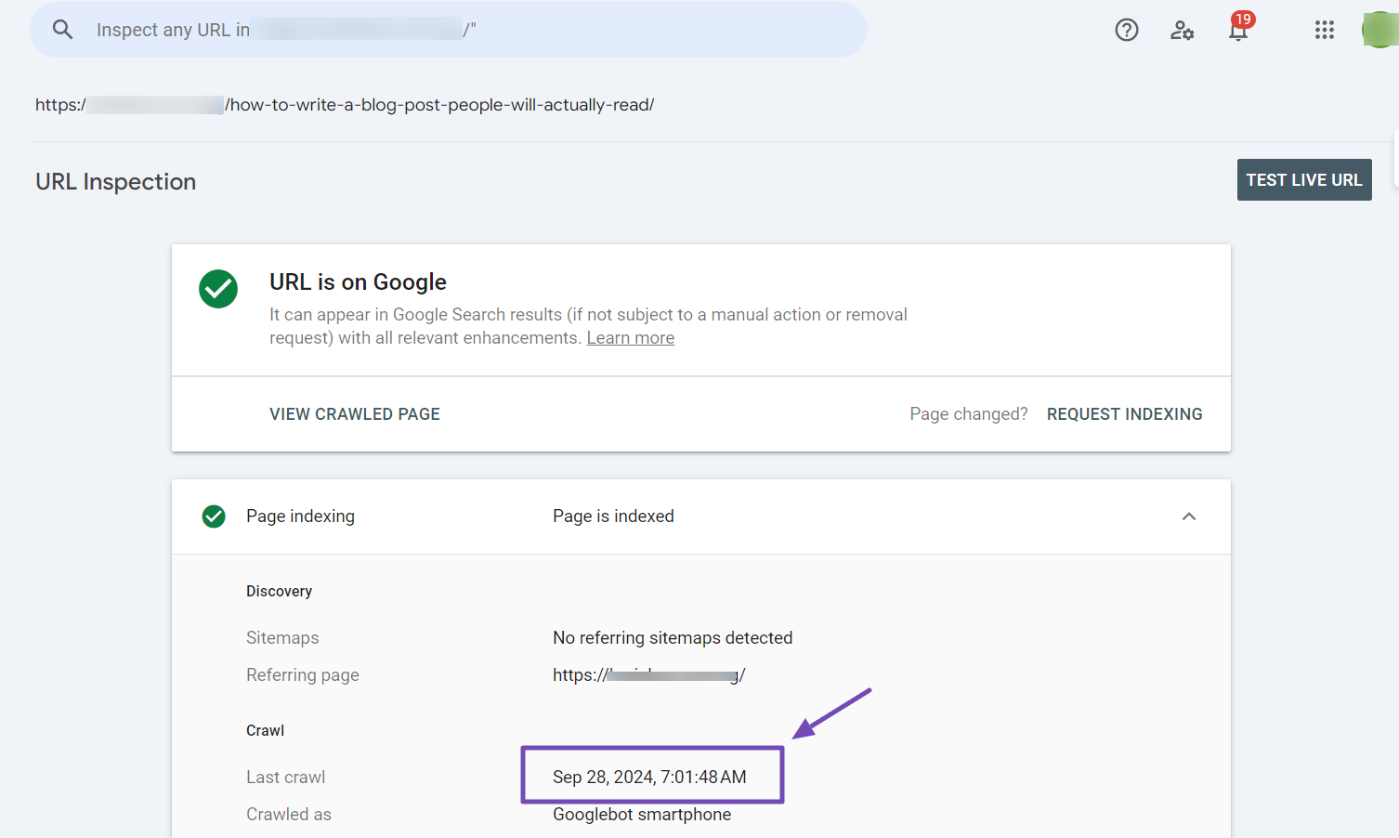
    3. Request Indexing: If the URL Inspection Tool shows that the page is not indexed, you should see an option to "Request Indexing". Click on this option to prompt Google to re-crawl your page.
      View Google's last crawl date on GSC

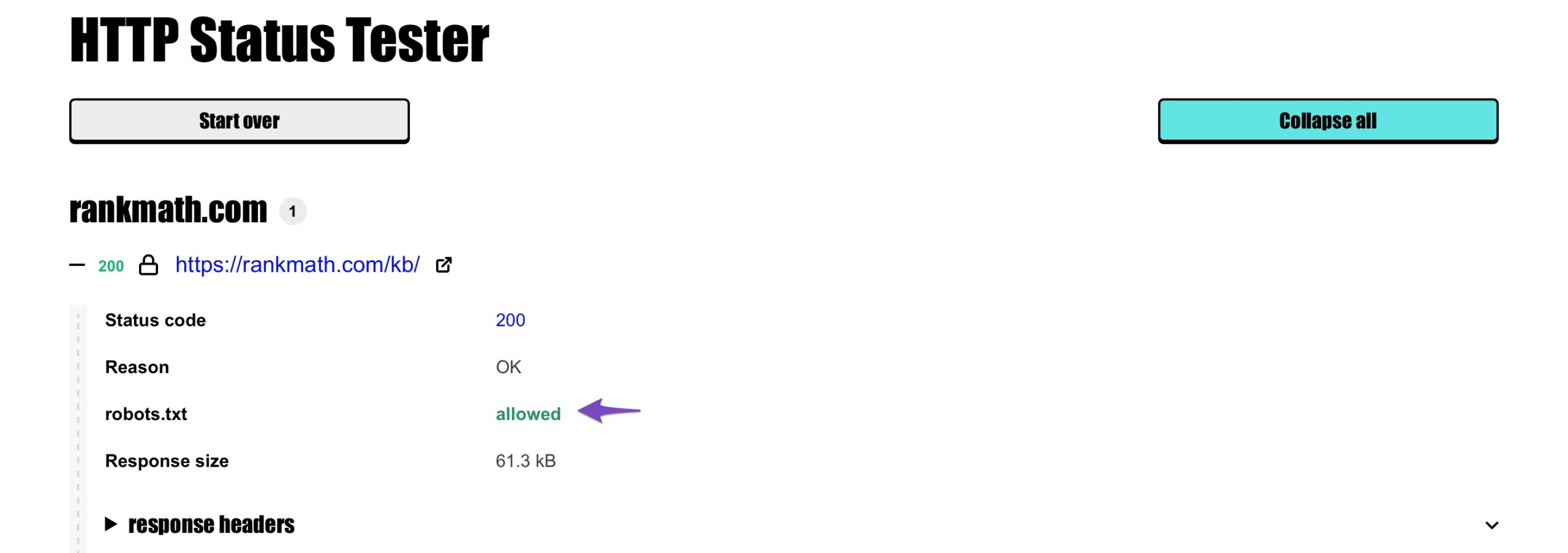
    4. Check Robots.txt File: Ensure that your robots.txt file is not blocking Google from crawling your page. You can use the HTTP Status Tester to verify if your page is allowed to be crawled by Google.
      URL is allowed to crawl

    5. Monitor Changes: After making these adjustments, it may take some time for Google to re-crawl and update its index. Keep monitoring your site’s performance in Google Search Console.

    If you’ve checked all these aspects and the issue persists, please reply to this ticket, and a human agent from the Rank Math Support team will assist you further. Thank you for raising this concern, and we hope to help you resolve it soon!

    when i write without www, on search console inspection tool than it show index but when i write it with www. than it show that it is not the property of this domain . when i make search on google it show result with link www and it show no mmeta description

    Hello,

    Thank you for contacting us and sorry for any inconvenience that might have been caused due to this issue.

    Please send screenshots showing the exact problem and, if possible, a recorded screencast video demonstrating the issue.

    You can use tools like Imgur for screenshots or Loom for screencasts.

    We look forward to helping you further.

    Thanks.

    Hello,

    I have updated the sensitive data as requested. Can you please check further?

    Thank you.

    Hello,

    Thanks for reaching out! It sounds like Google previously indexed the www version of your site, but since your main URL is the non-www version, it will need some time to update.

    Since you have a redirect from www to non-www, Google will pick up on this change gradually. We recommend allowing some time for Google to recrawl and refresh its index. In the meantime, keep monitoring in Search Console, and if needed, you can request indexing for key non-www pages to speed up the process.

    When checking your URL on GSC, we would suggest just using the non-www version.

    Don’t hesitate to get in touch with us if you have any other questions.

    Hello,

    Since we did not hear back from you for 15 days, we are assuming that you found the solution. We are closing this support ticket.

    If you still need assistance or any other help, please feel free to open a new support ticket, and we will be more than happy to assist.

    Thank you.

Viewing 5 replies - 1 through 5 (of 5 total)

The ticket ‘no information is available for this page’ is closed to new replies.