Hello,
We apologize for the issue you are facing with your websites and the No Index robots meta tag. It can be frustrating when your quality content isn’t getting indexed as expected.
To resolve this issue, please follow these steps:
-
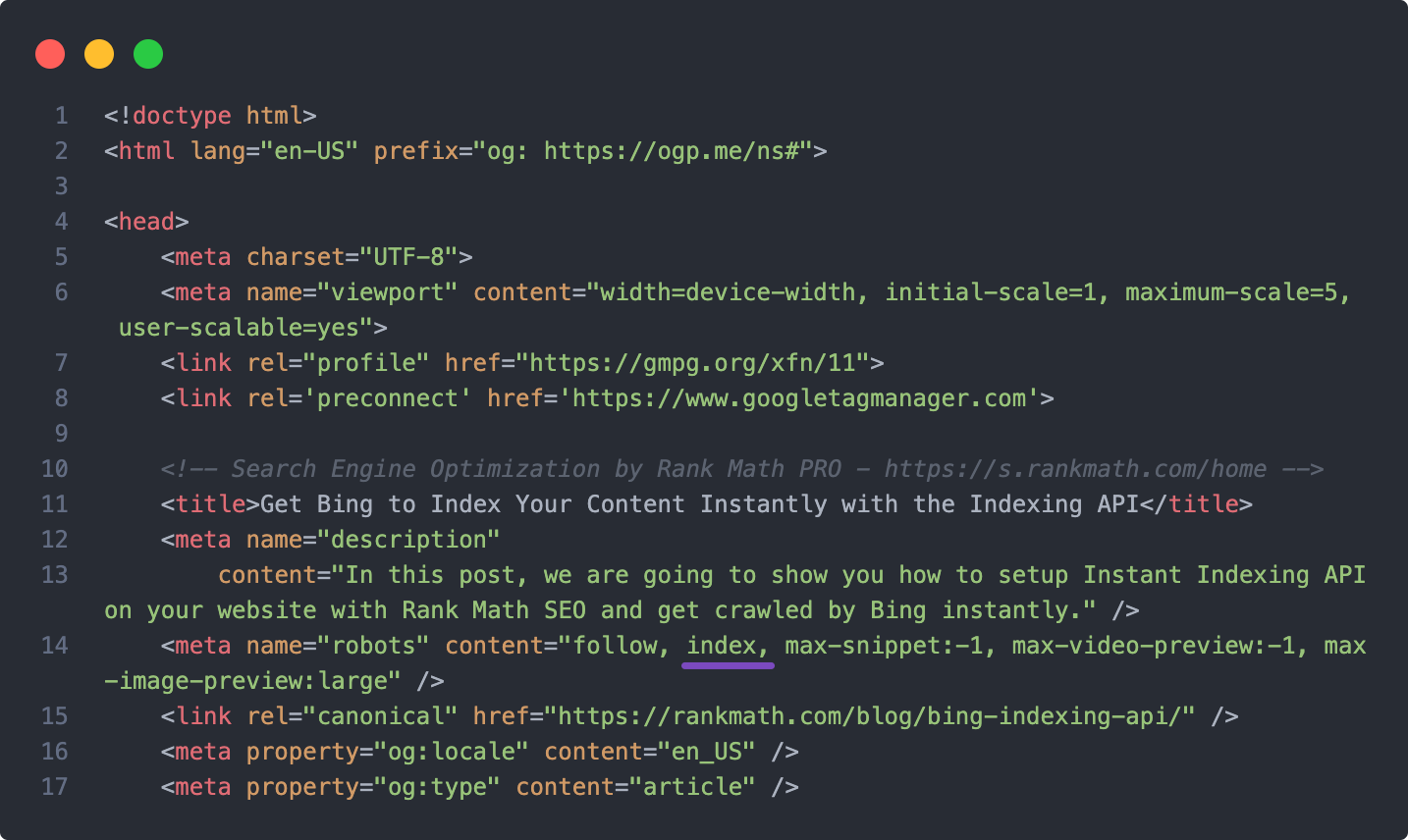
Check Individual Post Settings: Ensure that the individual posts are not set to No Index. You can do this by editing each post and checking the Rank Math Metabox in the page editor. Go to the Advanced tab and make sure the Robots meta tag is set to Index.
-
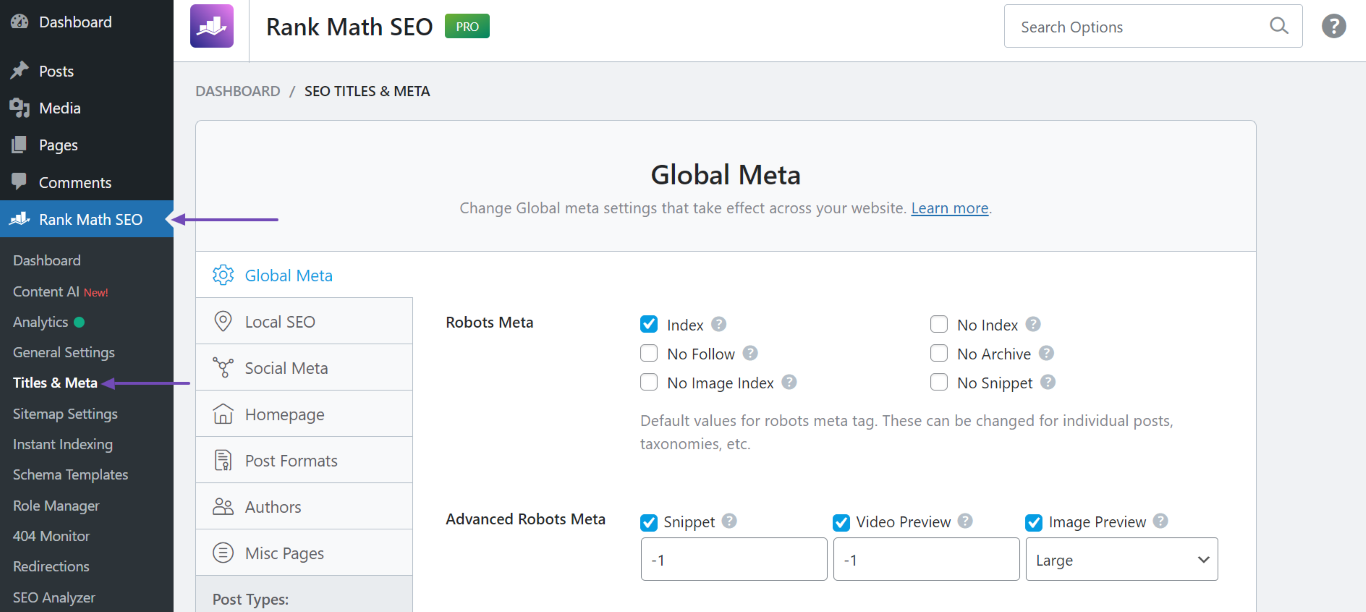
Global Settings: Check your global settings for Titles & Meta. Navigate to WordPress Dashboard → Rank Math SEO → Titles & Meta. Ensure that the settings for posts are configured to allow indexing. If you have set a default No Index for posts, change it to Index.
-
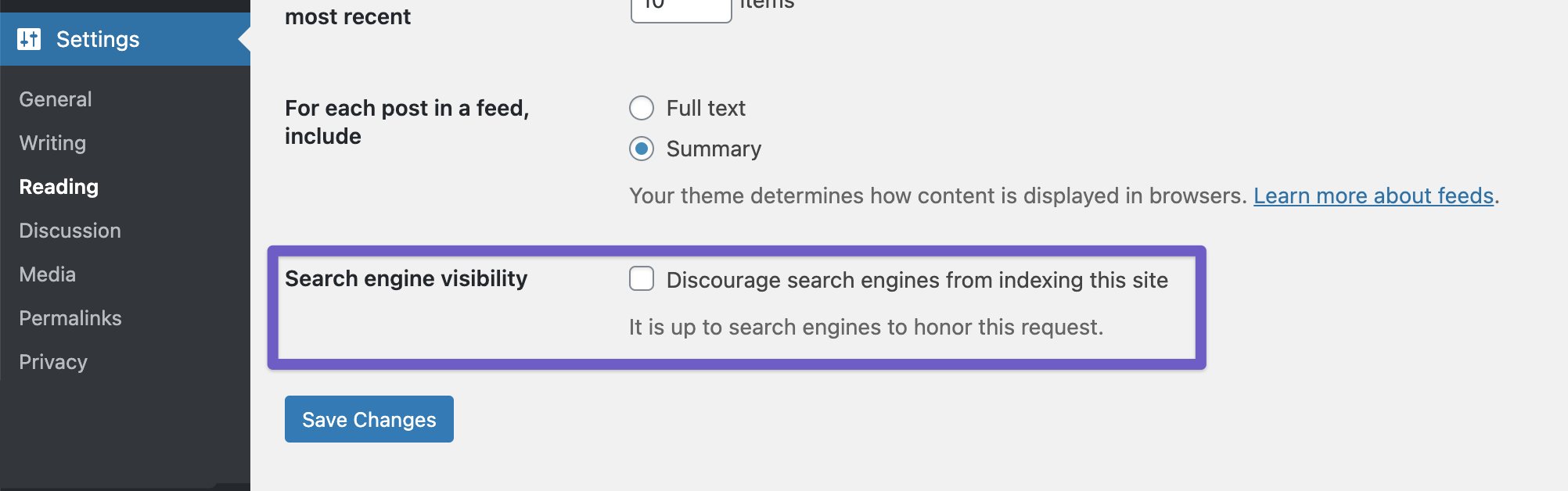
Reading Settings: Make sure that the option to discourage search engines from indexing your site is not enabled. Go to WordPress Dashboard → Settings → Reading and ensure that the Discourage search engines from indexing this site option is unchecked.
-
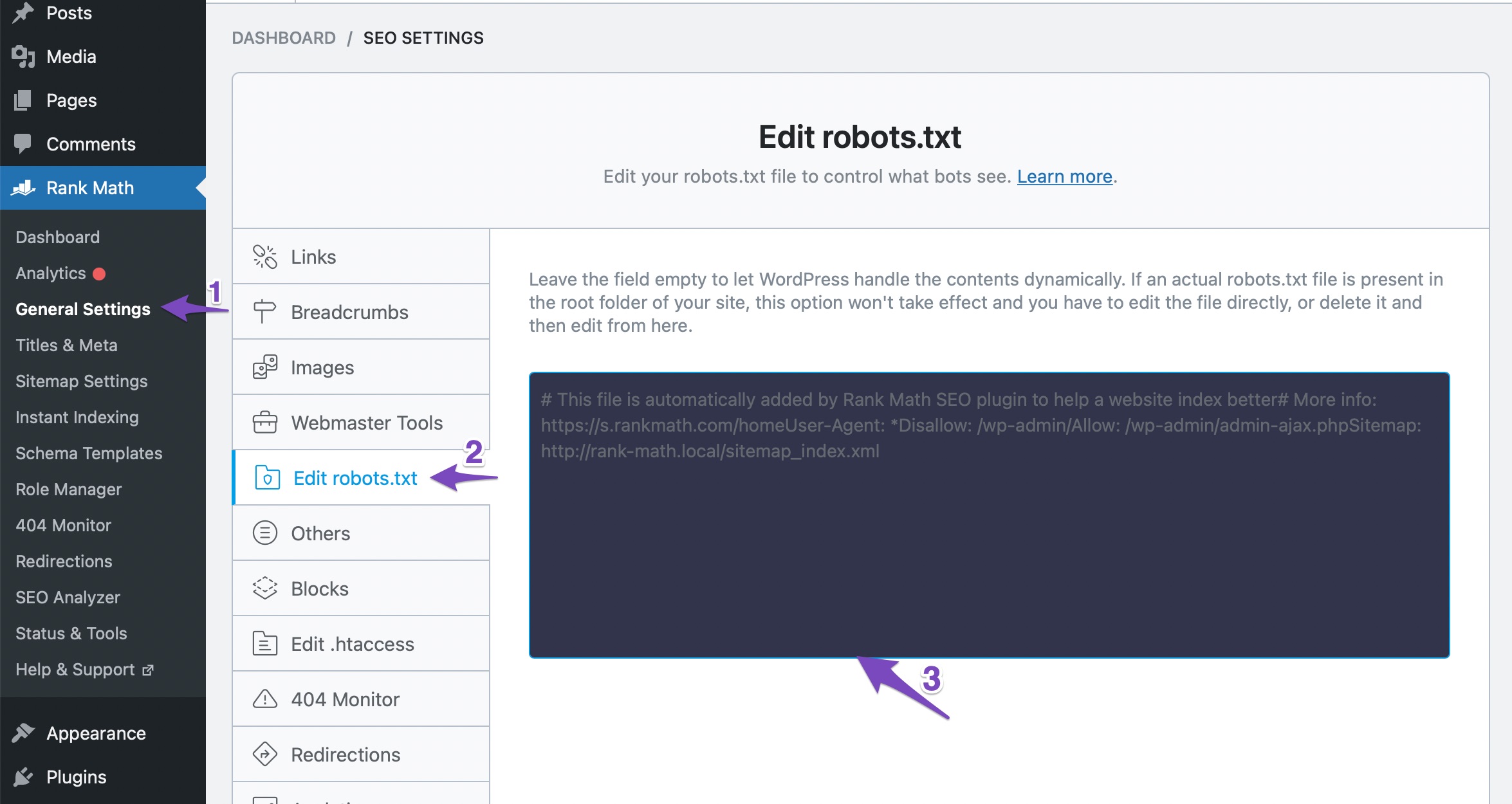
Robots.txt File: Check your robots.txt file to ensure there are no rules blocking indexing. You can edit your robots.txt file through Rank Math by going to WordPress Dashboard → Rank Math SEO → General Settings → Edit Robots.txt.
-
Bulk Actions: If you have many posts, consider using bulk actions to change the robots meta tag for multiple posts at once.
After making these changes, remember to save them and check if your articles are still being set to No Index automatically. If the problem persists, please reply to this ticket, and a human agent from the Rank Math Support team will assist you further.
Thank you for raising this concern, and we hope to help you resolve it soon!
I have tried all these things and not a single thing is found on padeinbooks.com. Please check my website manually, none of the articles are ranking.
Please help me as soon as possible.
Hello,
Thank you for contacting support.
The website you shared is currently using the Yoast SEO plugin. If you decide to switch to Rank Math at a later date and find the same issue with the noindex tag please open a new support ticket.
Thank you.
I have added again the rankmath and sucessfully disable the Noindex from advance tab
Can you please tell me
how much time it will take to index my article on google?
Hello,
Please note that Google assigns a crawl budget to your website depending on these factors (especially these two) and that has a direct effect on how soon or how late your content can get indexed.
It depends on a lot of factors. Your posting frequency + the domain authority are just two of the many factors Google considers when indexing some new URLs.
If Google still doesn’t decide to index those pages even after crawling your site again, then there is nothing you can do other than wait.
Here’s a link for more information:
https://www.searchenginejournal.com/definitive-list-reasons-google-isnt-indexing-site/118245/
Looking forward to helping you.
Hello,
Please note that Rank Math offers a No Index and No Follow option in the admin menu bar, which show up in the page’s source code when logged in.
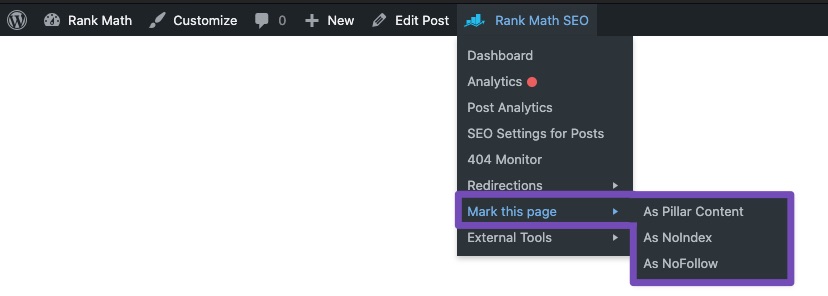
The actual noindex tag will be added like this: <meta robots="noindex">
Hope that helps and please don’t hesitate to let us know if you have any other questions.
Thank you.
Hello,
Since we did not hear back from you for 15 days, we are assuming that you found the solution. We are closing this support ticket.
If you still need assistance or any other help, please feel free to open a new support ticket, and we will be more than happy to assist.
Thank you.





