Hello,
We apologize for the issue you are facing with the ‘noindex’ meta tag and the instant indexing feature in Rank Math. It seems that there might be a conflicting setting or an external factor causing the ‘noindex’ tag to appear in your page’s source code.
Here are some steps you can take to resolve this issue:
1. Check Rank Math Metabox
- Open the post/page in the WordPress Editor. If you are using the Gutenberg Editor, click the Rank Math SEO icon in the top-right corner to open the Rank Math Metabox.
- For Classic Editor, scroll down to find the Rank Math Metabox.
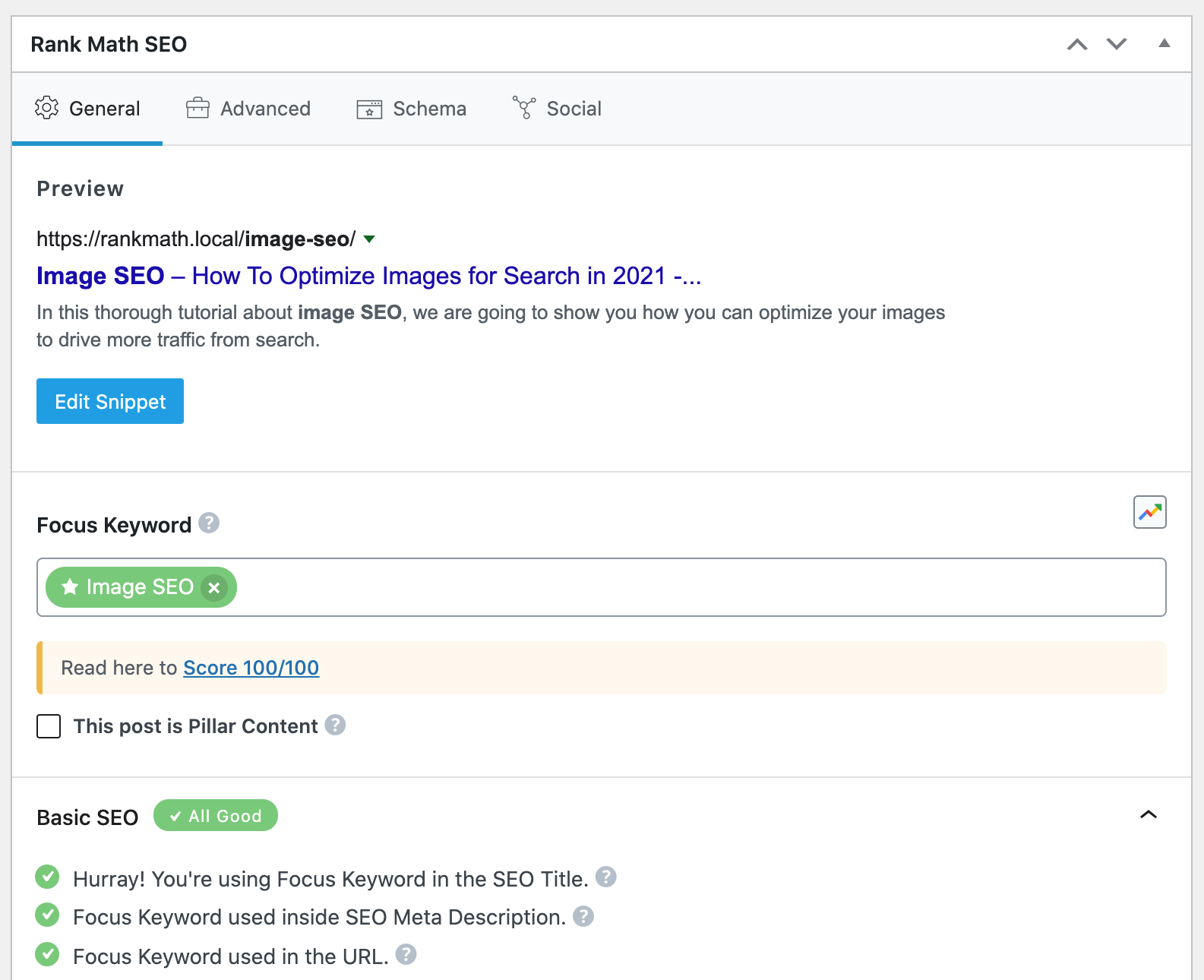
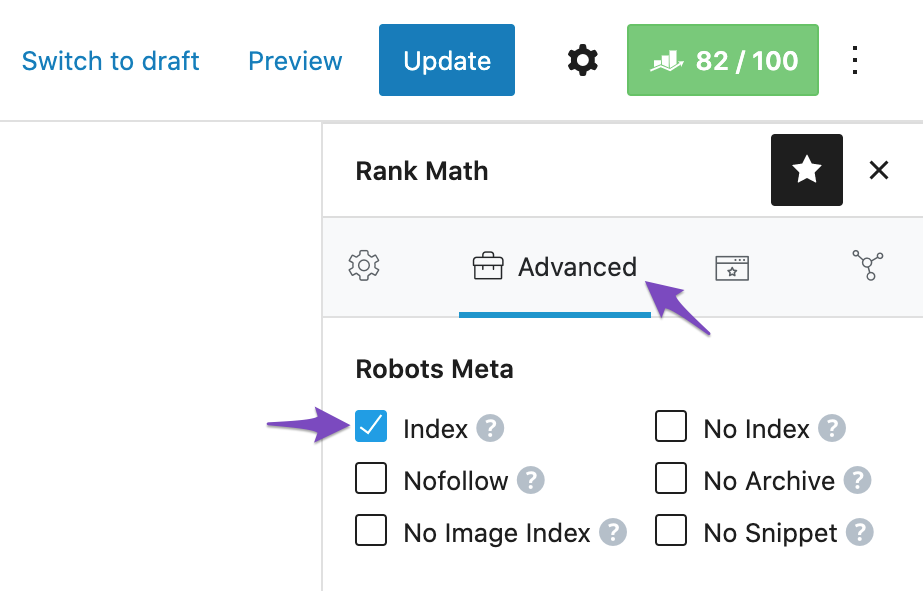
- Ensure that the Index checkbox is selected in the Advanced Tab of the Rank Math Metabox. If you cannot find the Advanced tab, please enable the advanced mode from Rank Math SEO → Dashboard.
2. Check Titles & Meta Settings
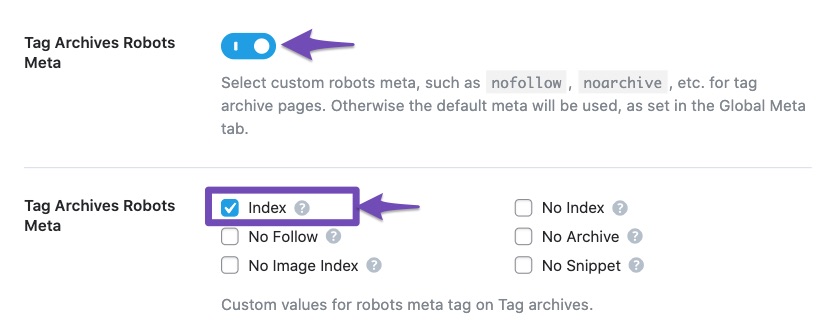
- Go to Rank Math SEO → Titles & Meta and check if there are any default settings that might be applying a ‘noindex’ tag to your posts or pages. Make sure that the settings align with your preferences.
3. Review Other Plugins or Theme Settings
- Sometimes, other plugins or theme settings can add a ‘noindex’ tag to your pages. Review any SEO-related plugins or settings in your theme that might be affecting this.
4. Clear Cache
- If you are using any caching plugins, clear your cache after making changes to ensure that the latest version of your page is served.
5. Inspect Page Source Again
- After making these changes, inspect the page source again to see if the ‘noindex’ tag has been removed.
If you continue to see the ‘noindex’ tag after following these steps, please reply to this ticket, and a human agent from the Rank Math Support team will assist you further. Thank you for raising this concern!
Sources:
Fix Excluded by NoIndex Tag – Google Search Console Status » Rank Math
How to Fix Indexing Issues in Google Search Console » Rank Math
Hello,
We checked the page you’ve shared and we can see it is properly set to index.

This page is also currently indexed on Google:

In this case, can you please share a screenshot of the issue you’re facing so that we can check this further for you? You can use any image-sharing tool like https://imgur.com/upload to share the screenshot with us.
Looking forward to helping you.
Thank you.
Yes this is true because i did it manually but i want to index more than just 10 pages per day and preferabbly automated.
Hello,
Please note that it is completely normal for newly published posts/pages to take time before they get crawled or indexed by Google. It depends on a lot of factors. Your posting frequency + the domain authority are just two of the many factors Google considers when indexing some new URLs.
Google assigns a crawl budget to your website depending on these factors (especially these two) and that has a direct effect on how soon or how late your content can get indexed.
Here’s a link for more information:
https://rankmath.com/kb/google-index/
However, we have another Instant Indexing for Google plugin that you can use to get your website’s pages and content crawled immediately: https://rankmath.com/blog/google-indexing-api/
Let us know how it goes. Looking forward to helping you.
Thank you.
Yeah but the problem is when i use this instant indexing plugin i get the error message requested entity not found while everything is setup fine.
Hello,
Please clear your browser, website, and server cache then try again. If you’re still getting the same error, please share the full error details with us – copy and paste it here.
You can share images with us by uploading them to an image hosting site like Imgur, and then sharing the generated URL with us here.
We hope this helps clarify the issue. Please let us know if you have any other questions or concerns.
Hello,
Assuming you have submitted the URL, that means that the URL was still not processed by the Indexing API from Google. It’s important to note that the requirements for that have changed and now the URLs go through rigorous spam detection.
Besides that, the guidelines now state that this is exclusive to a particular set of websites, so if your website doesn’t fall under that category or is considered spammy the submission will go through but the API will never parse the URLs.
You can check the full guidelines here: https://developers.google.com/search/apis/indexing-api/v3/quickstart

Looking forward to helping you.
Hello,
Since we did not hear back from you for 15 days, we are assuming that you found the solution. We are closing this support ticket.
If you still need assistance or any other help, please feel free to open a new support ticket, and we will be more than happy to assist.
Thank you.





