Hello,
We apologize for the issue you are facing with your blog post images not appearing in Google search results. It’s great to hear that you rank number one for some searches, but we understand how important it is for your images to be displayed as well.
Here are a few things to consider that might help:
-
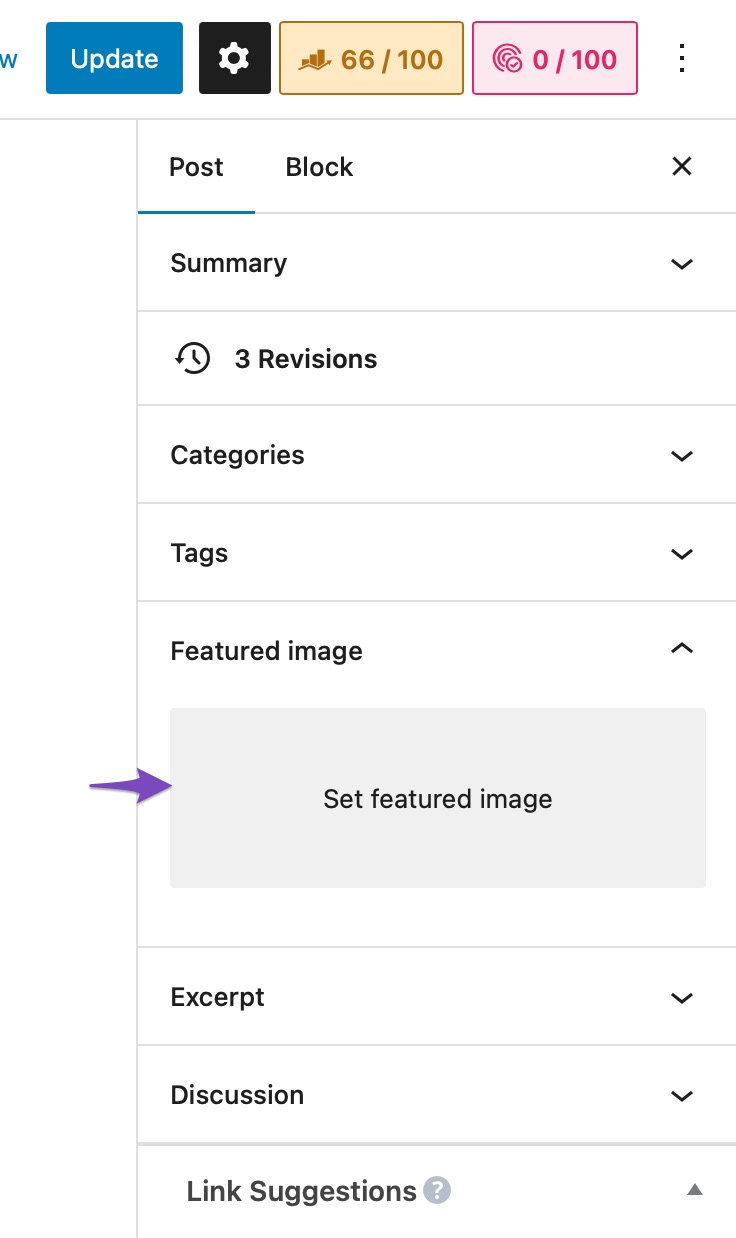
Set a Featured Image: Ensure that you have set a featured image for your post. This is crucial as Google often uses the featured image for search results. You can set a featured image in your WordPress post settings by clicking on the Featured image section.
-
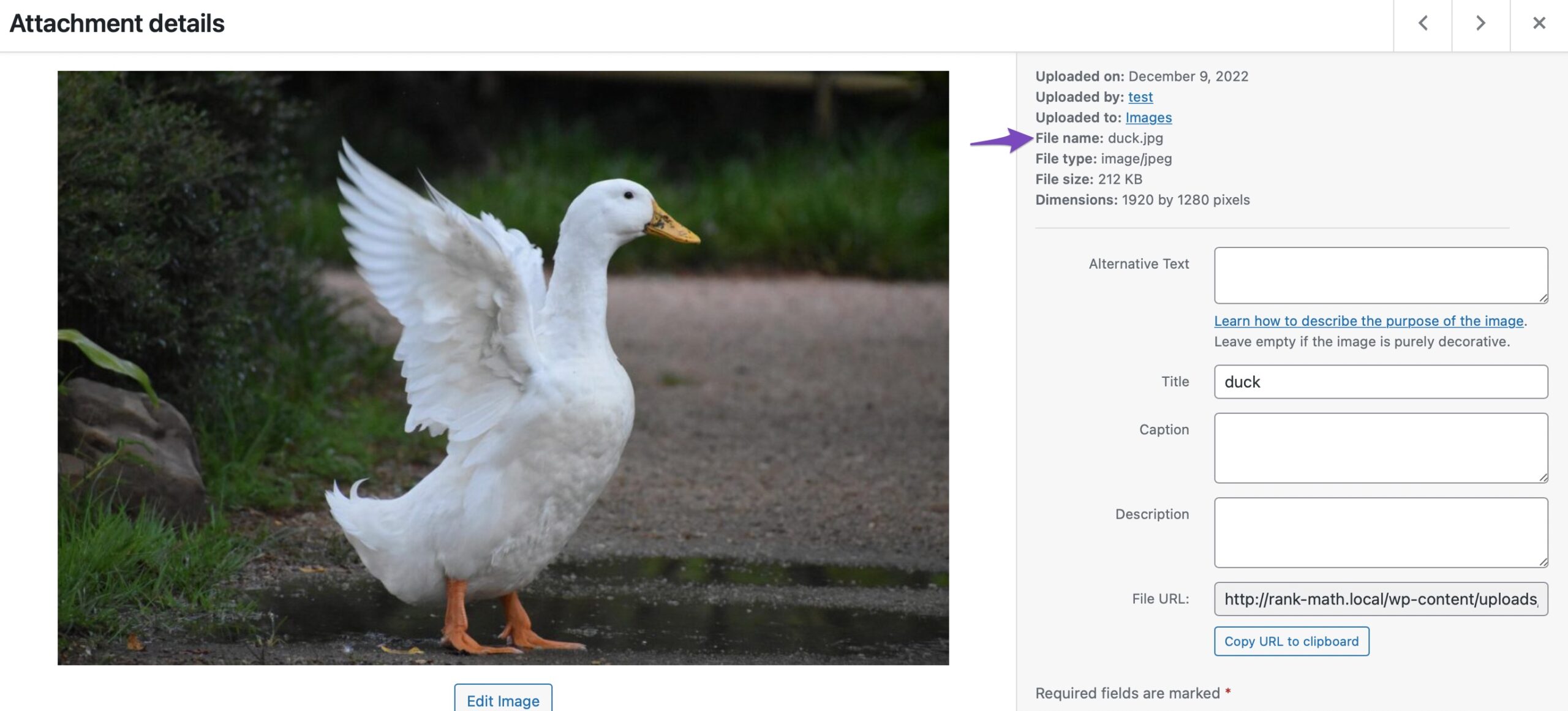
Descriptive File Names: Make sure that the file name of your image is descriptive and accurately describes what is in the image. For example, instead of using generic names like "image1.jpg", use something like "cake-citron-pavot.jpg". This helps search engines understand the content of the image better.
-
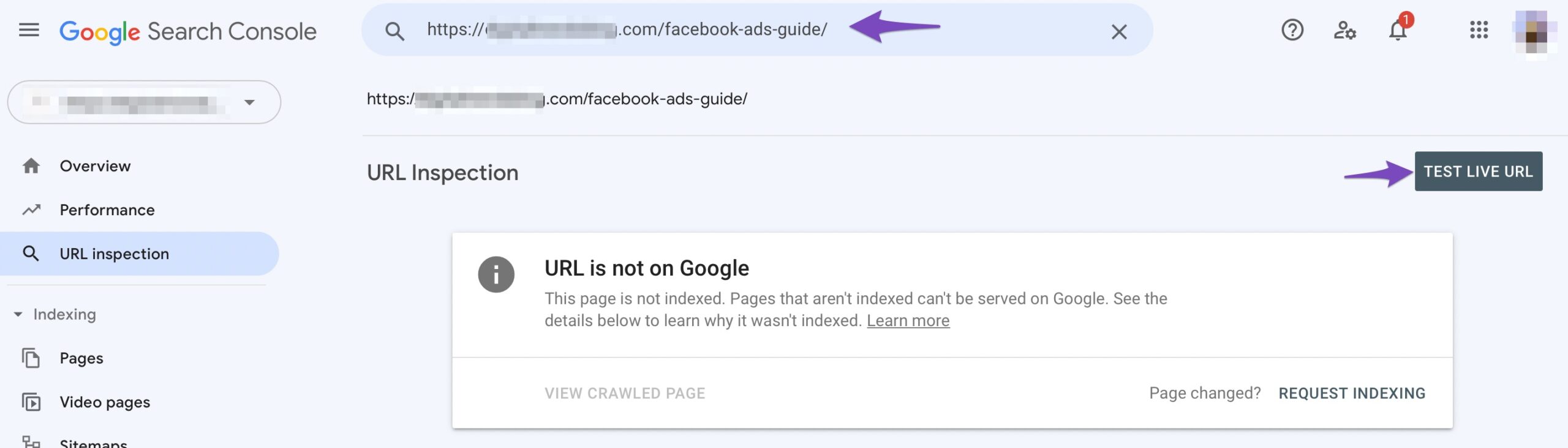
Submit Your Page to Google: If you haven’t already, consider submitting your page to Google via the Google Search Console. Use the URL Inspection tool to check if your page is indexable and request indexing if necessary.
-
Image Relevance: Sometimes, Google may choose not to display an image based on its relevance to the search query or if it considers other images more suitable. Factors like authority and context also play a role in this decision.
If you’ve checked all these aspects and still face issues, it might be worth replying to this ticket so a human agent from our support team can assist you further.
Thank you for raising this concern, and we hope this information helps!
Sources:
How to Show Images in the Search Results » Rank Math
hello,
yes I have red your tips, and it s not the first blog i have but usually i used to be with yoast.
The featured image is set, I have done everything properly, that s why I m asking maybe there is something to set in rank math ?
Hello,
Please note that Rank Math doesn’t have any control over how images in the SERP results are displayed and search engines display them as per their will and it mostly depends on the keyword search term and the website authority.
In this case, you may try to add relevant ALT text to the featured image or image you wanted to show, and chances are search engines will refer to it.
Here’s a guide you can follow as well:
https://rankmath.com/kb/how-to-show-images-in-search-results/
Looking forward to helping you.
Hello,
Since we did not hear back from you for 15 days, we are assuming that you found the solution. We are closing this support ticket.
If you still need assistance or any other help, please feel free to open a new support ticket, and we will be more than happy to assist.
Thank you.



