
-
When I try to submit the news sitemap, it shows this error (check the screenshot): https://imgur.com/CUkom4O. Can you please solve the issue?

-
Hello,
We apologize for the issue you are facing with the News Sitemap showing a "Missing XML Tag" error. This can occur if the sitemap is not properly configured or if there are issues with the content being included in the sitemap.
Here are a few steps you can take to troubleshoot this issue:
-
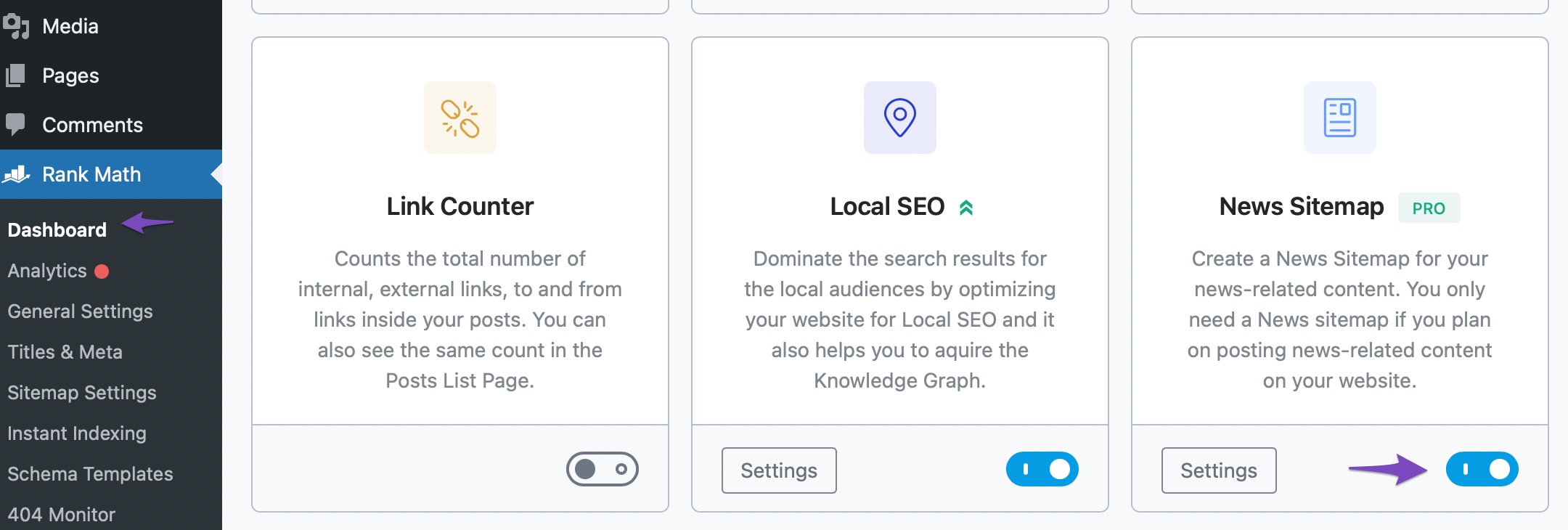
Enable the Sitemap Module: Ensure that the Sitemap module is enabled in Rank Math. You can do this by navigating to Rank Math SEO → Dashboard and checking if the Sitemap module is activated.

-
Enable the News Sitemap Module: After ensuring the Sitemap module is active, make sure the News Sitemap module is also enabled. You can find this option under Rank Math SEO → Dashboard → News Sitemap.
-
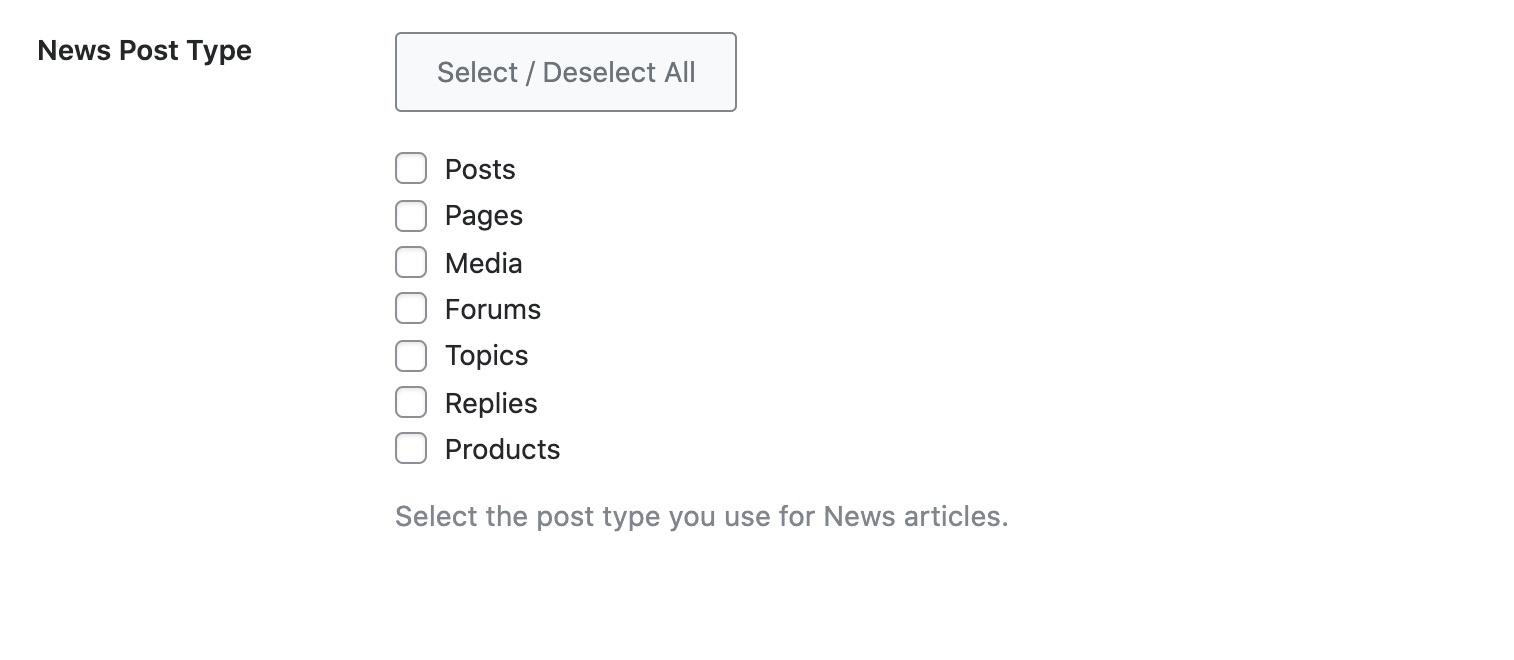
Check Post Types: Verify that you have selected the correct post types for your News Sitemap. Go to Rank Math SEO → Sitemap Settings → News Sitemap and ensure that the desired post types are checked.
-
Review Content: Make sure that you have published posts within the last two days, as only recent posts are included in the News Sitemap according to Google’s guidelines.
-
Validate Your Sitemap: Use an XML sitemap validator tool to check for any structural issues in your sitemap.
If you have followed these steps and are still encountering the error, please reply to this ticket, and a human agent from the Rank Math Support team will assist you further. Thank you for raising this concern!
I am a rankmath pro user. Can you please solve the issue?
Hello,
Thank you for contacting us and sorry for any inconvenience that might have been caused due to that.
Unfortunately, there is no active subscription on this account you are using to contact us.
Can you please search and forward a receipt from FastSpring.com so we can locate your account and verify it?
In the meantime, please try to follow the steps below and see if that works for you.
1. Flush the Sitemap cache by following this video screencast:
https://i.rankmath.com/pipRDp2. Exclude the Sitemap files of the Rank Math plugin in your caching plugin. The cache could be via a plugin or from the server. For plugins or Cloudflare, please follow this article:
https://rankmath.com/kb/exclude-sitemaps-from-caching/3. If the above steps don’t seem to work, kindly apply the following filter to your site.
add_filter( 'rank_math/sitemap/enable_caching', '__return_false');Here’s how you can add filter/hook to your WordPress site:
https://rankmath.com/kb/wordpress-hooks-actions-filters/Once done, please clear your website cache, remove all the submitted sitemaps, and resubmit only the main sitemap in the Search Console and see if that works for you.
Let us know how it goes. Looking forward to helping you.
Thank you.
I am not using a third-party caching plugin. I have a preinstalled caching plugin from my hosting company, Site Ground, and they are not caching the sitemap. I have tried the first method, but it didn’t work. I haven’t tried the second method. Isn’t there any easy to resolve the issue? Can you resolve the issue for me?
Hello,
It looks like the last post on your website was published on September 12, 2024. Please note that as per Google guidelines, the posts that you publish are placed in the news sitemap for just 2 days, then they are removed, and that is how the News Sitemap by Rank Math works.
Here’s a link for more information on the news sitemap:
https://rankmath.com/kb/news-sitemap/Also, the websites that want to appear in Google News have to fulfill some guidelines set by Google and one of those guidelines is having a compliant news sitemap. If your website is a news site then you should use the news sitemap.
However, right now you’re using the PRO version of the plugin but the account you’ve used to open this ticket is free. In this case, you can share the email address that you used to purchase the plugin so that we can locate and verify it.
Please note that we don’t offer support for nulled or cracked plugins as we explain here: https://rankmath.com/kb/rank-math-pro-nulled/
Looking forward to helping you.
Thank you.
-



You must be logged in to reply to this ticket.