
-
Hi,
I had to change my domain name. How do I change it in Rankmath?
Old Domain: maziegreen.com
New Domain: maiziegreen.com
Thank you,
Christina

-
Hello,
We apologize for the issue you are facing with changing your domain name in Rank Math. To update your domain name in Rank Math, you will need to follow these steps:
-
Update Your WordPress Address (URL) and Site Address (URL):
- Go to your WordPress dashboard.
- Navigate to Settings → General.
- Update both the WordPress Address (URL) and Site Address (URL) to your new domain: `https://rankmath.com/kb/refund-policy/.
- Save the changes.
-
Update Rank Math Settings:
- After updating the URLs, go to Rank Math → General Settings → General.
- Ensure that the new domain is reflected in the settings.
-
Redirect Old Domain to New Domain:
- If you want to redirect traffic from your old domain (
maziegreen.com) to your new domain (maiziegreen.com), you can set up a 301 redirect in your .htaccess file or use a redirection plugin.
- If you want to redirect traffic from your old domain (
-
Update Google Search Console:
- If you have your site verified in Google Search Console, make sure to add and verify your new domain there as well.
-
Inform Search Engines:
- You may want to request indexing for your new domain in Google Search Console to speed up the process of getting your new site indexed.
If you have any further questions or need assistance with any of these steps, please feel free to reply to this ticket, and a human agent from the Rank Math Support team will assist you further. Thank you for raising this concern!
Sources:
How to Connect Your Google Account With Rank Math SEO » Rank MathHello,
Thank you for your query and we are so sorry about the trouble this must have caused.
You can disconnect your account by navigating to
WordPress Dashboard > Rank Math > Dashboard > Helpand then simply disconnect the account by clicking on Disconnect Account.
Once you’ve disconnected your Rank Math account, you can connect it again in the same settings. In order to connect your correct account, click on Connect Now.

Once you click on Connect Now, please ensure that you’ve selected the correct account and then click on OK, Activate Now, as shown below.
After that, you can see all your connected sites here: https://rankmath.com/my-account/websites/
Please do not hesitate to let us know if this doesn’t help or you have any follow-up queries.
I did all of the above steps, and it did not work.
Under analytics, it is not showing the new property in the drop-down choices.
Analytics
Note Ready to switch to Google Analytics 4? Click here to know how.Account
Mazie Green (140455061). this is the old property
PropertySelect Property
ViewInstall analytics code
Enable this option only if you are not using any other plugin/theme to install Google Analytics code.Hello,
Please verify your new website to your Google Search Console account.
You may need to ensure that you have verified the correct version of your website on the Google Search Console (HTTP or HTTPS, www or non-www).
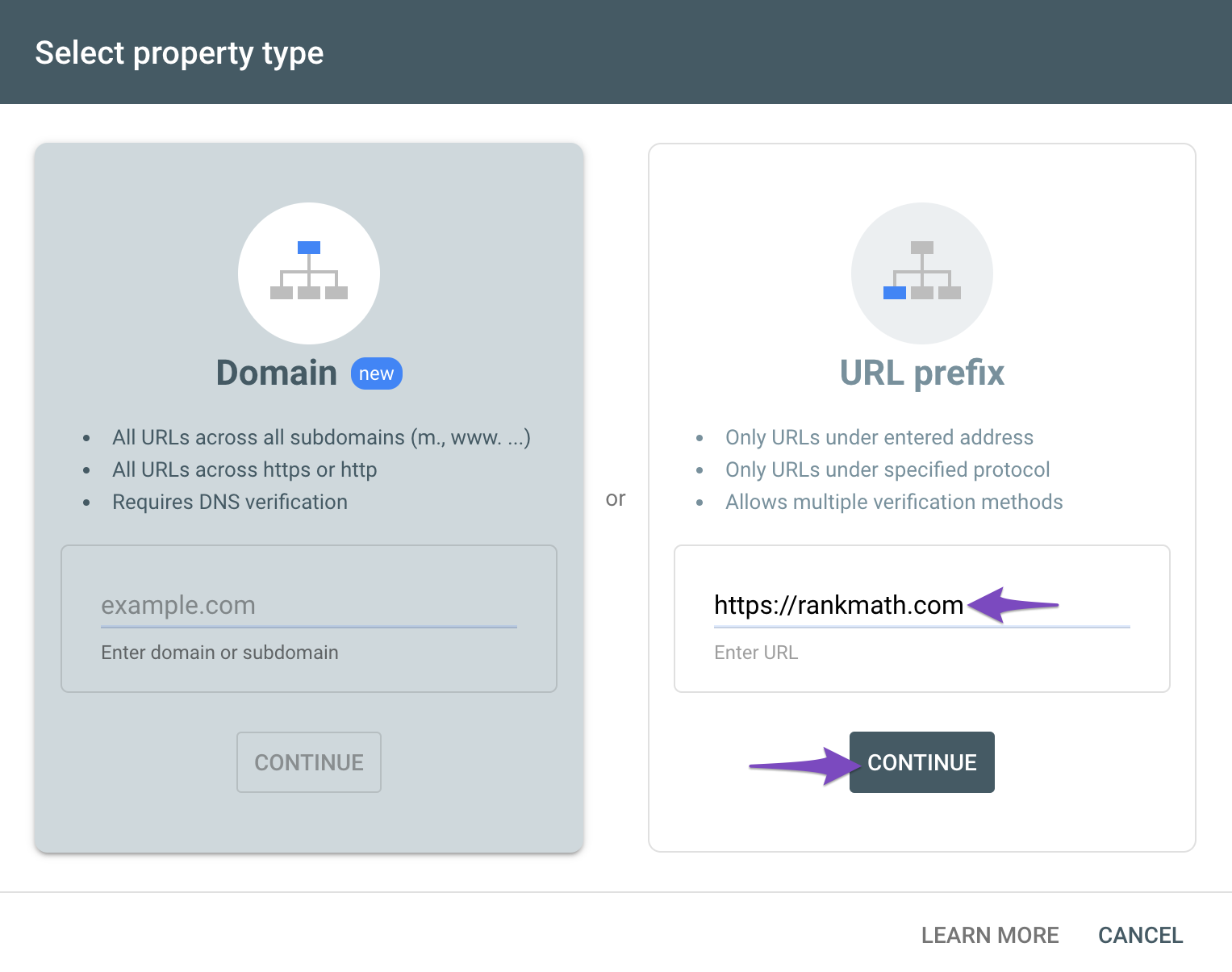
You can follow our guide here to create the URL Prefix property:
https://rankmath.com/kb/google-site-verification/#num-1-1-open-google-search-consoleThe URL-prefix property also helps keep your sitemap in sync with Google Search Console as we submit it automatically for you. In addition, the domain property won’t work correctly on some sections of the Analytics module such as the IndexStatus.
Regarding the Analytics drop-down, could you please confirm if you have already created a GA4 property for your new domain?
If not yet, please visit this page (https://analytics.google.com/analytics/web/) and sign up for a Google Analytics account and property, then reconnect your Google Account so the new Analytics account will reflect in that section.
Looking forward to helping you.
I finally got it going!
Thank you
Christina
Hello,
We are glad to know that this issue has been resolved. Thank you for letting us know.
This ticket will be closed now, but you can always open a new one if you have any other questions or concerns. We are here to help you with anything related to Rank Math.
We appreciate your patience and cooperation throughout this process.
Thank you for choosing Rank Math.
-



The ticket ‘New Domain Name’ is closed to new replies.