Hello, we apologize for the issue you are facing with the schema not applying to all products. This can often happen if the WooCommerce Product Schema is not set correctly for those products.
To resolve this, you can follow these steps:
-
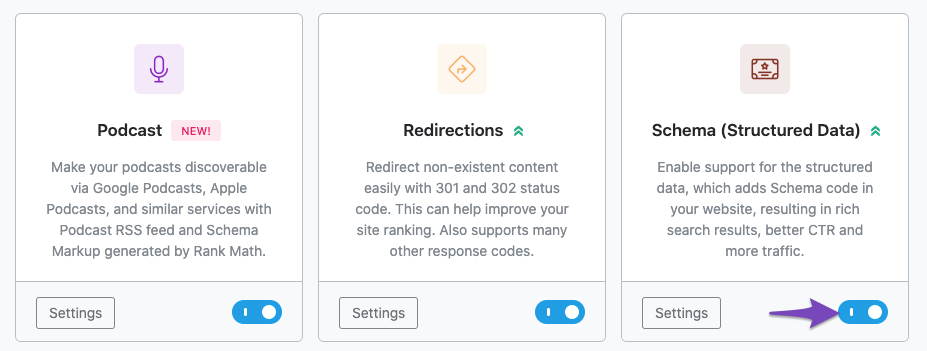
Check Schema Settings: Ensure that the Rank Math Schema Module is enabled by navigating to Rank Math SEO → Dashboard in your WordPress admin area.
-
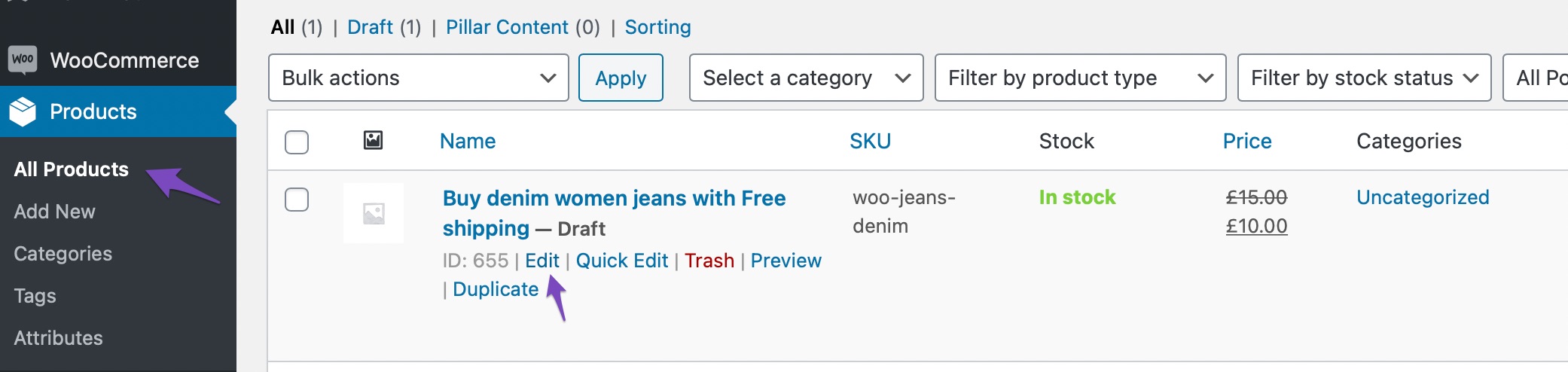
Edit Affected Products: Go to your product page and click on Edit.
-
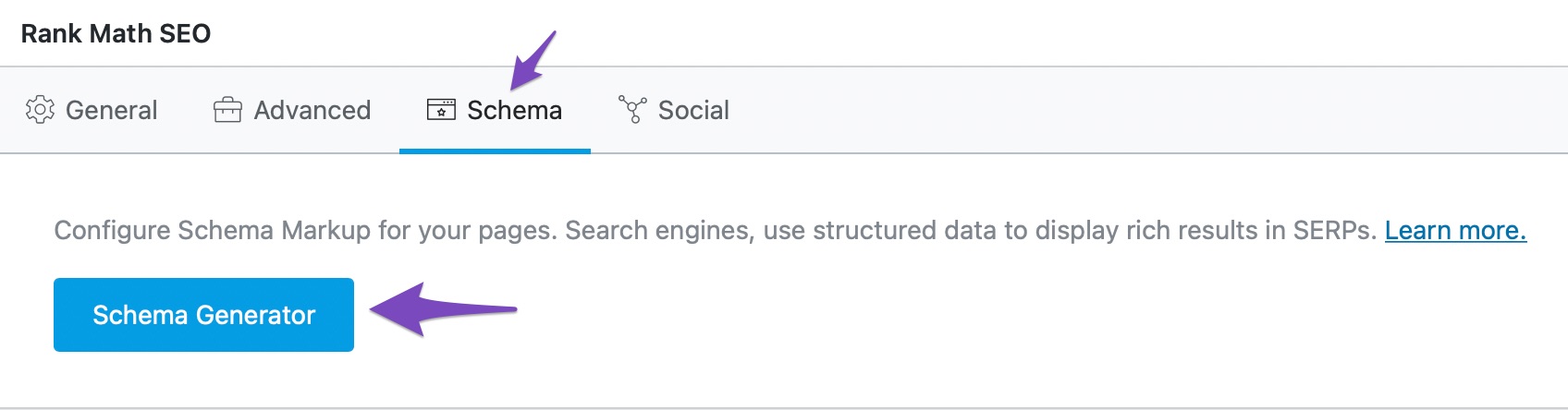
Navigate to Schema Settings: Click on the Schema tab and then click on Schema Generator.
-
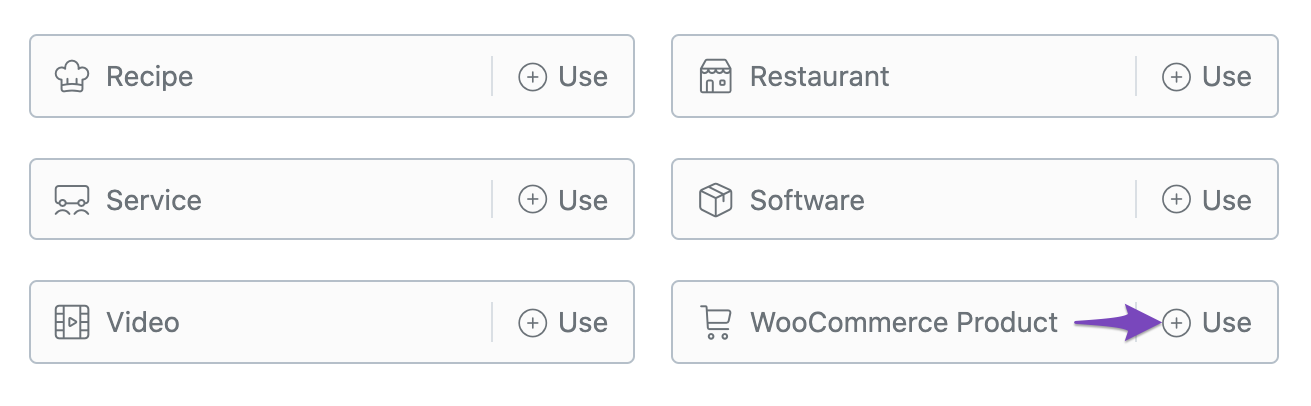
Select WooCommerce Product Schema: From the list, find the WooCommerce Product Schema and click on Use to open the Schema Builder.
-
Save Changes: Finally, click on Save for this Post to apply the changes.
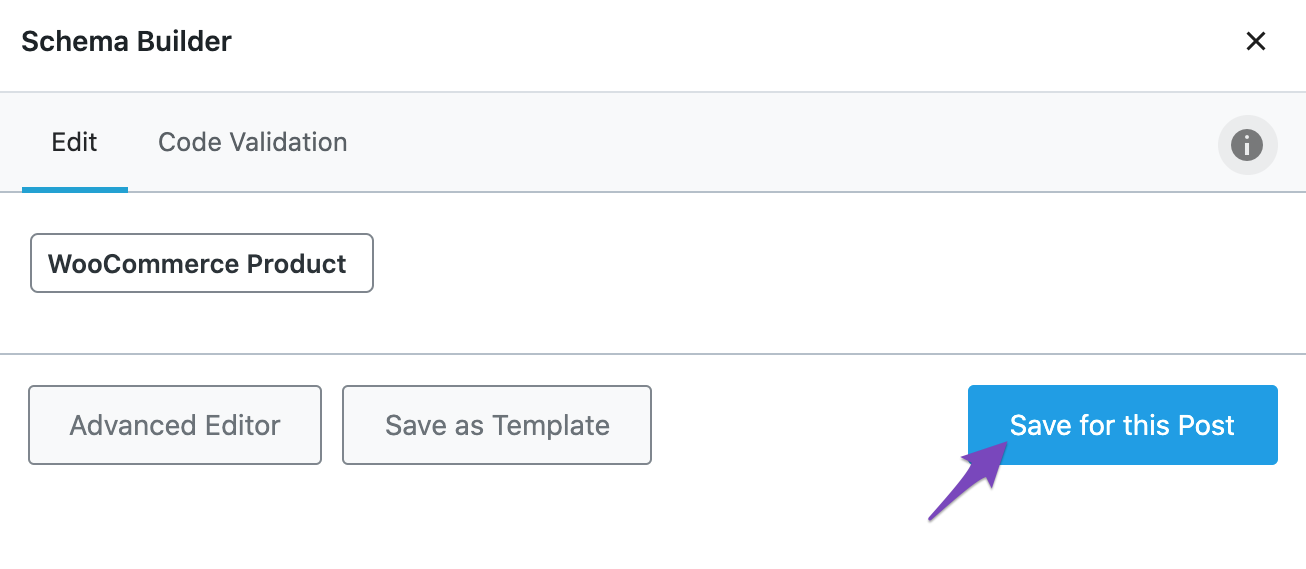
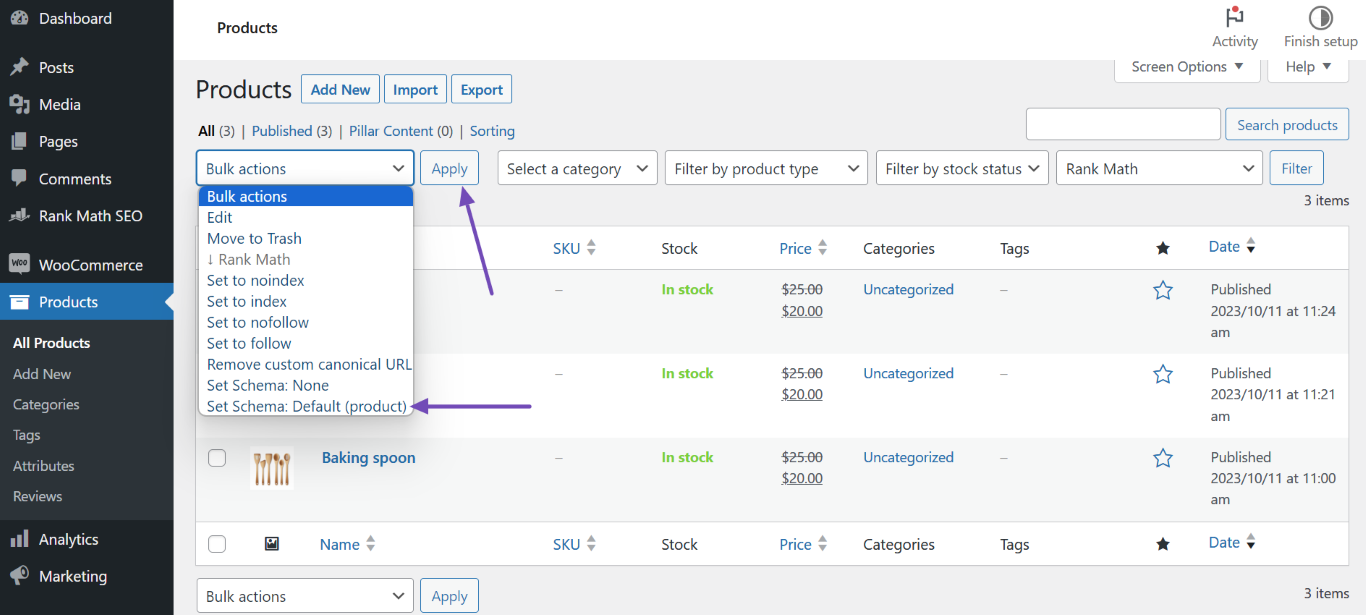
If you have multiple products that need the same schema applied, you can also use bulk actions:
- Navigate to WordPress Dashboard → Products, select the affected products, and choose Set Schema: Default (product) from the Bulk actions dropdown, then click Apply.
If you continue to experience issues, please reply to this ticket, and a human agent from the Rank Math Support team will assist you further. Thank you for raising this concern!
Sources:
How to Use Product Schema for WooCommerce Products » Rank Math
Hello,
We’ve checked your product, and it seems that you’re using the Judge Me plugin for your product reviews.
The review schema you are seeing is generated by that plugin, so we recommend getting in touch with their team to include all the reviews on your product.
Looking forward to helping you.
Hello,
Since we did not hear back from you for 15 days, we are assuming that you found the solution. We are closing this support ticket.
If you still need assistance or any other help, please feel free to open a new support ticket, and we will be more than happy to assist.
Thank you.



