Hello,
We apologize for the issue you are facing with the meta description and title not reverting back after deactivating the Rank Math plugin.
To delete the meta description and title that were entered by the Rank Math plugin, you can follow these steps:
-
Check Your Posts/Pages: Go to your WordPress Dashboard and navigate to Posts or Pages. Edit the specific post or page where you want to remove the meta title and description.
-
Edit Meta Title and Description: If Rank Math is still affecting the post/page, you should see the Rank Math SEO settings below the content editor. You can manually clear the fields for the SEO Title and Meta Description.
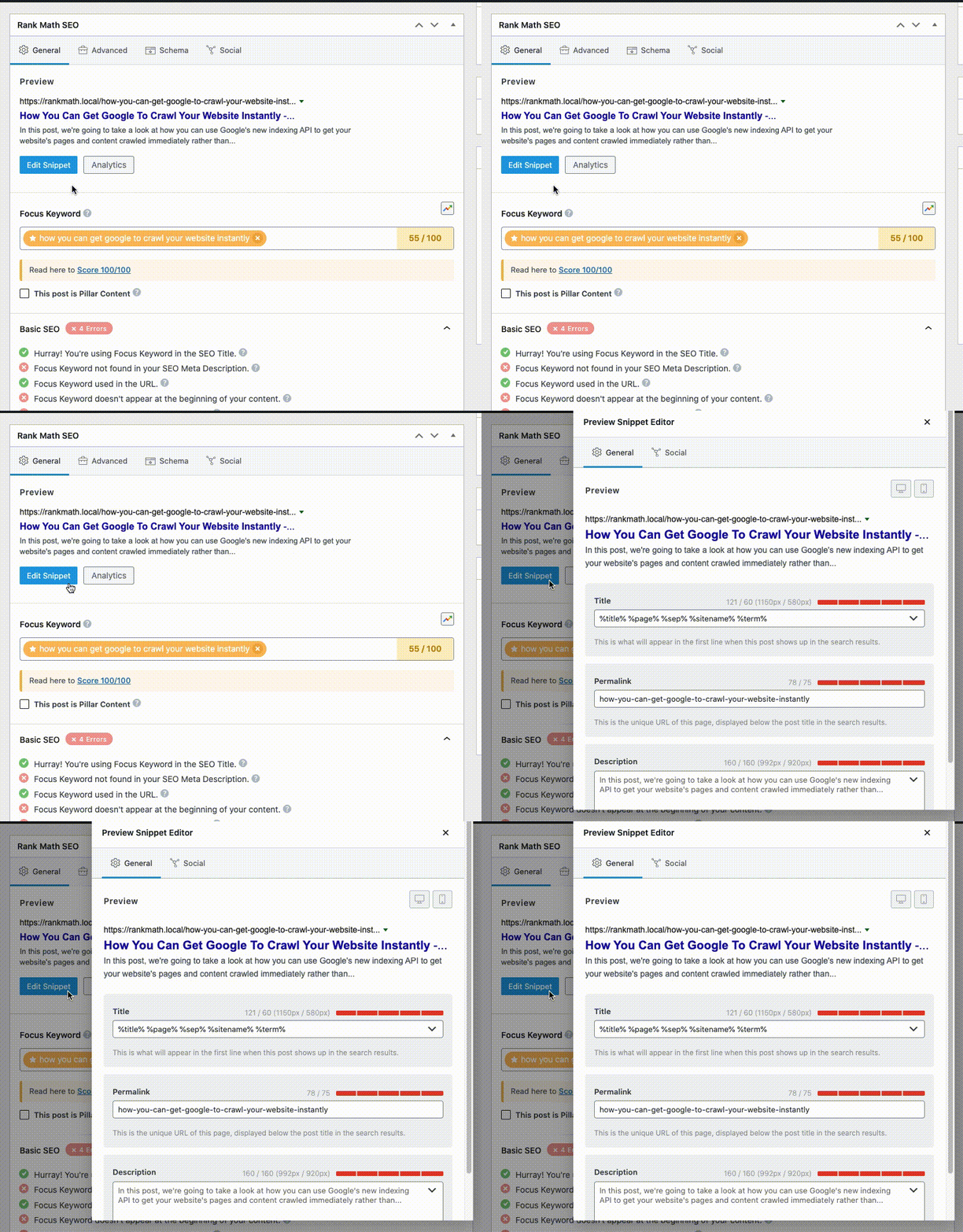
-
Update the Post/Page: After clearing the fields, make sure to click on the Update button to save your changes.
If you are still experiencing issues after following these steps, it may be necessary to check your database directly or consider reinstalling the plugin temporarily to access its settings and clear any residual data.
For more detailed guidance on managing SEO tags, you can refer to this article: How to Disable All Rank Math Generated SEO Tags.
If you need further assistance, please reply to this ticket, and a human agent from our support team will be happy to help you out!
This is an automated reply from Rank Math Support Bot. If you need further assistance, please reply to this topic and a human support agent will reply to you shortly.
Hello,
Since we did not hear back from you for 15 days, we are assuming that you found the solution. We are closing this support ticket.
If you still need assistance or any other help, please feel free to open a new support ticket, and we will be more than happy to assist.
Thank you.


