
-
My website analytics aren’t showing in Rank Math but on google analytics are showing

-
Hello, we apologize for the issue you are facing with your website analytics not showing in Rank Math. Here are a few steps you can take to troubleshoot this issue:
-
Check if the Analytics Code is Installed: Ensure that the Analytics code is properly installed on your website. You can verify this by going to Rank Math SEO → General Settings → Analytics and checking if the Install Analytics Code option is enabled.
-
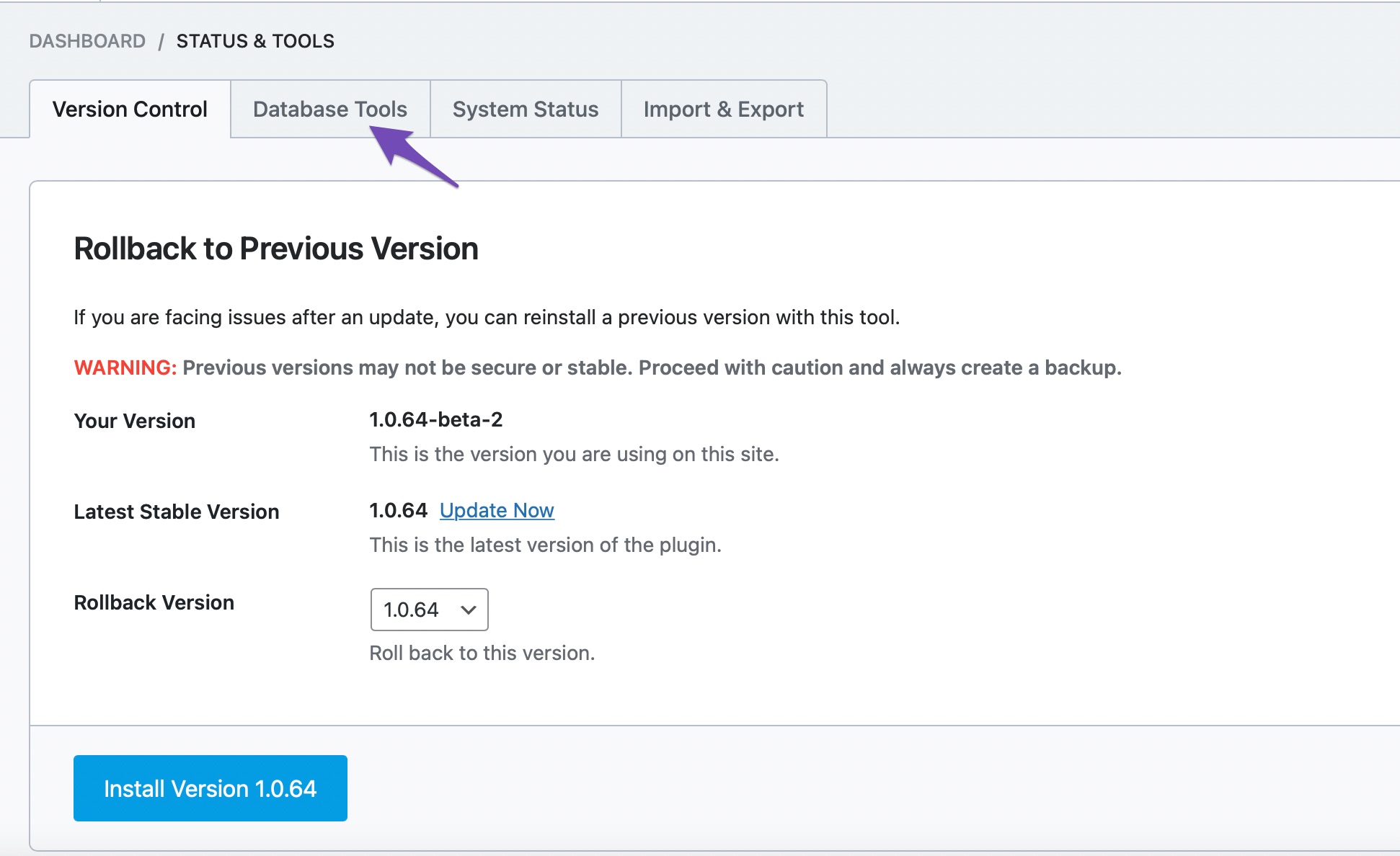
Rebuild Index for Analytics: If you notice that the Rank Math SEO score shown in the Analytics module is incorrect or there are multiple entries of the same post, it might be an issue with the index Rank Math uses for Analytics. You can resolve this by heading to Rank Math → Status & Tools → Database Tools → Rebuild Index for Analytics. Make sure you are using Rank Math in Advanced mode.

-
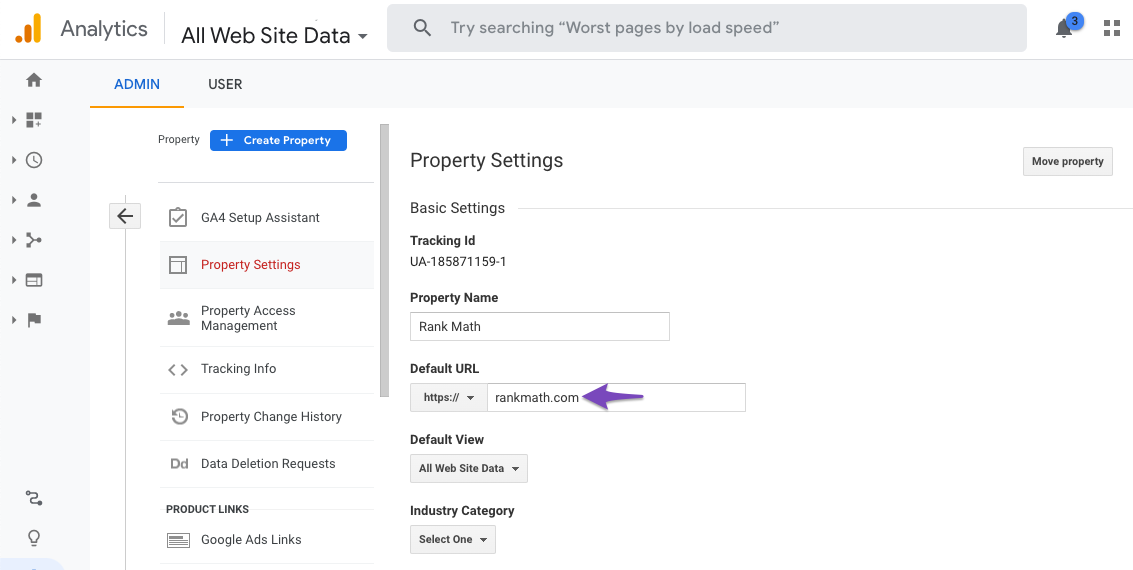
Check Domain Name in Google Analytics: Ensure that the domain name configured in your Google Analytics account matches the actual domain of your website. You can check this by going to Admin → Property → Property Settings in your Google Analytics account and verifying the Default URL.
-
CRON Issues: If your website relies on WP-CRON, ensure that
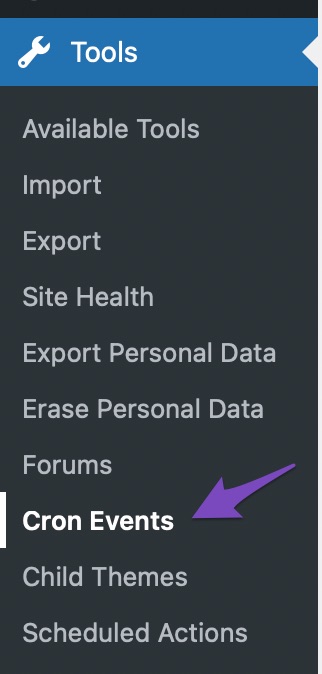
DISABLE_WP_CRONis set tofalsein yourwp-config.phpfile. You can also install the WP Crontrol plugin to check for any CRON errors that might be preventing data from being fetched.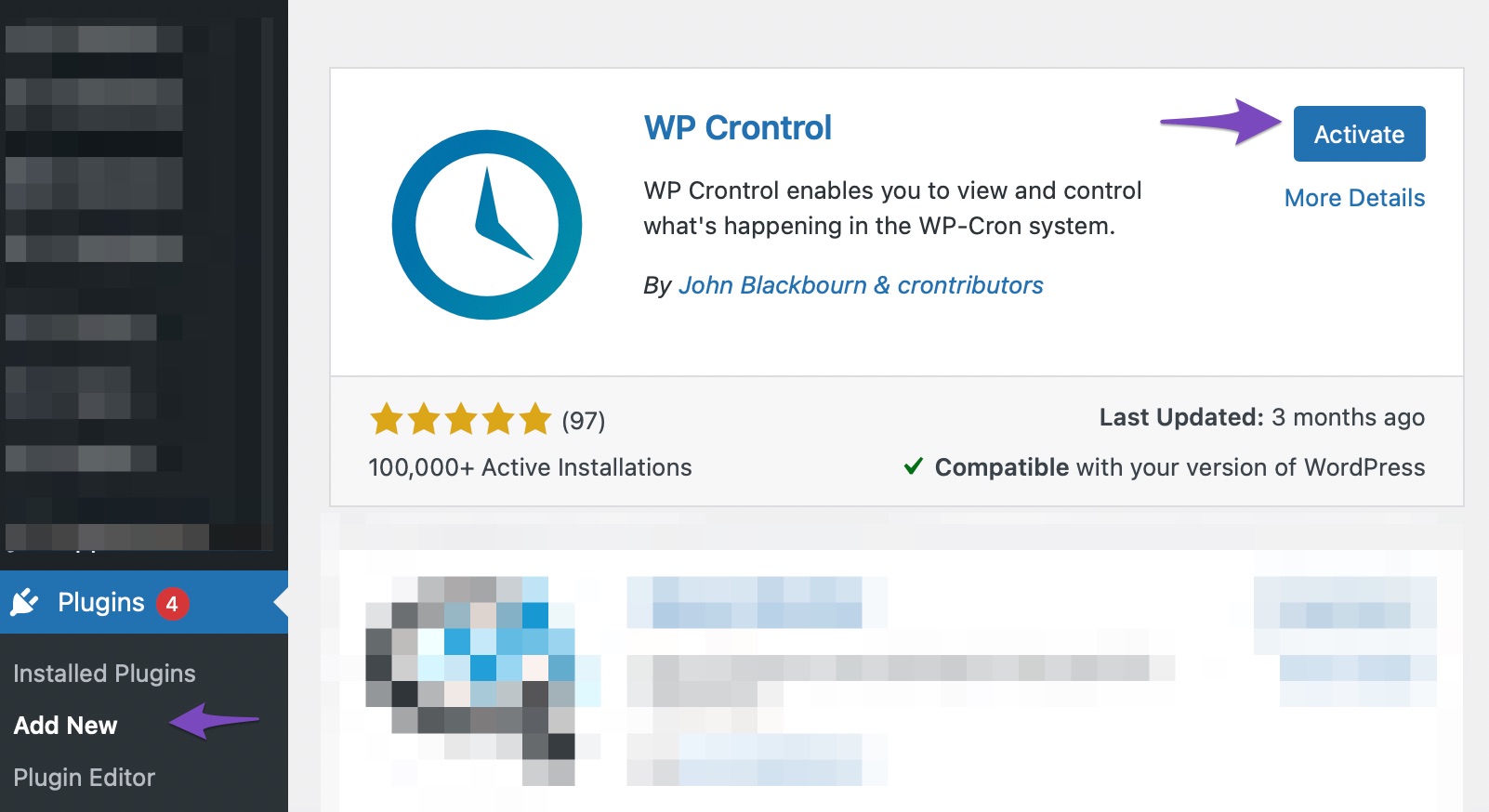
If you have tried these steps and are still experiencing issues, please reply to this ticket, and a human agent from the Rank Math Support team will assist you further. Thank you for raising this concern!
Sources:
Resolving Rank Math Analytics Related Issues » Rank Mathnot working
Hello,
Thank you for contacting the support and sorry for any inconvenience that might have been caused due to that.
If you are not seeing updated data in your analytics, you need to fetch fresh data from Google. This is a simple process that you can do by following the steps below:
1. Head over to WP Dashboard > Rank Math > Tools & Status > Database Tools and click the
Rebuild Indexbutton. This is the first process before you will update the data manually.Ensure that you have enabled advanced mode to see the Database Tools tab.
2. After that, head over to WordPress Dashboard > Rank Math > General Settings > Analytics tab, click the
Delete Databutton and then click theUpdate Data Manually3. This will start the new data fetch from Google. You can reload the page to see the notice related to the import process.
4. Once the process is complete. Please re-check the Analytics page and all the data should be showing up correctly.
Following the above steps should fix the issue.
You can refer to this guide for reference: https://rankmath.com/kb/zero-search-traffic-error/
However, if it does not, please check if there is a pending Scheduled Action by heading over to WordPress dashboard > Tools > Scheduled Actions > Pending or you can try visiting the following URL:
https://yourdomain.com/wp-admin/tools.php?page=action-scheduler&status=pendingThen Run the
rank_math/analytics/data_fetchscheduled action and wait for the data fetch to complete.This is how it should look like:
Once done, please allow Rank Math a while to fetch data from Google and you should be able to see the updated data.
You might see other actions that are scheduled to RUN as well, it is quite normal and you don’t have to worry.
Let us know how that goes.
Thank you.
Hello,
Since we did not hear back from you for 15 days, we are assuming that you found the solution. We are closing this support ticket.
If you still need assistance or any other help, please feel free to open a new support ticket, and we will be more than happy to assist.
Thank you.
-


The ticket ‘my website analytics aren’t showing in Rank Math’ is closed to new replies.