Hello,
We apologize for the issue you are facing with your Open Graph (OG) image not displaying on social media platforms like Facebook and LinkedIn. Here are some steps you can take to troubleshoot this issue:
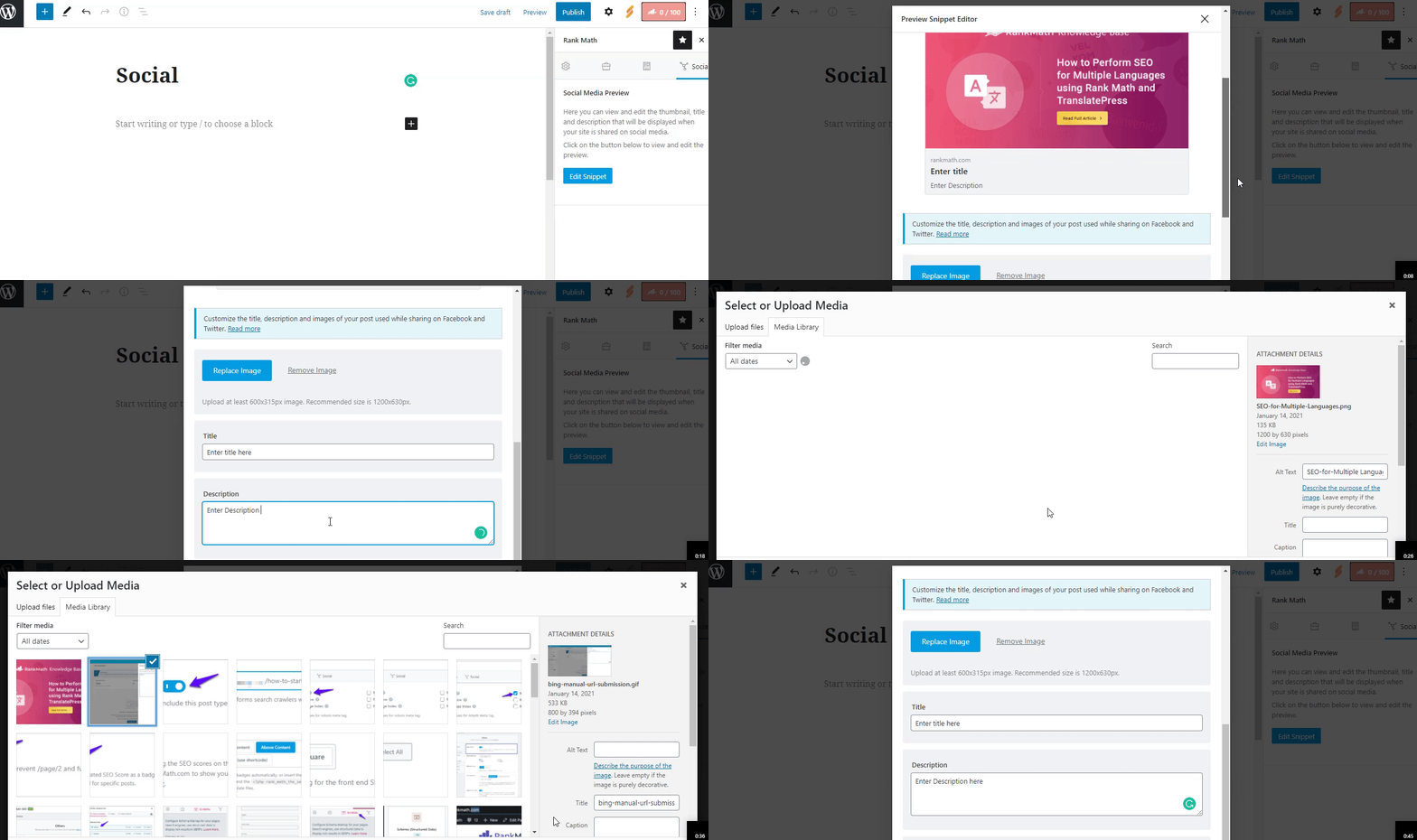
1. Check if You’ve Added Facebook/Twitter Sharing Images
Make sure you have added the Facebook/Twitter sharing images through the Rank Math Meta Box. You can refer to the following image for guidance:
2. Verify Image Dimensions & Format
Ensure that the image you uploaded meets the recommended dimensions of 1200px X 630px and is in a supported format (JPEG, PNG, GIF, WebP). If the dimensions are too small or too large, social networks may not read your image correctly.
3. Check URL Accessibility
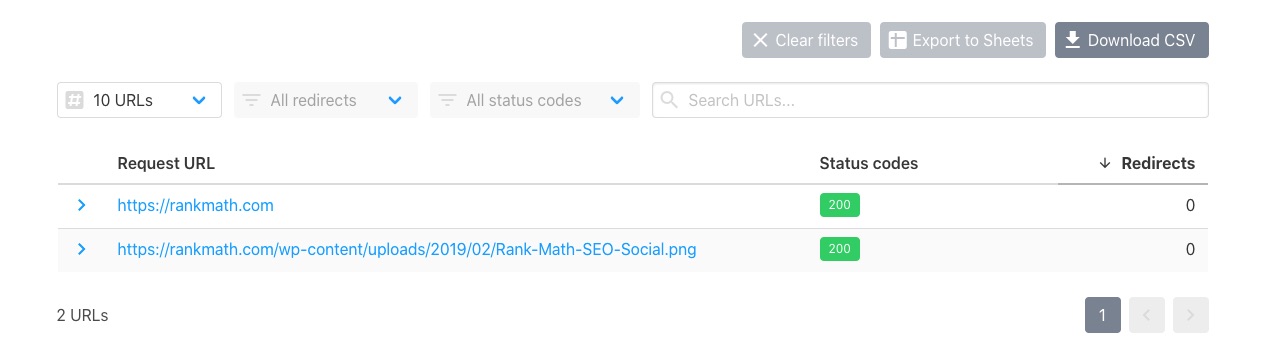
Make sure that the page URL and the Open Graph image URL are accessible. You can use the URL checker to verify that both URLs return a status code of HTTP 200.
4. Inspect the Page Source
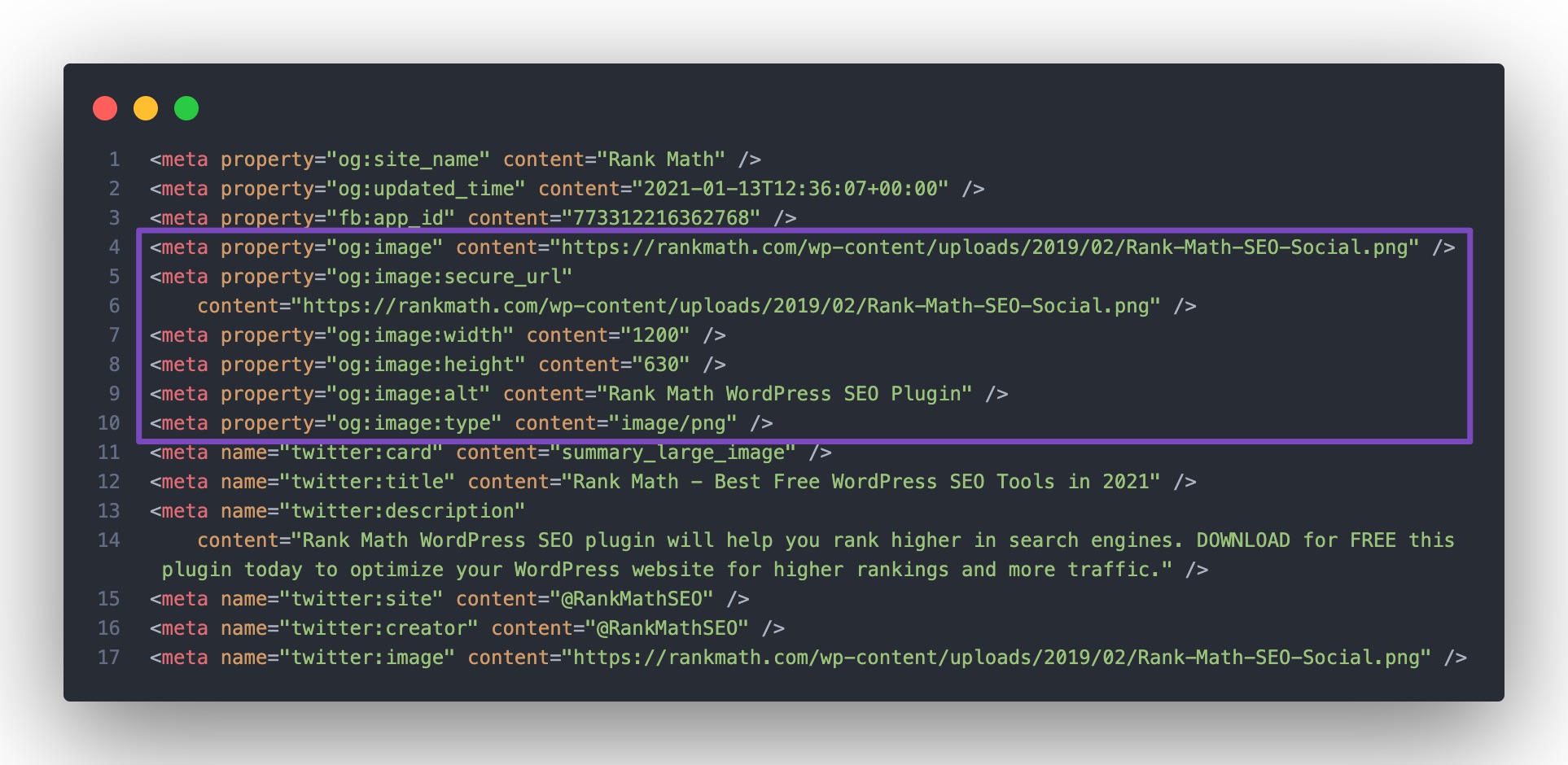
Right-click on your page and select View Page Source. Look for the og:image tag in the source code. If it’s missing, Rank Math may not be enabled or may not be able to print your social tags. You can follow our troubleshooting guide for further assistance.
5. Check for Minification Issues
If you are using minification on your website, ensure that your Open Graph tags are not pushed too far down in the page source. Facebook only looks for Open Graph tags in the first 60 KB of your page’s source.
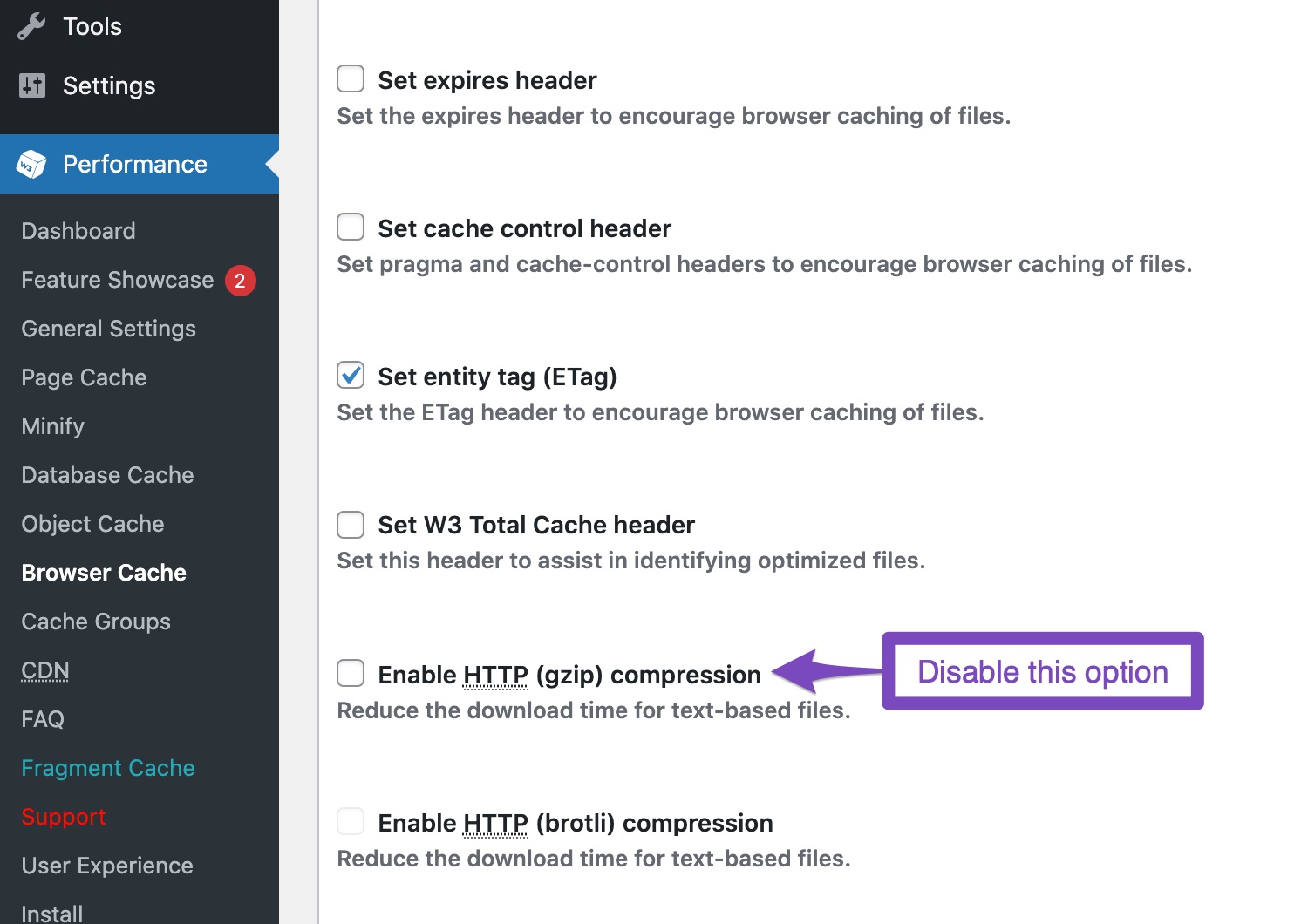
6. Disable Gzip Compression
If you have gzip compression enabled in your caching plugin, try disabling it as it may interfere with Facebook’s Open Graph detection. After making changes, clear your website and server cache, then test again using the Facebook Sharing Debugger.
If you have followed these steps and the issue persists, please reply to this ticket, and a human agent from the Rank Math Support team will assist you further. Thank you for raising this concern!
Sources:
Open Graph/Social Preview Image Is Not Displayed » Rank Math
Hello,
Thank you for contacting us and sorry for any inconvenience that might have been caused due to that.
Could you please share any affected URLs with us so that we can check the issue further for you?
Meanwhile, please try to follow the steps from this guide and see if that works for you: https://rankmath.com/kb/open-graph-image-not-displaying/
Let us know how it goes. Looking forward to helping you.
Thank you.
Hello,
We can see that your site has duplicate opengraph metatags. In addition to those generated by Rank Math the Hubbub plugin is also generating Opengraph metatags. You should only have one of those on your site:

We hope this helps. Please let us know if you have further questions or concerns.
Thank you.
Thank you! I disabled Hubbub Open Graph, and now it’s working. ✌️
Hello,
We are super happy that this resolved your issue. If you have any other questions in the future, know that we are here to help you.
If you don’t mind me asking, could you please leave us a review (if you haven’t already) on https://wordpress.org/support/plugin/seo-by-rank-math/reviews/#new-post about your overall experience with Rank Math? We appreciate your time and patience.
If you do have another question in the future, please feel free to create a new forum topic, and it will be our pleasure to assist you again.
Thank you.




