Hello, we apologize for the issue you are facing with linking your Google account to the Google services connection. Here are some steps you can follow to troubleshoot this problem:
-
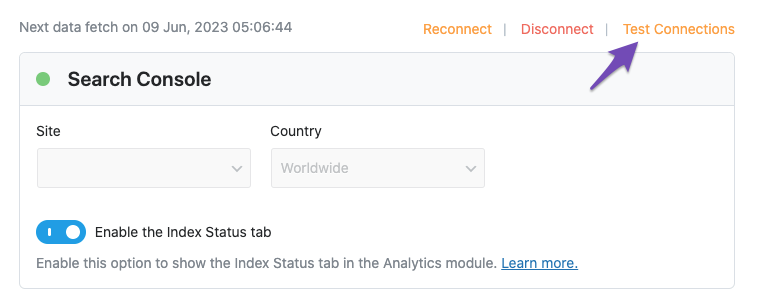
Test Connections: Go to Rank Math SEO → General Settings → Analytics and click on the Test Connections option at the top right. This will help you check if there is a glitch in the connection.
-
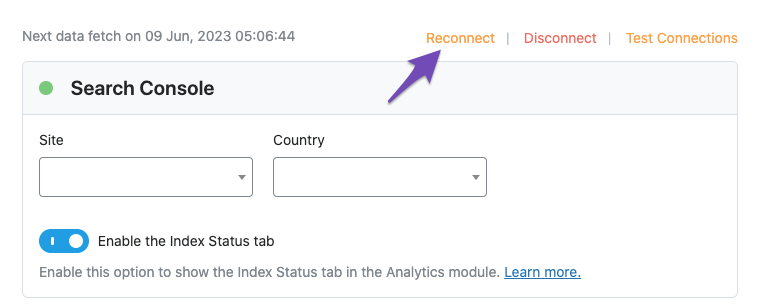
Reconnect Your Google Account: If the test shows a red signal indicating an issue, try reconnecting your Google account again. You can do this by going to Rank Math SEO → Dashboard → Help and clicking on Disconnect Account. After that, click the Connect Now button to reconnect.
-
Refresh Tokens: If the issue persists, it might be due to expired authorization tokens. To refresh them, delete the Rank Math app from your Google Account permissions. You can do this by visiting Google Account permissions and removing Rank Math SEO.

-
Reconnect Again: After removing access, go back to Rank Math and reconnect your Google account.
If you continue to experience issues after following these steps, please reply to this ticket, and a human agent from the Rank Math Support team will assist you further. Thank you for raising this concern!
If your Google account is not linking to Google services, it could be due to a few potential issues. First, ensure that you are signed into the correct Google account and that your internet connection is stable. Clear your browser cache and cookies or try using a different browser. Additionally, check that there are no restrictions on your account or security settings that might prevent the connection. If the issue persists, consider disconnecting and reconnecting your account or updating your app to the latest version.
Hello,
For troubleshooting, please follow these steps to regenerate the token on your site:
1. Please delete RankMath’s app from here:
https://myaccount.google.com/permissions

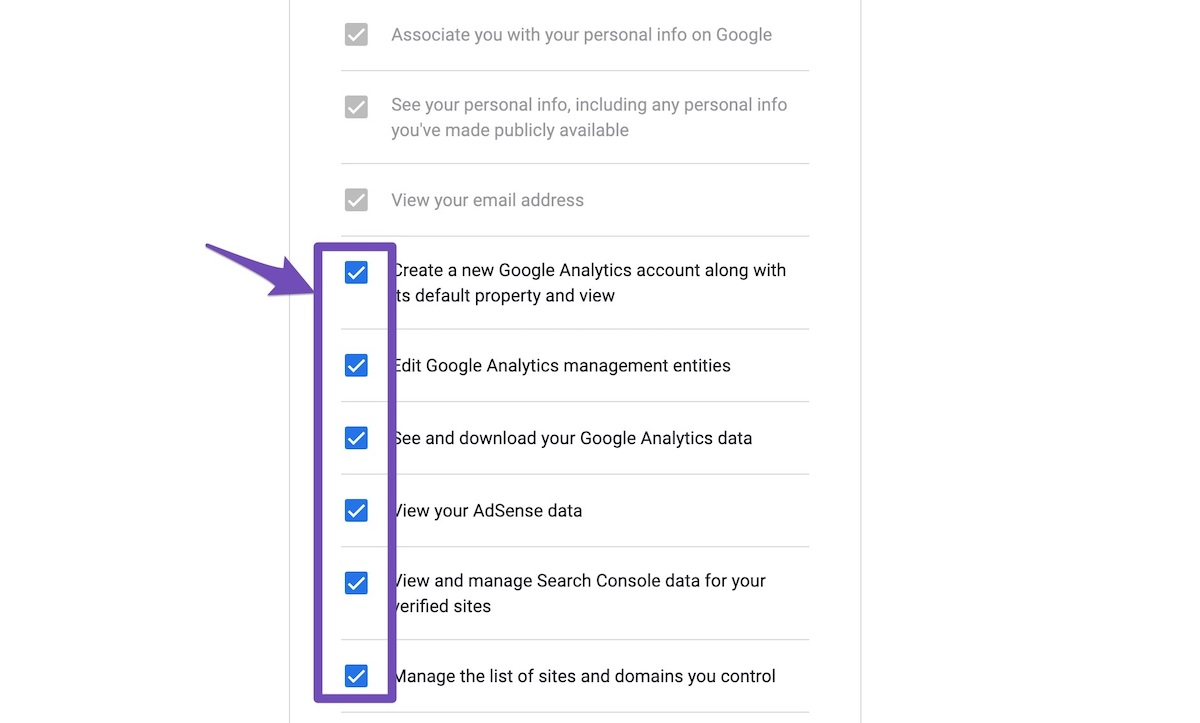
2. Reconnect the account inside Rank Math by clicking here and ensure that you approve all the permission notices that show up:
WP Dashboard >> Rank Math >> General Settings >> Analytics tab, and click the Reconnect link

Allow all the necessary permissions on the next screen
3. Let the process complete, which might take around 30 minutes to fetch the data.
Let us know how this goes.
Hello,
Since we did not hear back from you for 15 days, we are assuming that you found the solution. We are closing this support ticket.
If you still need assistance or any other help, please feel free to open a new support ticket, and we will be more than happy to assist.
Thank you.




