My cagetory showing noindex, do I need to yoast?

#906949
  • Resolved Tom Gc
    Rank Math free

    Hi, it’s been more than 1 month with rank math, I’m getting problem with this, google says no index,

    due to noindex tag on my page, see,
    https://tomgcdigital.com/blog/

    on this page showing the the
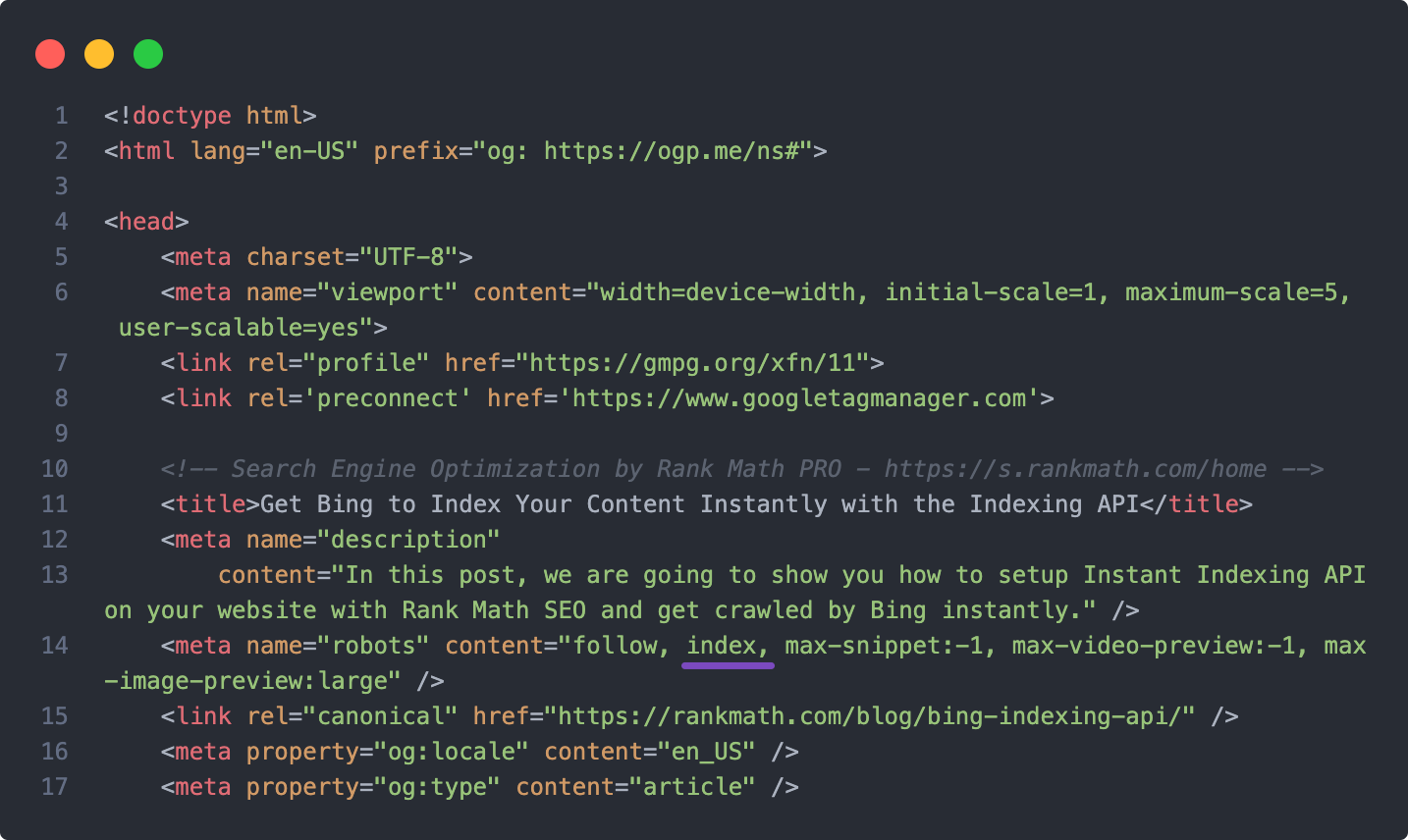
    <meta name=”robots” content=”follow, noindex”/>

    If I remove your plugin then it doesn’t show,

    I try to check each page and find solution, but not found,

    give me the solution how to resolve it,

    other pages getting very hard to rank on google,

    still not indexed, saying Crawled – currently not indexed

    I’m waiting your fast response.

Viewing 3 replies - 1 through 3 (of 3 total)

  • Hello,

    We apologize for the issue you are facing with the noindex tag on your category page. It seems that the Rank Math plugin is currently set to add a noindex tag to that page, which is preventing Google from indexing it.

    To resolve this issue, please follow these steps:

    1. Check the Noindex Settings: Go to your WordPress Dashboard and navigate to Rank Math SEO → Titles & Meta. Look for the settings related to your categories and ensure that the Noindex option is not enabled.

      Check Noindex Settings

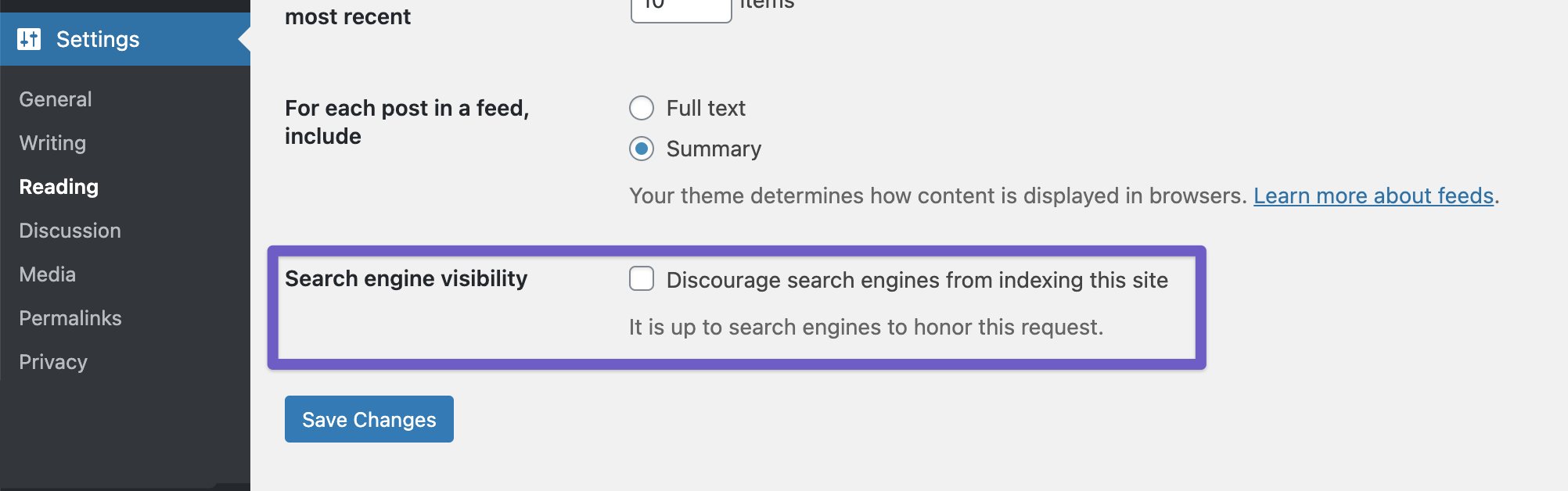
    2. Global Settings: Also, check your global settings by going to WordPress Dashboard → Settings → Reading and make sure the Discourage search engines from indexing this site option is unchecked.

      Ensure Search Engine Visibility option is unchecked

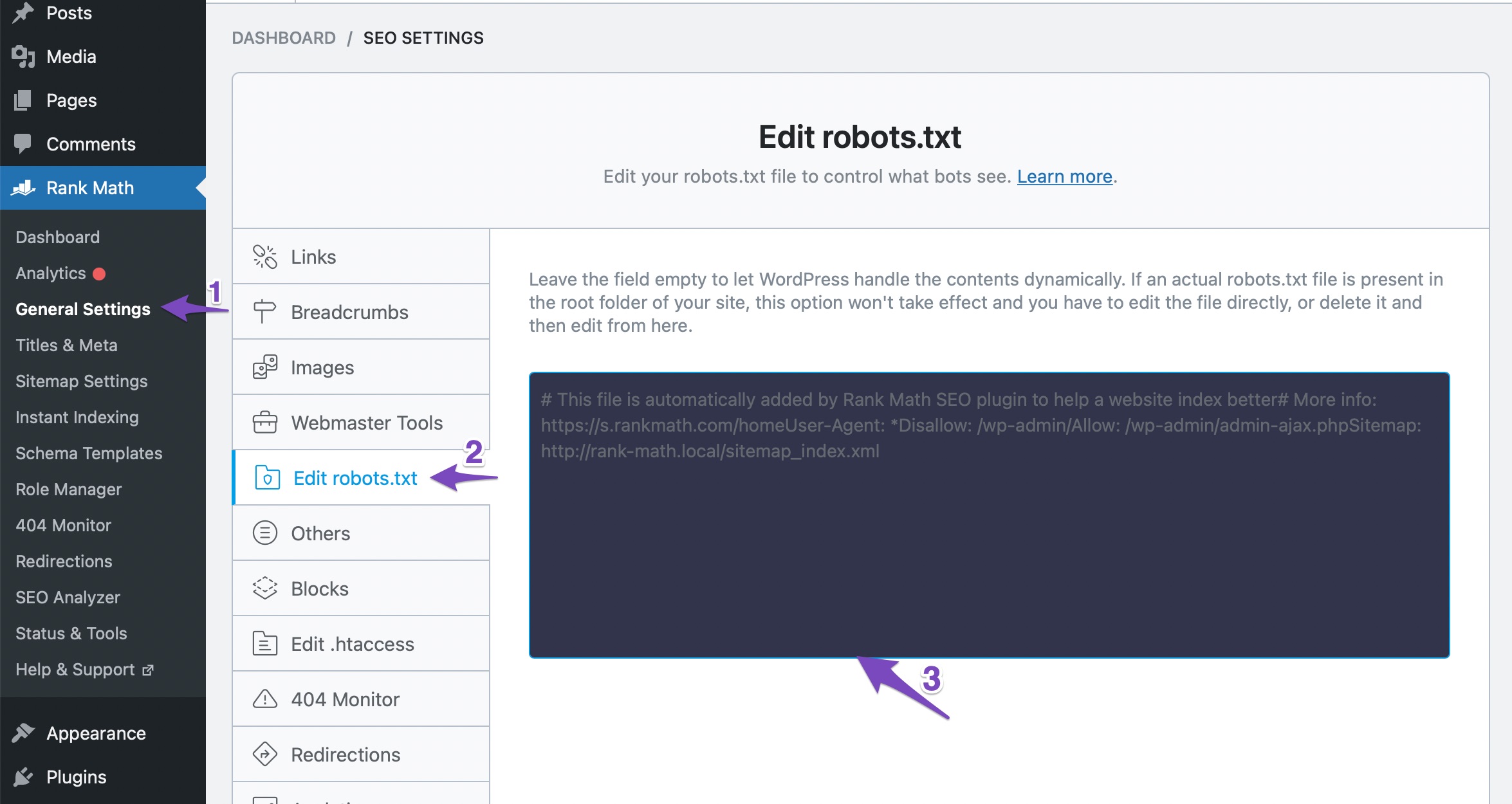
    3. Robots.txt File: Ensure that your robots.txt file does not have any rules that might be blocking Google from crawling your category page. You can check and edit your robots.txt file in Rank Math under WordPress Dashboard → Rank Math SEO → General Settings → Edit Robots.txt.

      Edit robots.txt

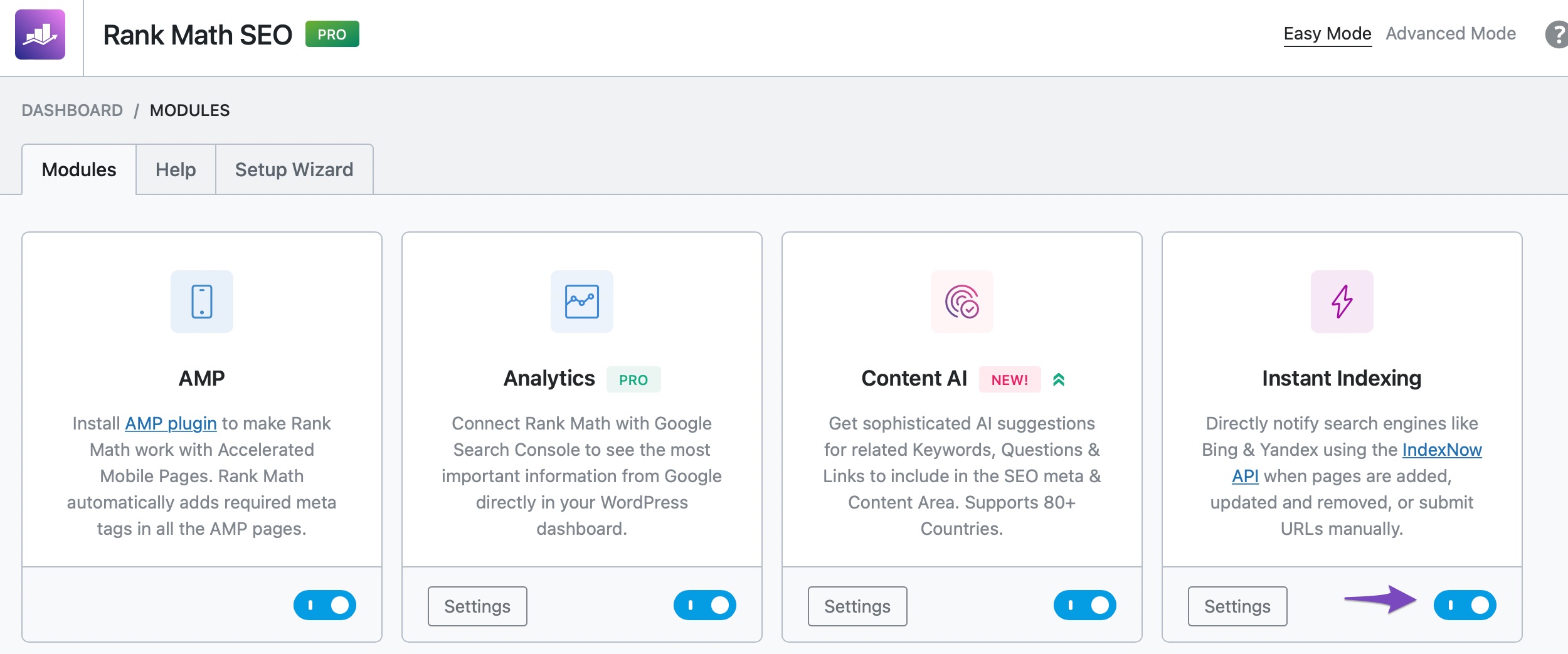
    4. Instant Indexing: If you want to expedite the indexing process, consider using Rank Math’s Instant Indexing feature. Enable the Instant Indexing module and submit your category page for indexing.

      instant indexing module

    5. Content Audit: Lastly, perform a content audit to ensure there are no duplicate pages or low-quality content that might be affecting your overall site quality. You can improve your site’s visibility by systematically removing or improving low-quality pages.

    If you follow these steps and still encounter issues, please reply to this ticket, and a human agent from the Rank Math Support team will assist you further.

    Thank you for raising this concern, and we hope this helps resolve your issue quickly!

    Tom Gc
    Rank Math free

    I recently resolved this issue with another method, which is simple and easy,

    Could you help me understand why some of my pages aren’t getting indexed? It’s been almost a month, and while pages like /contact and the main page were indexed recently, several other pages created even earlier are still not showing up.

    Could this be related to the Rank Math plugin, or is there something else I need to do to resolve it?

    screenshot:
    https://prnt.sc/HfV4nrX0WU21

    Hello,

    Thank you for your query and we are so sorry about the trouble this must have caused.

    If your category pages are showing noindex, please head over to the Titles & Meta settings of our plugin and make sure that the robots setting is configured correctly.

    As for the issues you’re seeing on your GSC, please refer to the guides below:

    1. Excluded by ‘noindex’ tag
    Please follow this guide to address the issue: https://rankmath.com/kb/excluded-by-noindex-tag/

    2. Page with Redirect
    It seems like Google has found some incorrect URLs redirecting to the correct ones. Since the correct URLs are accessible and are being indexed, you can ignore the error. You can also use the URL Inspection tool of your GSC account to check the incorrect URLs and find the referring page to figure out how Google is discovering those. If they are related to internal links to your site, you can find them and fix the links to avoid getting the errors in GSC. You may refer to this guide: https://rankmath.com/kb/page-with-redirect/

    3. Crawled – currently not indexed
    This error means that Google has crawled your page but has not indexed it yet. As we already know, Google does not index all the URLs we submit, and finding a certain number of URLs under this status is completely normal. You may refer to this guide: https://rankmath.com/kb/crawled-currently-not-indexed/

    Looking forward to helping you.

    Hello,

    Since we did not hear back from you for 15 days, we are assuming that you found the solution. We are closing this support ticket.

    If you still need assistance or any other help, please feel free to open a new support ticket, and we will be more than happy to assist.

    Thank you.

Viewing 3 replies - 1 through 3 (of 3 total)
The ticket ‘My cagetory showing noindex, do I need to yoast?’ is closed to new replies.