Hello,
We apologize for the issue you are facing with the multiple video URLs. To resolve the problem of missing video URLs in your schema, you can follow these steps:
-
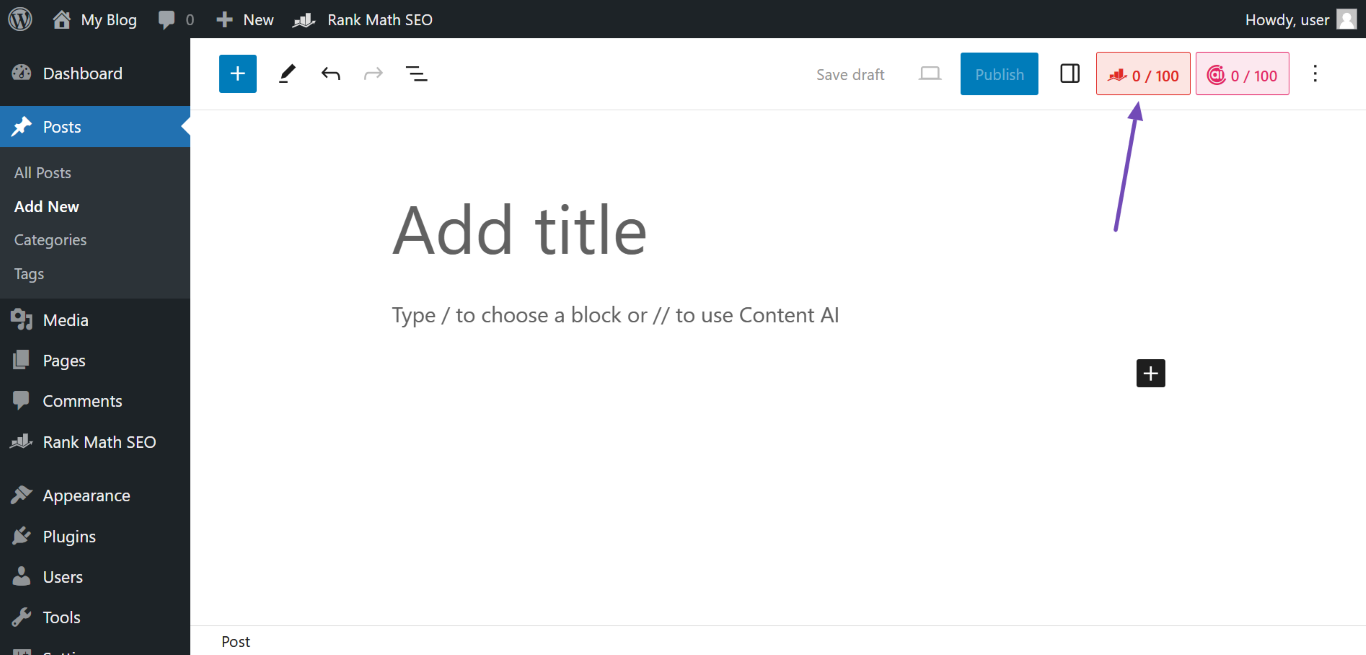
Open the Rank Math Metabox: Navigate to the top-right of your post/page editor and click on the Rank Math icon.
-
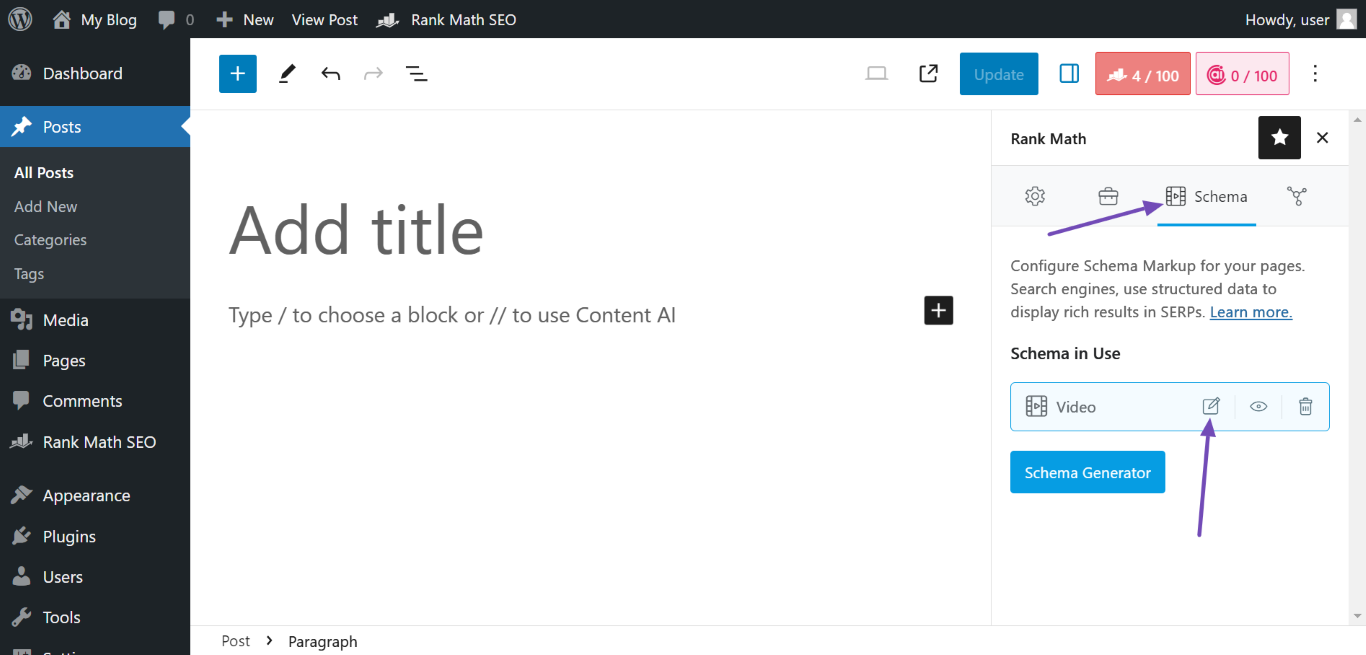
Access the Video Schema: In the Rank Math metabox, click on the Schema icon, then select the Video Schema and click the Edit icon.
-
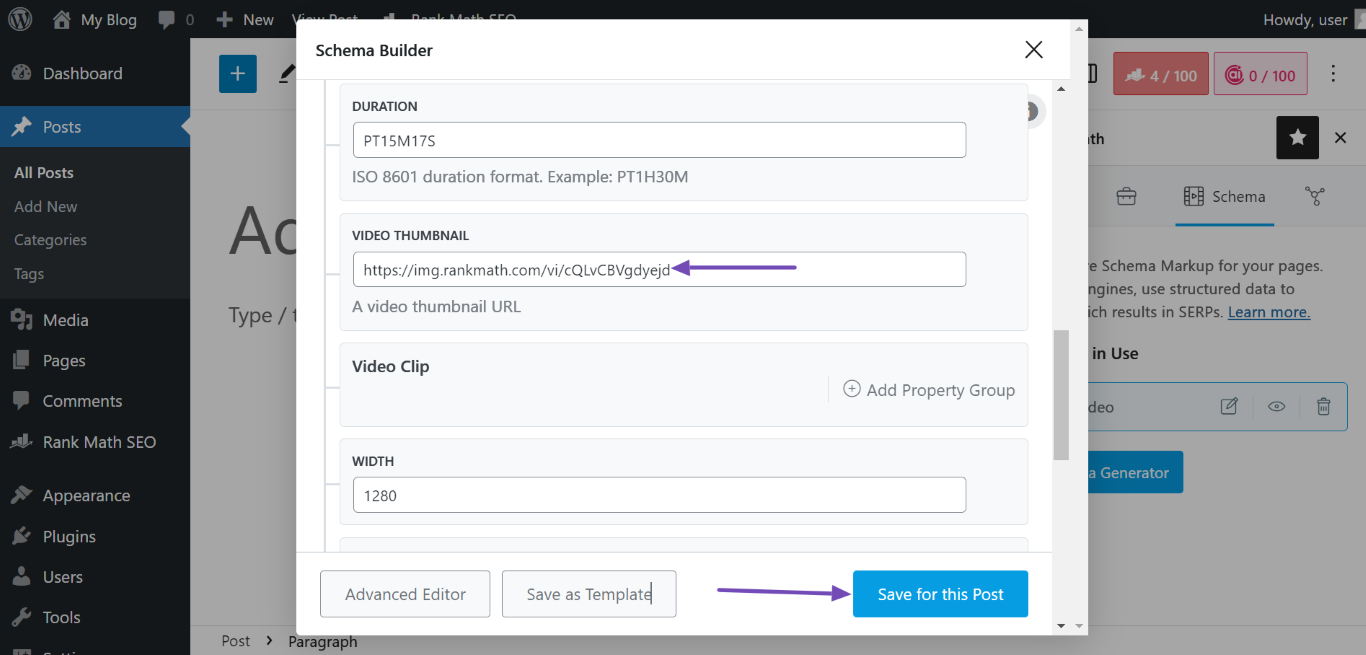
Add Video URLs: For each video you want to include, you will need to add the corresponding Embed URL and Content URL in the Video Schema settings. If you have multiple videos, ensure that you fill out the details for each one separately.
- Embed URL: This is the link to the embeddable player for your video.
- Content URL: This is the link to the actual video file.
-
Save Changes: After adding all necessary video URLs, make sure to click Save for this Post to apply your changes.
If you haven’t added any video URLs yet, you will need to do so in order to fix the issue. You can refer to our guide on Video Schema Type Setup for more detailed instructions.
If you continue to experience issues or have further questions, please reply to this ticket, and a human agent from our support team will assist you further. Thank you for raising this concern!
Sources:
Video Schema Type » Rank Math
How to Auto-Detect & Auto-Fetch Video Data for Video Schema and Sitemap » Rank Math
Hello,
Thank you for your query and we are so sorry about the trouble this must have caused.
From the screenshot you shared those aren’t video URLs but rather image URLs in JPG format.
Please check the page editor of the affected page look for these URLs in the content and remove them as Rank Math is not responsible for those elements added to the content of your pages.
Don’t hesitate to get in touch with us if you have any other questions.
Hello,
Since we did not hear back from you for 15 days, we are assuming that you found the solution. We are closing this support ticket.
If you still need assistance or any other help, please feel free to open a new support ticket, and we will be more than happy to assist.
Thank you.



