Hello,
We apologize for the issue you are facing with the Missing ThumbnailUrl error. To resolve this error, please follow these steps:
-
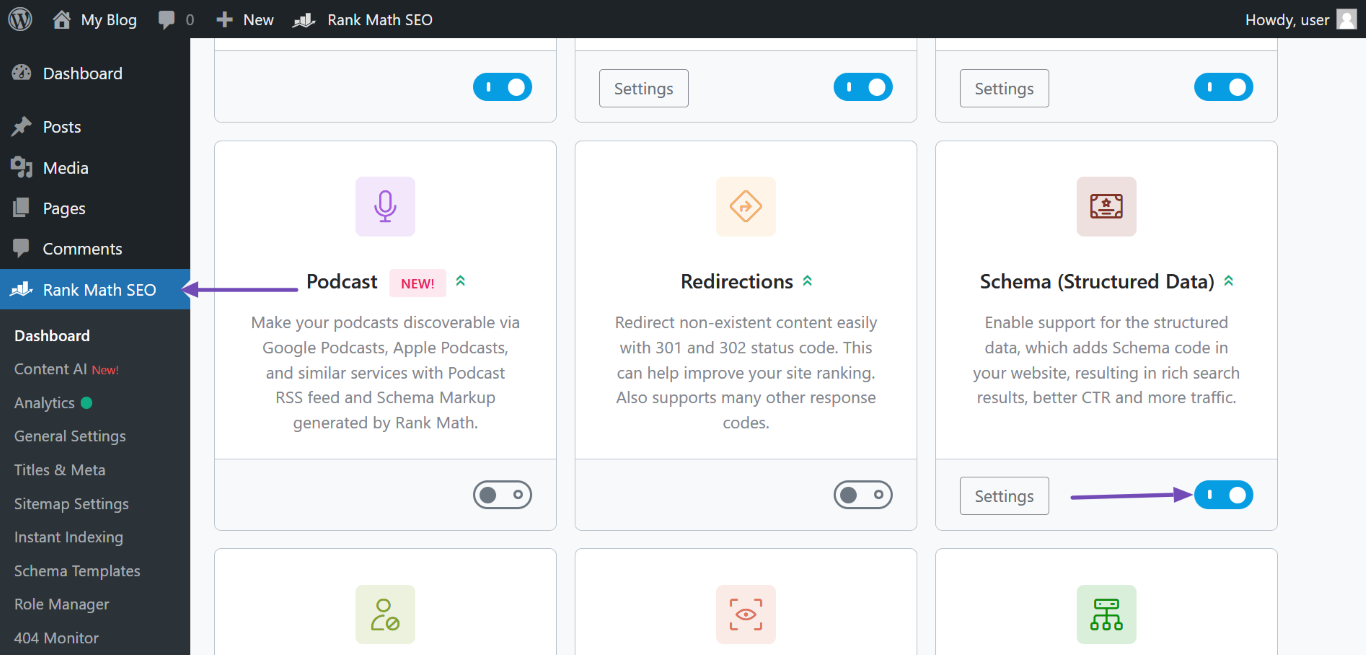
Enable the Schema Module: Ensure that the Schema module is enabled in your Rank Math settings. You can do this by navigating to WordPress Dashboard → Rank Math SEO and enabling the Schema module.
-
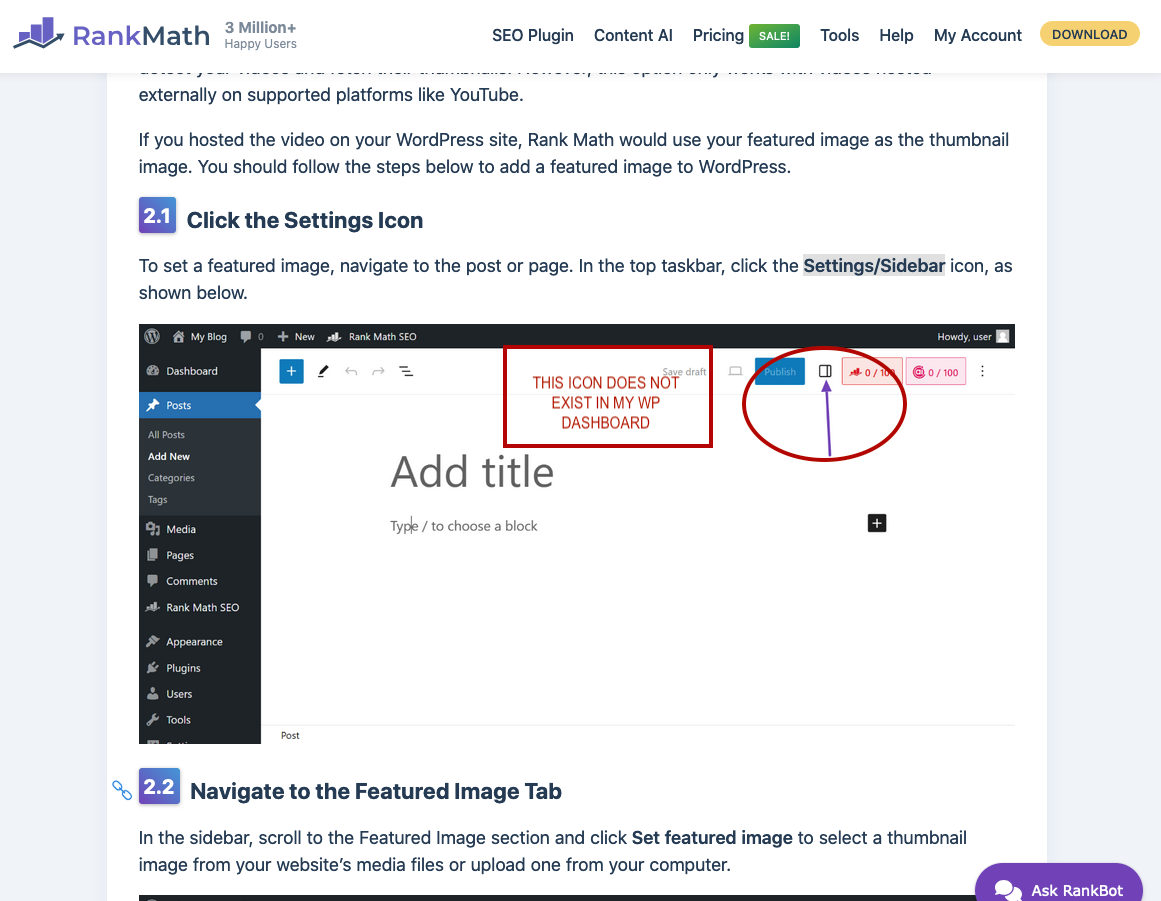
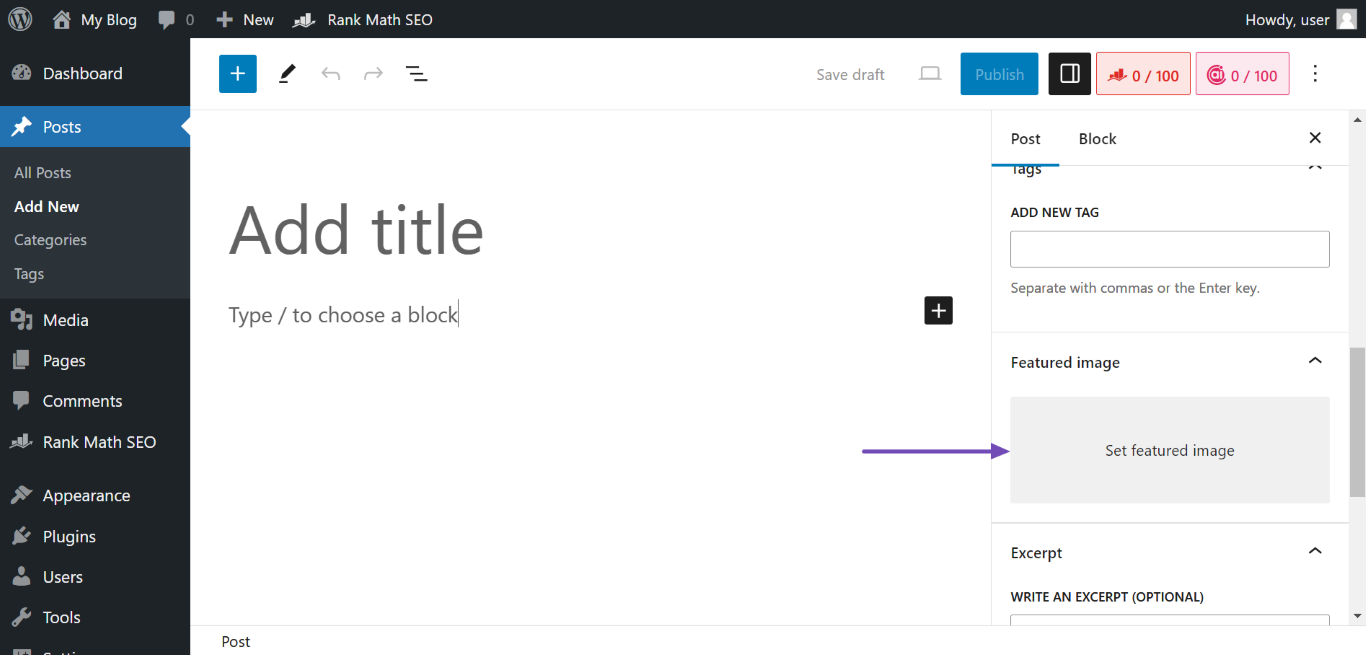
Add a Featured Image to Your Page or Post: If you have enabled the Autodetect Video and Autogenerate Image options, Rank Math will automatically detect your videos and fetch their thumbnails. If your video is hosted on your WordPress site, make sure to set a featured image for the post or page. You can do this by clicking the Settings/Sidebar icon in the top taskbar and then selecting Set featured image in the Featured Image section.
-
Add a Custom thumbnailUrl Property via Video Schema: If you prefer to use a custom thumbnail instead of the featured image, you can add it through the Video Schema. Open the Rank Math metabox, click on the Schema icon, navigate to Video Schema, and paste your video’s custom thumbnail image URL in the VIDEO THUMBNAIL section.
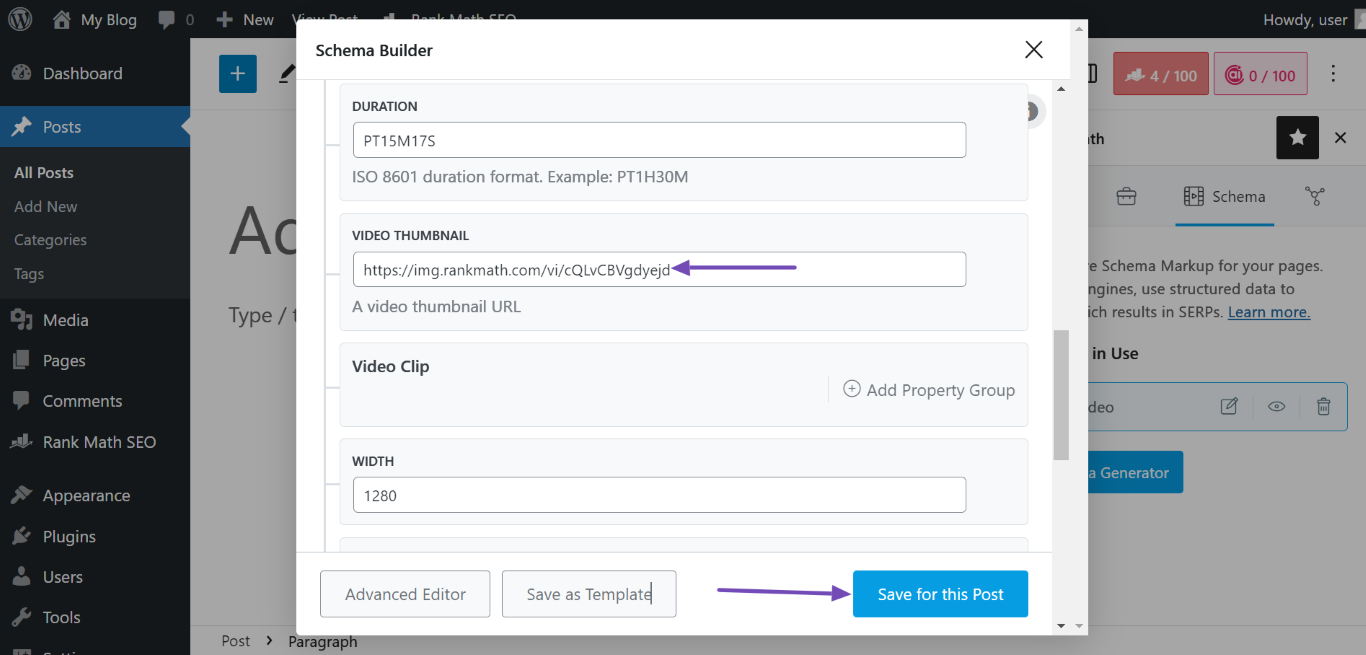
After following these steps, validate your Schema markup to confirm that the Missing field "thumbnailUrl" error has been resolved. You can do this by clicking the View icon in the Schema in Use field and testing the code with Google.
If you continue to experience issues after trying these steps, please reply to this ticket, and a human agent from our support team will assist you further. Thank you for raising this concern!
Sources:
How to Fix Missing ThumbnailUrl Error in Schema Markup » Rank Math
Hi,
my question is for live people from the Rank Math support team, because AI does not recognize images.
I will greatly appreciate a response from real people in charge of support, not from Rank Bot.
Thank you for your understanding.
I wait for response, but not from RanBot
Hello,
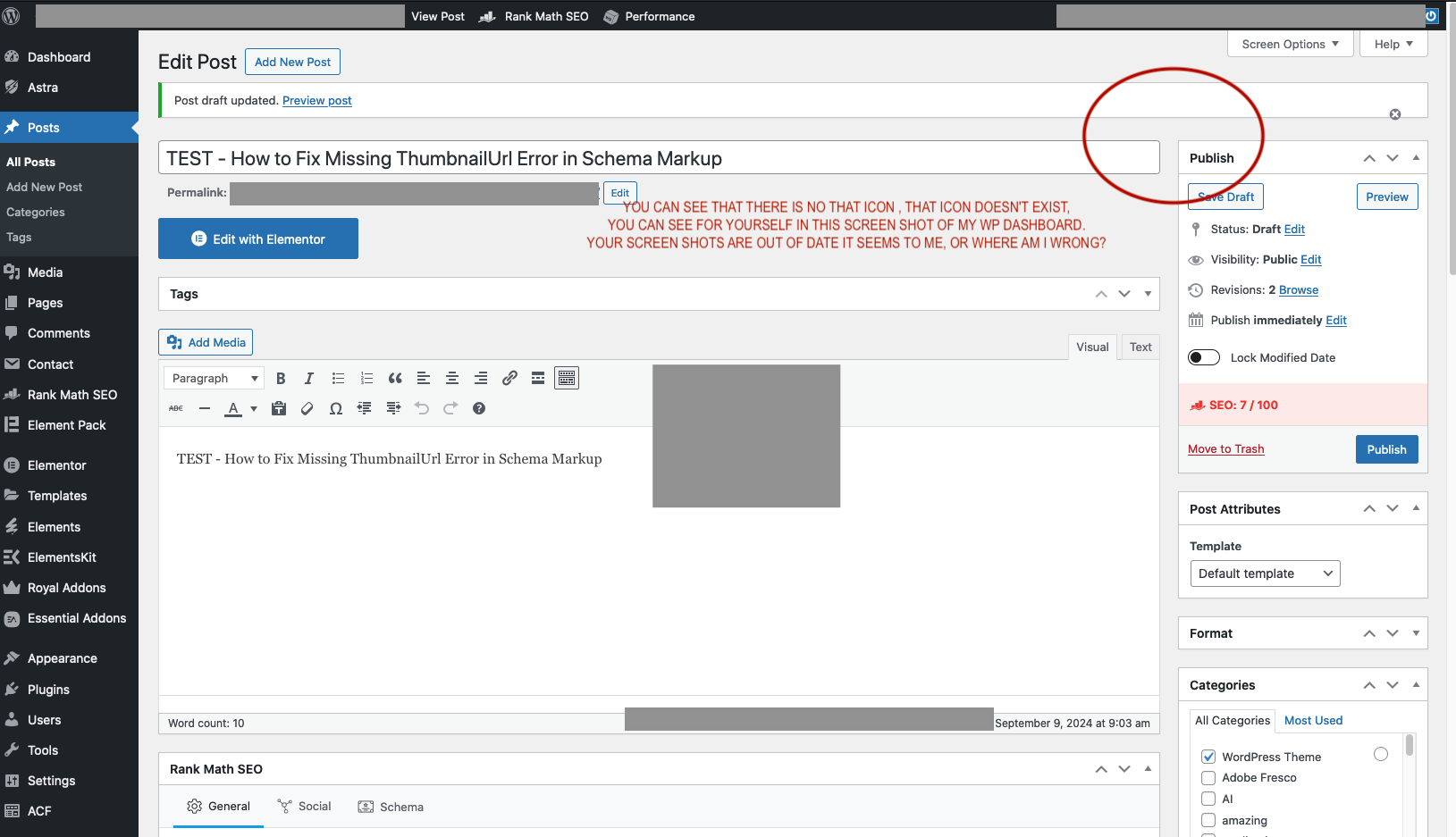
From your screenshot, it seems that you’re using the classic editor.
The thumbnail you’re referring to is for the block editor (Gutenberg).
If you’re not using the Classic Editor plugin, then your theme must been using that editor by default on your site.
Hope that helps.
Hello,
Since we did not hear back from you for 15 days, we are assuming that you found the solution. We are closing this support ticket.
If you still need assistance or any other help, please feel free to open a new support ticket, and we will be more than happy to assist.
Thank you.