Hello,
We apologize for the issue you are facing with saving your meta titles and descriptions in Rank Math. This can be frustrating, and we appreciate you bringing it to our attention.
Here are some common causes and solutions for this issue:
1. Plugin Conflicts
There may be conflicts with other plugins that prevent the SEO Title, Description, and Focus Keyword from being saved. We recommend checking for plugin conflicts by following our guide on plugin conflict.
2. JavaScript-Related Errors
JavaScript errors can also cause issues when saving your metadata. You can diagnose these errors by checking the JavaScript Console in your browser. Here’s how to do it in Chrome:
- Open Developer Tools by navigating to More Tools → Developer Tools from the Chrome menu or using the shortcut Ctrl + Shift + J (Windows) or Cmd + Option + J (Mac).
- Click on the Console tab to see if there are any errors that might be affecting the saving process.

3. Cloudflare Settings
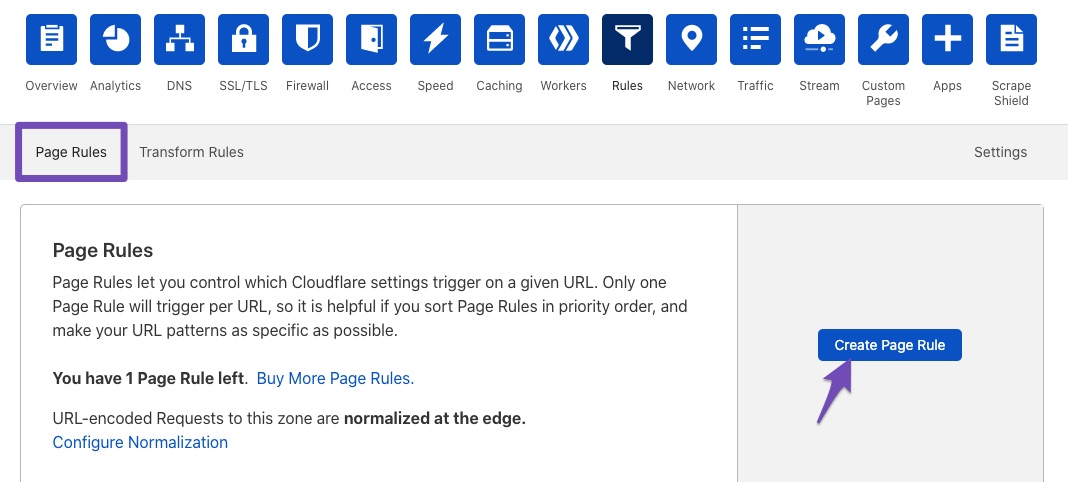
If you are using Cloudflare, it may be blocking certain requests. You can create page rules to whitelist Rank Math files. Here’s how:
- Go to the Rules tab in Cloudflare and click on Create Page Rule.
- Enter the following paths to whitelist:
*example.com/wp-json/rankmath/v1/updateMeta**example.com/wp-json/rankmath/v1/updateSchemas**example.com/wp-json/rankmath/v1/updateRedirection**example.com/wp-json/rankmath/v1/getFeaturedImageId**example.com/wp-json/rankmath/v1/getHead*
- Choose Disable security for these rules and save them.
4. Ensure Changes Are Saved
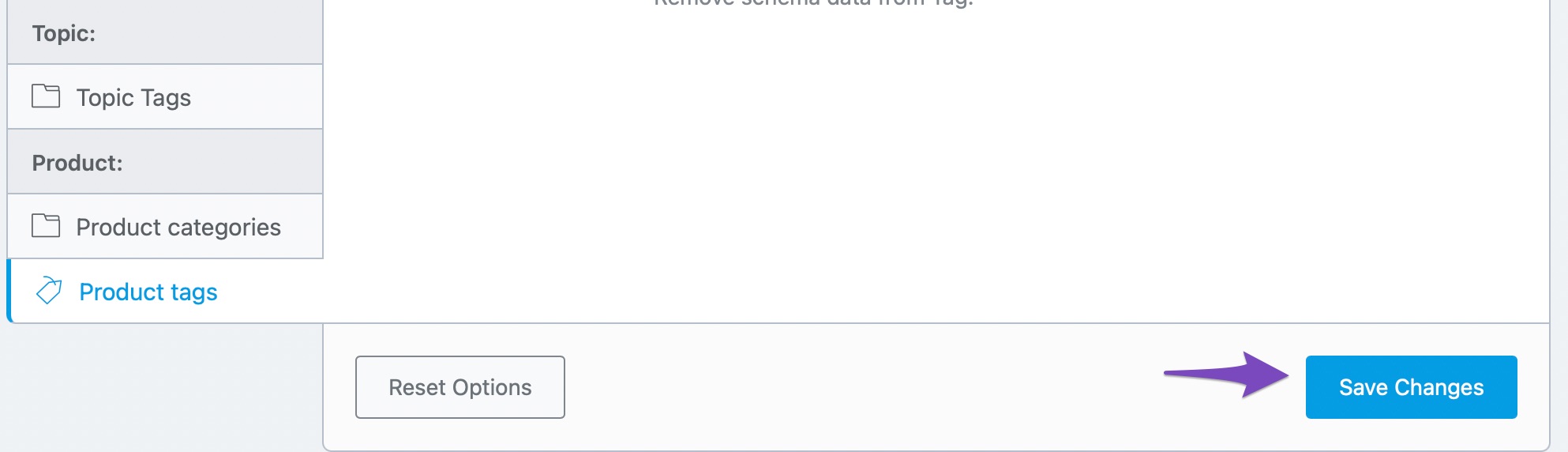
Make sure you are clicking the Save Changes button after making updates in Rank Math settings. If you navigate away without saving, your changes will not be retained.
If you have tried these steps and the issue persists, please reply to this ticket, and a human agent from the Rank Math Support team will assist you further.
Thank you for your patience, and we hope this helps resolve your issue!
Sources:
Why Your SEO Title, Description & Focus Keyword Aren’t Being Saved » Rank Math
Rank Math ‘Titles and Meta’ Options and Settings
I have tried the instructions as listed above.
I am still not able to update meta title/descriptions, or even text on the pages.
Please advise how to fix
Thank you
Hello,
Thank you for contacting us and sorry for any inconvenience that might have been caused due to that.
For initial troubleshooting, please check if you are using a Firewall as it may prevent saving the changes. If you are using a Firewall, please whitelist this route:
/wp-json/rankmath/v1/updateMeta
For more information on this issue, you can follow this guideline: https://rankmath.com/kb/meta-data-not-saving/
If the issue persists, then we might need to take a closer look at the settings. Please edit the first post on this ticket and include your WordPress & FTP logins in the designated Sensitive Data section.
Please do take a complete backup of your website before sharing the information with us.

It is completely secure and only our support staff has access to that section. If you want, you can use the below plugin to generate a temporary login URL to your website and share that with us instead:
https://wordpress.org/plugins/temporary-login-without-password/
You can use the above plugin in conjunction with the WP Security Audit Log to monitor what changes our staff might make on your website (if any):
https://wordpress.org/plugins/wp-security-audit-log/
Let us know how it goes. Looking forward to helping you.
Thank you.
Hello,
Since we did not hear back from you for 15 days, we are assuming that you found the solution. We are closing this support ticket.
If you still need assistance or any other help, please feel free to open a new support ticket, and we will be more than happy to assist.
Thank you.



