
-
meta box is missing and following your steps does not restore it to posts and pages.

-
Hello, we apologize for the issue you are facing with the missing Rank Math Meta Box. If following the steps to enable the Meta Box did not resolve the issue, there are a few things you can check:
-
Ensure Rank Math is Active: Make sure that the Rank Math plugin is active on your site.
-
Check Post Type Settings: Navigate to Rank Math SEO → Titles & Meta and ensure that you have enabled the Meta Box for the specific post types (like Posts and Pages) you are working with. You can do this by selecting the post type on the left side and ensuring the Add SEO Controls option is enabled.

-
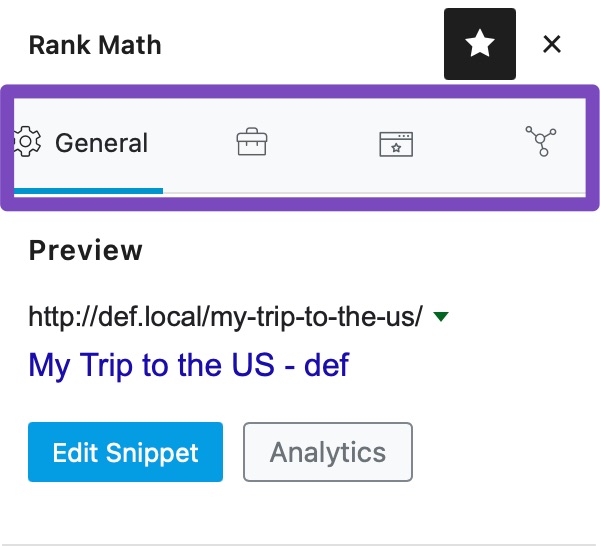
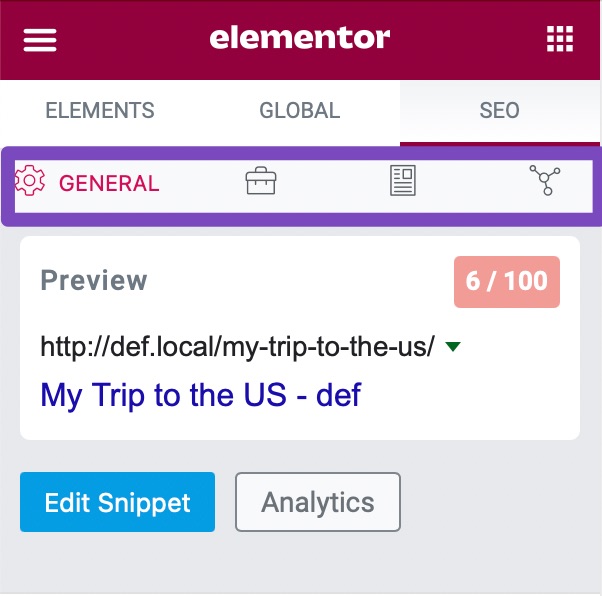
Editor Compatibility: If you are using a specific editor (like Gutenberg or Elementor), ensure that you are accessing the Meta Box correctly:
- In Gutenberg, click on the Rank Math SEO icon in the sidebar or select it from the Plugins section.
- In Elementor, navigate to the SEO Tab to find the Meta Box.
-
Conflict with Other Plugins: Sometimes, other plugins may conflict with Rank Math. Try deactivating other plugins temporarily to see if that resolves the issue.
If none of these steps work, please reply to this ticket, and a human agent from the Rank Math Support team will take over and assist you further. Thank you for raising this concern!
I use Kadence. i have tried everything possible to restore it.
i already did.
Do you have any insights into why rank math meta box only works with The SEO Framework? dependency exists and whether there’s a way to resolve it without relying on “The SEO Framework” in the long term.
Hello,
We don’t recommend using SEO plugins alongside Rank Math as it will create conflicts on your site.
The idea of having more than one SEO plugin for 2x optimization of your website for search engines is a misconception, and we shouldn’t have 2 plugins to perform the same task as it can hurt your website more than it does any good.
Here’s a link for more information:
https://rankmath.com/kb/keep-only-one-seo-plugin-active/Regarding the issue, we might need to take a closer look at the settings. Please edit the first post on this ticket and include your WordPress & FTP logins in the designated Sensitive Data section.
Please do take a complete backup of your website before sharing the information with us.
It is completely secure and only our support staff has access to that section. If you want, you can use the below plugin to generate a temporary login URL to your website and share that with us instead:
https://wordpress.org/plugins/temporary-login-without-password/
You can use the above plugin in conjunction with the WP Security Audit Log to monitor what changes our staff might make on your website (if any):
https://wordpress.org/plugins/wp-security-audit-log/
We really look forward to helping you.
Hello,
I have updated the sensitive data as requested. Can you please check further?
Thank you.
Hello,
I have updated the sensitive data as requested. Can you please check further?
Thank you.
Hello,
We checked some of your posts and pages and we can see the Rank Math SEO Meta box is working properly without any issues. Please check the screencast in the sensitive data section for reference.
If you’re still facing the issue with some other post/page, please share a screencast with us by using a tool like https://loom.com so that we can check this further for you.
Looking forward to helping you.
Thank you.
Hello,
Since we did not hear back from you for 15 days, we are assuming that you found the solution. We are closing this support ticket.
If you still need assistance or any other help, please feel free to open a new support ticket, and we will be more than happy to assist.
Thank you.
-



The ticket ‘meta box is missing and following your steps does not restore it to posts’ is closed to new replies.