Hello,
I’m sorry to hear about the connection issues you are facing with Rank Math on your website tapis-amazigh.com. It seems like there might be a conflict causing the timeout connection when you access the SEO settings in Rank Math.
To address this problem, I recommend following these steps:
- Ensure that you are using the latest version of Rank Math. You can check for updates in your WordPress dashboard under Plugins.
- Check if the WordPress URL and Site URL are the same. Navigate to WordPress Dashboard → Settings → General and verify that both URLs match.
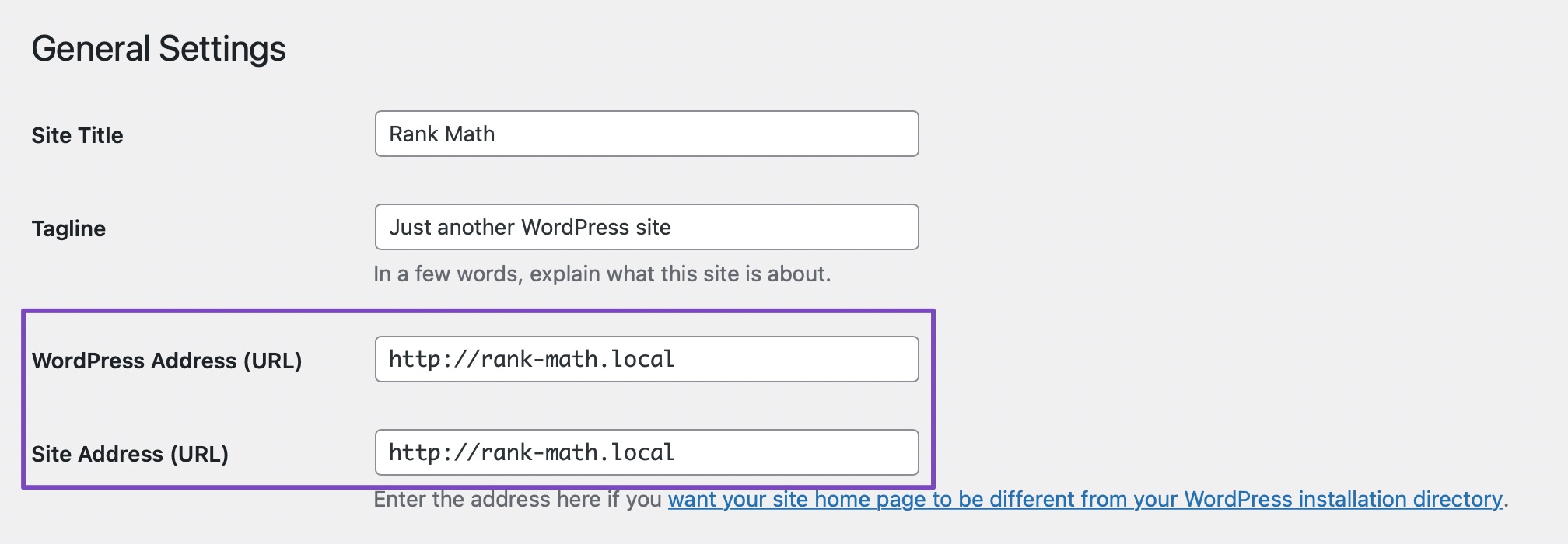
- If the issue persists, try disconnecting and reconnecting your Rank Math account following the steps outlined in this guide and this guide.
- Clear your browser cache, website cache, and site-level cache before reconnecting.
- If the problem continues, consider adding the provided filter to your website as mentioned in the guide.
If after following these steps the issue persists, please feel free to reach out to our dedicated support team by opening a support ticket here. They are available 24/7 to assist you further.
Thank you for bringing this to our attention, and we appreciate your patience while resolving this matter.
Best regards.
Sources:
Resolving Rank Math Analytics Related Issues » Rank Math
How to Fix Problems While Connecting Account Using Rank Math » Rank Math
I followed steps 1-5 but the issue persists. The same problem occurs when I use YOAST SEO
Hello,
Please check your site’s configuration if there are some PHP values that are too low and which you should increase. You can get in touch with your web host and ask them to set the following values (if not yet):
PHP Memory Limit: 512M
Max input time: 150
PHP time limit: 120
PHP max input variables: 1000
If the issue persists, you can follow this guide to enable debugging in WordPress
https://wordpress.org/support/article/debugging-in-wordpress/ and share the error log here. Or, you can get in touch with your web host, and they will help you locate the log file.
Having an error log will help us determine what is causing this issue.
Looking forward to helping you.
Hello,
Since we did not hear back from you for 15 days, we are assuming that you found the solution. We are closing this support ticket.
If you still need assistance or any other help, please feel free to open a new support ticket, and we will be more than happy to assist.
Thank you.



