
-
Hello
I often need to ‘connect your rank math account’ when I go to look at rank math pages in my wordpress site.
Everything is up to date. Rank math stays connected for a few days. It seems to disconnect at the weekend.
I have a free account at the moment but would like to go pro. I don’t think I’ll go pro if this problem persists.
Any ideas?
Thanks
Mark Grahan (flowerswellness.com)

-
Hello,
We apologize for the issue you are facing with needing to frequently reconnect your Rank Math account. This can happen if there are issues with the connection or if the authorization tokens have expired. Here are a few steps you can take to troubleshoot this problem:
-
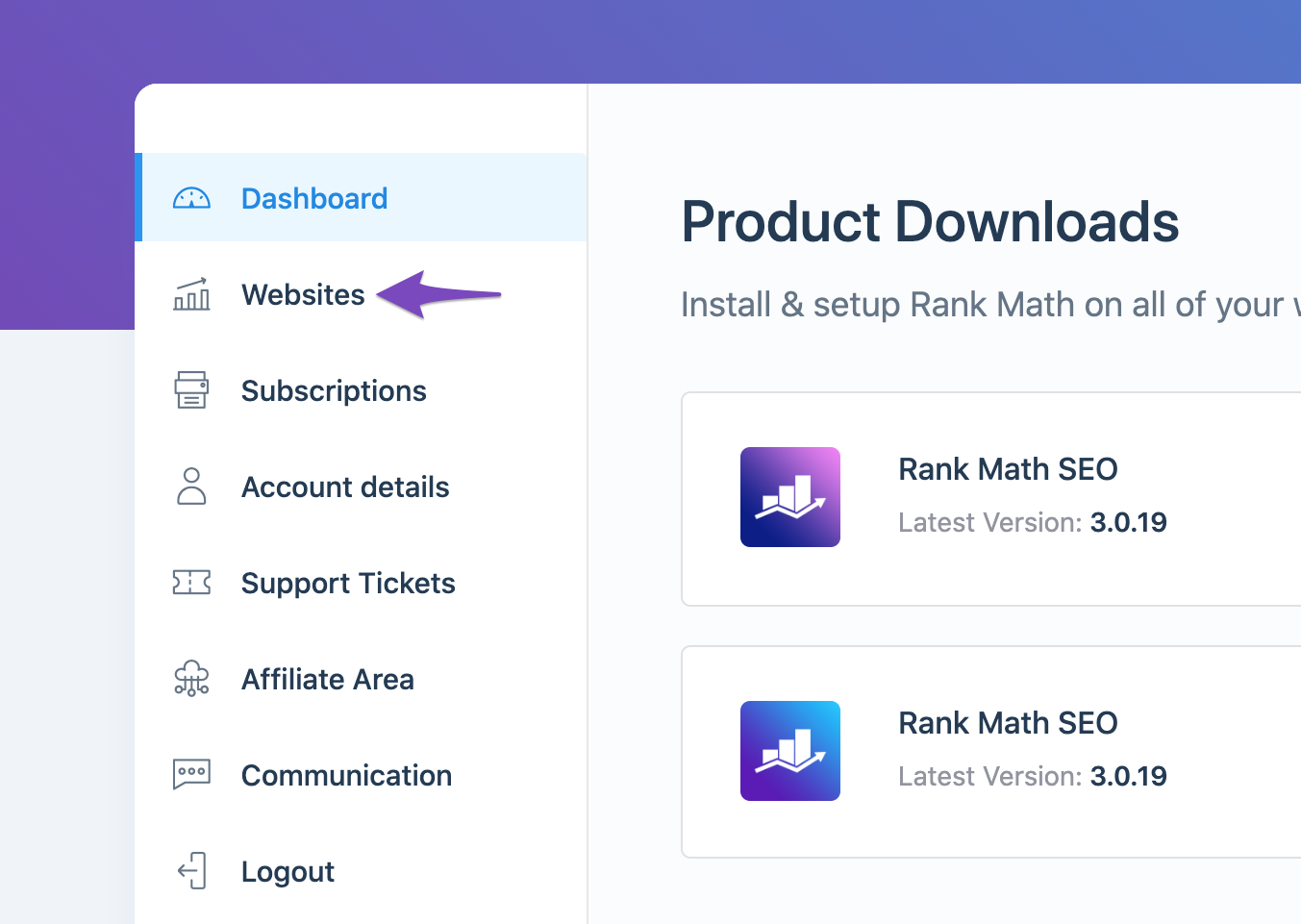
Check if Your Website is Connected: Ensure that your website is connected to the correct Rank Math account. You can do this by navigating to My Account in your Rank Math dashboard and checking the Websites tab.
-
Reconnect Your Account: If your website is not listed or if you suspect it’s connected to the wrong account, you can disconnect and reconnect it. To disconnect, go to Rank Math SEO → Dashboard → Help and click on Disconnect Account.

After disconnecting, click on Connect Now to reconnect your account.

-
Refresh Tokens: If the issue persists, it may be due to expired authorization tokens. You can refresh these by deleting the Rank Math app from your Google Account permissions. Here’s how:
- Go to your Google Account permissions.
- Find and delete Rank Math SEO from the list of connected apps.

-
Consider Upgrading to PRO: If you continue to experience issues, upgrading to a PRO account may provide additional support and features that could help resolve these problems more effectively.
If you have followed these steps and still encounter issues, please reply to this ticket, and a human agent from the Rank Math Support team will assist you further.
Thank you for raising this concern, and we hope to help you resolve it soon!
Sources:
Website Not Shown In Rank Math Account Area » Rank MathHello,
For troubleshooting, please follow our guide here:
https://rankmath.com/kb/problems-while-connecting-account/Once done, monitor again your site if the connection is still not working after a week.
Looking forward to helping you.
Rankmath was working fine, I think it always has. I checked through your instructions, fine. Everything worked last week.
I just logged-in to my wordpress site and went to the analytics menu. the page says ‘connect to your rank math account’The rank math connection has been lost again. Is there a way to stop this happening?
Hello,
Please reconnect your Rank Math account again to the plugin.
Then, the next time the message appears to reconnect the plugin, don’t activate it and check the database for the following entry in the options table:
rank_math_connect_dataIf you don’t see that option there, that would indicate why the connection is lost. Something is deleting that option from the database and causing the activation to break.
In such cases, we are sure it’s not something from our plugin but rather something else on the website because we would never delete an option required to keep the activation running.
In case the option is present on the website, that means that the encryption of data is not working correctly and to fix that you would need to follow the steps here: https://rankmath.com/kb/fix-automatic-update-unavailable-for-this-plugin/#disable-sensitive-data-encryption
If you don’t feel comfortable performing those tasks you can also ping us here when that happens and leave the website disconnected while we debug the issue.
Don’t hesitate to get in touch if you have any other questions.
I don’t have access to the DB, nor the raw files of the site.
I can modify the rank-math.php file with the following:/**
* Filter to disable sensitive data encryption
*/
add_filter( ‘rank_math/admin/sensitive_data_encryption’, ‘__return_false’ );but where exactly do I insert that code? At line 1 of the file?
Hello,
You can use a plugin like WP phpMyAdmin to access the database.
After entering the opening <?php, any line is fine. Please refer to this guide: https://rankmath.com/kb/wordpress-hooks-actions-filters/#rank-math-php-file
Hope that helps, and please do not hesitate to let us know if you need our assistance with anything else.
I see the connection is lost again today.
When I check the database I do not see ‘rank_math_connect_data’ in the database, whereas last week it was there.I have wordfence and securi security enabled, do you know if there are known problems working with them?
Hello,
If you don’t see that option there, that would indicate why the connection is lost. Something is deleting that option from the database and causing the activation to break.
In such cases, we are sure it’s not something from our plugin but rather something else on the website because we would never delete an option required to keep the activation running.
The best way to check what is deleting this entry is to make sure that you have the MySQL log enabled and keep an eye on it whenever the website becomes disconnected again to see what exactly deleted that entry. You can reach out to your web host provider about the MySQL log.
That would give you a clear indication of what call is deleting that entry even though nothing should since it’s autoloaded.
Don’t hesitate to get in touch if you have any other questions.
Hello,
Since we did not hear back from you for 15 days, we are assuming that you found the solution. We are closing this support ticket.
If you still need assistance or any other help, please feel free to open a new support ticket, and we will be more than happy to assist.
Thank you.
-



The ticket ‘Keep needing to login on website’ is closed to new replies.