Hello,
We apologize for the issue you are facing. Thank you for raising your concern regarding the Rank Math PRO version for WooCommerce.
To upgrade to the Rank Math PRO version, please follow these steps:
-
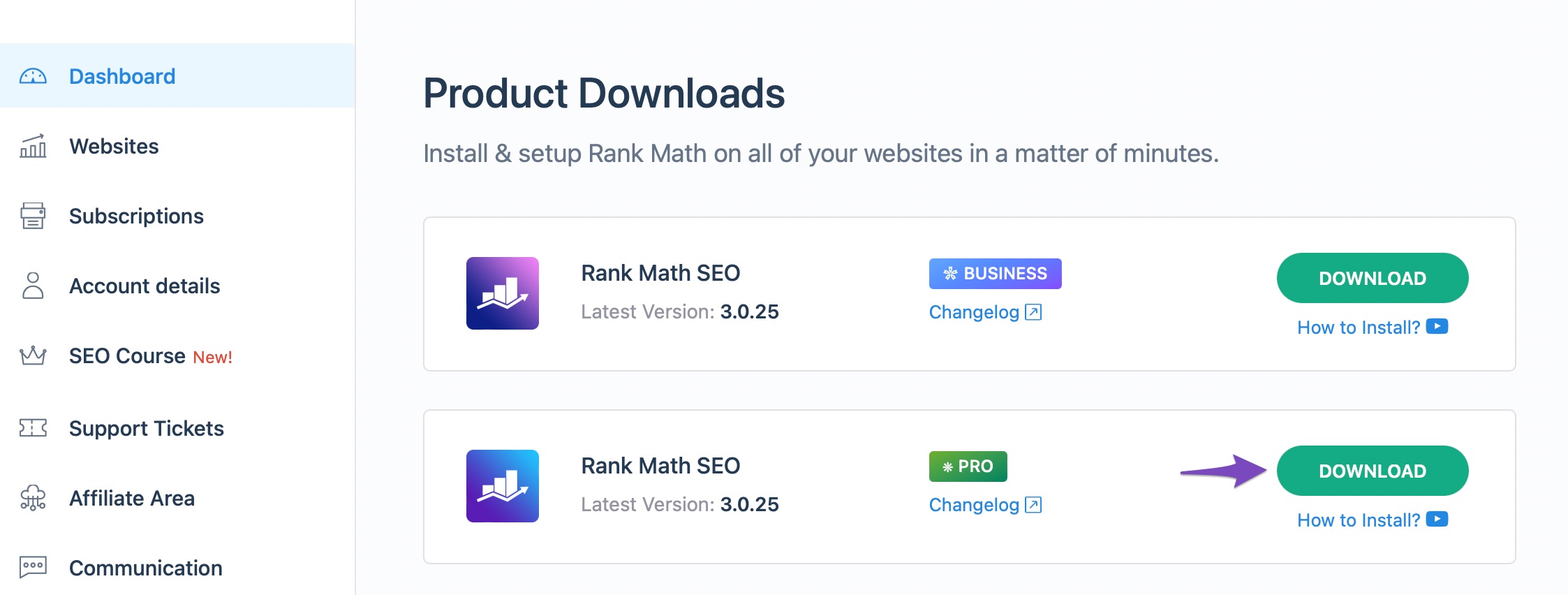
Download Rank Math PRO: You can download the Rank Math PRO plugin zip file from your account area.
-
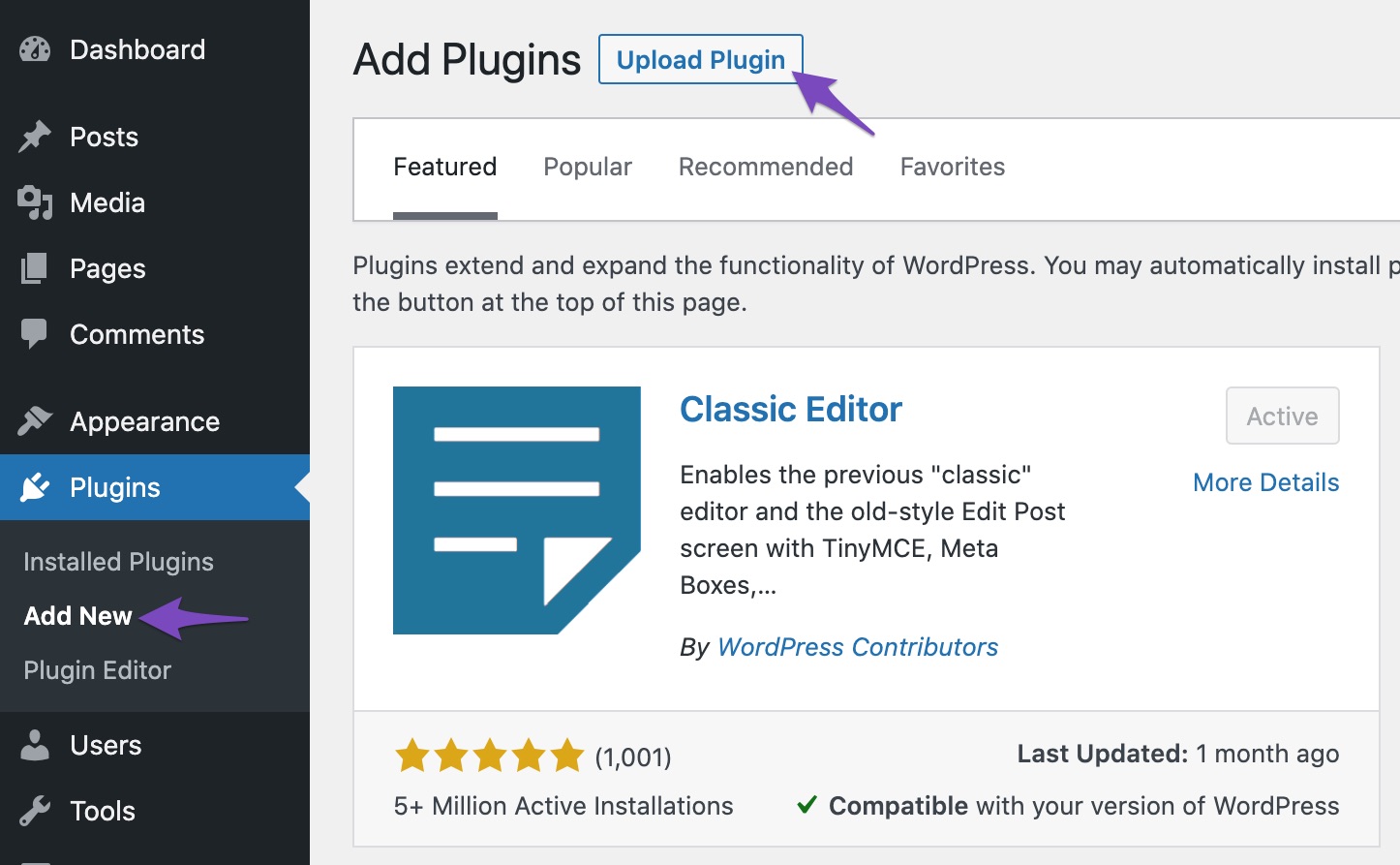
Install the Plugin: Go to your WordPress Dashboard → Plugins → Add New. Click on Upload Plugin, select the zip file you downloaded, and click on Install Now.
-
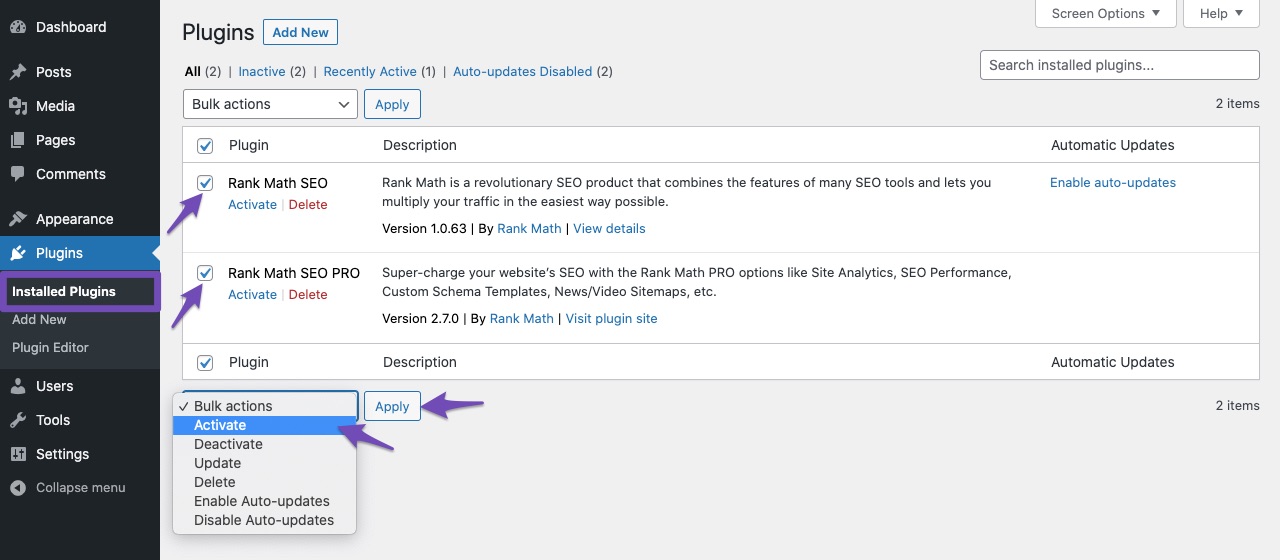
Activate the Plugin: After installation, activate the Rank Math SEO PRO plugin from the Installed Plugins section.
-
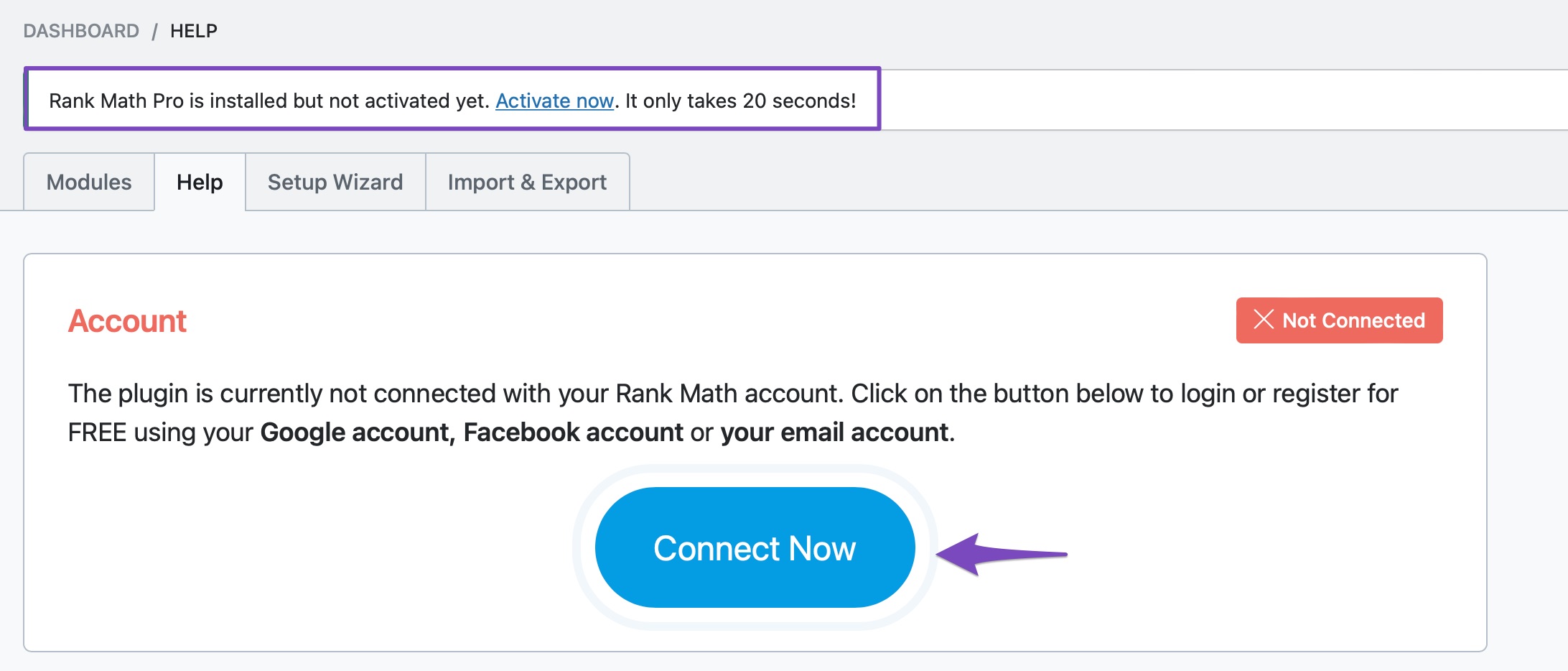
Connect Your Account: Navigate to WordPress Dashboard → Rank Math SEO → Dashboard → Help and click on Connect Now to activate your license.
-
Choose Your License: If you have multiple subscriptions, select the correct license from the drop-down menu and click OK, ACTIVATE NOW.
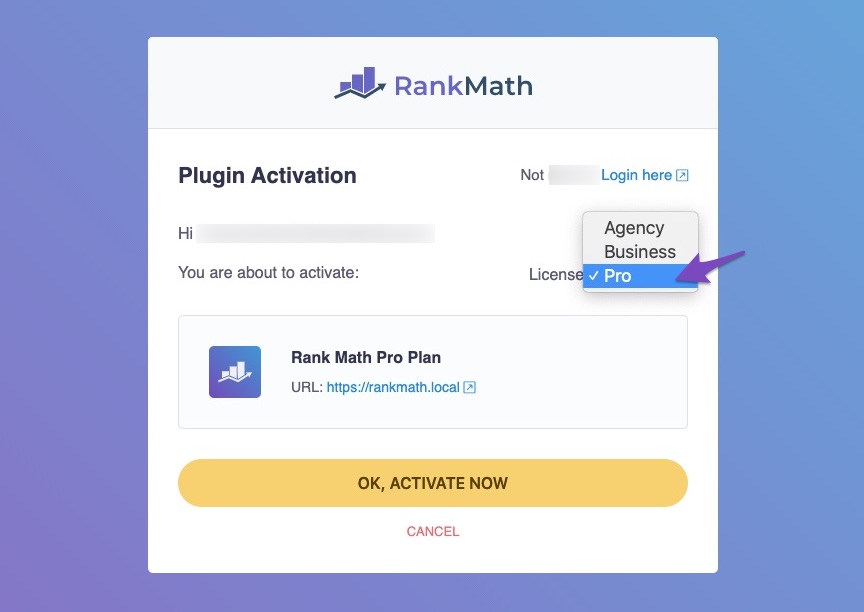
Once you complete these steps, your Rank Math PRO license will be activated on your website.
If you have any further questions or need assistance, please feel free to reply to this ticket, and a human agent from the Rank Math Support team will assist you.
Thank you for choosing Rank Math!
Sources:
How to Upgrade to Rank Math PRO » Rank Math
Should I Delete the Free Version After Installing Rank Math PRO? » Rank Math
Where Is My Rank Math PRO License Key?
Hello,
Thank you for contacting Rank Math support.
You seemed to have marked this ticket as resolved.
We’re just following up with you to see if you have any other questions or concerns that we can assist you with. Or, if your issue has been resolved, please let us know so we can mark this ticket as closed.
Thank you for choosing Rank Math.



