
-
my blog is of job posting type but when i try to set job expiry date suppose which is in next month suddenly schema disappears

-
Hello,
Thank you for contacting the support and sorry for any inconvenience that might have been caused due to that.
Please kindly check the date in your WordPress settings, also if possible create a video of the issue so that we can assist you better. You can use a tool like a loom to create a video.
Looking forward to helping you.
i have mailed a short video of problem please look into matter immediately
Hello,
We deeply apologize for the inconvenience but can you please share the URL of the video in the sensitive data section instead?
Please edit the first post on this ticket and include your video URL in the designated Sensitive Data section.
It is completely secure and only our support staff has access to that section.
We are looking forward to helping you with this one.
Hello,
I have updated the sensitive data as requested. Can you please check further?
Thank you.
I also facing the same problem after update to the new version can you please tell me what’s actually happening
while choosing expiry date in next month for any post sudeenly rank maths stops working and gets minimised
Hello,
Our dev team is already aware of this issue, and we are working on it, but we don’t have an ETA at the moment. We will try to fix this as soon as it’s possible.
We would really appreciate your kind patience regarding this matter.
Meanwhile, please don’t hesitate to contact us anytime to assist you further with anything else.
Looking forward to helping you.
Thank you.
It’s already 6 days passed but the problem is not yet resolve
Please take this case in detail, we are facing problem for this issue not able to update website postsHello,
We have released a quick Beta update with a fix for this. https://rankmath.com/changelog
Please enable the Beta update by following this:
https://rankmath.com/kb/version-control/#beta-updates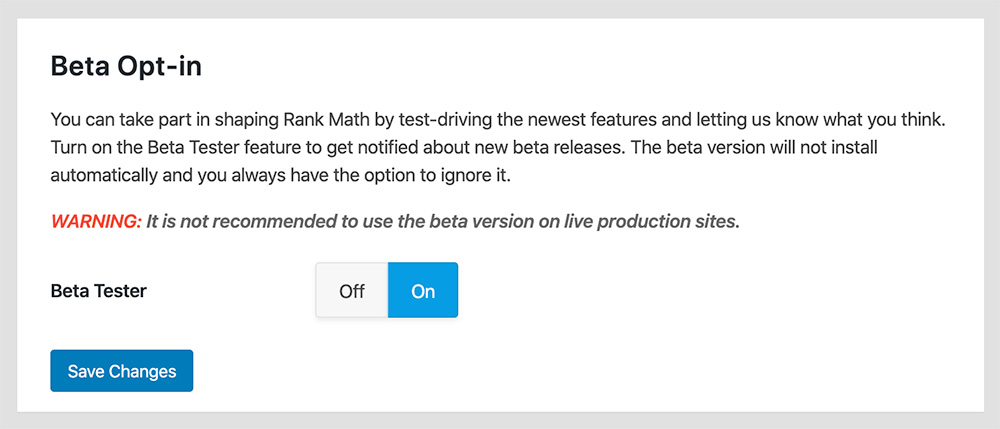
If you are unable to see an update, please clear Rank Math’s transients from:
WP Dashboard > Rank Math > Status & Tools > Database Tools > Remove Rank Math Transients > Remove transients
Please clear the caches, server, and WordPress after updating.
You can disable the Beta updates once you update to the latest version and if the issue is fixed.
We are here to assist. Thank you.
Ok thanks in advance let me check whether it’s ok or not
Yes this problem is already fixed after beta updated
May I know why this happened?Hello @kishorsarkar,
This is due to the latest version of WordPress (v5.8) and it caused a conflict with our job posting schema’s date picker. We have identified the problem and hence we released a beta to fix this problem.
@amaansirsilomer, you may also try to update your Rank Math plugin to the beta version and it should fix the issue.You can disable the Beta updates once you update to the latest version and if the issue is fixed.
Hope that helps and please do not hesitate to let us know if you need our assistance with anything else.
I also think that same a lot of conflict happened after wp 5.8 update with lot of plugins and themes
Hello,
Yeah, usually when a bump in versions with WordPress happens some bugs appear as was the case with this one.
If you have any other questions or require any further assistance with any other topic don’t hesitate to get in touch.
We are here to help!
Hello,
Since we did not hear back from you for 15 days, we are assuming that you found the solution. We are closing this support ticket.
If you still need assistance or any other help, please feel free to open a new support ticket, and we will be more than happy to assist.
Thank you.



The ticket ‘Job Posting schema not working’ is closed to new replies.