Issues with SEO Analysis on Multiple Websites

#860121
  • Dear Rank Math Support Team,

    I am experiencing some recurring issues with two of my websites after installing Rank Math, and I need your assistance to resolve them.

    When I perform an SEO analysis on the homepages of both websites, the following errors consistently appear:

    1. Common Keyword (“JavaScript”): The analysis indicates that “JavaScript” is a common keyword on my homepage, but this is not accurate.

    2. Meta Title and Description: Despite adding them, the analysis reports that the meta title and description are not found on my homepage. Interestingly, when I search for this specific homepage on Google, I can see the meta title and description displayed correctly.

    3. Missing H1, H2, and Images: The analysis shows that there are no H1, H2 tags, or even images on the homepage, which is incorrect.

    4. Canonical Tag: The analysis states that the canonical tag is missing on my homepage.

    5. WWW Canonicalization: There seems to be an issue with the canonicalization as well.

    Given that these issues are appearing on both of my websites, I’m concerned that something might be broken or misconfigured. Could you please help me identify what might be causing these problems and how to fix them?

    Thank you for your support.

    Best regards,
    Saif Ali

Viewing 6 replies - 1 through 6 (of 6 total)
  • Hello,

    We apologize for the issues you are facing with the SEO analysis on your websites. Thank you for raising these concerns.

    1. Common Keyword Issue: If the common keywords identified by our SEO Analyzer are not the intended focus keywords, you can choose to ignore this error as it is only for your reference. However, if you want to address it, consider updating the content on your homepage to better reflect your target keywords.

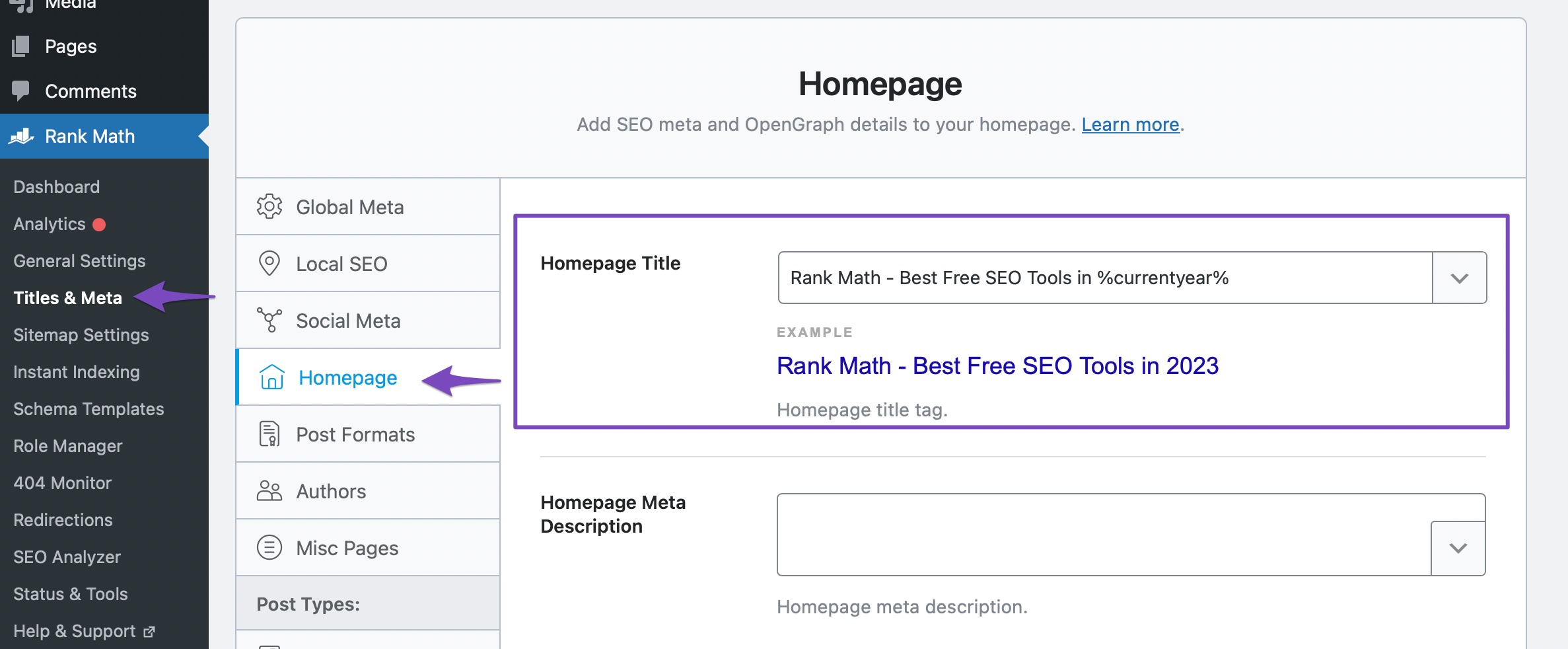
    2. Meta Title and Description: If you have added the meta title and description but they are not being recognized by the analysis, ensure that you have configured them correctly in Rank Math > Titles & Meta > Homepage. If your homepage is set to a static page, you can edit the SEO Title and Description directly from the Rank Math Metabox of that page. You can refer to this tutorial for more details.
      Homepage Title settings in Rank Math

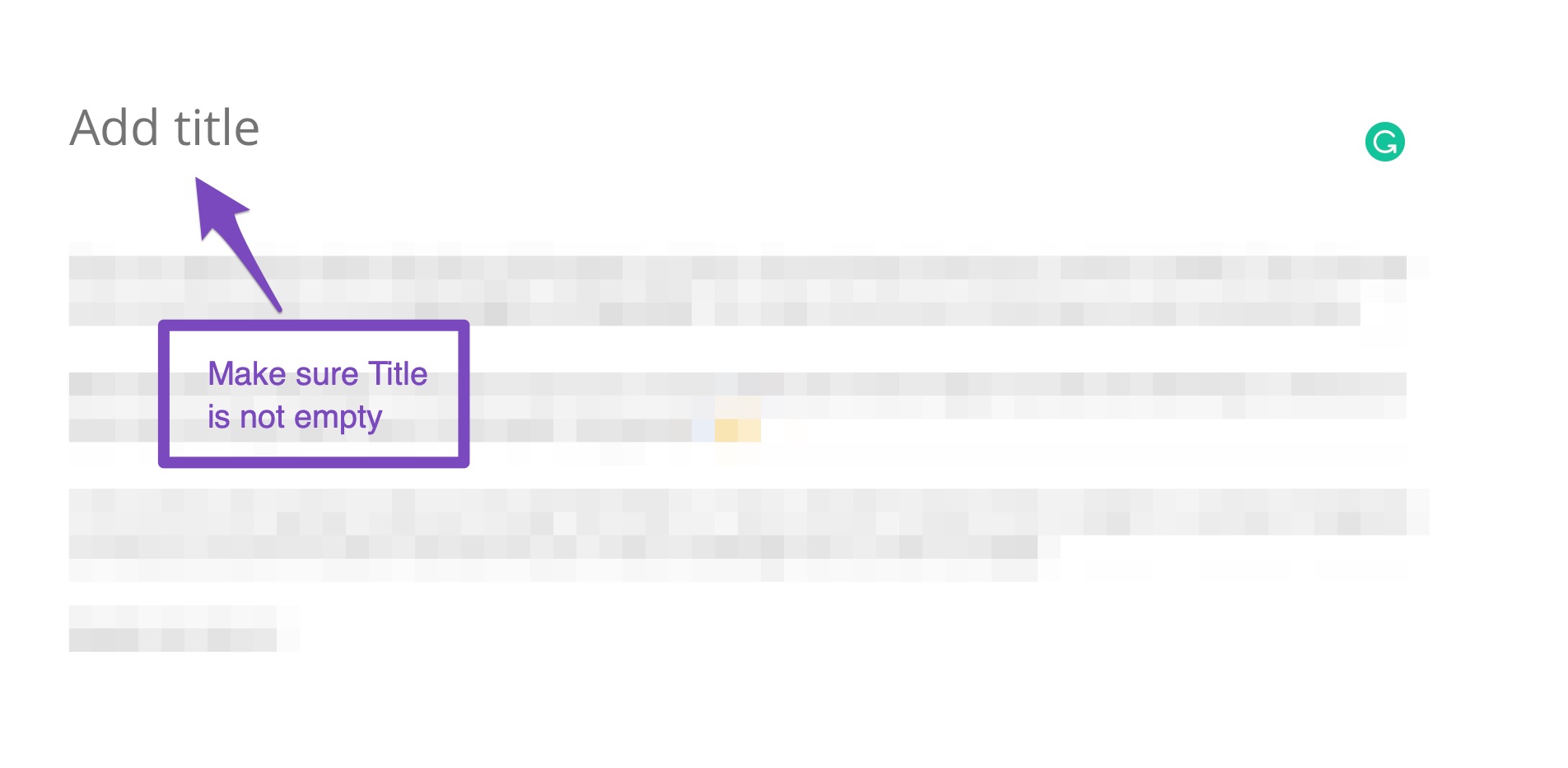
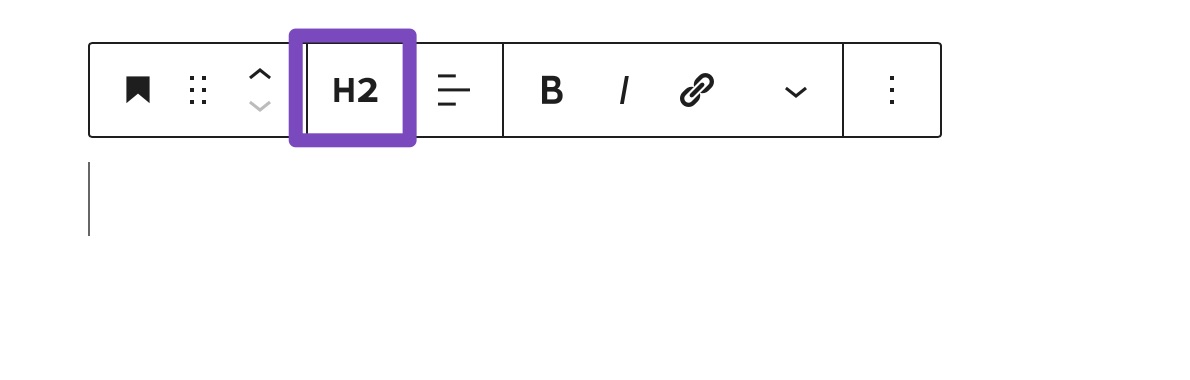
    3. Missing H1, H2 Tags, and Images: Ensure that your homepage has an H1 heading and at least one H2 heading. If these elements are present but still not recognized, it may be due to a caching issue or a conflict with another plugin. You can check for plugin conflicts using the Health Check plugin.
      Ensure Title Of The Post Is Not Empty
      Add A H2 Block To Content

    4. Canonical Tag: If the analysis states that the canonical tag is missing, ensure that you have set it up correctly in the Rank Math settings. You can find more information on how to manage canonical tags in our documentation.

    5. WWW Canonicalization: For issues related to canonicalization, ensure that your website’s settings are consistent regarding www and non-www versions. You may need to set up redirects or adjust your settings in Rank Math to ensure proper canonicalization.

    If these suggestions do not resolve the issues, please reply to this ticket, and a human agent from the Rank Math Support team will take over and assist you further.

    Thank you for your patience, and we look forward to helping you resolve these issues!

    Sources:
    Analyzing Your Site’s SEO with Rank Math’s SEO Analysis Tool
    How to Fix the "No Keywords Found in the Page Title" Test in Rank Math » Rank Math
    Rank Math Sitemap Issues and Their Fixes » Rank Math

    Hello,

    I have updated the sensitive data as requested. Can you please check further?

    Thank you.

    Dear Rank Math Support Team,

    I am following up on my previous message regarding the SEO issues with my websites.

    Despite confirming that the meta title, meta description, and keywords are correctly set on my homepage, Rank Math continues to report that these elements are missing. I have double-checked and verified that the meta information is correctly added, but the analysis still shows discrepancies.

    I am concerned that the issue might be more serious and that the information I have added might not be properly reflected on the page. Could you please investigate further to ensure that these meta elements are correctly integrated and visible?

    Hello,

    We’ve checked your site, and it seems that Rank Math is unable to include all the meta tags needed in your page’s source code.

    In this case, assuming you are using the latest version of all the plugins and the themes (please update if not yet), this can be caused by conflicting plugins/theme on your site.

    To determine that, please follow this troubleshooting guide:
    https://rankmath.com/kb/check-plugin-conflicts/

    Here is a video you can follow as well: https://www.youtube.com/watch?v=FcIWRhcUP2c

    Only the site admin would know and your users won’t be affected by this troubleshooting.

    Looking forward to helping you.

    Dear Rank Math Support Team,

    I wanted to provide an update on the issues I’ve been experiencing with Rank Math on my websites.

    Following the instructions from an article, I installed and activated the troubleshooting plugin and entered troubleshooting mode to diagnose the problem. Here’s what I did:

    1. I tried to activate Rank Math, but the Health Checker noted:
    *”When enabling the plugin, seo-by-rank-math, a site failure occurred. Because of this, the change was automatically reverted. Enable anyway?”*

    2. I chose to enable it anyway and ran the test again, but the issues persisted.

    3. I double-checked the homepage, rewrote the SEO meta information, and refreshed the SEO analyzer, but the problems remained the same.

    4. I also tried switching the theme to see if it made any difference, but the issues still persisted.

    Despite these steps, the SEO analysis still shows that the meta title, description, keywords, H1, H2 tags, and canonical tags are missing or incorrectly set, even though I have confirmed that they are properly configured.

    Could you please assist me in identifying what might be causing these ongoing issues?

    Thank you for your continued support.

    Best regards,
    Saif Ali

    Hello,

    Thank you for your patience.

    Since the Health Check plugin is not working on your site, you can create a staging site with the same issue and perform the test so it won’t affect your live site.

    Here is a guide that could be useful for you on how to create a staging site: https://www.wpbeginner.com/wp-tutorials/how-to-create-staging-environment-for-a-wordpress-site/

    You can disable/deactivate the plugins manually in the staging to determine the conflicting ones with Rank Math meta tags.

    Looking forward to helping you.

    Hello,

    Since we did not hear back from you for 15 days, we are assuming that you found the solution. We are closing this support ticket.

    If you still need assistance or any other help, please feel free to open a new support ticket, and we will be more than happy to assist.

    Thank you.

Viewing 6 replies - 1 through 6 (of 6 total)

The ticket ‘Issues with SEO Analysis on Multiple Websites’ is closed to new replies.