Issue with Site Title Configuration in Rank Math

#850892
  • Resolved FINECOACH
    Rank Math free

    Hello Rank Math Team,

    I hope this message finds you well.

    I am experiencing an issue with the configuration of my site title after migrating from Yoast SEO to Rank Math. Before the migration, my site title appeared correctly as “Finecoach intermediários de crédito.” However, after the migration to Rank Math, the site title is appearing as “finecoach: garantimos as melhores condições de crédito,” with a colon (:) that I did not configure.

    I have already reviewed the settings in Rank Math > Titles & Meta, especially the Homepage section, and did not find any pattern or template that would explain the inclusion of the colon (:) in the site title. I also edited the homepage directly in the WordPress editor and checked the SEO title, but the issue persists.

    Example of how it appears on Google:
    Before (with Yoast SEO):
    Finecoach intermediários de crédito

    Now (with Rank Math):
    finecoach: garantimos as melhores condições de crédito

    I would like to request your assistance to resolve this issue, ensuring that the site title appears correctly as “Finecoach intermediários de crédito.”

    Site URL: https://finecoach.pt
    Thank you in advance for your attention and support.

    Best regards,

Viewing 2 replies - 1 through 2 (of 2 total)
  • Hello,

    We apologize for the issue you are facing with the site title configuration after migrating to Rank Math. Thank you for providing detailed information about the problem.

    It seems that the title being displayed might be influenced by the settings in Rank Math or possibly by how Google is interpreting your site’s metadata. Here are a few steps you can take to troubleshoot and resolve this issue:

    1. Check Rank Math Settings: Ensure that your site title is set correctly in the Rank Math > Titles & Meta settings. You can also check the Homepage settings to confirm that the title is configured as you desire.

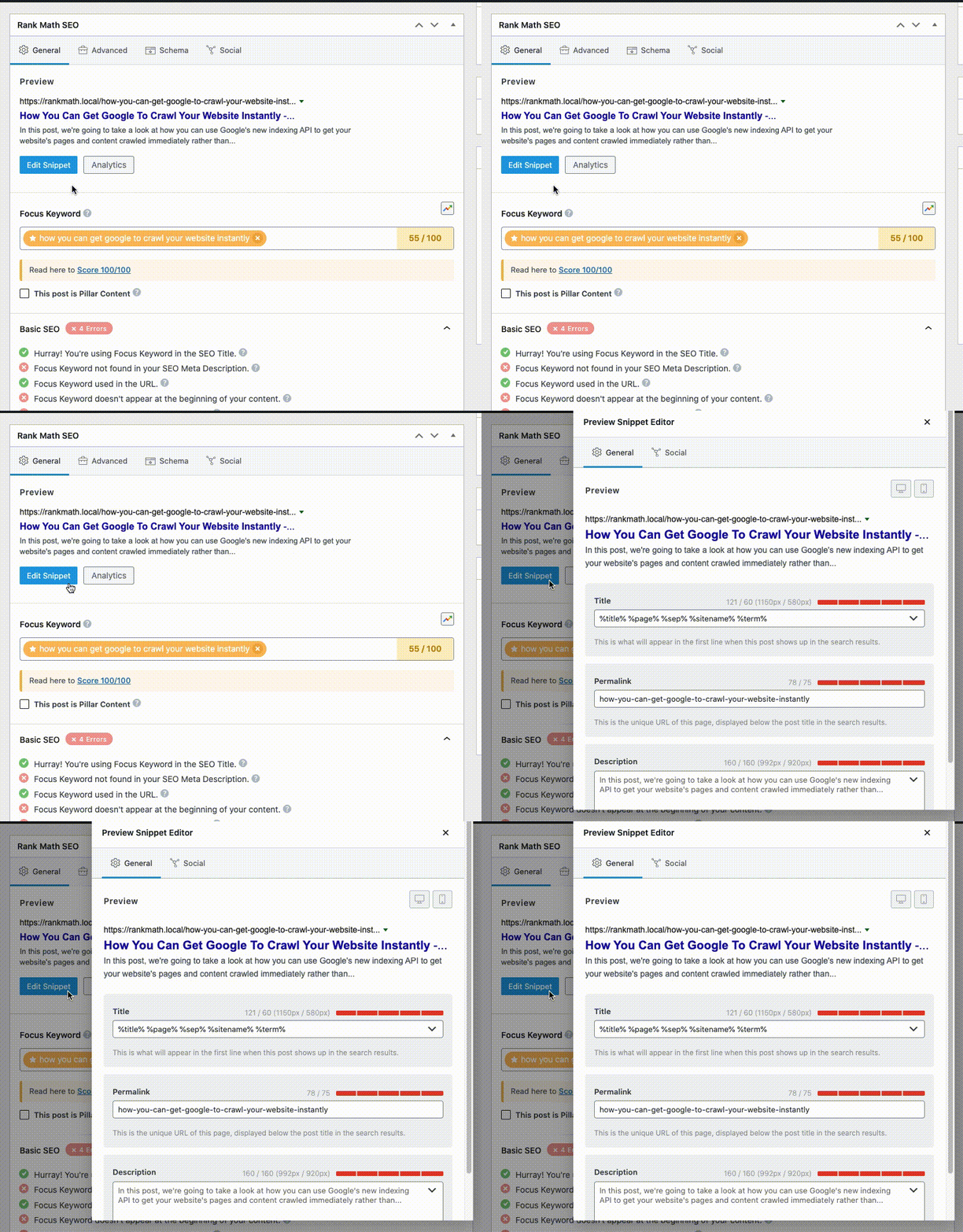
    2. Edit the Homepage Directly: Since you mentioned editing the homepage directly, please ensure that the SEO title in the Rank Math MetaBox is set to "Finecoach intermediários de crédito" without any additional characters like a colon.

      Editing Meta Title and Description using Classic Editor

    3. Check Schema Settings: Make sure that the schema settings for your homepage are also correct. The Headline in the Schema Builder should reflect your desired title.

      schema-settings-meta-description-title

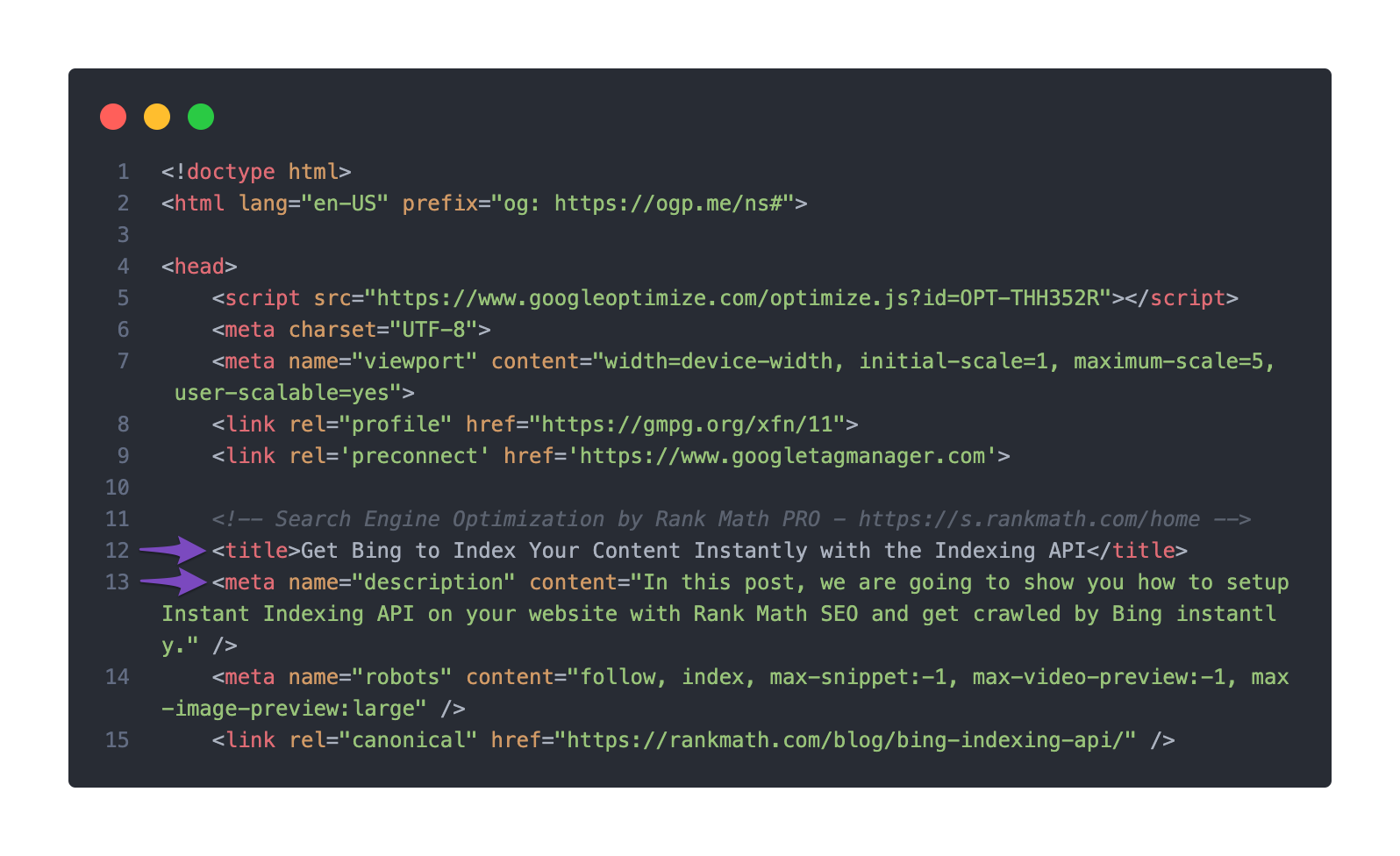
    4. Inspect Page Source: You can check the page source to see what title is being outputted. Right-click on your page and select View Page Source, then search for “ to see what is being set.

      Check the Title and Meta description set in the page's source code

    5. Google’s Interpretation: Sometimes, Google may choose to display a different title based on its algorithms. If you believe this is the case, it may take some time for Google to re-index your site and reflect the changes.

    If after checking these settings the issue persists, please reply to this ticket, and a human agent from our support team will assist you further.

    Thank you for your patience, and we hope to resolve this issue for you soon!

    Sources:
    Homepage SEO Settings via Meta Title and Description
    Google Shows A Different Meta Title/Description For My Site » Rank Math

    Hello,

    Thank you for contacting Rank Math support.

    You seemed to have marked this ticket as resolved.

    We’re just following up with you to see if you have any other questions or concerns that we can assist you with. Or, if your issue has been resolved, please let us know so we can mark this ticket as closed.

    Thank you for choosing Rank Math.

Viewing 2 replies - 1 through 2 (of 2 total)

You must be logged in to reply to this ticket.