
-
Hello there,
Hope you’re doing good!
I followed the tutorial on your blog about adding SEO controls to the Elementor templates. I can see the controls but even if I change the meta title and description it doesn’t save the changes and I still see the default meta title of the page which is the name of the page.
Can you please help?
Regards,
Hassan

-
Hello,
We apologize for the issue you are facing with the SEO controls on your Elementor templates. It sounds like there may be a few reasons why your changes to the meta title and description are not being saved.
Here are some common causes and solutions:
1. Plugin Conflicts
There might be conflicts with other plugins that could prevent the SEO Title, Description, and Focus Keyword from being saved. You can check for plugin conflicts by following our guide on plugin conflict.
2. JavaScript-Related Errors
JavaScript errors can also cause issues when saving your SEO settings. You can diagnose these errors by checking the JavaScript Console in your browser. Here’s how to do it in Chrome:
- Open Developer Tools by navigating to More Tools → Developer Tools from the Chrome menu.
- Click on the Console tab.

If you see any errors listed there, they may provide clues as to what is going wrong.
3. Ensure SEO Controls are Enabled
Make sure that you have enabled the Add SEO Controls option in the Rank Math settings for your Elementor templates. You can find this option under Rank Math SEO → Titles & Meta → My Templates.

4. Save Changes
After making any adjustments, ensure that you click the Save Changes button to apply them.
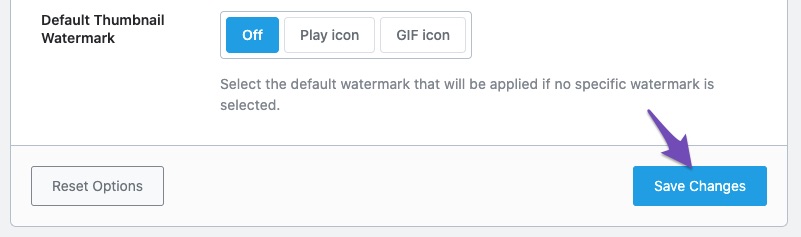
If you have checked all of these and are still experiencing issues, please reply to this ticket, and a human agent from the Rank Math Support team will assist you further.
Thank you for raising this concern, and we hope to resolve it for you soon!
Sources:
Enable Rank Math SEO on Elementor Templates » Rank Math
Why Your SEO Title, Description & Focus Keyword Aren’t Being Saved » Rank Math
Why Rank Math’s Meta Box is Not Showing? » Rank MathHi again,
I already tried all the methods listed here but I can’t get the issue resolved yet. Is there anything else I can do?
Regards,
Hassan
Hello,
Thank you for your query and we are so sorry about the trouble this must have caused.
Assuming that you’ve already followed this guide and the issue persists, please share the affected website URL here so we can check it for you.
Looking forward to helping you.
Hi Jeremy,
The issue is affecting only the Elementor template pages. I did research and already tried the methods discussed in the guide and contacted the hosting support to check the log files and let me know if the firewall is blocking any important files which are responsible for saving changes but nothing is being blocked.
I need further assistance with this if possible.
Thanks in advance!
Hassan
Hello,
To help you investigate this issue, we might need to take a closer look at your website and settings. Please follow these steps:
- Edit the first post on this ticket and include your WordPress logins in the Sensitive Data section. This is a secure section that only our support staff can access.
- Make sure you take a complete backup of your website before sharing the information with us.
- If you prefer, you can use this plugin to generate a temporary login URL to your website and share that with us instead: https://wordpress.org/plugins/temporary-login-without-password/
- You can also use this plugin to monitor what changes our staff might make on your website (if any): https://wordpress.org/plugins/wp-security-audit-log/
We appreciate your cooperation and patience. Thank you for choosing Rank Math.
Hello,
I have updated the sensitive data as requested. Can you please check further?
Thank you.
Hello,
We checked the Elementor template pages on your site and changes to the SEO meta title and description were saved. Please see the following screen recording: https://www.loom.com/share/dc3413e40b7b4b0cb29d609af0e03f6a?sid=c4637559-ae19-4fa5-89e3-f8929f057f6c
Please note that the metadata on template pages are not added to the live pages they are used on. This is the reason that Rank Math doesn’t add the SEO controls to the template pages by default as they are “templates”. They are added as short codes that are decoded by the Elementor plugin on the pages/posts they are added on.
We hope this helps. Please let us know if you have further questions or concerns.
Thank you.
Hello,
I have updated the sensitive data as requested. Can you please check further?
Thank you.
Hi Ike,
Please check the two screenshots I attached in the sensitive Data section.
I need the same meta title and description I applied in the SEO controls to be applied to the live pages. Otherwise, what’s the point of activating the SEO controls on them?
is there any solution to this?
Thanks,
Hassan
Hello,
When you add the metadata in the SEO controls in the post editor, it is saved in the database for the post ID. That’s why the metadata added to the templates will not be applied to the pages where you apply the template. You must add the SEO title and description directly in the SEO controls of the page.
Please do not hesitate to let us know if you need our assistance with anything else.
Hello Jaideep,
Understood, I’ll edit the page and add the SEO controls from there to achieve what I want.
Thank you for the assistance.
Have a good day (:
Hassan
Hello,
Glad that helped.
Please feel free to reach out to us again in case you need any other assistance.
We are here to help.
Thank you.



You must be logged in to reply to this ticket.