Hello,
We apologize for the issue you are facing with the Rank Math SEO menu not displaying options on individual pages. Thank you for providing detailed information about your setup and the steps you’ve already taken.
Since you’ve confirmed that the "Add SEO Controls" option is active in the Titles & Meta settings and that SEO controls are enabled for individual pages, here are a few additional steps you can take to troubleshoot this issue:
-
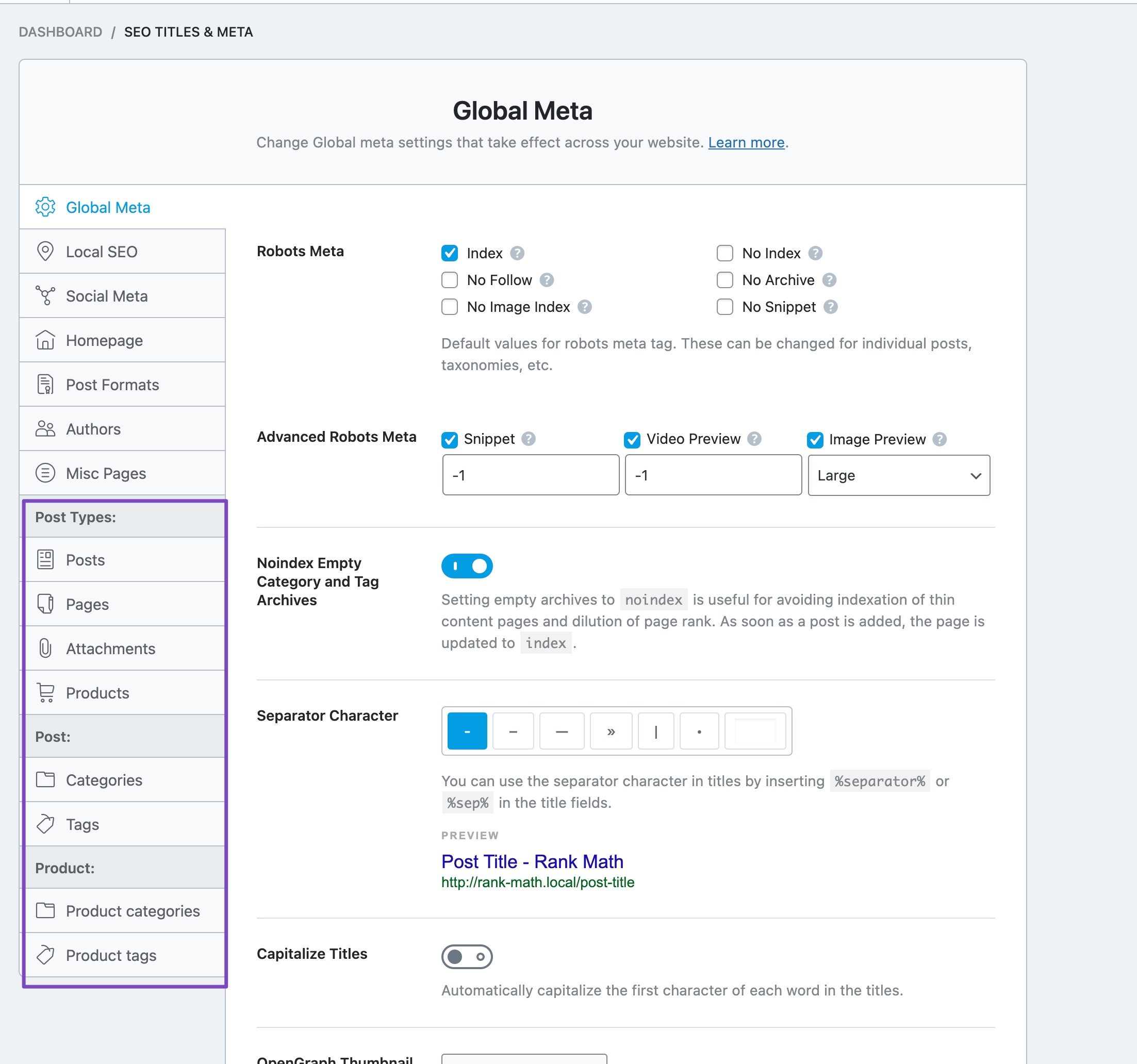
Check Post Type Settings: Ensure that the post type for your individual pages is correctly set in the Titles & Meta settings. Navigate to Rank Math SEO → Titles & Meta and verify that the settings for "Pages" are configured correctly.
-
Clear Cache: If you are using any caching plugins, try clearing the cache. Sometimes, cached data can prevent new changes from appearing.
-
Disable Other Plugins: Temporarily disable other plugins to check if there is a conflict causing the Rank Math menu to not display. If it works after disabling a specific plugin, that plugin may be causing the issue.
-
Switch Themes: As a test, switch to a default WordPress theme (like Twenty Twenty-One) to see if the issue persists. This can help identify if the theme is causing the problem.
-
Check User Permissions: Ensure that your user role has the necessary permissions to access and modify Rank Math settings.
If none of these steps resolve the issue, please reply to this ticket, and a human agent from the Rank Math Support team will take over and assist you further.
Thank you for your patience, and we hope to resolve this issue for you soon!
Hello,
Thank you for contacting us and sorry for any inconvenience that might have been caused due to that.
Please try to clear your browser cache or check in the incognito mode of your browser and see if that works for you.
If the issue persists, please follow this guideline to check if any other plugins/themes are conflicting with Rank Math: https://rankmath.com/kb/check-plugin-conflicts/
Let us know how it goes. Looking forward to helping you.
Hello,
Since we did not hear back from you for 15 days, we are assuming that you found the solution. We are closing this support ticket.
If you still need assistance or any other help, please feel free to open a new support ticket, and we will be more than happy to assist.
Thank you.



