Hello,
We apologize for the issue you are facing while trying to connect your Rank Math account to the live site. It seems that the connection is still linked to your development environment, which can happen if the URLs are not updated correctly.
To resolve this issue, please follow these steps:
-
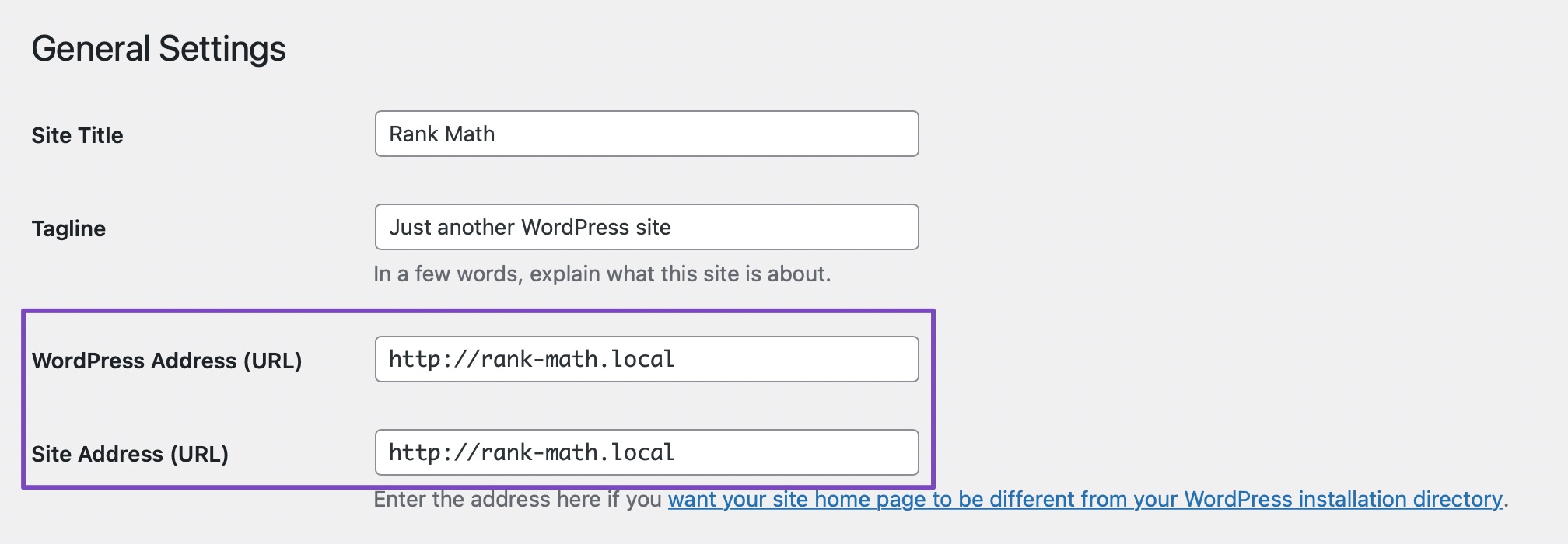
Check Site URLs: Ensure that both the WordPress URL and Site URL for your live site are set correctly. You can do this by navigating to WordPress Dashboard → Settings → General and confirming that both URLs match the live site URL.
-
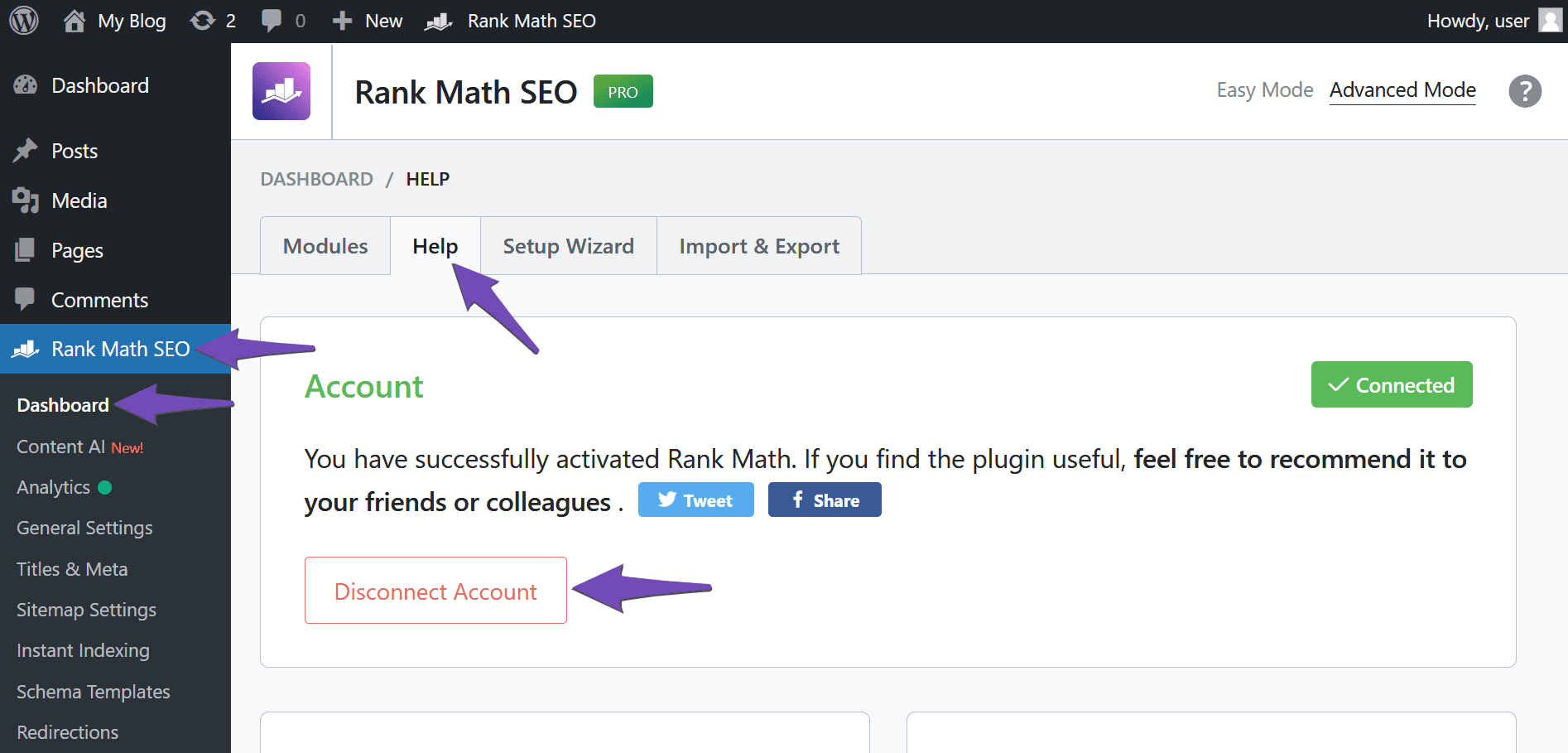
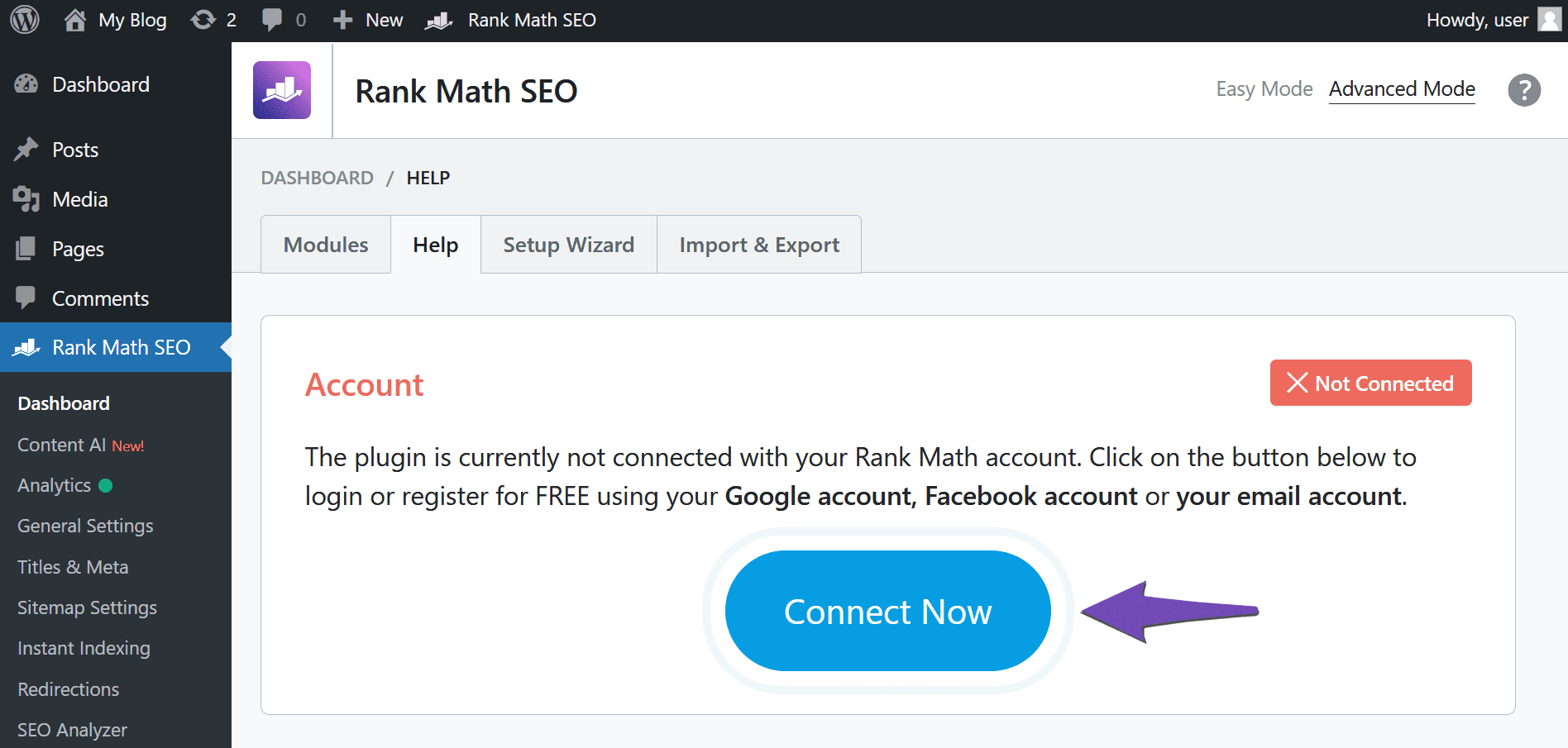
Disconnect and Reconnect: After confirming the URLs, try disconnecting your Rank Math account from the live site. You can do this by going to the Rank Math settings and looking for the option to disconnect your account. Once disconnected, reconnect your Rank Math account by clicking on Connect Now from the live site dashboard.
-
Clear Cache: If you still encounter issues, clear your browser cache, website cache, and any site-level cache before attempting to reconnect again.
-
Add a Filter (if necessary): If the problem persists, you can add a filter to bypass the URL check. Add the following code to your theme’s functions.php file:
/**
* Filter whether we need to check for URL mismatch or not.
*/
add_filter( 'rank_math/registration/do_url_check', '__return_false' );
This should allow you to connect without being redirected to the dev site.
-
Re-Verify Your Site on Google: After successfully connecting, ensure that you re-verify your site on Google Search Console using the live site URL if you had previously verified the dev site.
If you follow these steps and still face issues, please reply to this ticket, and a human agent from our support team will assist you further. Thank you for bringing this concern to our attention!
Sources:
How to Fix Problems While Connecting Account Using Rank Math » Rank Math
I have tried all these steps. The account is stuck as disconnected. I can’t reconnect due to the original issue as explained above. I don’t know how to do the filter php step and don’t want to be messing around with the php file of the theme on the live site without knowing exactly what i am doing. Would really appreciate some help. Thank you.
Hello,
In this case, we might need to take a closer look at the settings. Please edit the first post on this ticket and include your WordPress & FTP logins in the designated Sensitive Data section.
Please do take a complete backup of your website before sharing the information with us.

It is completely secure and only our support staff has access to that section. If you want, you can use the below plugin to generate a temporary login URL to your website and share that with us instead:
https://wordpress.org/plugins/temporary-login-without-password/
You can use the above plugin in conjunction with the WP Security Audit Log to monitor what changes our staff might make on your website (if any):
https://wordpress.org/plugins/wp-security-audit-log/
We really look forward to helping you.



