Hello,
We apologize for the issue you are facing regarding your invoices. You can download your invoices from the Rank Math account area. Here’s how:
-
Log in to the Rank Math account area and navigate to the Subscriptions section from the left sidebar.
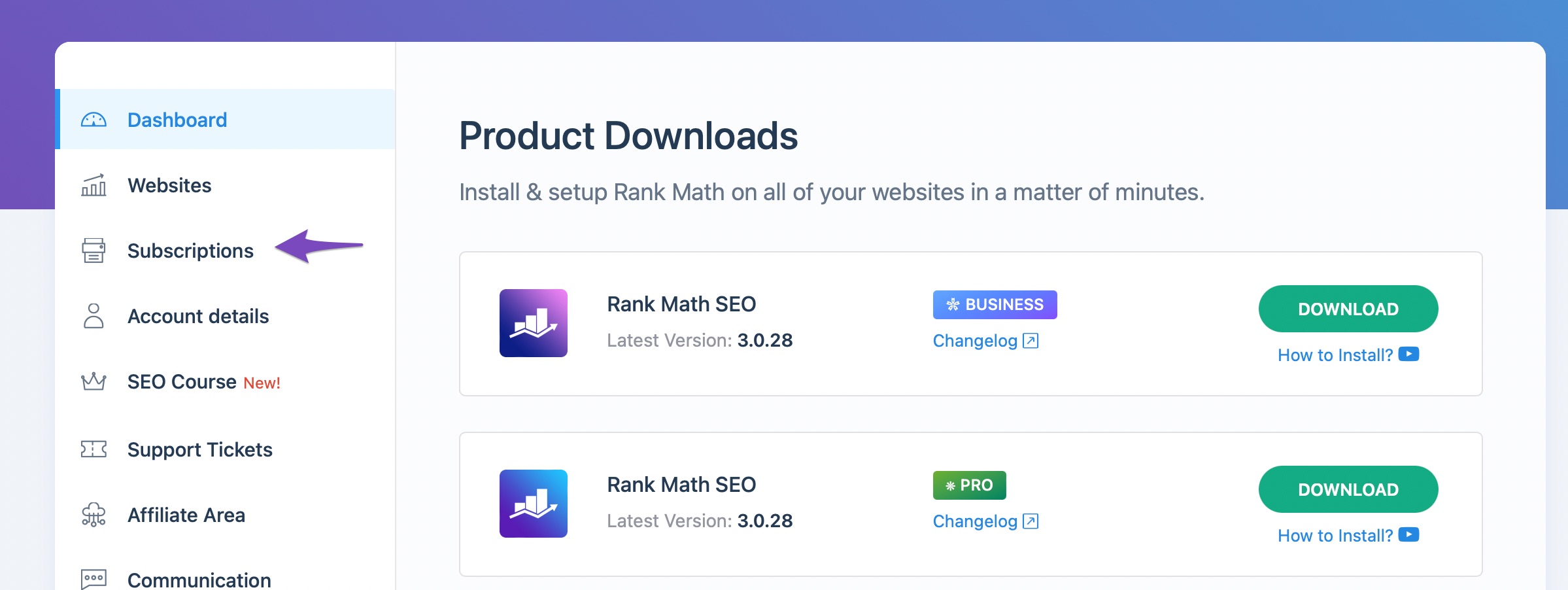
-
In the Invoices tab, you will find all the invoices for your Rank Math PRO subscriptions.
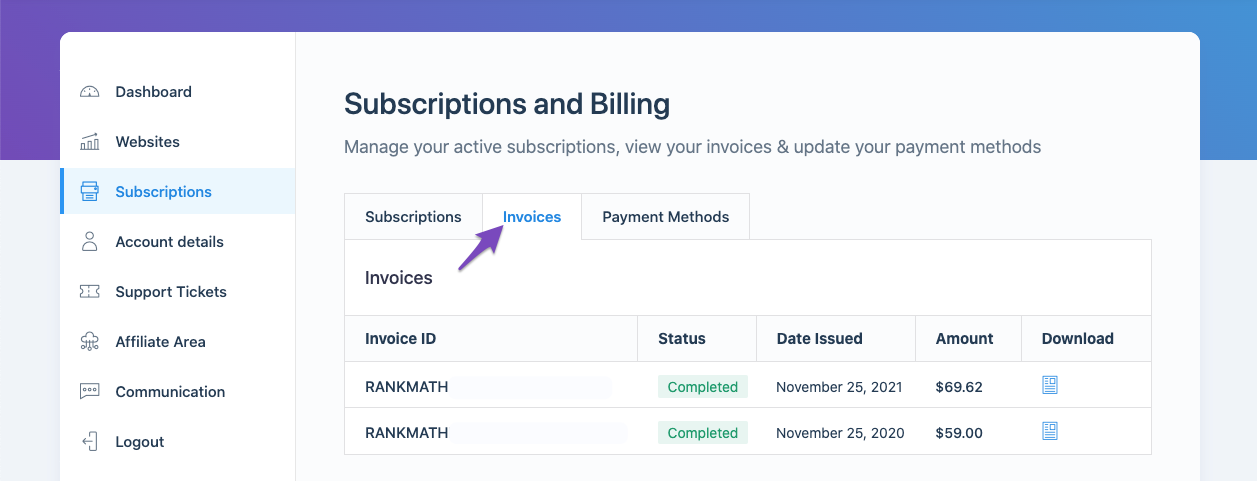
-
To download the invoice you need, click the Download Invoice icon next to it.
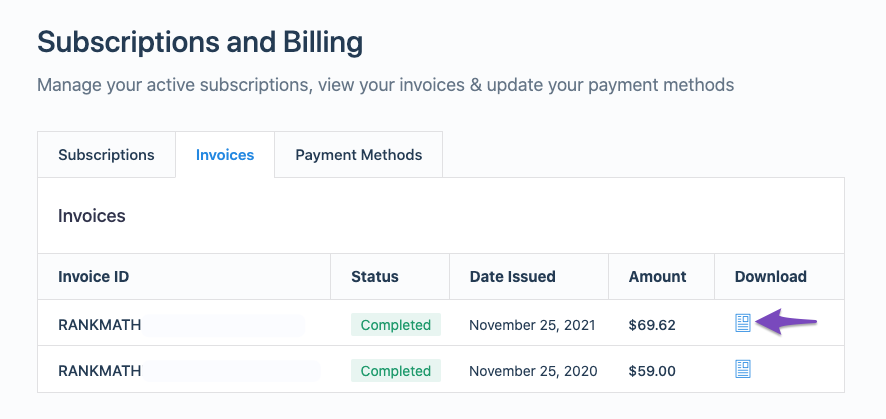
If you still have any questions or need further assistance, please reply to this ticket, and a human agent from our support team will assist you.
Thank you for reaching out!
Sources:
How to Download or Update My Invoice » Rank Math
I have not invoices in my account sheet, but I made two payments this month and I need your help find out what I paid for
Thanks
Hello,
Thank you for contacting us. We apologize for any inconvenience this issue may have caused.
We do not see any subscription on the account you opened this ticket with, perhaps you may have made the purchase using a different email address.
Can you please search and forward a receipt from FastSpring.com so we can locate the transaction and account?
We look forward to hearing back from you.
Thanks.
Hi Ike, thanks for assist me
I do not know what FastSpring is, but I have de bank receip, how can I attach them?
Hello,
You can share them in the sensitive data section by editing the first post on this ticket.

You can also use this tool to share screenshots with us: https://imgur.com/upload.
We look forward to helping you.
Thanks.
Hello,
Since we did not hear back from you for 15 days, we are assuming that you found the solution. We are closing this support ticket.
If you still need assistance or any other help, please feel free to open a new support ticket, and we will be more than happy to assist.
Thank you.



