Hello,
Thank you for contacting Rank Math, and sorry for any inconvenience caused.
Can you please share a screenshot of Raw Response from the Indexing API?
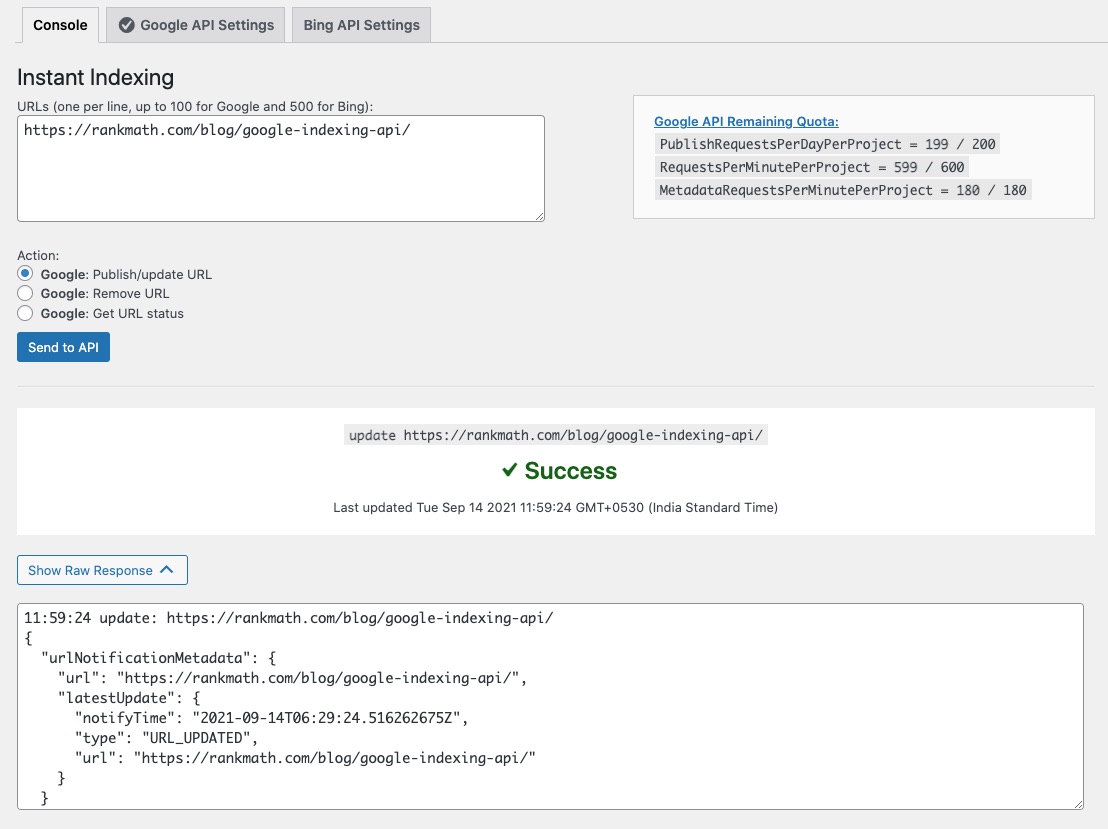
Click on Send to API and then click on the Show Raw Response button.
You can add the screenshot in the sensitive data section of this ticket.
We look forward to helping you.
Hello,
I have updated the sensitive data as requested. Can you please check further?
Thank you.
Hello,
There seems to be a critical error.
Can you please share your website’s recent error logs so we can determine what’s causing the critical error in your Instant Indexing?
You can follow this guide to enable debugging in WordPress
https://wordpress.org/support/article/debugging-in-wordpress/ or you can get in touch with your web host, they will help you locate the log file.
We are looking forward to helping you on this one.
Hello,
Sorry for the delay.
The images that you shared are returning a 404 error.
Can you please share the screenshots again?
You can also try changing the API key and see if that fixes the issue.
https://rankmath.com/blog/google-indexing-api/#create-new-json-key
We look forward to helping you.
Hello,
You will have to follow the process to create a new key for your website the same way you did when you initially activated the plugin.
Please follow the steps here: https://rankmath.com/blog/google-indexing-api/
Don’t hesitate to get in touch if you have any other questions.
Thank you. It’s working now.
Hello,
We are super happy that your issue is resolved.
If you have any questions in the future, please feel free to create a new forum topic, and it will be our pleasure to assist you again.
Thank you.



