Hello,
We apologize for the issue you are facing with Instant Indexing not working for your website. There could be several reasons why Instant Indexing is not functioning as expected. Here are a few things you can check:
-
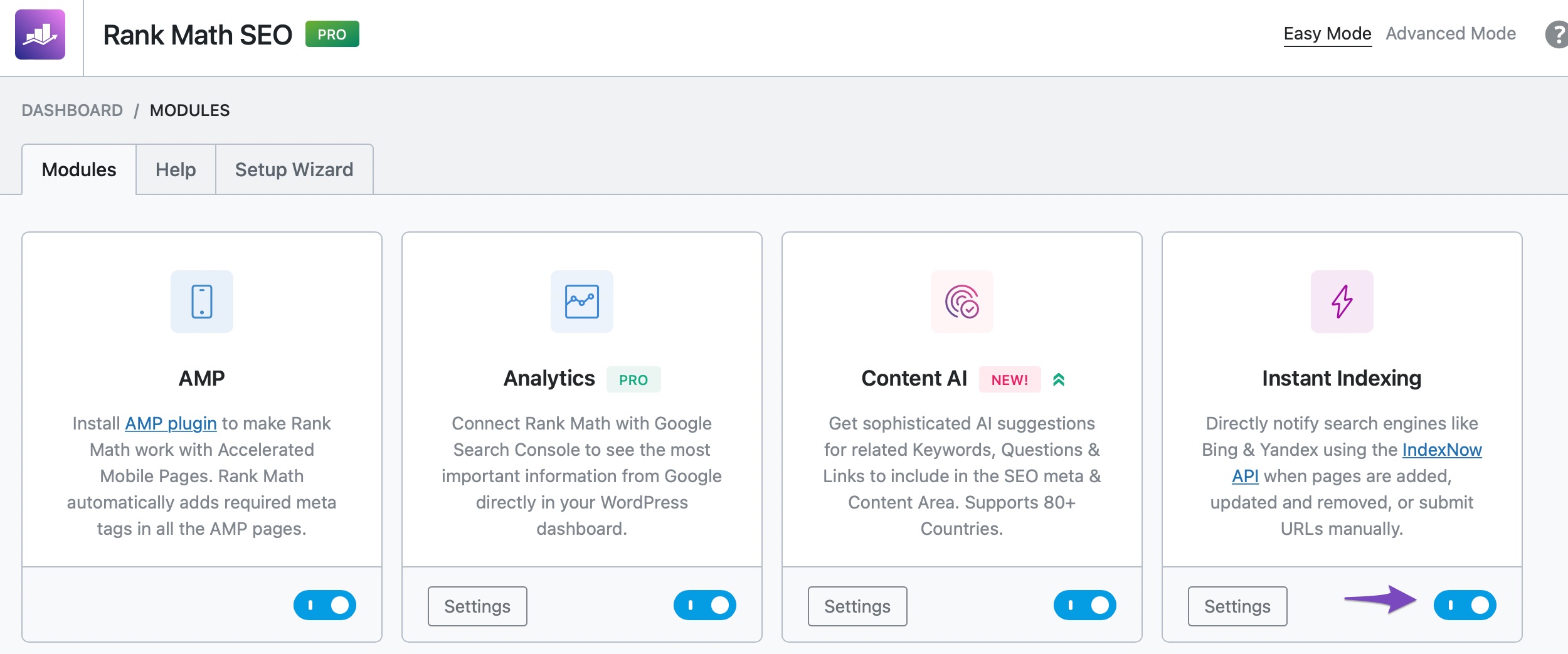
Ensure the Instant Indexing Module is Enabled: Make sure that the Instant Indexing module is enabled in your Rank Math settings. You can do this by navigating to WordPress Dashboard → Rank Math SEO and checking the modules.
-
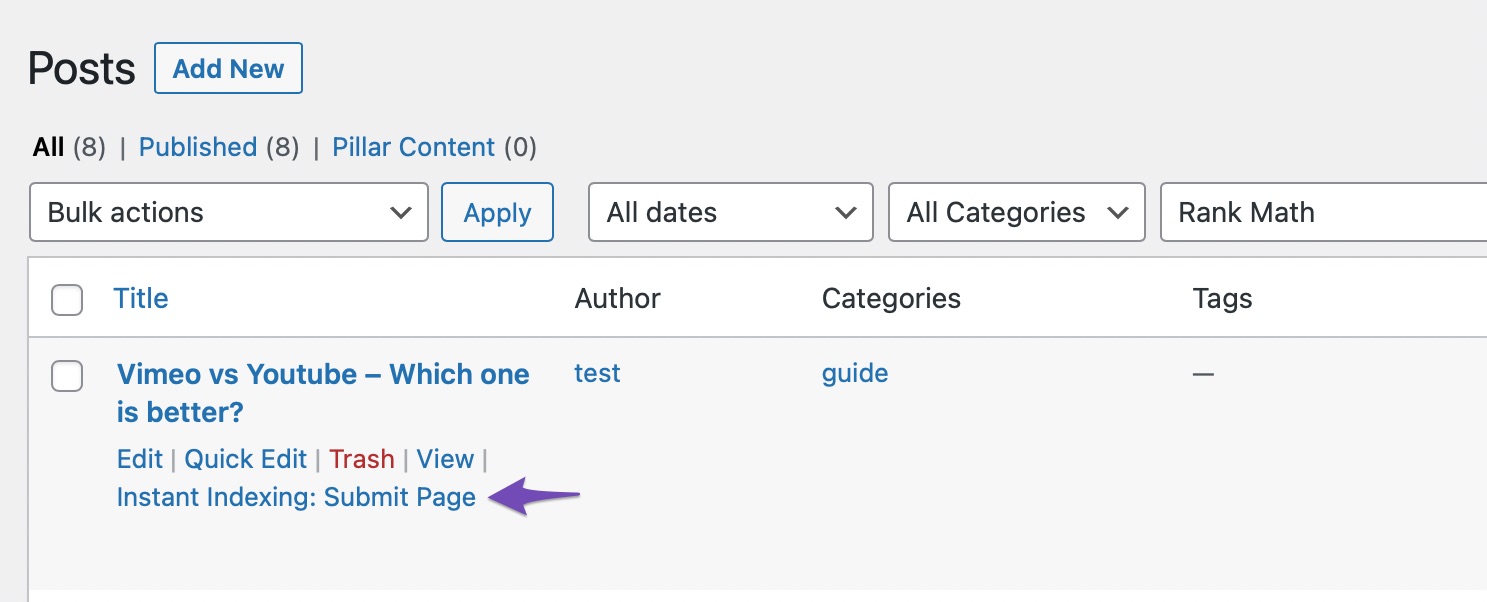
Submit Pages for Indexing: After enabling the module, go to the Posts page, hover over the post you wish to index, and select the Instant Indexing: Submit Page option.
-
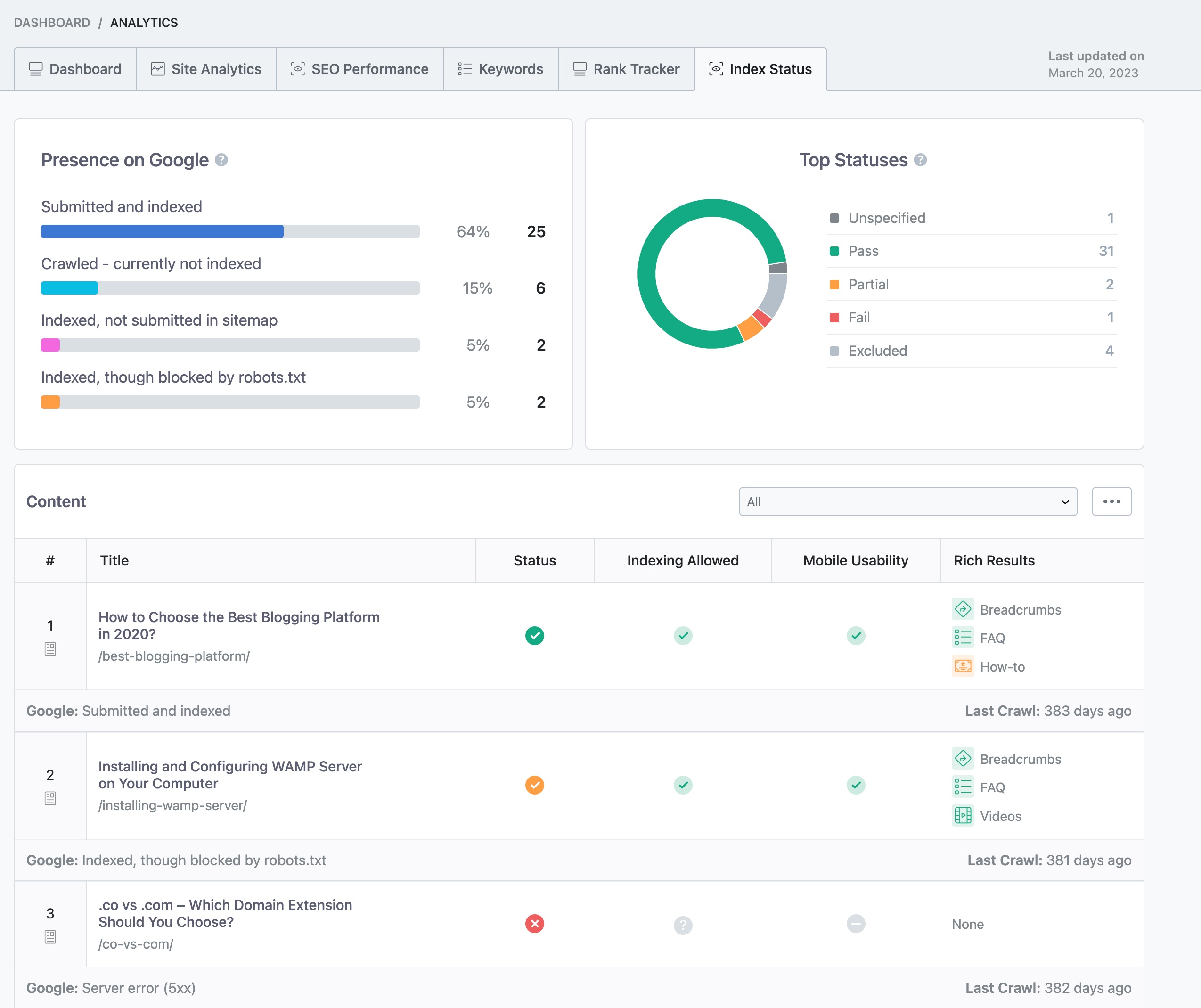
Check Index Status: You can check your page’s index status within your WordPress dashboard by navigating to Rank Math SEO → Analytics → Index Status.
-
Content Quality and Duplication: Ensure that your content is unique and of high quality. If there are issues with content duplication, it may affect indexing.
-
Website Age: If your website is new, it might take some time for Google to index your pages. Be patient as it can take a few days.
If you have checked all these aspects and are still facing issues, please reply to this ticket, and a human agent from the Rank Math Support team will assist you further. Thank you for raising this concern!
Hello,
We have released a fix in the latest version of the Instant Indexing plugin.
Please update it on your site (if not yet) and check if the issue persists:
https://wordpress.org/plugins/fast-indexing-api/#developers
Let us know how this goes.
Hello,
Since we did not hear back from you for 15 days, we are assuming that you found the solution. We are closing this support ticket.
If you still need assistance or any other help, please feel free to open a new support ticket, and we will be more than happy to assist.
Thank you.



