Instant Indexing Google

#485995
  • Resolved Larry Silva
    Rank Math free

    We followed the recommended steps to setup instant indexing on Google and downloaded the Json file. However the downloaded file is in ZIP format which we unziped. That action results in some flies and several sub-floders.

    Question – how do we identify the contents required to be pasted in to RM Google API configuration? or we attempted aslo to upload the zip file but that as one would expect does not work. We tried to open the downloaded zip file in notepad and wordpad etc without any success. We even watched vidoes but it is not clear how the contents of the Jason file are exposed to be copied. Thus in your guide we are stuck at item 5.2

    We appreciate your urgent advice. Our site is [moved to sensitive data section]

    Your urgent support wuld be appreciated.

    Regards
    Larry Silva

Viewing 3 replies - 1 through 3 (of 3 total)
  • Hello,

    Thank you for contacting Rank Math and bringing your concern to our attention. I’m sorry for any inconvenience this issue may have caused you.

    It seems that you’re referring to the zip file on the first step mentioned in our guide:
    https://rankmath.com/blog/google-indexing-api/#download

    If so, that is the plugin that you should install on your site. Please follow step 6.1 (B. Upload via WordPress Dashboard) for the steps on how to install it.

    Then, the JSON key should be coming from your Google service account (steps 2 and 3):
    https://rankmath.com/blog/google-indexing-api/#create-indexing-api-project

    Hope that clears up the confusion.

    Thank you.

    Larry Silva
    Rank Math free

    Reinelle
    Thanks but the response does not address our problem. To be clear we did the following

    1. Created a project
    2. Setup the service account
    3. Installed the plugin from from within our site

    The issue is that at 5.2 of your guide we need to copy and past the contents of of the Json file – QUESTION is how/where do we locate the Json file to be able to copy it’s contents?. Appreciate if you can address this including showing screen shots of where it is and how to access it.

    Your uregent response would be highly appreciated

    Nigel
    Rank Math business

    Hello,

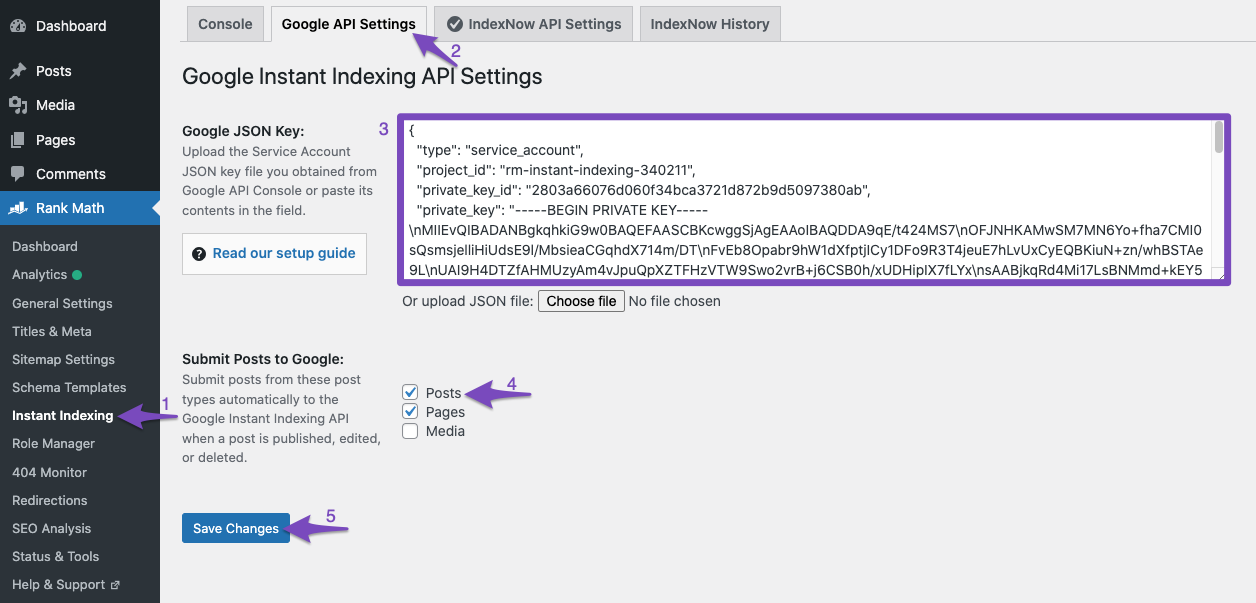
    The contents of the Json file will look similar to the text in the screenshot.

    The Json will have text that begins like

    
    {
     "type": "service_account",
     "project_id": "yoursite-instant-indexing",
     "private_key_id": "7d3c847b8d51a2c46dacfc20d3001fcd219a825d",
     "private_key": "-----BEGIN PRIVATE KEY-----
    

    Hope that helps. Please let us know if you have questions.

    Hello,

    Since we did not hear back from you for 15 days, we are assuming that you found the solution. We are closing this support ticket.

    If you still need assistance or any other help, please feel free to open a new support ticket, and we will be more than happy to assist.

    Thank you.

Viewing 3 replies - 1 through 3 (of 3 total)

The ticket ‘Instant Indexing Google’ is closed to new replies.