Hello,
We apologize for the issue you are facing with the Instant Indexing feature and the 404 error. It seems that the URL you are trying to index is not found, which is causing the error message.
Here are a few steps you can take to troubleshoot this issue:
-
Check the URL: Ensure that the URL you are trying to submit for indexing is correct and that the page actually exists on your website. If the page has been removed or the URL is incorrect, it will result in a 404 error.
-
Server Configuration: Make sure your web server is configured correctly to return a 404 status code for missing pages. If your server is not set up properly, it might be returning a 200 status code instead of a 404, which can confuse search engines.
- You may need to contact your web hosting provider to verify this.
-
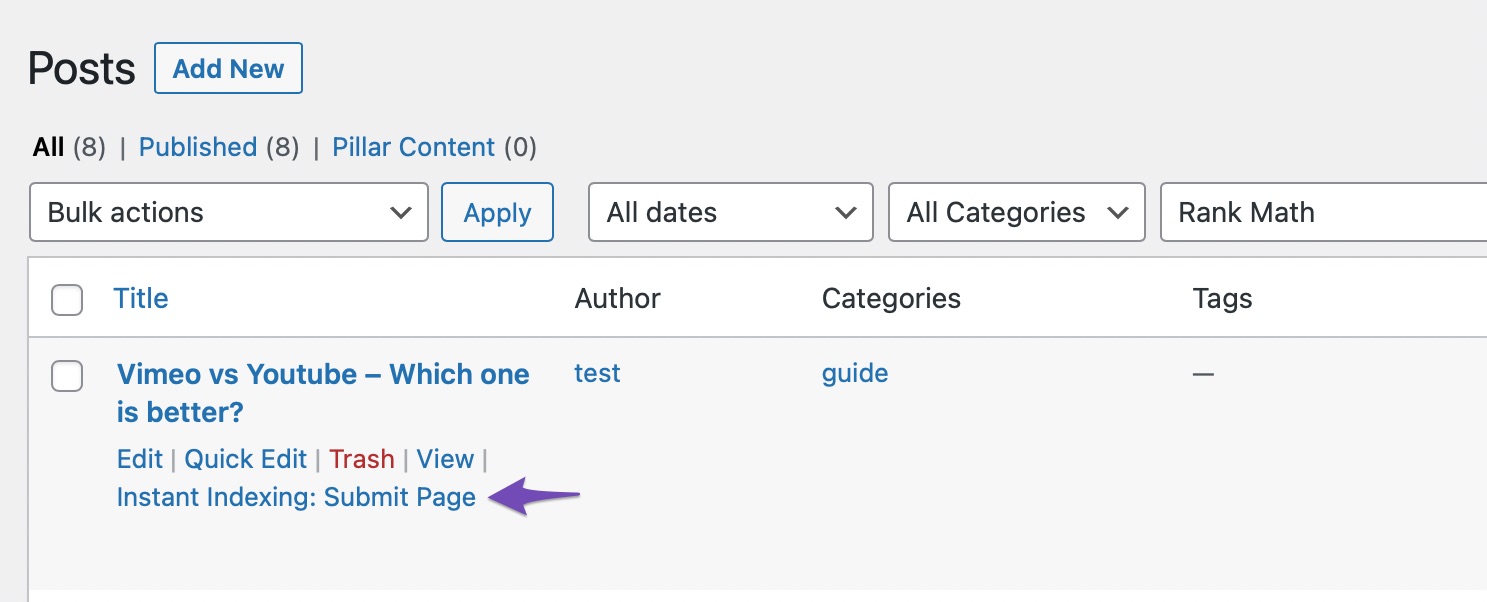
Use Rank Math’s Instant Indexing Feature: If you haven’t already, enable the Instant Indexing module by navigating to WordPress Dashboard → Rank Math SEO. After enabling it, try submitting the URL again by hovering over the post on the Posts page and selecting Instant Indexing: Submit Page.
-
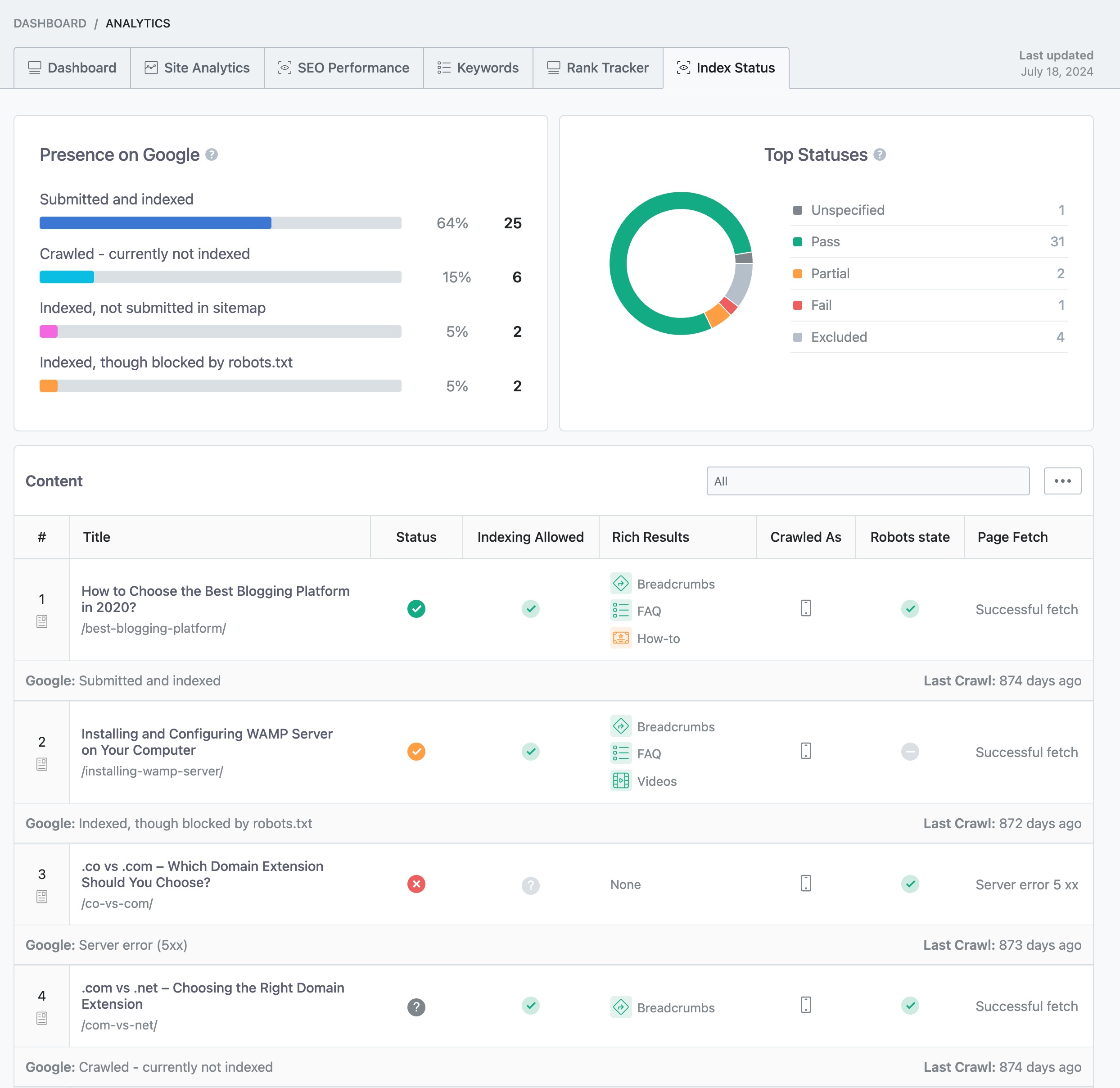
Check Index Status: You can check your page’s index status within your WordPress dashboard by navigating to Rank Math SEO → Analytics → Index Status to see if there are any issues reported there.
If you have followed all these steps and are still encountering issues, please reply to this ticket with any additional details or screenshots, and a human agent from the Rank Math Support team will assist you further.
Thank you for raising this concern, and we’re here to help!
Hi, I tried all these steps, but the issue persists.
I followed every single steps mentioned in Rank Math Instant Indexing tutorial, and it’s my first time facing such issue with it.
Kindly help me to solve this issue, and also, check the images attached in below section for No Response and Error screenshot.
Thanks,
Naman
Please help Instant Indexing not working
Hello,
Thank you for contacting us. We apologize for any inconvenience this issue may have caused.
We were also able to replicate this issue on our end.
However, we already shared this with our developers and they are investigating it. As soon as we get some updates, we’ll make sure to let you know here.
We would really appreciate your kind patience regarding this issue.
Please don’t hesitate to let us know if you have any other questions.
Thank you.
When will this issue resolve? So that i can remove my sensitive data of my websit.e
Hello,
We currently don’t have an ETA for this. However, since we can replicate the issue on our end, we no longer need your site login details. You can remove them from the sensitive data section.
Hope that helps and please do not hesitate to let us know if you need our assistance with anything else.
Thanks let me know once there’s any working solution.
I’m having the same issue
Hello,
We are still looking into this and don’t have an ETA for it. We will update this ticket as soon as we hear from the development team.
Please do not hesitate to let us know if you need our assistance with anything else in the meantime.
Thank you.
I am having same issue for the past two days
Hello,
It’s important to emphasize that the situation with the “Get status” returning a 404 error happens when the URL being tested was not previously submitted to the Indexing API.
So, you need to first submit it, and wait for Google to parse it and only then you can request the status for the URL.
As for the submissions, those should be working now with the latest version of the plugin, so please update it from your plugins directory.
Thank you.





