Hello, we apologize for the issue you are facing with the Instant Indexing feature. If the manual indexing method is not showing, it could be due to a few reasons. Here are some steps you can take to troubleshoot the issue:
-
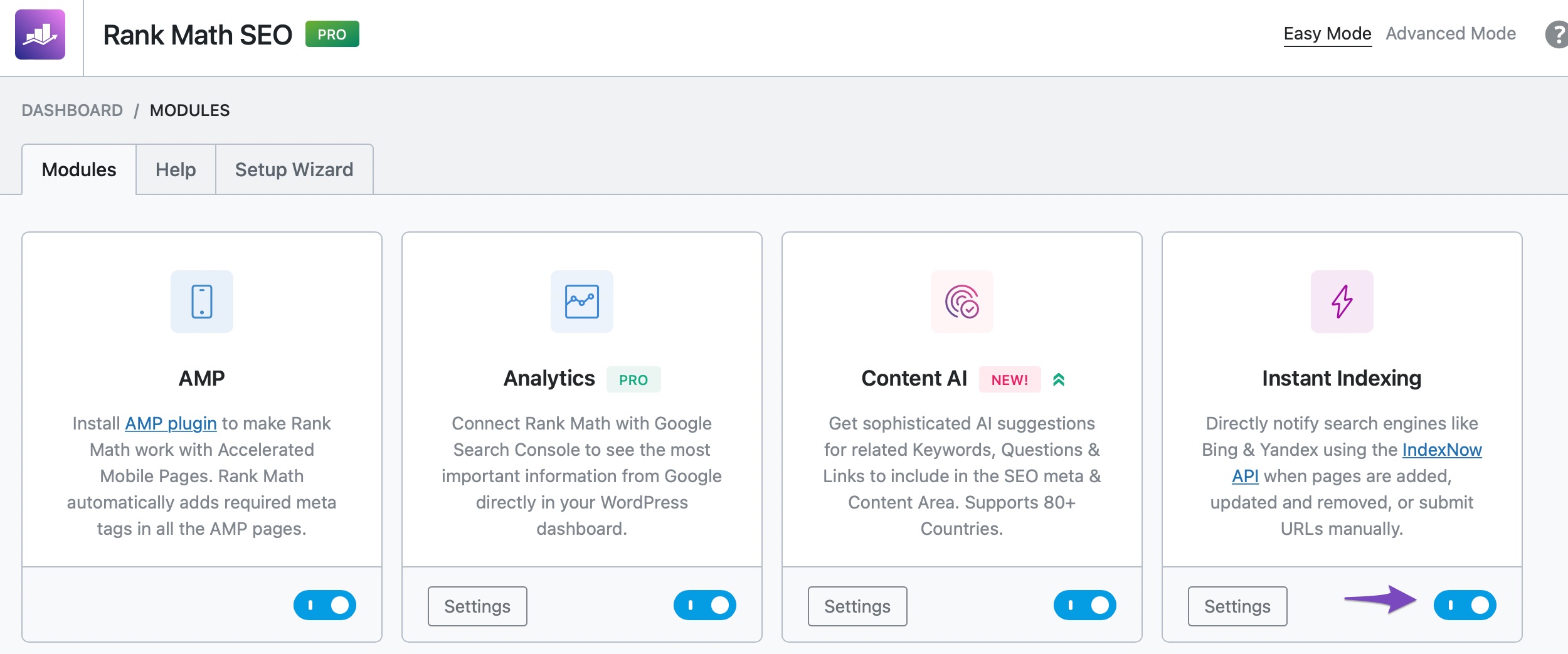
Enable Instant Indexing Module: Ensure that the Instant Indexing module is enabled in your Rank Math settings. You can do this by navigating to WordPress Dashboard → Rank Math SEO and checking if the module is activated.
-
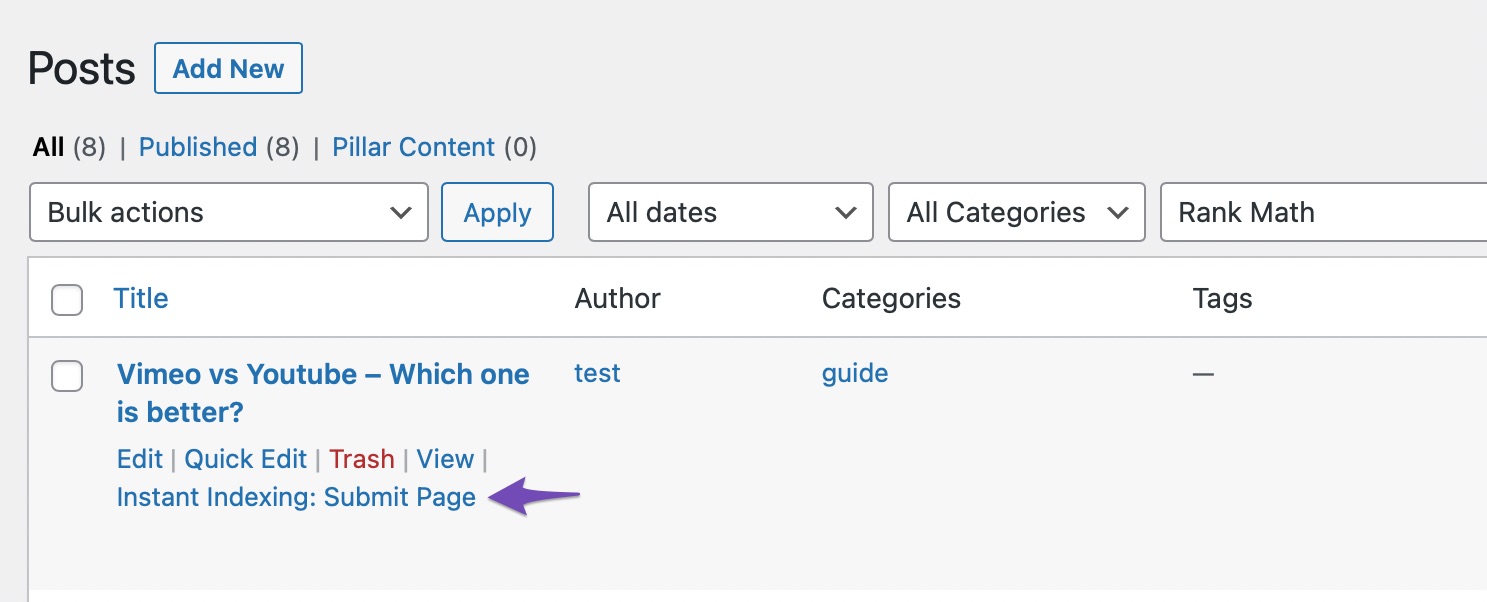
Submit Individual Posts: To manually submit a post for indexing, go to the Posts page, hover over the post you wish to index, and select the Instant Indexing: Submit Page option.
-
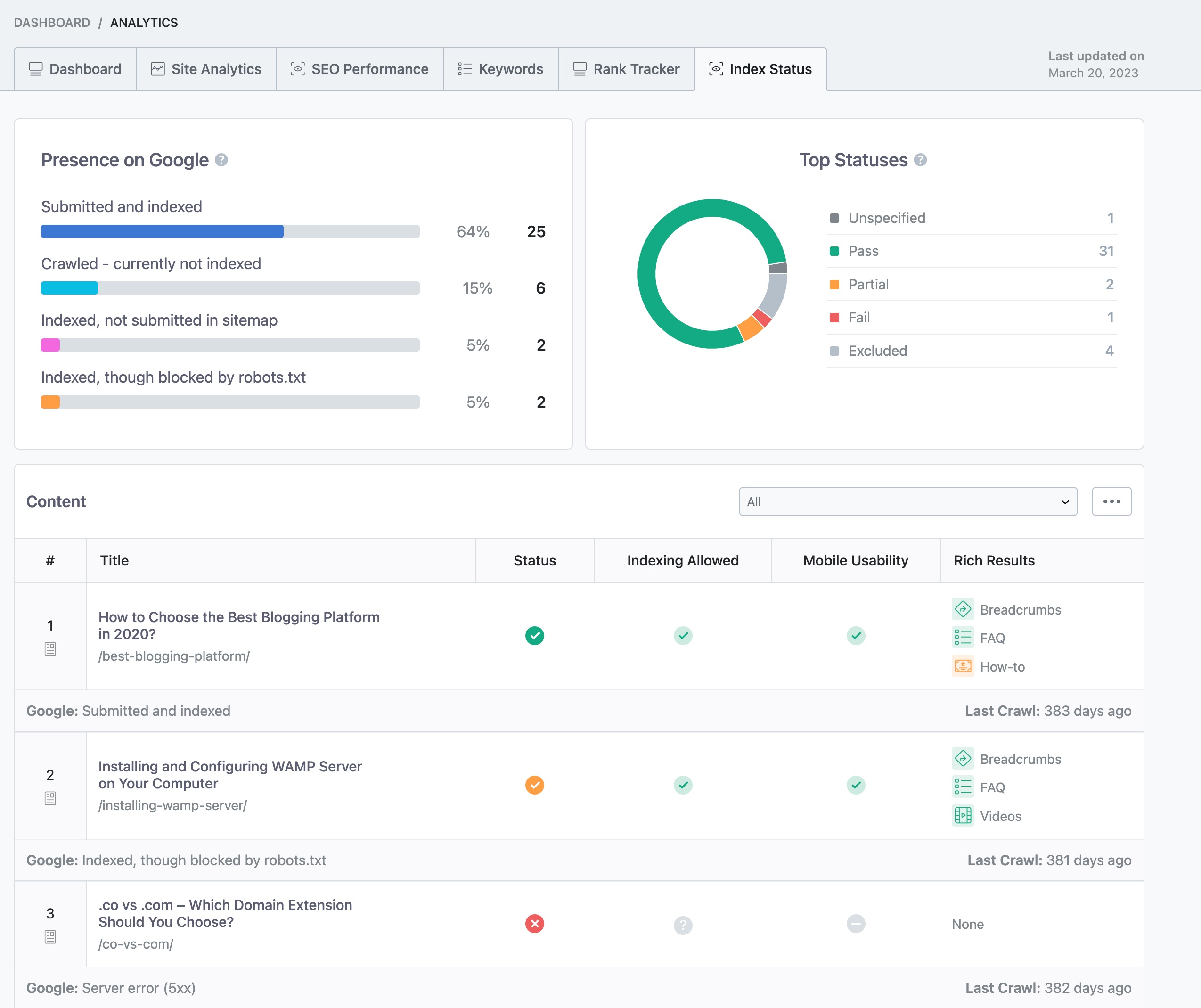
Check Index Status: You can check your page’s index status within your WordPress dashboard by navigating to Rank Math SEO → Analytics → Index Status.
-
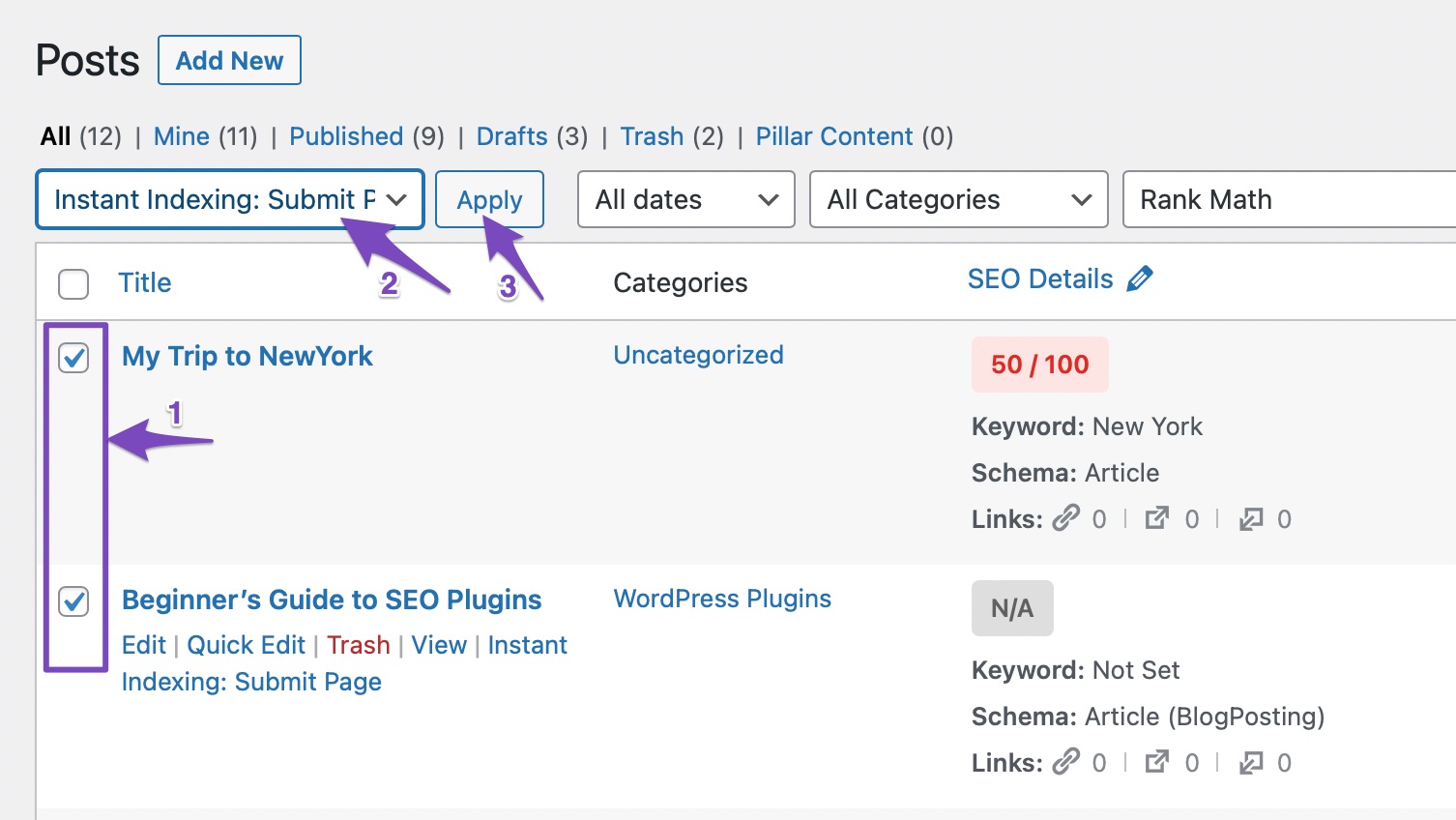
Batch Submission: If you have multiple posts, you can also submit them in bulk. Select the posts you want to submit, choose the Instant Indexing: Submit Pages option from the Bulk Actions dropdown, and click Apply.
If you have followed these steps and are still experiencing issues, please reply to this ticket, and a human agent from the Rank Math Support team will assist you further. Thank you for raising this concern!
Hello,
Thank you for contacting us and sorry for any inconvenience that might have been caused due to that.
Please note that some options are only available in Advanced Mode. If you are not able to find all the options in the Instant Indexing, please try to switch to Advanced Mode: https://rankmath.com/kb/switch-from-easy-to-advanced-mode/
However, please note that Instant Indexing only submits the URLs to Google so they can be crawled faster and potentially indexed but still, it solely depends on Google if they want to index a URL or not.
You can check your Google Search Console Page Indexing report to determine any issues reported on your site: https://support.google.com/webmasters/answer/7440203?hl=en
You can share the error message or take a screenshot using this tool and add the link here so we can check as well.
Looking forward to helping you.
Thank you.
Hello,
Since we did not hear back from you for 15 days, we are assuming that you found the solution. We are closing this support ticket.
If you still need assistance or any other help, please feel free to open a new support ticket, and we will be more than happy to assist.
Thank you.



