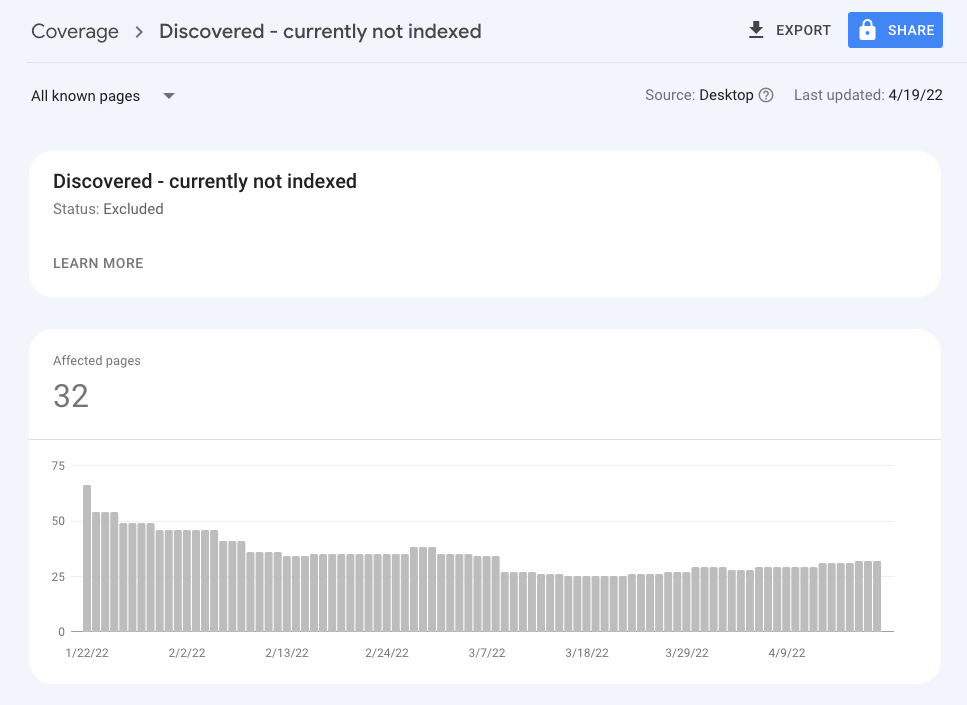
Indexing Issues in Google Search Console

#887377
  • I purchase a new domain (https://digitalasb.com/) and hosted over 1 month but the domain url not index till now only a page that domain provider show that index in Google. No any of the pages index in google like, about, contact, blog, services or any other pages.

    I submit sitemap, robots.txt, and also create some high quality of backlinks. Also, i checked noindex tag not active on my website.

    Sitemaps – No referring sitemaps detected
    Referring page – None detected

    Last crawl – N/A
    Crawled as – N/A
    Crawl allowed? – N/A
    Page fetch – N/A
    Indexing allowed? – N/A
    Indexing
    User-declared canonical – N/A
    Google-selected canonical – N/A

    Please help in indexing my website.

Viewing 2 replies - 1 through 2 (of 2 total)

  • Hello,

    We apologize for the issue you are facing with indexing your new domain. It can be frustrating when your pages are not being indexed by Google, especially after taking the right steps like submitting a sitemap and ensuring there are no noindex tags.

    Here are some potential reasons and solutions for the indexing issues you are experiencing:

    1. New Website: Since your website is new, it may take some time for Google to discover and index all your pages. It’s common for new sites to experience delays in indexing. Be patient, as it can take a few weeks for Google to crawl and index new content.

    2. Crawl Budget Issues: Google allocates a crawl budget to each site, which can affect how often your pages are crawled. Ensure that your site has a good internal linking structure to help Google discover all your pages. You can read more about crawl budget issues here.

    3. Sitemap Submission: Make sure that your sitemap is correctly submitted in Google Search Console. You can check if the sitemap URL is accessible by visiting `https://rankmath.com/wp-content/uploads/2024/07/Discovered-currently-not-indexed-status.png. If there are any issues with the sitemap, it may prevent Google from crawling your pages effectively.

    4. Robots.txt File: Double-check your robots.txt file to ensure that it is not blocking Google from crawling your site. You can view your robots.txt file by visiting `https://rankmath.com/wp-content/uploads/2024/07/Discovered-currently-not-indexed-status.png.

    5. Backlinks: While you mentioned creating high-quality backlinks, ensure that they are pointing to your main pages and not just the homepage. This can help Google discover your other pages more quickly.

    6. Manual Actions: Check if there are any manual actions against your site in Google Search Console. If there are penalties, you will need to resolve those issues before Google will index your site.

    7. Technical Issues: Look for any technical issues that might be preventing Google from crawling your site, such as server errors or slow loading times.

    For more detailed guidance on fixing indexing issues, you can refer to our articles on fixing indexing issues and why your website might not be indexed.

    If the problem persists, please reply to this ticket, and a human agent from the Rank Math Support team will assist you further.

    Thank you for raising this concern, and we hope to help you get your website indexed soon!

    Hello,

    Thank you for contacting us and sorry for any inconvenience that might have been caused due to that.

    It seems like you’re currently using the Yoast SEO plugin on your website. Could you please install the Rank Math plugin again so that we can check the issue further for you?

    Meanwhile, you can test your homepage in the URL Inspection Tool and share the screenshot of the result with us: https://support.google.com/webmasters/answer/9012289?hl=en

    You can use any image-sharing tool like https://imgur.com/upload to share the screenshot.

    Looking forward to helping you.

    Thank you.

    Hello,

    Since we did not hear back from you for 15 days, we are assuming that you found the solution. We are closing this support ticket.

    If you still need assistance or any other help, please feel free to open a new support ticket, and we will be more than happy to assist.

    Thank you.

Viewing 2 replies - 1 through 2 (of 2 total)

The ticket ‘Indexing Issues in Google Search Console’ is closed to new replies.