Hello,
I apologize for the issue you are facing with indexing your website. To address this problem, we recommend checking a few things to ensure proper indexing:
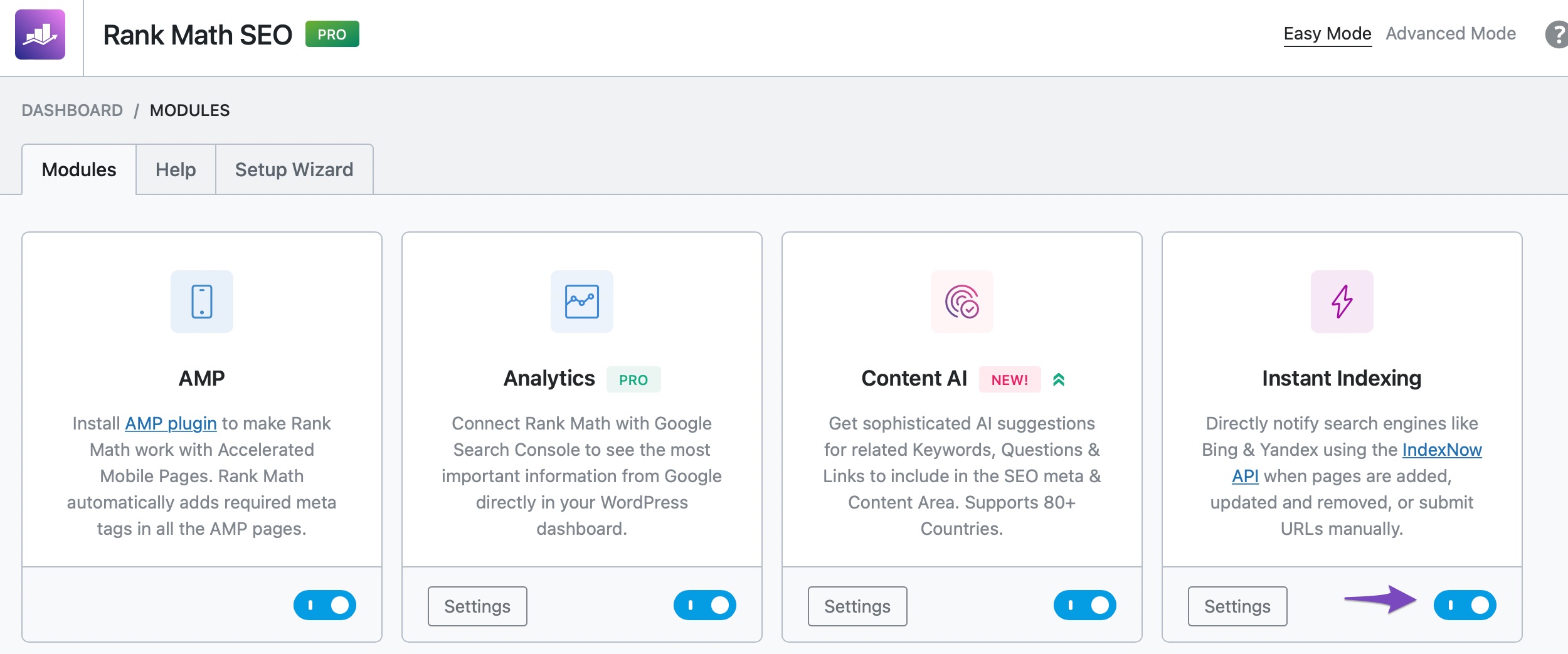
- Instant Indexing Feature: Ensure that you have enabled the Instant Indexing module in Rank Math. You can do this by navigating to your WordPress Dashboard → Rank Math SEO and enabling the Instant Indexing feature as shown in the screenshot below:
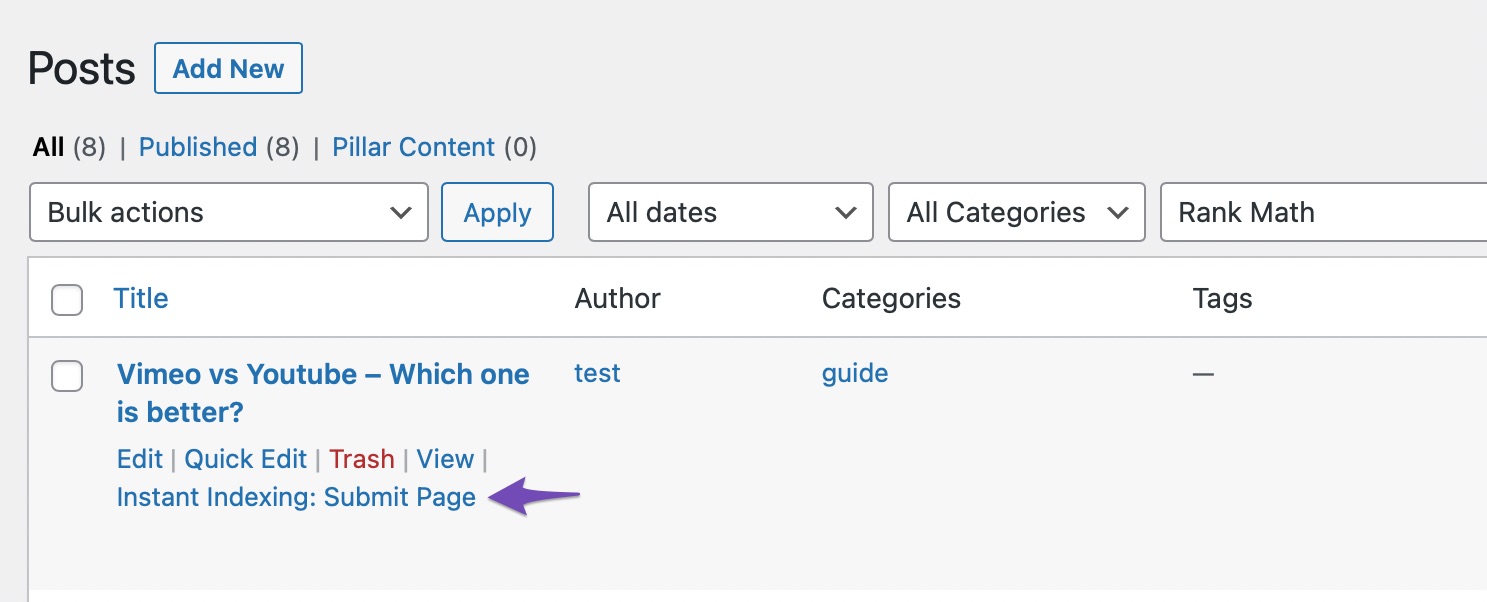
- Submit Pages for Indexing: Hover over the posts you wish to index on the Posts page and select the "Instant Indexing: Submit Page" option as shown in this screenshot:
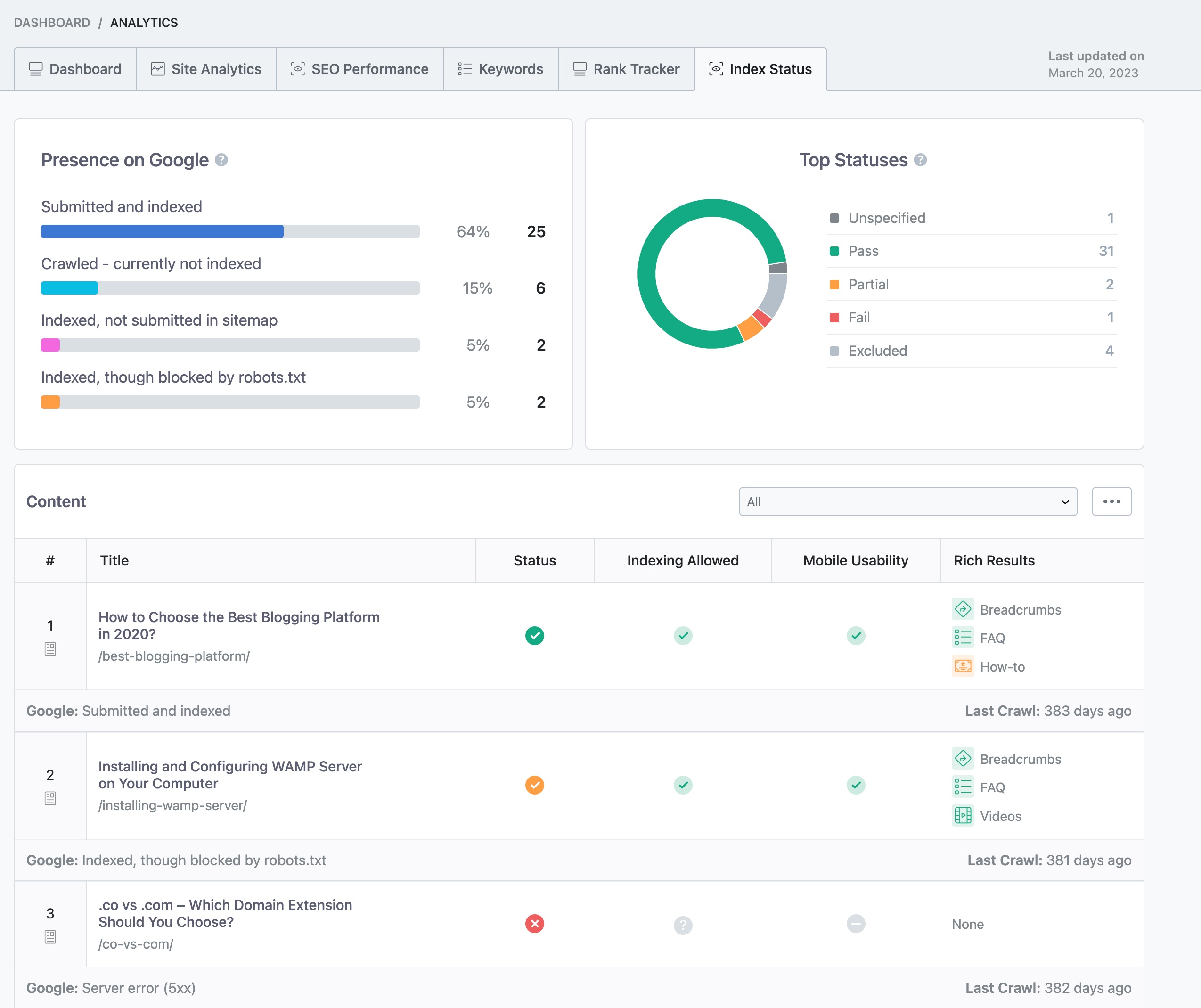
- Check Index Status: You can monitor your page’s index status within your WordPress dashboard by going to Rank Math SEO → Analytics → Index Status as shown here:
By following these steps, you should be able to ensure that your website’s articles get indexed properly. If the issue persists, please feel free to reply here, and a human agent from our support team will assist you further.
Thank you for reaching out, and we appreciate your patience as we work to resolve this indexing concern.
Sources:
How to Fix "Crawled – Currently Not Indexed" Error in Google Search Console » Rank Math
Why Google Hasn’t Indexed Your Post, Page, and/or Website? » Rank Math
Why Did My Website Disappear From Google Search? » Rank Math
Discovered – Currently Not Indexed in Google Search Console » Rank Math
Hello,
We have already replied to your other ticket with the same concern, and please continue there to avoid duplication.
I’ll close this one so we can follow up on one thread for efficiency.
Looking forward to helping you.




