imprtant

#892659
  • Resolved Iiu Iui
    Rank Math free

    when i downlwaded rankmath in my worldpress it couldnt find my website or connect to. i cant even open the analystics tab bcz when i predss on ot nothing appears and theres is s red button beside it not green pls help

Viewing 2 replies - 1 through 2 (of 2 total)
  • Hello,

    We apologize for the issue you are facing with Rank Math not being able to connect to your website and the Analytics tab not opening. It seems like there might be a glitch in the connection with your Google Analytics account.

    To troubleshoot this issue, please follow these steps:

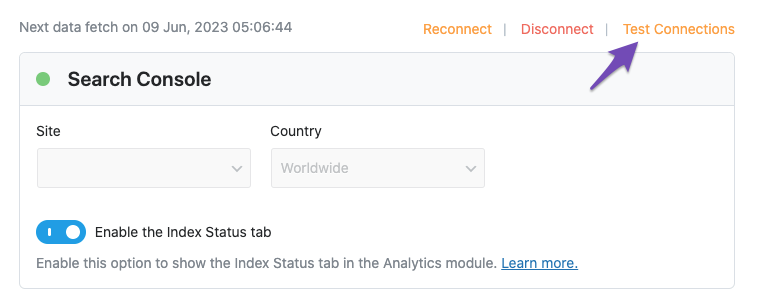
    1. Test Connections: Go to Rank Math SEO → General Settings → Analytics. Click on the Test Connections option at the top right of the Analytics settings. A red signal indicates a problem with the connection.
      Test connections

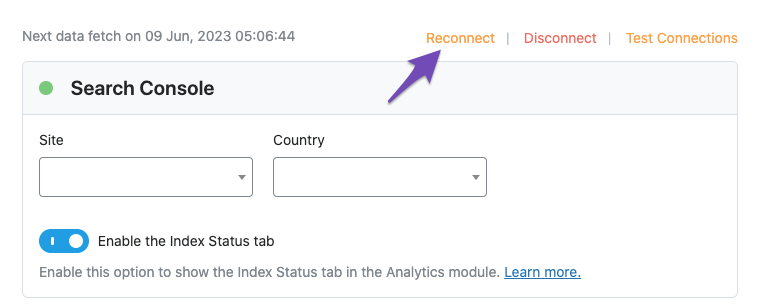
    2. Reconnect Your Google Account: If you see a red signal, try reconnecting your Google account. You can do this by clicking on the reconnect option that appears after testing the connection.
      Reconnect Search Console connection

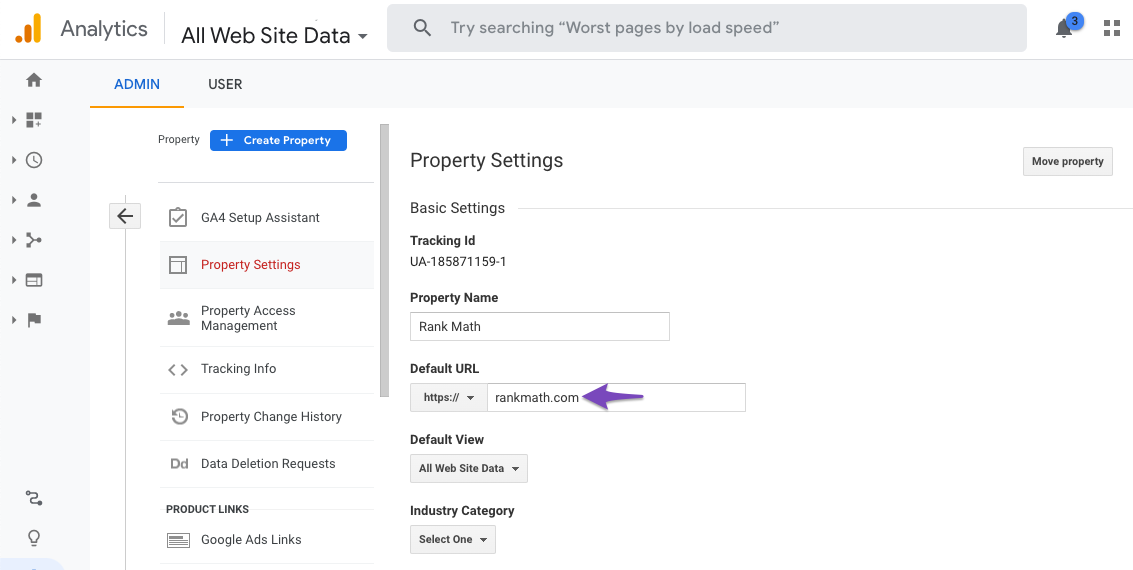
    3. Check Domain Name: Ensure that the domain name configured in your Google Analytics matches the actual site where you are trying to fetch Analytics data. You can check this in your Google Analytics account under Admin → Property → Property Settings.
      Check domain in Google Analytics

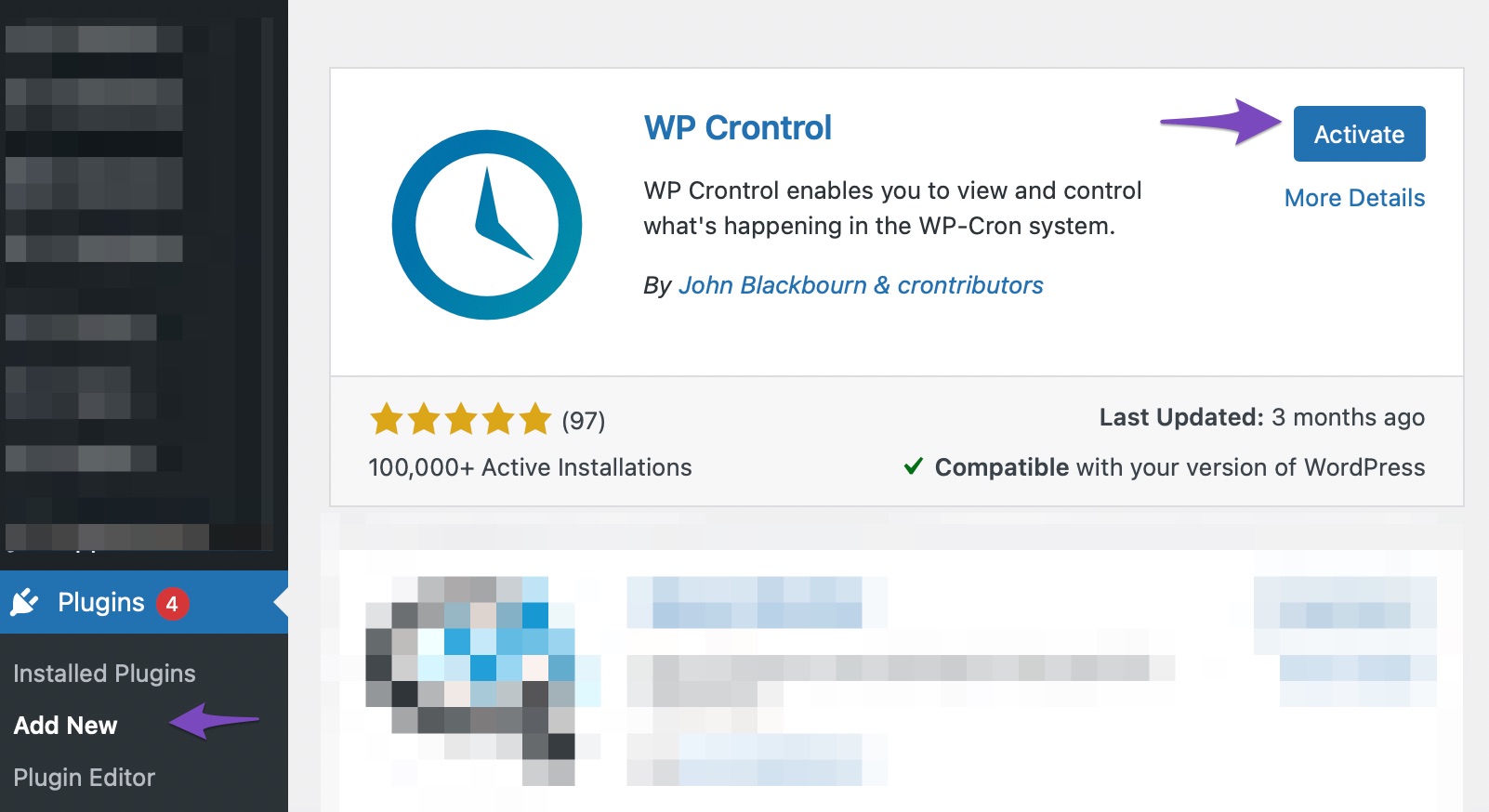
    4. CRON Issues: If your website relies on WP-CRON, ensure that DISABLE_WP_CRON is set to false in your wp-config.php file. You can also install the WP Crontrol plugin to check for any CRON errors.
      Install and Activate WP Crontrol plugin

    If the issue persists after trying these steps, please reply to this ticket, and a human agent from the Rank Math Support team will assist you further. Thank you for raising this concern!

    Hello,

    Thank you for contacting the support, and sorry for any inconvenience that might have been caused due to that.

    Please follow these steps:

    If you do not see any data inside your Analytics module, this guide might help you.

    A. Pre-check List
    1. You should not be using any other Google Analytics plugin.

    2. Update to the latest versions of Rank Math Free & PRO

    3. Ensure that you are logged in to your account:
    rank math member area

    4. Disconnect and reconnect your account from inside WordPress:
    reconnect rank math account

    B. Refresh Tokens
    1. Please delete RankMath’s app from here:

    https://myaccount.google.com/permissions

    remove rank math app

    2. Re-create tables by clicking WP Dashboard > Rank Math > Status & Tools > Database Tools and click the Re-create database Table button.
    re-create analytics tables

    3. Reconnect the account inside Rank Math by clicking here and ensure that you approve all the permission notices that show up:
    WP Dashboard >> Rank Math >> General Settings >> Analytics tab, and click the Reconnect link
    reconnect analytics

    Allow all the permissions on the next screen.
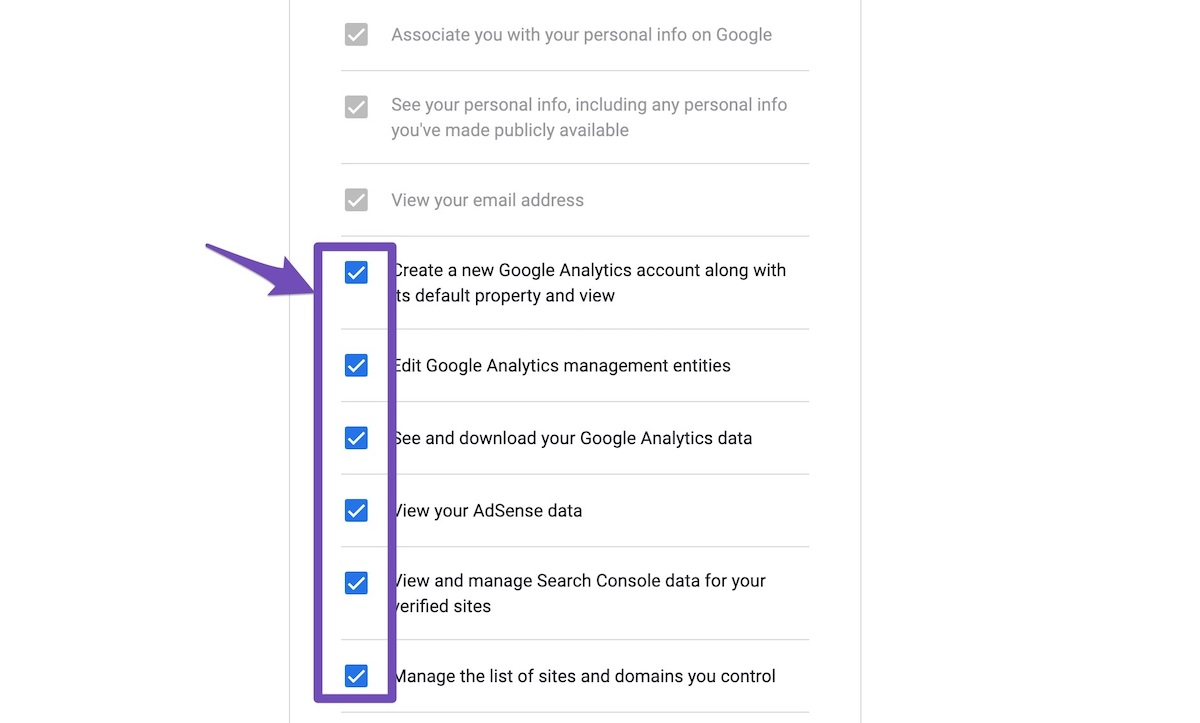
    tick all checkboxes

    4. Let the process complete, which might take around 30 minutes.

    5. Now head over to WP Dashboard > Rank Math > Status & Tools > Database Tools and click the Rebuild Index for Analytics button.
    Rebuild Index for Analytics

    6. Please check if the data shows up here:
    /wp-admin/admin.php?page=rank-math-analytics#/
    analytics data

    If that does not help, please paste the data from here:
    WP Dashboard > Rank Math > Status & Tools > System Status and click the Copy System Info to Clipboard button
    system info

    We really look forward to helping you. Thank you.

    Hello,

    Since we did not hear back from you for 15 days, we are assuming that you found the solution. We are closing this support ticket.

    If you still need assistance or any other help, please feel free to open a new support ticket, and we will be more than happy to assist.

    Thank you.

Viewing 2 replies - 1 through 2 (of 2 total)

The ticket ‘imprtant’ is closed to new replies.