Hello, we apologize for the issue you are facing with the import process from All in One SEO. If the option to import SEO data is not appearing in the setup wizard, please ensure that you are following these steps:
-
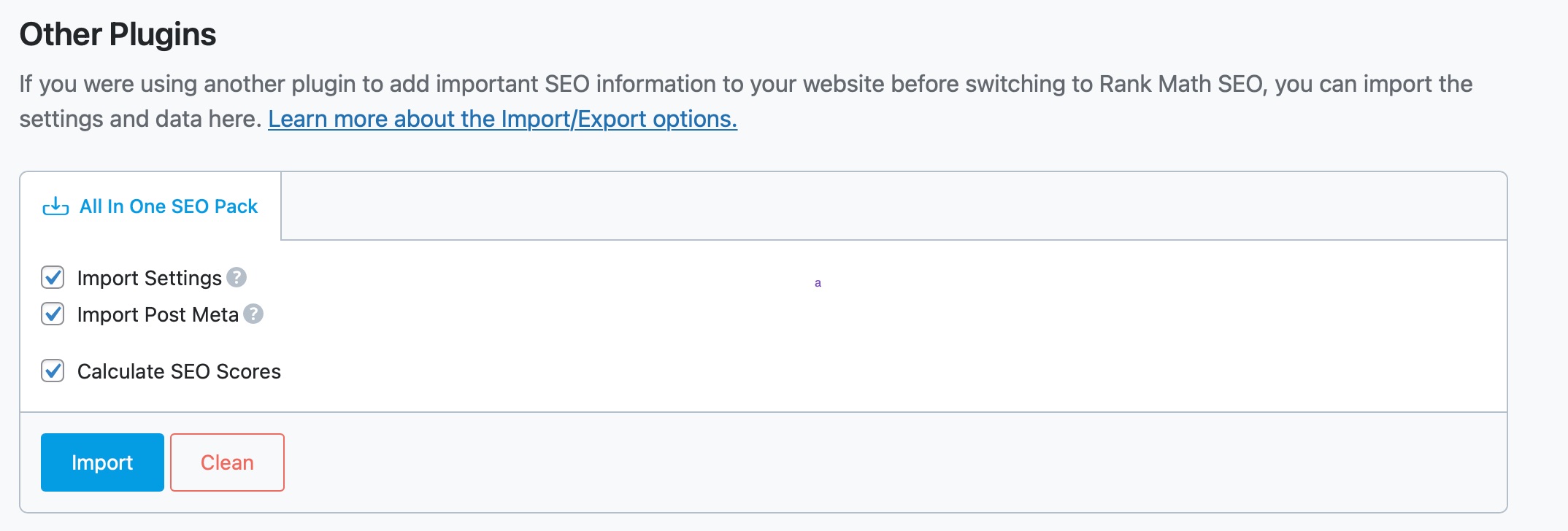
Navigate to the Import Section: In the Rank Math setup wizard, scroll down to the Other Plugins section where you should find the All in One SEO Pack tab.
-
Select Data to Import: Under the All in One SEO Pack tab, make sure to select all the data you wish to import.
-
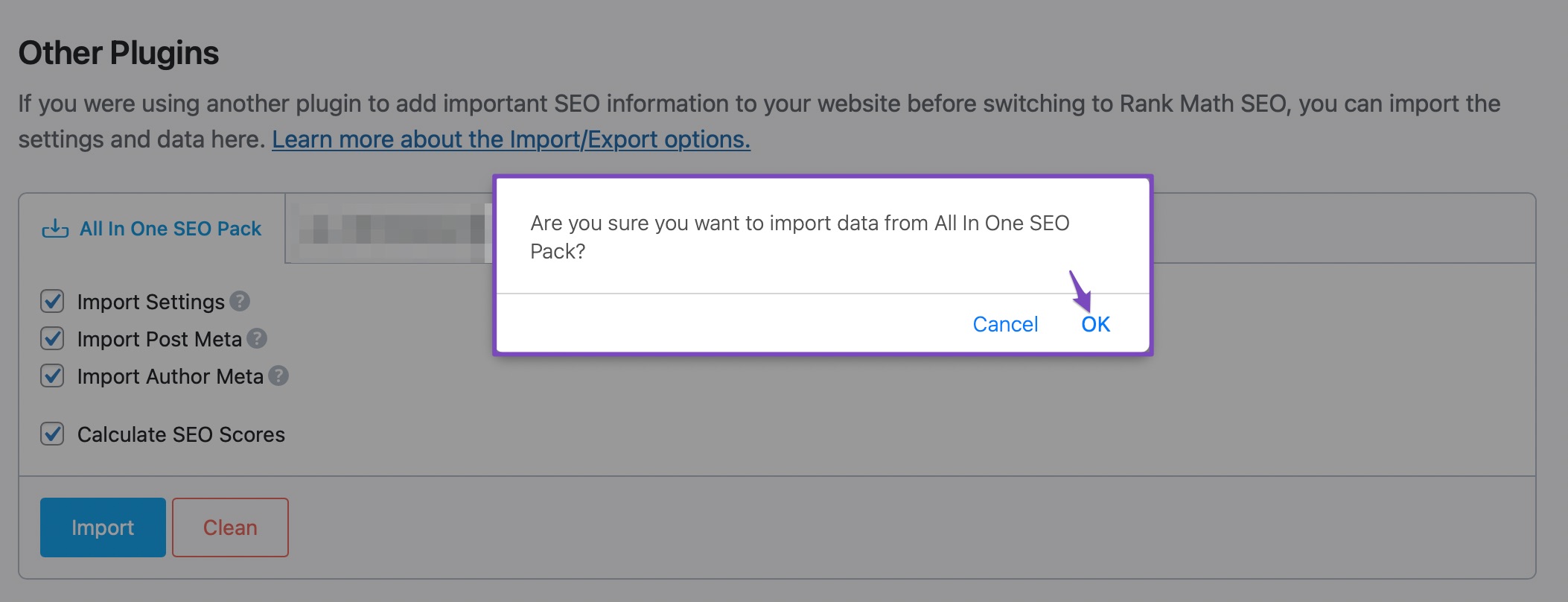
Click on Import: After selecting the data, click on the Import button. A confirmation message should appear asking for your confirmation to proceed.
-
Complete the Import: Once you confirm, the import process should start and complete within seconds.
If you still do not see the option after following these steps, please reply to this ticket, and a human agent from the Rank Math Support team will assist you further. Thank you for raising this concern!
Sources:
Migrating from All In One SEO Pack to Rank Math SEO » Rank Math
Thank you for contacting Rank Math
You seemed to have marked this ticket as resolved.
We’re just following up with you to see if you have any other questions or concerns that we can assist you with. Or, if your issue has been resolved, please let us know so we can mark this ticket as closed.
Thank you for choosing Rank Math.



