Images not showing up on Google

#878862
Viewing 3 replies - 1 through 3 (of 3 total)
  • Hello,

    We apologize for the issue you are facing with images not showing up on Google. It can indeed be frustrating to lose traffic due to indexing issues. Here are some steps you can take to troubleshoot and potentially resolve the problem:

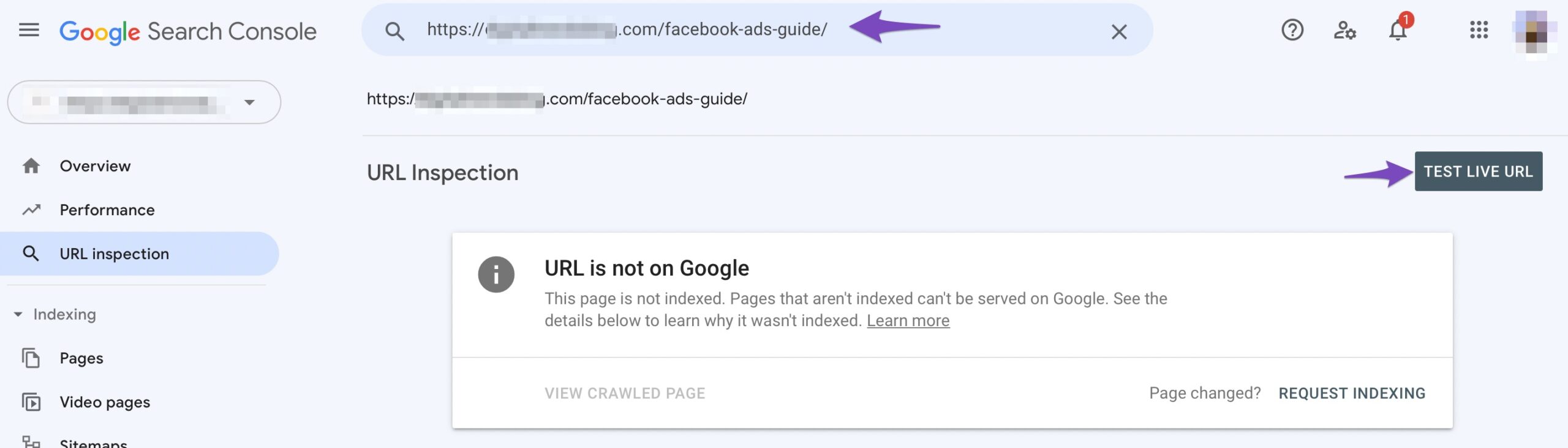
    1. Check Image Indexing: Ensure that the images are indexable by Google. You can do this by submitting the page URLs to Google Search Console using the URL Inspection tool. This will help you see if there are any issues with how Google is viewing your images.
      Submit the page to Google using URL Inspection

    2. Image Sitemap: Make sure that your images are included in your sitemap. If you are using Rank Math, it should automatically include images in your sitemap, but it’s worth checking to ensure that this feature is enabled.

    3. Responsive Images: Ensure that your images are responsive and optimized for different devices. This is important for both user experience and SEO. WordPress handles this by default, but double-check that your images are set up correctly.
      scrset attribute

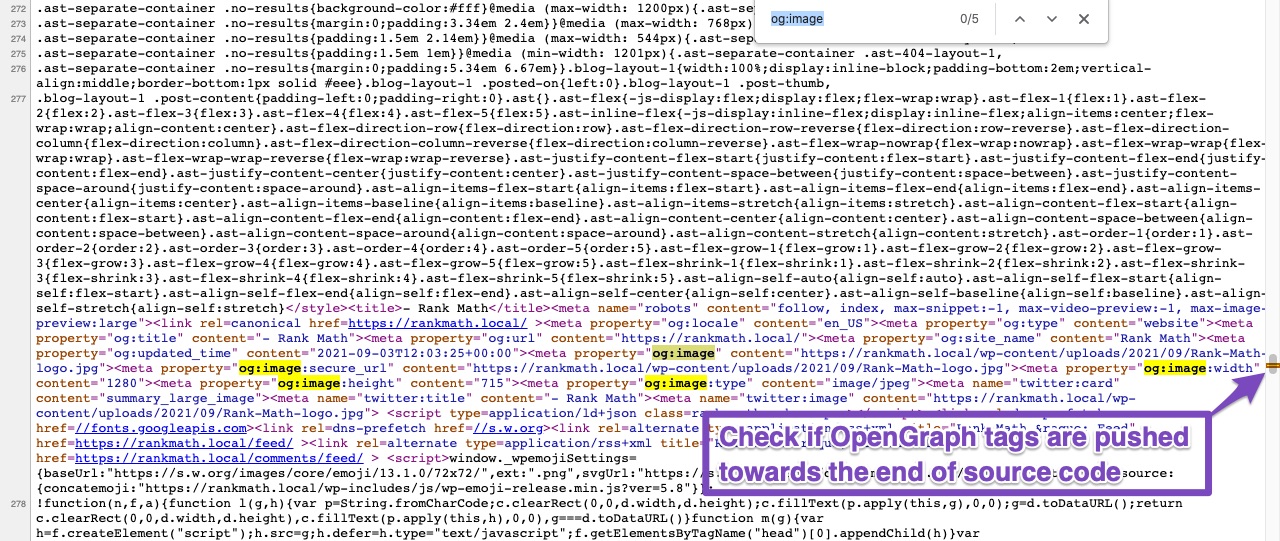
    4. Open Graph Tags: If you are using Open Graph tags, ensure that they are correctly implemented and not pushed down in the source code due to minification or caching issues. Open Graph tags should be within the first 60 KB of your page’s source code for social media platforms to detect them properly.
      Check if OpenGraph tags are pushed towards the end of source code

    5. Caching Issues: If you have caching enabled (like Jetpack’s CDN), try clearing your cache and see if that resolves the issue. Sometimes, cached versions of pages can prevent updates from being recognized by search engines.

    6. Redirect Settings: Regarding the Rank Math setting you mentioned about redirecting attachment pages, this could potentially affect how images are indexed. If attachment pages are redirected, it might confuse search engines about where to find the images. You may want to test disabling this option temporarily to see if it makes a difference.

    7. Image Quality and Relevance: Ensure that the images you are using are of high quality and relevant to the content. Google may choose not to display images if they consider them less relevant or if they are duplicates of other images found online.

    After trying these steps, monitor your site’s performance in Google Search Console to see if there are any changes in how your images are indexed. If the issue persists, please reply to this ticket, and a human agent from the Rank Math Support team will assist you further.

    Thank you for raising this concern, and we hope these suggestions help improve your image indexing situation!

    Sources:
    How to Show Images in the Search Results » Rank Math
    How to Name Images for SEO » Rank Math
    Open Graph/Social Preview Image Is Not Displayed » Rank Math

    sarang
    Rank Math free

    Need more help. Rankmath bot didn’t help.

    Hello,

    We have already replied to your other ticket with the same concern, and please continue there to avoid duplication.

    I’ll close this one so we can follow up on one thread for efficiency.

    Looking forward to helping you.

    Thank you.

Viewing 3 replies - 1 through 3 (of 3 total)

The ticket ‘Images not showing up on Google’ is closed to new replies.