Hello, I’m sorry to hear that you’re having trouble finding the Image tab in the General Settings of Rank Math. To access the Image SEO features, please ensure that you have enabled the Image SEO module in Rank Math. You can find this option under General Settings → Images from the Rank Math menu.
If you have already done this and still cannot see the Image tab, it might be helpful to check if there are any plugin conflicts or if your Rank Math plugin is up to date.
If the issue persists, please reply to this ticket with your site URL so that a human agent can assist you further. Thank you for raising this concern!
Hello,
Please make sure you’ve enabled the Image SEO module in Rank Math > Dashboard > Modules:
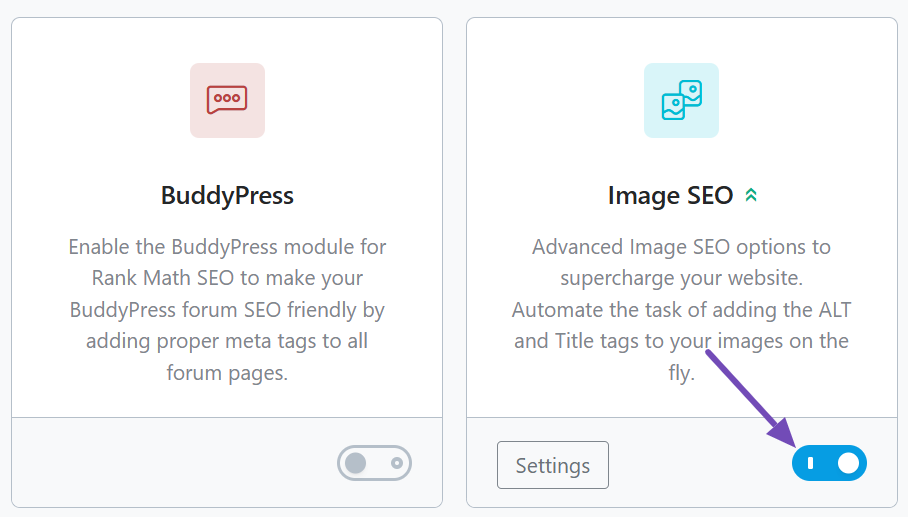
Please note that some options are only available when you enable the Advanced Mode in Rank Math. If the Image SEO module is not showing, please switch to the Advanced Mode: https://rankmath.com/kb/switch-from-easy-to-advanced-mode/
Let us know how it goes. Looking forward to helping you.
Thank you.
Hello,
Since we did not hear back from you for 15 days, we are assuming that you found the solution. We are closing this support ticket.
If you still need assistance or any other help, please feel free to open a new support ticket, and we will be more than happy to assist.
Thank you.



