Hello, we apologize for the issue you are facing with the Image SEO module not showing up in your dashboard.
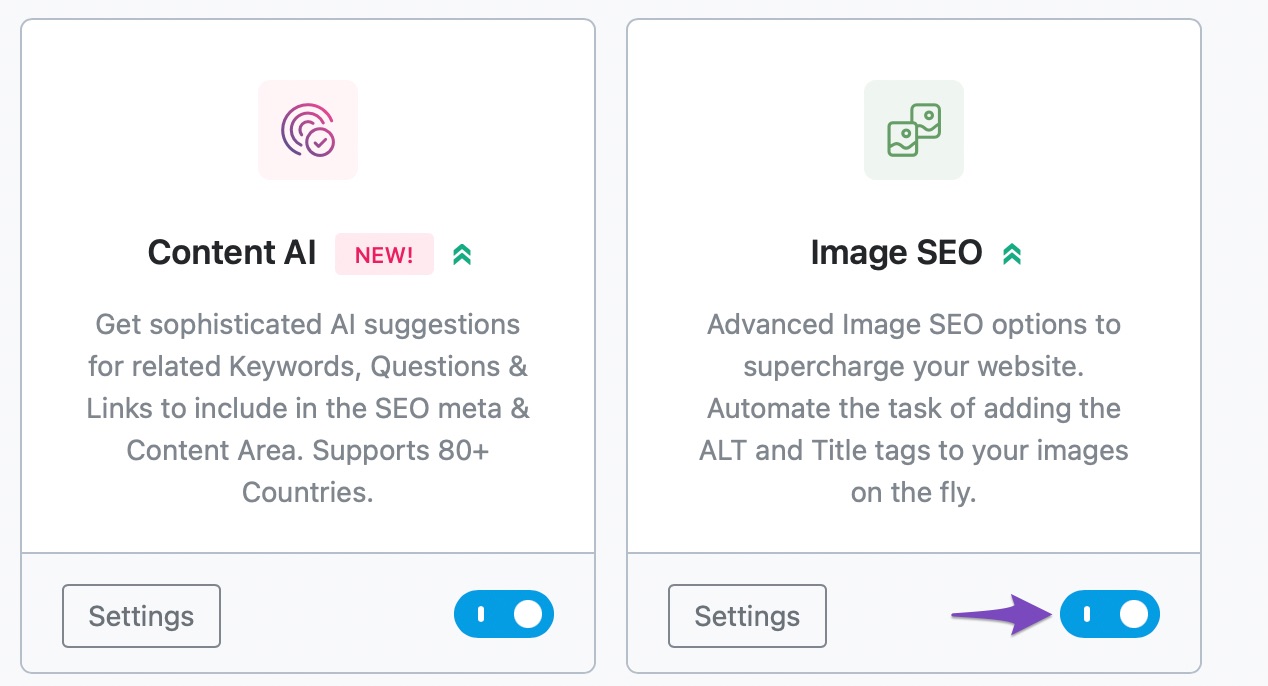
To resolve this, please ensure that the Image SEO module is enabled. You can do this by navigating to Rank Math SEO → Dashboard → Modules in your WordPress admin area and checking if the Image SEO module is activated. Here’s a screenshot for reference:
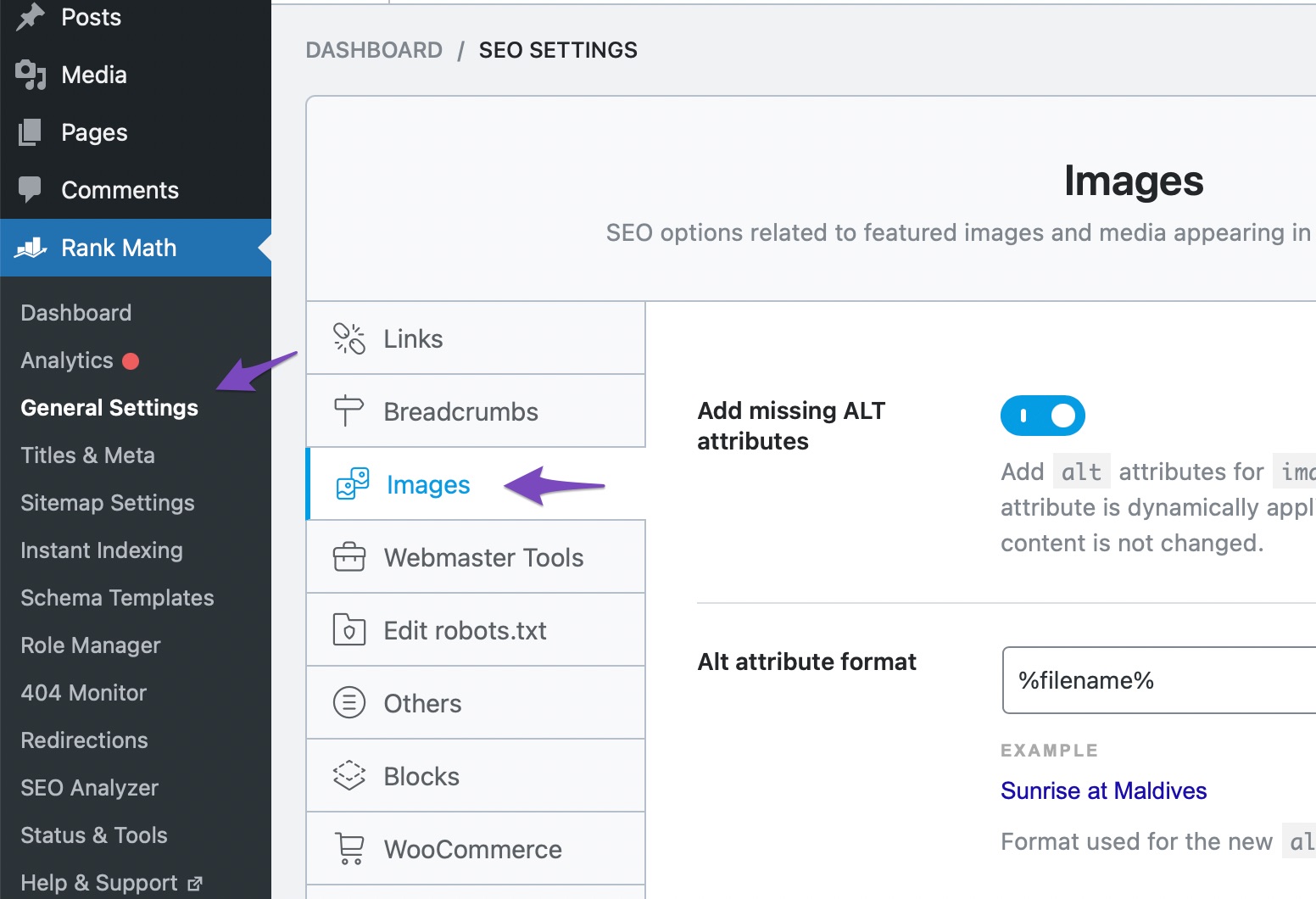
Once you have confirmed that the module is enabled, you can access the Image SEO settings by going to General Settings → Images from the Rank Math menu. Here’s how to find those settings:
If you have followed these steps and the module is still not visible, please reply to this ticket, and a human agent from the Rank Math Support team will assist you further. Thank you for raising this concern!
Sources:
Image SEO Options in Rank Math
the image module is not in the dashboard
Hello,
Thank you for contacting support.
You need to make sure that you have the advanced mode enabled in our plugin to get access to all the modules and settings: https://rankmath.com/kb/switch-from-easy-to-advanced-mode/
Don’t hesitate to get in touch if you have any other questions.
Issue #1 I have advanced mode enabled and image SEO Active. On the image “Edit more details,” the Rank Math SEO screen option is not listed to click the box (to show). Therefore, Rank Math SEO module does not appear under the image. Note that I have two sub directories on the site and they work fine. And on the main site the Rank Math SEO module appears on pages and posts – just NOT images.
Issue #2 I am trying to add a canonical URL for the image on the main site to the same image on a sub directory site. Right now my only option is “Excluded from sitemap.” Is using a canonical the best approach or is it ok to leave it “Excluded from sitemap,” or would it be better if I could use Rank Math SEO to “noindex” the image. Lastly, for clarification. If I do use a canonical URL for the image do I leave the setting open/alone, or use “noindex” and/or “Exclude from sitemap” in conjunction with the canonical URL?
Hello,
@Robert We have already replied to the ticket you have created regarding your concerns.
If you have further questions, please continue on that ticket so we can follow up on one thread for efficiency.
Looking forward to helping you.
Hello,
Since we did not hear back from you for 15 days, we are assuming that you found the solution. We are closing this support ticket.
If you still need assistance or any other help, please feel free to open a new support ticket, and we will be more than happy to assist.
Thank you.




