Hello,
We apologize for the issue you are facing with the ALT attributes on your images. If you have already written ALT text but are still receiving an error message, it could be due to a few reasons:
-
Check Image Placement: Ensure that the images you are referring to are placed within the post or page content. Rank Math only adds missing ALT attributes for images added in post or page content, not for those in headers, sidebars, or footers.
-
Automated Solution: Rank Math has an automated solution for adding ALT text to images. You can enable this feature by navigating to Rank Math SEO → General Settings → Images and toggling the Add missing ALT attributes option. This will automatically add ALT text based on your image filenames if they are not already set.
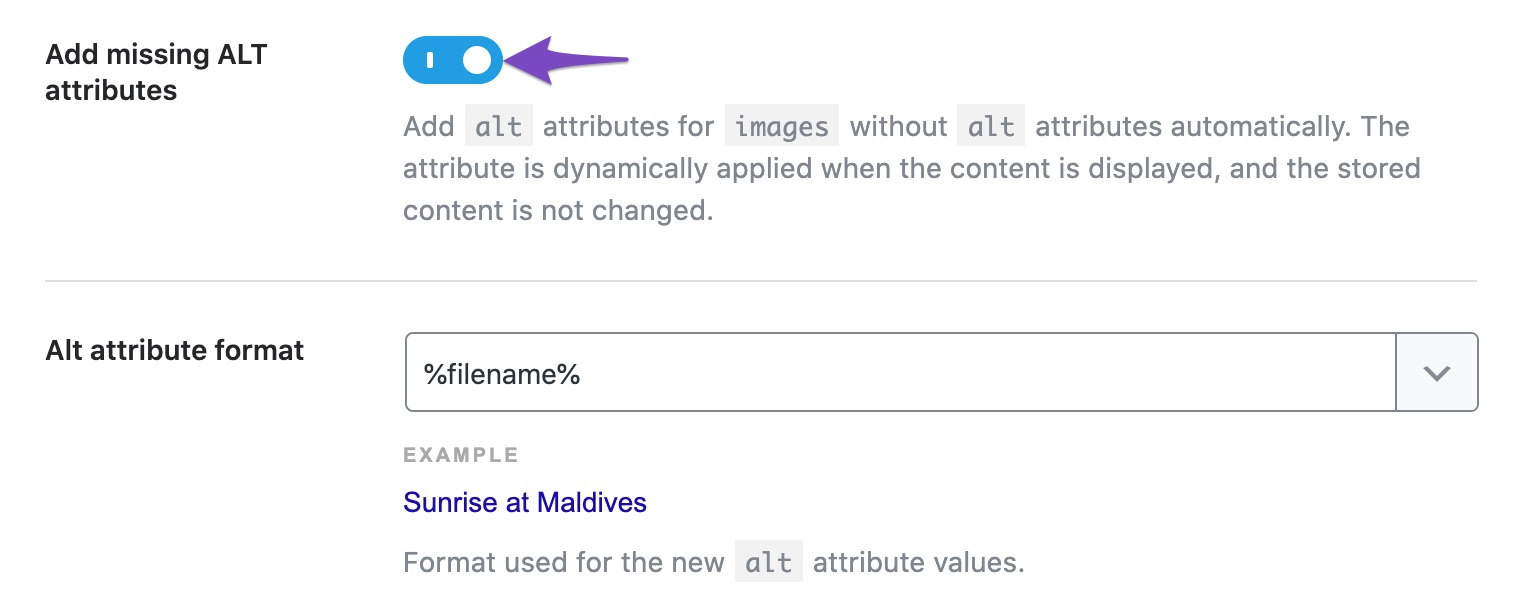
-
Image ALT Attribute Format: You can also set the format for the ALT text that will be used. The default is %filename%, but you can customize it as needed.
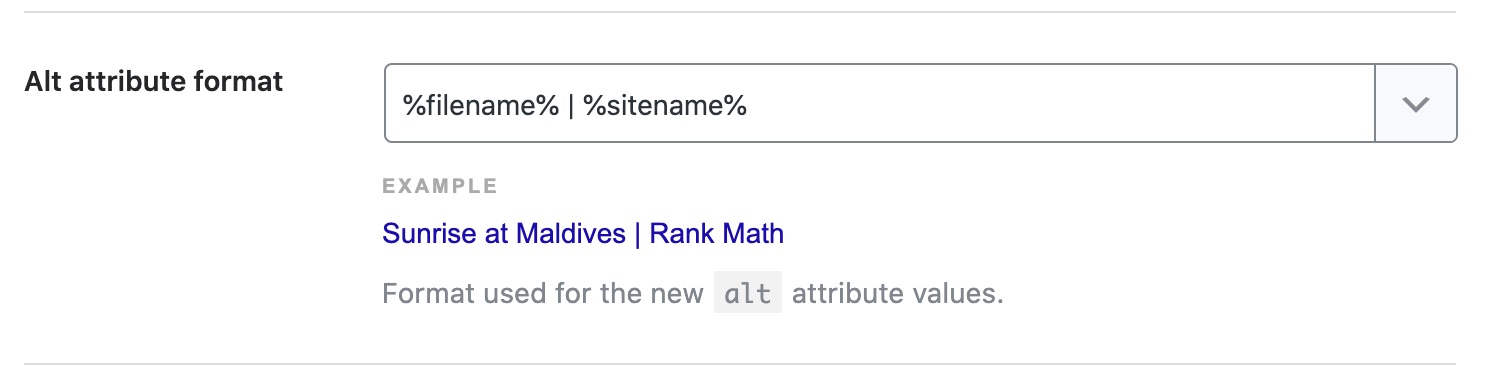
If you have checked these settings and are still experiencing issues, please reply to this ticket, and a human agent from the Rank Math Support team will assist you further.
Thank you for raising this concern!
Sources:
Analyzing Your Site’s SEO with Rank Math’s SEO Analysis Tool
Image SEO Options in Rank Math
How to Show Images in the Search Results » Rank Math
Hello,
Please share the affected URL so we can log in to our site and check it further.
Looking forward to helping you.
Hello,
Since we did not hear back from you for 15 days, we are assuming that you found the solution. We are closing this support ticket.
If you still need assistance or any other help, please feel free to open a new support ticket, and we will be more than happy to assist.
Thank you.



