Hello,
We apologize for the issue you are facing with Rank Math not saving your keywords and meta descriptions. This can sometimes happen due to security settings in Cloudflare or other caching mechanisms that may interfere with the saving process.
To resolve this, you can create page rules in Cloudflare to whitelist the necessary Rank Math URLs. Here’s how you can do it:
-
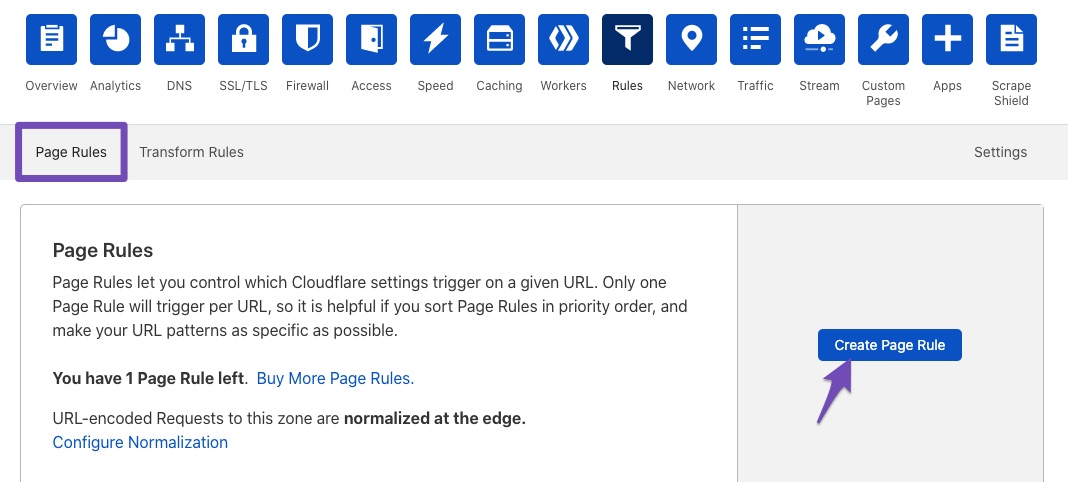
Create New Page Rule: Under the Rules tab in Cloudflare, click the Create Page Rule button.
-
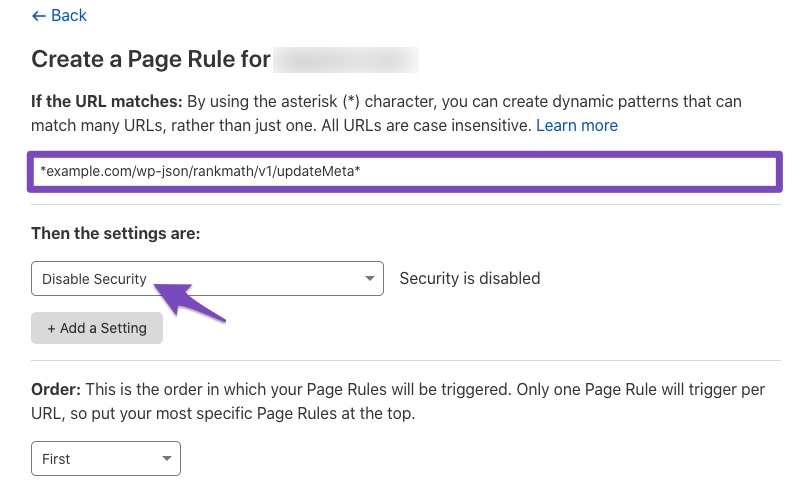
Enter the URL: In the field "If the URL matches", enter the following paths (replace example.com with your domain):
*luxe-clothing.com/wp-json/rankmath/v1/updateMeta*
*luxe-clothing.com/wp-json/rankmath/v1/updateSchemas*
*luxe-clothing.com/wp-json/rankmath/v1/updateRedirection*
*luxe-clothing.com/wp-json/rankmath/v1/getFeaturedImageId*
*luxe-clothing.com/wp-json/rankmath/v1/getHead*
-
Disable Security: In the field "Then the settings are", choose Disable security.
-
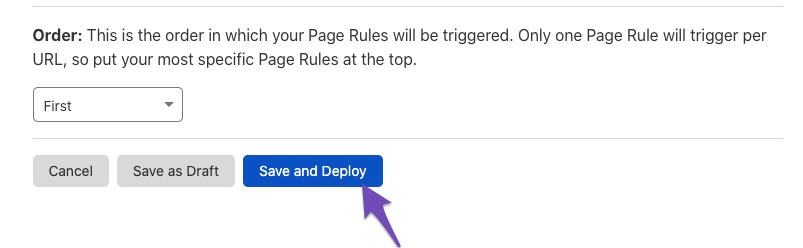
Save and Deploy: After adding the necessary settings, click the Save and Deploy button.
After following these steps, check if you can save your SEO metadata in Rank Math. If the issue persists, please reply to this ticket, and a human agent from our support team will assist you further.
Thank you for raising this concern!
Sources:
Why Your SEO Title, Description & Focus Keyword Aren’t Being Saved » Rank Math
This is an automated reply from Rank Math Support Bot. If you need further assistance, please reply to this topic and a human support agent will reply to you shortly.
Hello,
Since we did not hear back from you for 15 days, we are assuming that you found the solution. We are closing this support ticket.
If you still need assistance or any other help, please feel free to open a new support ticket, and we will be more than happy to assist.
Thank you.


