Hello,
We apologize for the issue you are facing with your newly purchased Content AI subscription. To start using Content AI, please ensure that you have connected your Rank Math account and refreshed your credits. Here are the steps to follow:
-
Connect Your Rank Math Account:
- Go to your WordPress dashboard.
- Click on Rank Math and then select Content AI.
- If prompted, click on the Connect Now button to link your Rank Math account.
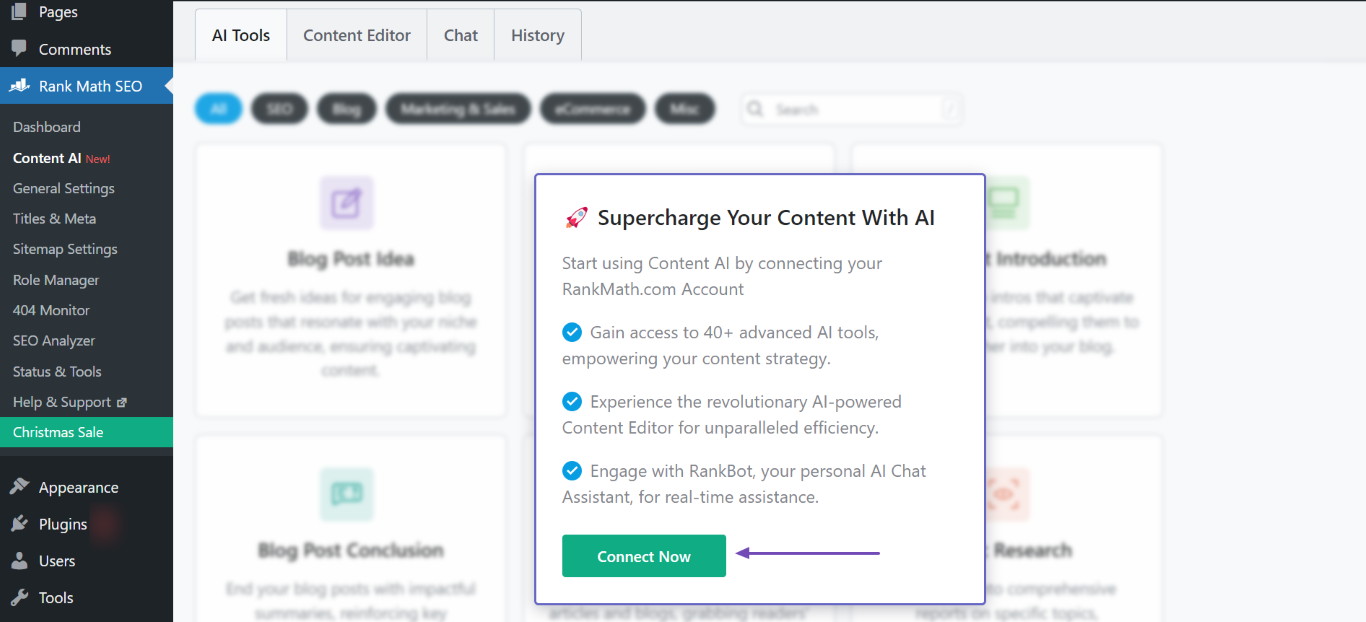
-
Refresh Your Credits:
- After connecting your account, navigate to Rank Math → General Settings → Content AI.
- Look for the option to refresh your credits and do so.

Once you have completed these steps, you should be able to use Content AI without any issues. If you continue to experience problems, please reply to this ticket, and a human agent from the Rank Math Support team will assist you further.
Thank you for raising this concern, and we hope this helps!
Sources:
Resolving Content AI Related Issues » Rank Math
I can’t attach the screenshots, but it shows zero credits. Honestly, I thought that once the purchase was made, everything would be activated for the content. Here’s the link to WeTransfer.
https://we.tl/t-CUBEAIxvo3
Hello,
We’ve checked your account, and the Content AI credits are already applied.
Please ensure that your Rank Math plugin is already updated to the latest version:
https://rankmath.com/changelog/free
If the issue persists, please follow these steps:
1 . Please clear the transients at Rank Math > Status & Tools > Database Tools > Remove transients

2 . After that, you may try disconnecting and re-connecting Rank Math to see if that works for you.
You can disconnect your account by navigating to WordPress Dashboard > Rank Math > Dashboard > Help and then simply disconnect the account by clicking on Disconnect Account.

3 . Once you’ve disconnected your Rank Math account, you can connect it again in the same settings. To connect your correct account, click on Connect Now.

4 . Once you click on Connect Now, please ensure that you’ve selected the correct account and then click on OK, Activate Now.

5 . Once all the above steps are done you might need to refresh the credits again this time to start using Content AI.
Please head over to WordPress Dashboard → Rank Math → General Settings → Content AI and refresh the credits. Here’s a screenshot for reference:
Let us know how this goes.
Hello,
Since we did not hear back from you for 15 days, we are assuming that you found the solution. We are closing this support ticket.
If you still need assistance or any other help, please feel free to open a new support ticket, and we will be more than happy to assist.
Thank you.



